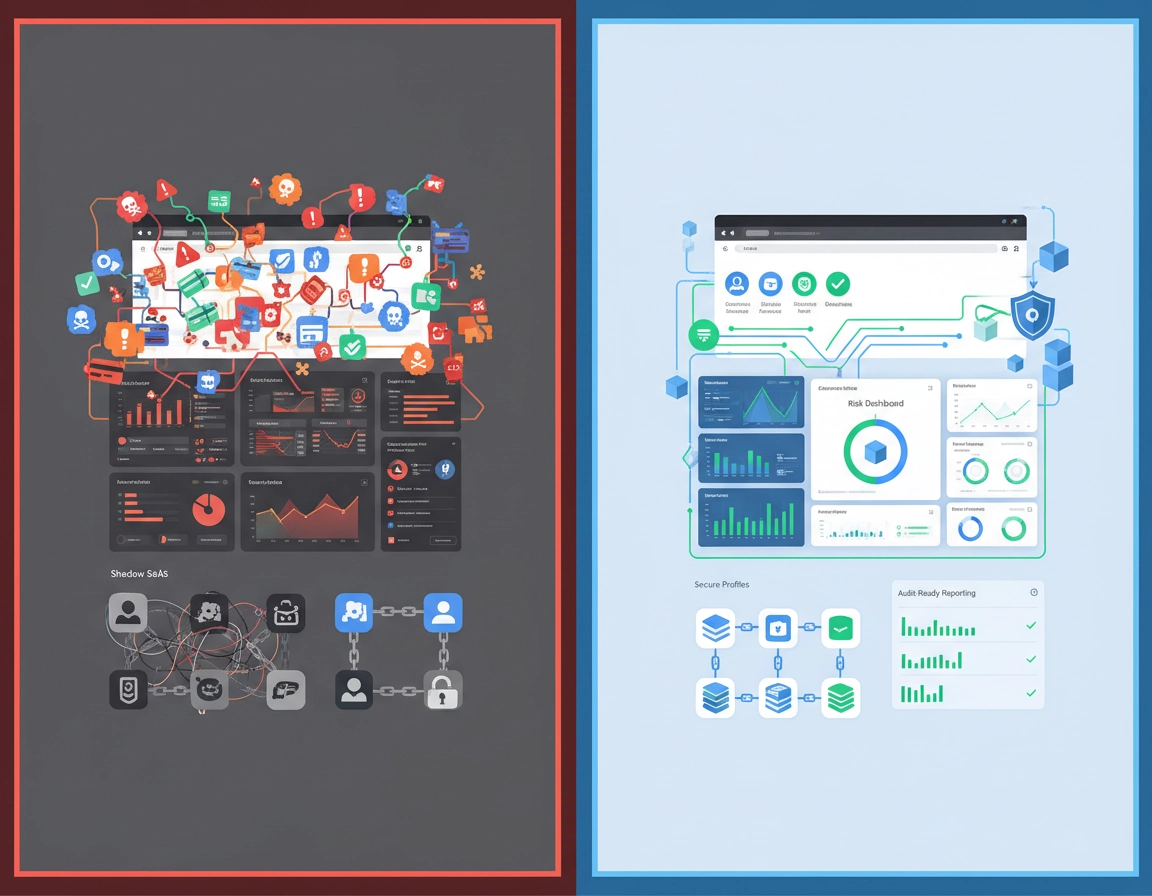
Why browser risk belongs in your enterprise risk register .
Many organizations already have mature language for endpoint risk, SaaS risk, identity risk, and third-party risk, yet the browser still falls between teams. That blind spot is expensive. Chrome is now the operating surface where employees authenticate, access internal applications, approve MFA prompts, move documents, upload data into generative AI tools, interact with finance systems, and install third-party extensions that can read page content or modify browser behavior. That makes the browser a control boundary, not just a user application.
Putting Chrome Enterprise into the risk register changes the conversation from “Which settings did we deploy?” to “Which business exposures can the browser reduce, detect, or document?” That distinction matters. A browser policy only becomes meaningful when it is attached to a risk statement such as:
- Unmanaged browsers can access sensitive business systems.
- Extensions with broad host permissions can read or alter data on high-value internal pages.
- Users can move confidential data to unsanctioned web destinations through otherwise legitimate browser sessions.
- The organization lacks enough browser telemetry to reconstruct user actions during an incident or audit review.
Once those risks are written clearly, Chrome Enterprise becomes easier to justify. Security leaders can map policy and reporting decisions to actual control objectives, IT can defend operating standards, and compliance teams can request evidence that has a real relationship to exposure. Without that framing, browser management tends to collapse into a checklist exercise where teams celebrate enrollment numbers but cannot explain what risk has actually been reduced.
This is also why “browser hygiene” is not a sufficient enterprise framing. Hygiene suggests patching, standard settings, and routine upkeep. Risk management is broader. It includes trust enforcement, visibility, governance, user action review, exception control, and escalation thresholds. It accepts that browser activity is inseparable from modern enterprise work.
Related: this page works best when read alongside Chrome Enterprise Guide, Chrome Enterprise Security Reporting, Chrome Enterprise Activity Logs, and Chrome Enterprise Device Visibility.
The six browser exposures worth measuring first .
The most effective Chrome Enterprise programs do not begin with every available browser control. They begin with the risk categories that repeatedly show up in security reviews, incident analysis, and compliance scoping. For most organizations, six exposures dominate.
1. Policy drift and inconsistent enforcement
The same browser estate behaves differently across users, OUs, regions, or device types. Security intent exists on paper, but enforcement varies in production.
2. Extension uncertainty
Users install tools with broad permissions, security review is informal, and no one can quickly separate approved business utility from high-risk extension code.
3. Unmanaged or weakly trusted browsing context
Sensitive SaaS or internal resources are reachable from browsers that do not inherit the organization’s profile, reporting, or trust requirements.
4. Browser-based data movement
Documents, copied content, uploads, and downloads move across browser sessions faster than traditional endpoint controls or manual review can keep up.
5. User action signals that go untriaged
Password reuse, repeated risky browsing events, destination violations, or suspicious browser behavior occur, but nobody owns the response path.
6. Investigation and audit gaps
When questions arrive from security, legal, or auditors, the browser layer cannot provide a defensible timeline, policy record, or evidence trail.
These are not abstract categories. Each one maps to a real enterprise pain point. Policy drift turns a standardized security posture into a fragmented one. Extension uncertainty creates a quiet third-party risk channel directly inside browser sessions. Weak browser trust lets corporate access escape policy boundaries. Browser-based data movement undermines assumptions about where sensitive information can travel. Untreated user action signals waste the one early warning layer most organizations already have. Investigation gaps turn manageable incidents into credibility problems.
It is worth measuring these categories separately because they fail differently. Extension risk needs governance and permissions review. Unmanaged access needs trust enforcement and profile strategy. Data movement needs policy and destination controls. Audit gaps need retention and documentation. Treating them all as one “browser security score” sounds tidy, but it hides the operational work that actually lowers risk.
Related: if your biggest unknown is extensions, continue with Chrome Enterprise Extension Management, Chrome Extension Risk Analysis, and Chrome Enterprise Threat Detection Tools.
Minimum control baseline for Chrome Enterprise .
Enterprises often overestimate how much maturity is required to make a browser program useful. In reality, a disciplined baseline can remove a large percentage of browser risk before any advanced tooling or high-friction control set is introduced. The key is to build a baseline that is enforceable, reviewable, and simple enough to maintain.
A credible baseline should include the following control families.
- 1 Managed browser coverage. Identify which browsers and profiles are in scope, which are actually managed, and where unmanaged access is still tolerated.
- 2 Policy standardization. Build browser policy by user population, job function, or organizational unit instead of letting every team negotiate its own ad hoc exceptions.
- 3 Extension governance. Separate approved tools from unreviewed tools, review broad permissions, and remove abandoned or duplicate exceptions.
- 4 Profile and sign-in controls. Make it clear which work contexts are trusted and how corporate identity is supposed to behave inside the browser.
- 5 Reporting and review cadence. Turn on browser reporting and assign named owners for weekly review, monthly trend reporting, and incident support.
- 6 Escalation criteria. Define which browser events are informational, which create a ticket, and which demand immediate security action.
Where teams get into trouble is assuming that configuration alone equals control. It does not. A policy is only part of the baseline. The rest is operational discipline: someone has to review extension requests, someone has to decide whether an unmanaged access attempt is acceptable, someone has to close the loop on repeated user-risk events, and someone has to preserve evidence when exceptions are granted.
Another useful maturity check is to ask whether the browser baseline is strong enough to survive a messy real-world environment. Can it handle contractors on mixed devices? Shared admin workstations? Power users who need extra SaaS tools? Finance staff with stricter browser needs than marketing? If the answer is no, the baseline may look clean on paper but fail in the first exception-heavy business unit.
- Version management and update posture
- Managed profile requirements and trust assumptions
- Safe browsing and user-risk protections
- Extension install, review, and removal policy
- Restrictions for unmanaged or lower-trust browser contexts
- Event review, evidence retention, and exception handling
Related: reinforce this section with Chrome Enterprise Policy Hardening, Chrome Enterprise Security Best Practices, Chrome Enterprise Conditional Access, and Chrome Enterprise Endpoint Security.
Operating model: who owns what, and what gets escalated .
The browser becomes politically difficult inside enterprises when everyone touches it but no one owns the risk decisions. IT owns deployment. Security owns risk. Identity owns access logic. Compliance wants evidence. Business application owners demand exceptions. Without a defined operating model, Chrome Enterprise turns into a permanent negotiation.
The cleanest model is a four-way split:
- Browser administration: policy deployment, enrollment hygiene, version control, OU targeting, change sequencing, and compatibility testing.
- Security engineering or SecOps: risk thresholds, alert routing, high-risk extension decisions, correlation with other tools, and incident playbooks.
- Governance or compliance: evidence standards, exception approval records, control mapping, retention expectations, and audit response support.
- Business owners: justification for special browser needs, approved workflow exceptions, and verification that critical apps still function under policy.
That ownership split needs a workflow behind it. A mature browser risk lifecycle usually looks like this:
- Inventory. Identify managed browsers, unmanaged access paths, extensions in use, high-value applications, and job roles with elevated browser sensitivity.
- Classify. Separate routine browser activity from high-impact browser activity. Not every tab is equal. Finance, legal, HR, privileged admin, and cloud console usage deserve heavier scrutiny.
- Control. Apply the right instrument: browser policy, profile enforcement, access restrictions, extension controls, destination rules, or browser-based data protections.
- Review. Check risky events, policy drift, extension changes, new exception requests, and recurring unmanaged browser access patterns.
- Escalate. Decide whether an event leads to user outreach, policy tightening, extension removal, access restriction, or formal incident response.
- Improve. Feed audit findings, production issues, and recurring event patterns back into the policy baseline.
The important thing is that escalation cannot begin at the moment of crisis. A team that first debates ownership during a browser-led incident is already late. The decision tree should exist ahead of time: what counts as a security event, what counts as a compliance issue, who approves emergency extension removal, who can tolerate a temporary business outage to contain risk, and how exception evidence is recorded.
This section is often where Chrome Enterprise earns trust with leadership. Executives are more comfortable funding browser controls when they can see governance, not just features. Governance signals that the browser layer is being treated like part of the organization’s security architecture rather than a side project.
Related: continue with Chrome Enterprise Security Reporting, Chrome Enterprise Compliance Reporting, Chrome Enterprise IT Dashboard Guide, and Chrome Enterprise Audit Preparation.
Extension governance, shadow tools, and permission abuse .
In many enterprises, the extension layer is the most volatile source of browser risk because it introduces third-party functionality directly into authenticated browser sessions. Extensions can improve productivity, but they also inherit trust they did not earn. A tool with page access on internal dashboards, finance portals, admin consoles, or customer systems is not just a convenience add-on. It is third-party code with potential data visibility inside a privileged business context.
The first mistake organizations make is treating all extensions as equal. They are not. A cosmetic or low-scope helper is very different from an extension that reads and changes data across broad host patterns, injects scripts into pages, captures screenshots, or syncs activity to an external service. The second mistake is assuming installation alone is the risk event. In reality, the lifecycle is what matters: request, approval, permission review, change review, periodic revalidation, and emergency removal.
Mature extension governance usually rests on five controls:
- Allowlist strategy: define which business tools are broadly approved versus restricted to specific teams.
- Permission scrutiny: pay close attention to host access, content injection, clipboard interaction, download control, and page data visibility.
- Business justification: tie extensions to actual work needs, not vague productivity claims.
- Reassessment: revisit high-impact extensions periodically, especially when ownership changes or the extension expands capability.
- Removal authority: reserve the right to disable or block an extension quickly when behavior changes or a security issue emerges.
Shadow tooling complicates this further. Employees under delivery pressure often adopt browser-based tools faster than procurement or security review can respond. The browser becomes the easiest path to unofficial OCR tools, summarizers, AI assistants, transcription utilities, PDF helpers, web clippers, personal password savers, and screenshot platforms. Some are harmless. Some create quiet exfiltration paths. The point is not to outlaw productivity. The point is to force visibility and a decision.
- What business task does this extension perform that the organization cannot already cover safely?
- Does the extension need broad host permissions, or can the scope be narrowed?
- Will it run inside admin consoles, HR systems, finance tools, or customer data environments?
- Does it transmit content, screenshots, or interaction data to an external service?
- Who owns reassessment after approval, and how fast can it be removed?
Related: pair this section with Chrome Extension Usage Monitoring, Chrome Extension Permission Change Alerts, Chrome Enterprise Threat Detection Tools, and Chrome Enterprise Behavior Monitoring.
The strongest operational pattern is to classify extensions into approved, approved with limits, and unapproved pending review. That model scales because it avoids the false choice between total lockdown and uncontrolled openness. It also gives security teams a language for exception handling that is more mature than “yes” or “no.”
Managed profiles, session trust, and data movement controls .
The browser stops being a generic application the moment it becomes the route into corporate identity, privileged SaaS, and regulated information. That is why managed profile strategy matters so much. Without a reliable distinction between trusted and untrusted browser context, enterprises struggle to answer a basic question: From which browser state are we allowing sensitive work to happen?
In practice, session trust depends on more than sign-in. A user can be authenticated and still operate from a context the organization would not want to trust fully. Personal browsing mixed with work activity, unmanaged browser instances on otherwise known devices, contractor access from low-governance environments, and inconsistent profile enforcement all weaken the integrity of browser-based access decisions.
This becomes especially important where the browser is used for:
- Cloud console administration
- HR, payroll, or finance systems
- Customer data platforms and support tools
- Legal, healthcare, or regulated document access
- AI tools that can ingest copied or uploaded internal content
The risk is not only unauthorized entry. It is also uncontrolled data movement once access is granted. Copy-paste, downloads, uploads, form entry, file transfers, and browser-mediated sharing all happen inside legitimate sessions. Traditional perimeter thinking does not help much here. The control decision has to happen closer to the browser workflow itself.
That is why identity trust, browser trust, and data controls should be designed together. Managed profiles should support clearer access expectations. High-value applications should know whether they are being reached from a trusted browsing context. Browser events should help distinguish harmless user behavior from repeat violations. Sensitive movement paths should be visible enough to review and narrow over time.
| Browser risk scenario | What usually fails | Primary control direction | Primary owner |
|---|---|---|---|
| Unmanaged browser reaches sensitive apps | Access decisions assume authentication is enough | Managed profile requirements, trusted browser conditions, app-level restrictions | Identity + browser admin |
| Confidential data is uploaded to unsanctioned destinations | Legitimate browser sessions are not treated as data movement channels | Destination controls, data-aware policies, reviewable browser events | Security + compliance |
| Password reuse or risky sign-in behavior | Early user-risk signals are visible but not operationalized | Password protections, event triage, targeted user follow-up | Security operations |
| Personal and work browsing blend together | Policy boundaries weaken and evidence becomes messy | Managed sign-in, work profile separation, cleaner policy inheritance | Browser admin + identity |
A useful design principle here is proportional control. Not every browser session deserves the same friction. The goal is to concentrate stronger controls around high-value applications, sensitive data flows, and low-trust browser contexts. That gives the business room to operate without pretending all browser activity carries the same risk.
Logging, alerting, and investigation workflow .
Browser visibility is only useful when it feeds a repeatable investigation path. Too many organizations turn on reporting, admire the dashboards for a week, and then fail to decide which signals deserve action. Chrome Enterprise becomes materially more valuable once browser events are treated as part of the security operating model rather than a reporting side channel.
Start by separating browser events into three tiers:
- Tier 1: informational. Useful for trend reporting, policy tuning, and audit context, but not urgent on their own.
- Tier 2: reviewable. Events that should generate analyst review, ticket creation, or admin follow-up within a defined window.
- Tier 3: actionable security events. Events that may justify immediate extension restriction, access containment, heightened investigation, or incident handling.
The key is to assign browser signals according to business impact, not just technical novelty. A low-risk browsing violation on a casual internal site does not deserve the same handling as a suspicious browser action affecting a privileged admin, payroll specialist, or finance approver. Good triage enriches the raw browser event with identity, role, application sensitivity, device posture, and prior history.
Strong enterprises also define what browser investigators are expected to answer. A useful checklist includes:
- Was the browser managed?
- Was the correct profile in use?
- Which policy family applied?
- Were relevant extensions present?
- Did the user repeat similar behavior recently?
- Did the event intersect with sensitive applications or regulated data?
That structure shortens response time because analysts are not improvising every case from scratch. It also produces cleaner evidence when the incident needs to be escalated to legal, compliance, or leadership review.
- Initial review: confirm user, managed state, profile context, and policy scope.
- Context expansion: inspect extension inventory, recent policy changes, repeated violations, and related app access.
- Control action: restrict the extension, tighten policy scope, block a workflow, require remediation, or escalate into incident response.
Related: continue with Chrome Enterprise Activity Logs, Chrome Enterprise Security Alerts, Chrome Enterprise Audit Logging, and Chrome Enterprise Behavior Monitoring.
The most common operational failure here is not missing data. It is missing ownership. If nobody is responsible for weekly review, exception follow-up, or integration with broader SecOps workflows, the browser layer stays informational forever. Mature teams make one deliberate move: they decide that certain browser events will change a workflow, not just decorate a dashboard.
How to report browser risk to leadership and auditors .
Leadership does not need a catalog of browser settings. It needs a defensible story about exposure, control coverage, trend direction, and business impact. That means your Chrome Enterprise reporting should answer questions like:
- How much enterprise browsing tied to sensitive work is now managed and reportable?
- How many high-risk extensions were reviewed, restricted, or removed this quarter?
- Which business units generate repeated unmanaged access or exception requests?
- What volume of browser-led risky events needed analyst action, and how quickly were they resolved?
- Which browser controls measurably reduced audit friction, incident uncertainty, or data movement exposure?
That reporting format works because it converts browser details into governance language. Coverage tells leaders how much of the environment is inside control. Control health shows whether the baseline is stable. Event trends show where risk is accumulating or declining. Exceptions show where business need is forcing accommodation and whether compensating controls are adequate.
For auditors, the emphasis shifts slightly. They want consistency, evidence, and traceability. That usually means maintaining:
- Documented browser standards and policy objectives
- Evidence that policy is actually deployed to the intended scope
- Records of extension approvals, rejections, and exception approvals
- Examples of browser event review and control response
- Retention guidance for logs, tickets, and exception artifacts
Browser risk also becomes easier to defend as an investment once you quantify what it removes from other teams. Faster investigations, cleaner evidence collection, fewer unmanaged browser contexts, reduced extension uncertainty, and less manual screenshot gathering during audits are all operational cost savings. That is often the bridge from “browser admin budget” to “security infrastructure budget.”
FAQ .
-
helpIs Chrome Enterprise risk management just another name for browser deployment?No. Deployment handles installation, updates, and policy delivery. Risk management decides which browser behaviors matter, which contexts are trusted, how extensions are governed, what data movements are restricted, and how events are escalated when the browser becomes part of a security issue.
-
helpWhat is usually the highest-value browser risk problem to solve first?For many enterprises, it is the combination of unmanaged browser access and weak extension governance. Those two issues create quiet exposure because users still appear productive while the organization loses control over browser trust and third-party code inside sensitive sessions.
-
helpCan a smaller IT or security team still run a credible browser risk program?Yes. Start with a constrained baseline: managed browser coverage, standardized policies, extension review, reporting, and a simple escalation model. You do not need a large SOC to reduce browser risk, but you do need named ownership and repeatable decision rules.
-
helpWhat makes browser controls audit-friendly instead of just technically interesting?Documentation, scope clarity, retained evidence, and proof of response. Auditors care that the control exists, that it applies where you say it applies, that exceptions are recorded, and that browser events lead to defensible action when necessary.
-
helpWhen is it worth moving beyond a basic Chrome management rollout?Once the browser is part of your trust boundary. That usually means regulated or sensitive SaaS usage, mixed-device access, contractor workflows, high-value browser sessions, heavy extension use, or repeated concerns about browser-led data movement. At that point, advanced visibility and tighter control design stop being optional.
Sources & further reading .
- Chrome Enterprise Core
- Chrome Enterprise Premium
- Set Chrome policies for users or browsers
- View app and extension usage details
- Turn on managed profile reporting
- Chrome log events: events and attributes
- Chrome Enterprise Connectors Framework
- Use Chrome Enterprise Premium with DLP
- Chrome Enterprise release notes
Editorial note: the strongest browser risk programs are staged, not rushed. Validate policy and access changes in controlled pilots, confirm application compatibility, document exception logic, and only then widen enforcement. Risk reduction that breaks critical workflows without a governance path usually gets rolled back.