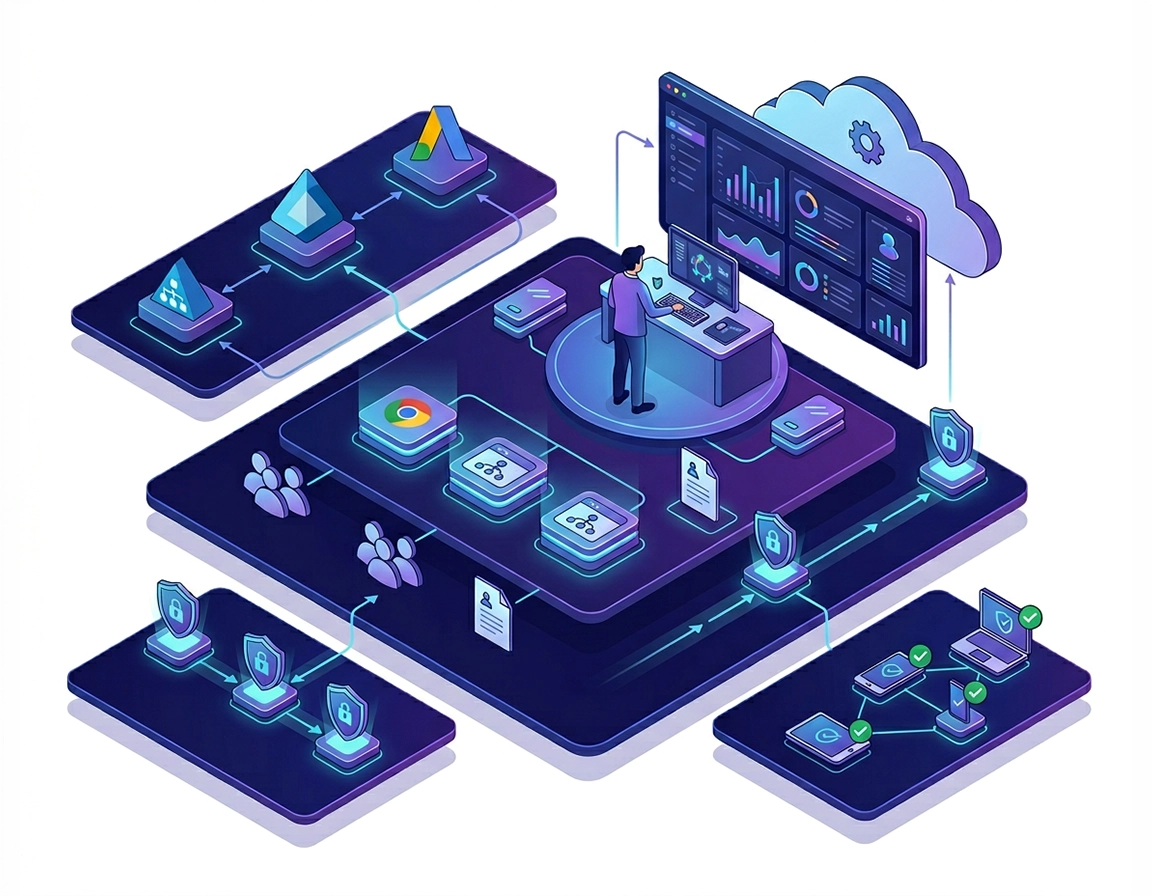
How directory integration fits into a Chrome Enterprise identity stack .
This guide focuses on modern cloud-managed Chrome environments, not only legacy on-prem browser administration.
A lot of teams search for “Chrome Enterprise directory integration” when what they really need is a dependable identity design for browser access. That distinction matters. In most enterprises, Chrome does not live in isolation. It inherits user context from a directory, policy context from groups or organizational units, and authentication context from an identity provider. If any one of those layers is messy, the browser becomes messy too.
In a real deployment, directory integration can refer to several different but related workflows. One is user and group synchronization, where data from Microsoft Active Directory, Microsoft Entra ID, or another external directory is synced into Google’s cloud directory so identities exist in the right place. Another is single sign-on, where the user authenticates against an IdP rather than entering a separate Google credential path. Another is managed Chrome profile enrollment, where users access a work profile in Chrome tied to corporate controls, even on unmanaged or personal devices. A fourth is device trust, where Chrome sends signals to a third-party IdP so access decisions can depend on browser or device posture.
That is why the best implementation starts with architecture, not setup screens. If you only need browser policy targeting and cloud management, syncing users and groups may be enough. If you want smoother login into ChromeOS or better alignment with Microsoft identity, you may need SAML or Entra integration. If you want protected work access from BYOD without fully managing the device, managed Chrome profiles and third-party profile enrollment become far more relevant than classic directory sync.
Google’s current Chrome Enterprise documentation makes this separation much clearer than older guidance did. Google now treats third-party Chrome profile integration as a first-class control pattern for organizations that need managed Chrome profiles on Windows, macOS, or Linux without requiring the whole device to be corp-managed. That matters for contractors, acquired companies, external partners, and personally owned endpoints. It also means an enterprise can bring browser-scoped controls to work access without pretending every identity problem must be solved by full device enrollment on day one.
Related: Start with the broader platform view in Chrome Enterprise Guide, then pair this page with Chrome Enterprise Identity Management and Chrome Enterprise SSO Configuration.
Key terms that teams often confuse .
The most expensive Chrome Enterprise misconfigurations happen when teams mix up directory presence, authentication, and browser enrollment. Keeping these definitions separate prevents the classic mistake of solving the wrong layer with the wrong tool.
- Directory sync: synchronizing users and groups from an external directory into Google’s cloud directory or Google Workspace identity layer.
- Provisioning: automatically creating, updating, suspending, or deprovisioning user accounts and memberships as lifecycle events happen upstream.
- SSO: using an identity provider, often via SAML or OIDC-adjacent patterns, so users authenticate with the organization’s standard login flow.
- Managed Chrome profile: a browser profile tied to enterprise policy, work data boundaries, and administrative visibility.
- Device trust: sharing browser or device posture signals with an IdP to improve access control decisions.
- Group-based targeting: assigning policy, access, or services based on synced or mapped group membership.
The four directory integration models most teams use .
| Model | What it solves | Best fit | Main caution |
|---|---|---|---|
| Sync only | Gets users and groups into the right place for policy and admin visibility | Cloud management and browser policy projects | Does not automatically solve login UX |
| SSO only | Improves authentication consistency | ChromeOS or federated sign-in flows | Without clean provisioning, identity drift remains |
| Managed profile enrollment | Enforces work browser boundaries even on BYOD | Hybrid work, contractors, partner access | Needs careful user education and profile separation |
| Sync + SSO + trust | Aligns lifecycle, authentication, and access posture | Mature enterprise environments | Highest design complexity and testing burden |
Architecture decisions that determine whether the rollout survives production .
Before opening the Admin console, decide what your source of truth is. For most enterprises that will be Microsoft Active Directory, Microsoft Entra ID, or a directory chain where AD remains authoritative and Entra adds cloud identity and SaaS federation. What you do not want is multiple systems attempting to own usernames, aliases, group membership, and offboarding logic at the same time.
The next decision is whether you need identity presence, authentication federation, or browser enforcement. Those sound similar, but they solve different problems. Identity presence means the user and group objects exist where Google or Chrome Enterprise expects them. Authentication federation means users log in through the same IdP they already trust. Browser enforcement means corporate access is intentionally routed through a managed Chrome profile or trusted browser path.
You should also decide whether your rollout scope is browser only, ChromeOS only, or mixed. ChromeOS has deeper SSO and device sign-in considerations than desktop Chrome because the identity flow affects the device sign-in path, recovery behavior, and user lockout handling. BYOD projects shift the conversation again, because you may not want full device management but still want corporate browser control. In those environments, third-party profile enrollment, separate profile enforcement, and trust-aware access policy become more important than classic domain-join thinking.
Related: If you are still choosing the management model, compare Chrome Enterprise Cloud Management, Chrome Enterprise Device Enrollment, and Chrome Enterprise Conditional Access.
- Check your authoritative object ID: Directory Sync links users by a unique identifier, not by display name. Recreated accounts can look identical to humans while being new objects to the sync engine.
- Check naming consistency: mismatched UPNs, mail attributes, and primary email addresses break pilots more often than browser policy mistakes.
- Check group hygiene: old security groups, nested group sprawl, missing group email addresses, and stale memberships create poor targeting downstream.
- Check OU logic: decide whether users land in a single OU or an OU path derived from a directory attribute, then test move events before production.
- Check your device story: distinguish corporate-managed devices, lightly managed endpoints, and personal/BYOD access because Chrome profile behavior differs across them.
- Check your access model: decide whether browser access decisions will rely only on identity or on browser/device trust signals too.
Questions to answer before the pilot .
- Which users need a managed Chrome profile versus a fully managed endpoint?
- Will HR-driven joiner/mover/leaver events originate in AD, Entra ID, or another upstream system?
- Do you need group sync for policy targeting, application entitlement, or both?
- Are contractors and partners in the same tenant, a separate tenant, or an external partner directory?
- Do you need ChromeOS device login federation, desktop browser policy, or both in phase one?
- How will you test deprovisioning and suspended-user behavior before production rollout?
Production rollout sequence for AD, Entra ID, and Google cloud directory .
The cleanest Chrome Enterprise directory integration rollout is staged. Teams that try to configure sync, federation, group targeting, managed profile enrollment, and advanced trust controls all at once usually end up with unclear failure points. Break it into phases so you can prove each layer.
- 1 Document your identity architecture. Write down your authoritative directory, user identifier format, group model, and which platforms are in scope first: desktop Chrome, ChromeOS, or managed Chrome profiles on personal devices.
- 2 Enable your Chrome Enterprise management baseline. Confirm you have access to the Admin console and the appropriate Chrome Enterprise management setup in place before you touch identity-dependent workflows.
- 3 Choose the right integration path. If your need is cloud sync from AD or Entra, evaluate Directory Sync or your provisioning path. If your need is direct managed profile enrollment with a third-party IdP, plan around third-party profile enrollment. If your need is ChromeOS login federation, design SAML/Entra login separately.
- 4 Map users and groups carefully. Pilot with one OU or test group and validate that usernames, email aliases, suspended states, and group memberships land exactly where expected.
- 5 Apply limited browser policy to the pilot. Use policy targeting that is easy to validate, such as homepage, sign-in controls, extension rules, or reporting visibility, before you introduce more sensitive controls.
- 6 Test the authentication path. Validate the user journey from sign-in prompt to managed profile creation or device sign-in, then confirm access to core SaaS apps.
- 7 Test identity lifecycle events. Simulate a new joiner, group change, role change, and deprovisioned user to make sure sync and enforcement logic reflect real business movement.
- 8 Introduce trust-aware controls only after identity stabilizes. Add device trust connectors, conditional access logic, or stronger data controls once basic enrollment and group correctness are proven.
- 9 Scale gradually. Move from pilot group to one department, then one business unit, then broader deployment. Keep support documentation aligned with each phase.
What success looks like: the right users get the right Chrome experience, the right groups receive the right policies, sign-in behavior feels predictable, and offboarded users lose access without manual cleanup across multiple consoles.
Related: Pair this rollout with Chrome Enterprise Policy Hardening, Chrome Enterprise Extension Management, and Chrome Enterprise Secure Remote Access.
Which setup path should you choose? .
If you are syncing identities from an external directory into Google’s cloud directory, Google’s newer Directory Sync path is the most relevant place to start. It is a cloud-based sync service for external directories such as Microsoft Active Directory and Microsoft Entra ID, which reduces the need for an on-prem sync client in that model. For user sync, Google’s setup flow revolves around selecting external directory groups, verifying that those groups exist, and then mapping users into Google OUs either directly or from an attribute path. In production terms, that means group design and attribute mapping are not administrative trivia; they are the control surface for how users actually arrive in Chrome-admin scope.
If you already know that your users will keep authenticating to a third-party IdP and you mainly want managed Chrome profile enrollment, Google now supports third-party profile enrollment built around an OIDC application, an identity-based enrollment connector, and an enrollment token claim. That setup is deliberately aimed at organizations that do not want to sync every identity into Google just to get a managed browser boundary. It is especially useful in BYOD, contractor, partner-access, and merger scenarios where browser control matters more than full tenant consolidation.
If you are designing for ChromeOS, directory integration usually extends into SSO and provisioning, particularly when Microsoft Entra ID is already central to the organization. Google’s ChromeOS SSO guidance explicitly recommends testing with a small user set before broader rollout. In practice, ChromeOS sign-in needs tighter validation than browser-only projects because password changes, recovery steps, smart card or badge workflows, and offline expectations all have user-impacting consequences at the device boundary.
Directory attributes and identifiers that deserve an explicit test case .
- Primary email address mapping: the value users expect to sign in with must match the value the sync or enrollment flow expects.
- Immutable object identifier: recreated accounts can produce “same user, different object” behavior if the unique ID changed upstream.
- Group email address presence: external groups used for sync should be fully usable objects, not just internal permission containers with incomplete attributes.
- OU attribute path: if OU placement is attribute-driven, verify the exact path syntax and how movers are handled after sync.
- Suspension and disable state: validate what happens when a user is suspended, disabled, restored, or re-created.
Common variations .
- Windows + AD heavy environments: start with identity normalization, group cleanup, and a clear cloud sync strategy before broad browser rollout.
- Microsoft 365 / Entra-first environments: prioritize user provisioning, group mapping, and login consistency for ChromeOS or managed profile experiences.
- Google Workspace-centric environments: directory integration may be simpler, but external partner and contractor access still need careful profile-boundary design.
- BYOD-heavy organizations: managed Chrome profiles often deliver better control-to-friction balance than full endpoint management.
A sensible pilot blueprint .
- One test OU or one security group
- 25 to 100 users from one business function
- One helpdesk playbook for sign-in and profile enrollment issues
- One deprovisioning test case before expansion
- One security validation covering reporting, profile status, and policy application
Architecture patterns, failure domains, and policy-scoping tradeoffs .
This is where Chrome Enterprise directory integration stops being a simple admin task and becomes a security architecture decision. The most valuable question is not “Can I sync my directory?” It is “What security and operations outcome do I need from the browser once identity is integrated?”
Related: Go deeper with Chrome Enterprise Zero Trust, Chrome Enterprise Security Architecture, Chrome Enterprise Audit Logging, and Chrome Enterprise Data Governance.
Directory sync versus direct IdP enrollment .
Traditional directory thinking assumes every identity must exist in the destination directory before the user can do anything meaningful. That is still true for many workflows, especially policy targeting, license assignment, and compliance reporting. But managed Chrome profile enrollment with third-party IdPs changes the design space. It gives organizations a way to bring work browsing under policy without forcing a full directory consolidation step first.
That does not mean sync becomes irrelevant. Sync is still the cleaner long-term approach where you need durable group-based controls, lifecycle accuracy, and administrative consistency across services. Direct IdP enrollment is strongest when you need controlled access boundaries quickly for external or mixed-device populations.
Why group quality matters more than most teams expect .
In Chrome Enterprise, group quality affects nearly everything downstream: browser policy targeting, app access, exception handling, reporting segmentation, and rollout rings. If your directory groups are overloaded with years of historical nesting, local admin shortcuts, or copied permissions models from unrelated systems, your Chrome project inherits that debt. That is why mature teams clean groups before rollout instead of after rollout.
A practical pattern is to create browser-purpose groups rather than reusing every general IT group. For example, create groups for managed profile enrollment pilots, extension exception users, privileged admins, contractor browser access, and data-sensitive roles. Those groups are easier to reason about than deeply inherited enterprise-wide security groups with mixed intent.
Device trust is where directory integration starts paying security dividends .
Google’s Chrome Enterprise device trust connectors allow managed Chrome browsers, managed Chrome profiles, and ChromeOS devices to share trust signals with third-party identity providers. Google documents this separately for Chrome browser and ChromeOS because eligibility and rollout conditions differ: browser environments use Chrome Enterprise Core, and unmanaged devices can participate through managed Chrome profiles with user consent. This matters because identity alone is no longer enough for higher-risk SaaS access. Security teams want to know not only who the user is, but whether the browser and device context meet corporate expectations. Directory integration provides the identity baseline; trust connectors make that baseline usable in access policy decisions.
In practical terms, this means a synced identity plus a known managed Chrome profile can become more valuable than a raw username/password login from an unknown browser. That is a significant operational improvement for hybrid work, contractors, and unmanaged endpoints where network perimeter assumptions are weak.
ChromeOS adds deeper identity implications .
On ChromeOS, identity integration is not just about browser policies. It can affect device sign-in behavior itself. SAML SSO for ChromeOS devices and Entra-based sign-in flows require more careful testing because device login, recovery flows, and user expectations are intertwined. Google’s guidance also makes it clear that ChromeOS device login flows have additional considerations compared with signing into a web application inside a browser tab.
That means your support team needs documentation for locked-out users, password changes at the IdP, offline behavior, and staged rollout percentages. In ChromeOS projects, directory integration and user support readiness have to advance together.
When you should change architecture mid-project .
- If group sprawl makes policy targeting impossible without constant exceptions
- If pilot users can authenticate but cannot be provisioned or deprovisioned cleanly
- If BYOD requirements expose that full endpoint management was never going to scale
- If contractors, partners, or acquired business units need browser enforcement without full tenant unification
- If security requires trust-aware access decisions rather than identity-only access
When you should not overengineer the first phase .
- If your immediate goal is simply cloud-managing Chrome with consistent baseline policies
- If your directory data is still actively being remediated
- If your helpdesk is not yet trained on federated sign-in edge cases
- If you have not yet proven joiner/mover/leaver flows with a small pilot
Common alternatives users compare .
- Google cloud-based Directory Sync versus older on-prem-style synchronization approaches
- Third-party profile enrollment versus full identity synchronization into Google
- Identity-only browser access versus device trust-enforced access
- Chrome Enterprise directory integration versus virtual browser or browser isolation models
- Chrome Enterprise versus broader secure browser, SASE, or zero-trust browser alternatives
Related comparisons: Chrome Enterprise vs Secure Browser, Chrome Enterprise vs SASE Solution, Chrome Enterprise vs Zero Trust Browser, and Managed Browser Solutions Overview.
Security operations, auditability, and lifecycle governance .
Directory integration is not just an identity convenience feature. It changes how browser access is governed, how work data boundaries are enforced, and how user lifecycle events affect risk. The moment Chrome starts depending on directory-sourced users and groups, your browser control plane becomes part of your identity governance story.
Impact: Affects user access, group-based policy scope, work profile enforcement, reporting visibility, deprovisioning speed, and the quality of downstream conditional access decisions.
Related: Strengthen the browser side with Chrome Enterprise Security Best Practices, Chrome Enterprise Compliance, and Chrome Privacy Controls for Managed Devices.
What security teams should pay attention to .
From a governance standpoint, the browser becomes another relying party in your identity program. That means security reviews should look beyond sign-in success and examine lifecycle correctness, policy scope integrity, and whether incident responders can explain why a user received a given browser state.
- Provisioning lag: delayed group or user updates can leave access wider than intended.
- Duplicate identities: mismatched usernames, aliases, or shadow accounts create confusing enforcement behavior.
- Deprovisioning reliability: this is one of the most important success tests in any pilot.
- Profile boundary clarity: users must understand when they are in a managed work profile versus a personal browser context.
- Trust signal quality: if you rely on device trust connectors, validate signal consistency before tying critical app access to it.
- Auditability: browser management, identity events, and access outcomes should be explainable during investigations.
Recommended baseline settings by environment .
- Balanced enterprise baseline: sync users and groups, federate where needed, use managed profiles for work access, and pilot group-based browser policy first.
- Maximum control baseline: combine clean sync, strong group hygiene, managed profiles, device trust, extension restrictions, and tighter reporting visibility.
- Compatibility baseline: keep identity integration narrow in phase one, focus on provisioning accuracy and sign-in continuity before adding trust-driven controls.
Recommended integration approach by goal .
| Goal | Recommended approach | Tradeoff | Best for |
|---|---|---|---|
| Fast cloud management | Start with user/group sync and targeted Chrome policy | Login experience may still vary by platform | Core browser management rollouts |
| BYOD work access | Use managed Chrome profiles and third-party profile enrollment where appropriate | Requires clear user communication about work vs personal context | Hybrid work, contractors, partner access |
| ChromeOS identity consistency | Pair provisioning with SSO design and sign-in testing | Higher support complexity during rollout | ChromeOS-heavy fleets |
| Zero-trust style access | Add device trust connectors after identity baseline is stable | More dependencies and validation work | Security-mature organizations |
Governance rule worth adopting early .
Never let browser policy exceptions become your substitute for bad directory design. If a user or app needs a persistent exception, create an intentional group or policy ring for it. Otherwise your Chrome Enterprise deployment becomes dependent on undocumented admin memory rather than structured governance.
Failure patterns that break pilots and how to isolate them .
Related: If login issues overlap with federation or identity workflows, also read Chrome Enterprise SSO Configuration and Chrome Enterprise Access Control.
If users exist in the IdP but not in Chrome-admin workflows .
This is usually a provisioning or sync-scope problem, not a Chrome policy problem. Check whether the correct external groups were selected for sync, whether the users are actually members of those groups, whether the OU mapping is valid, and whether the expected identifier matches the object Google is trying to link. Do not start by changing browser settings. Confirm object presence, object identity, and group membership first.
If policies are applying to the wrong people .
Suspect group mapping, stale group membership, or an overly broad pilot scope. Pull a small test set and verify exactly which groups are being read as authoritative for policy targeting. In many enterprises the browser is innocent here; the real issue is inherited directory structure nobody cleaned up before rollout.
If managed Chrome profile enrollment works for some users but not others .
Compare the failing users to a working pilot user and inspect the enrollment-token claim path end to end. Confirm that the OIDC app assignment is correct, the identity-based enrollment connector is active for the right scope, and the token claim values are present for the affected users. Mixed success almost always points to inconsistent identity data, inconsistent app assignment, or bad claim mapping, not random browser behavior.
If ChromeOS sign-in behaves differently than browser sign-in .
That is common because ChromeOS device sign-in has deeper federation requirements and recovery considerations than a normal in-browser SaaS login. Validate that your ChromeOS SSO assumptions match your actual IdP design, and test password-change, recovery, and offline-adjacent cases before expanding the rollout.
If deprovisioned users still appear to have access .
Treat this as a critical lifecycle failure until proven otherwise. Check the upstream disable event, sync frequency, membership cleanup, and any tokens or sessions that persist downstream. Deprovisioning is one of the most important acceptance tests in directory integration, because it reveals whether your controls are truly lifecycle-driven or just cosmetically integrated.
If device trust conditions are blocking legitimate users .
Verify signal quality before loosening policies. Check that the browser is recognized as managed, that the trust connector is configured properly, and that the IdP is evaluating the correct browser/device claims. Trust-based access failures often come from mismatched posture expectations rather than bad user identity.
If you need to reset safely .
Roll back in layers. First reduce pilot scope. Second remove only the newest identity-dependent control, such as trust-based enforcement or narrow group-based policies. Third return users to a simpler sign-in path while preserving logging. Avoid ripping out all directory integration at once unless the deployment is blocking essential business access. You want clean rollback data, not a panic reset that hides the real fault.
FAQ .
-
helpDoes Chrome Enterprise directory integration always require syncing every user into Google?No. That is a common assumption, but it is not universally true anymore. Some environments still need full user and group sync for policy targeting and lifecycle consistency, while others can use managed Chrome profile enrollment with a third-party IdP for specific browser control use cases, especially on BYOD or partner-managed devices.
-
helpWhat is the difference between directory sync and SSO in Chrome Enterprise?Directory sync is about getting user and group objects into the right place with the right attributes. SSO is about how the user authenticates. Many teams need both, but they solve different problems and should be tested separately during rollout.
-
helpIs Microsoft Entra ID a practical identity source for Chrome Enterprise?Yes. Entra ID is one of the most common enterprise identity contexts for Chrome Enterprise projects. The important part is deciding whether you are using it primarily for provisioning, for SSO, for managed Chrome profile enrollment support, for ChromeOS sign-in flows, or for a broader trust-aware access model.
-
helpWhat is the biggest mistake in Chrome Enterprise directory integration projects?Assuming the browser layer will somehow fix poor identity hygiene upstream. If groups, usernames, lifecycle timing, or directory ownership are messy, Chrome will expose those issues quickly. Clean identity design beats heroic troubleshooting every time.
-
helpShould I implement device trust at the same time as directory integration?Usually not in phase one. Establish clean identity presence, stable policy targeting, and predictable sign-in first. Then add device trust connectors or conditional access logic when you know the identity layer is behaving consistently.
Sources & further reading .
- Chrome Enterprise Help: Manage Chrome profile integration
- Chrome Enterprise Help: Set up Chrome third-party profile enrollment
- Chrome Enterprise Help: Manage device trust connectors
- Chrome Enterprise Core: Quickstart for integrating with Microsoft Entra ID
- Chrome Enterprise Help: Set up SSO and user provisioning between Microsoft Entra ID and ChromeOS
- Chrome Enterprise Help: Configure SAML single sign-on for ChromeOS devices
- Google Workspace Help: Get started with Directory Sync
- Google Chrome Releases: Stable Channel Update for Desktop
Disclosure: This guide is editorially written for IT decision-makers and administrators. Product names and platform terms are used descriptively to explain configuration paths and deployment choices.