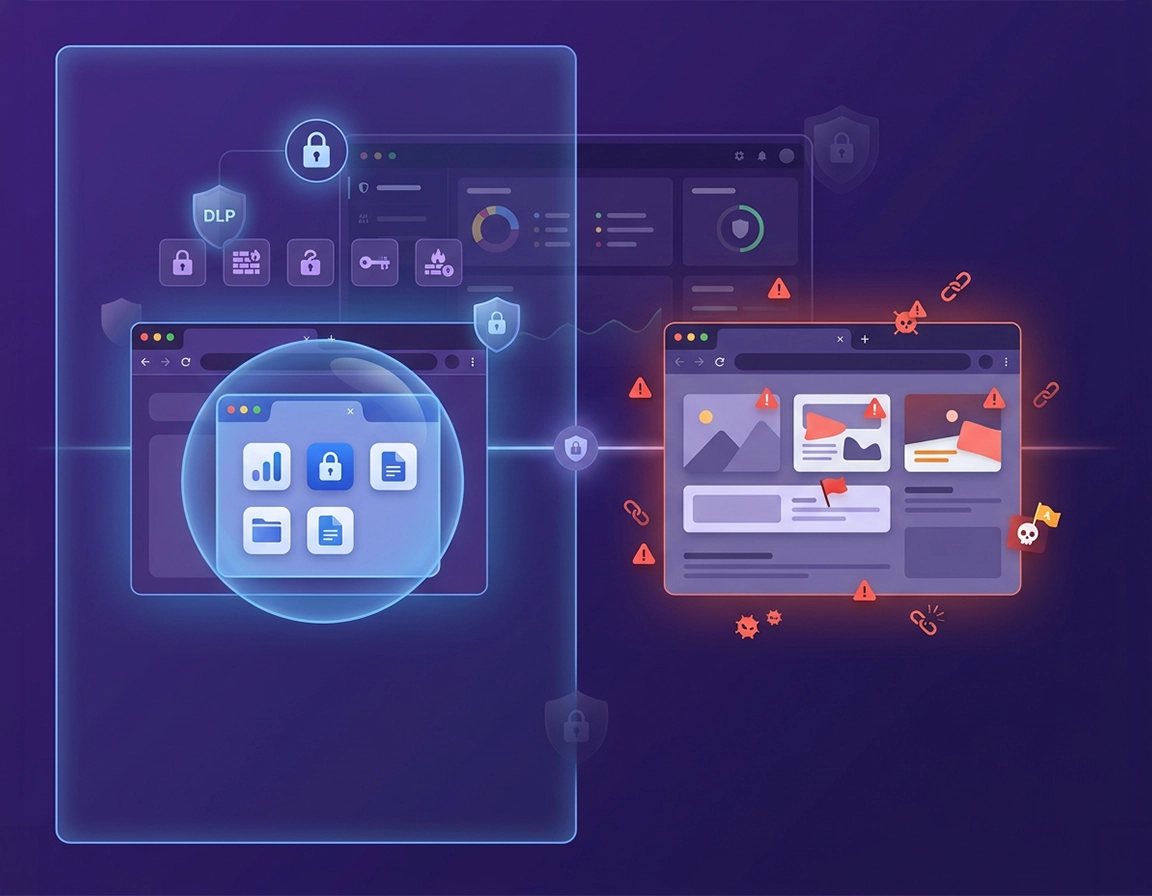
What browser isolation means in Chrome Enterprise .
If your security meeting uses the same phrase to describe Chrome site isolation, a forced work profile, and a remote rendering product, the meeting is already off the rails.
In Chrome Enterprise, the isolation story starts with Chrome’s own security architecture. Chrome already isolates web content at the process level, uses a browser sandbox to constrain compromised code, and lets administrators increase separation for particular origins when the default browser behavior is not strict enough for the workload. That is very different from a remote browser isolation service, where the browsing session is executed somewhere else and only a rendered view reaches the user.
For enterprise buyers, that distinction matters because different risks sit at different layers. If the concern is cross-site renderer compromise or one website peeking into another, native site isolation is directly relevant. If the concern is a consultant opening corporate SaaS apps on a personal laptop, managed profile separation and sign-in policy matter much more. If the concern is users copying sensitive material out of a finance or legal workflow, the meaningful controls are DLP, paste restrictions, scanning, download policy, and trusted-access decisions. If the concern is “never let this risky website execute locally on the endpoint,” you are now in remote browser isolation territory, not just browser policy.
That is why a mature Chrome Enterprise deployment treats isolation as a stack. The stack usually includes: Chrome’s built-in site/process separation, managed user or browser-level policy, a distinct work profile, extension allowlisting, safe browsing and threat protections, data-governance controls for copy/upload/download/print paths, and a narrow escalation path for genuinely high-risk browsing scenarios. Once you think in those layers, the architecture becomes easier to explain to security, procurement, and support.
Another reason this topic creates confusion is that Chrome Enterprise has grown more capable over time. Chrome Enterprise Core gives admins centralised policy, reporting, app and extension visibility, and cross-platform management. Chrome Enterprise Premium adds more advanced browser security protections. Those premium protections can make Chrome a much stronger enforcement layer for enterprise browsing, but they still do not erase the category boundary between native secure browsing controls and full remote session isolation.
Related: Read Chrome Enterprise Guide, Chrome Enterprise Security Architecture, and Chrome Enterprise Managed Browser Solutions Overview before you write an evaluation memo.
Key terms admins should pin down before the first test group .
Site isolation
Chrome separates sites into different renderer processes. On Windows, site isolation is already enabled, and the enterprise policy is mainly used to stop users opting out. Administrators can also force stricter isolation for specific origins when sensitive web properties deserve their own boundary.
Browser sandbox
The sandbox restricts what a compromised browser process can do on the endpoint. This matters for exploit containment, but it does not by itself solve data handling, unmanaged device access, or extension abuse.
Managed profile separation
A work profile gives the enterprise its own sign-in context, policy scope, extensions, reporting, and synced business state. This is one of the cleanest ways to reduce work and personal browser sprawl.
Remote browser isolation
A separate product model where risky web content executes elsewhere. This is relevant when local rendering itself is unacceptable for a class of users, devices, or destinations.
Why this topic has become more commercially important .
- The browser is the new endpoint surface: CRM, ERP, HR, procurement, support, finance, and engineering tools increasingly live inside tabs, not thick clients.
- Hybrid and BYOD change the trust model: even strong enterprises now serve a mix of managed laptops, unmanaged personal systems, VDI sessions, and temporary contractor endpoints.
- Extension risk is no longer a side issue: uncontrolled browser extensions can collapse isolation claims faster than most admins expect.
- Audit teams now ask browser-level questions: copy/paste, upload, print, managed profile reporting, session trust, and browser DLP are now part of control discussions that used to live elsewhere.
Before rollout: settle the three architectural questions first .
The cleanest enterprise rollouts start with three decisions written down before anyone touches the Admin console or a Chrome policy template.
1) What are you actually isolating? .
Most stalled projects fail right here. Some teams want websites isolated from each other. Some want managed work browsing separated from personal browsing. Some want sensitive data prevented from leaving specific browser contexts. Some want risky web content never to execute locally at all. Those are not interchangeable goals, and each points to a different control mix.
2) Which identity and device states are in scope? .
Chrome Enterprise can apply user-level Chrome browser policies even when the user signs in to Chrome on devices that are not corporate-owned. That is useful, but it does not mean every unmanaged endpoint is now equally trustworthy. Decide where your design assumes a fully managed browser, a managed profile on an unmanaged device, or a session that must not rely on local device trust at all.
3) Which user actions need governance? .
If the answer includes upload, download, print, paste, save, screen handling, or extension access, then your problem is broader than renderer separation. That pushes the design toward DLP, enterprise connectors, stronger policy, and better reporting rather than a simplistic “turn on browser isolation” checkbox mentality.
Related: Use this alongside Chrome Enterprise Policy Hardening, Chrome Enterprise Access Control, Chrome Enterprise Conditional Access, and Chrome Enterprise Network Restrictions.
- Fast check 1: Write down whether your requirement is native Chrome isolation, data isolation, or remote browsing containment.
- Fast check 2: Separate your populations into managed employees, unmanaged contractors, privileged admins, and exception users before testing begins.
- Fast check 3: List the internal origins or SaaS applications that deserve stricter separation using policies such as
IsolateOrigins. - Fast check 4: Decide whether the organization will force a separate managed profile for work use, let users choose, or require sign-in before Chrome can be used for business workflows.
- Fast check 5: Confirm which browser data you need reported and whether managed profile reporting is part of the rollout success criteria.
Step-by-step: build a defensible Chrome Enterprise isolation baseline .
For most organisations, the right first move is not to deploy an extreme remote browsing model to everyone. It is to make Chrome Enterprise behave like a disciplined managed business browser, then reserve stronger containment for the small part of the estate that truly needs it.
- 1 Preserve Chrome’s native isolation model and update discipline across the fleet.
- 2 Force or strongly steer users into a separate managed work profile where enterprise policy actually has a clean home.
- 3 Tighten extension governance before you claim the browser is isolated.
- 4 Apply access and network policy to the browser context, not just the identity provider.
- 5 Add data-governance controls if the real risk is exfiltration rather than rendering.
- 6 Reserve remote browser isolation or virtual browser paths for the exact user groups or destinations that justify the added friction and cost.
What “good” looks like in production: users do business browsing in a managed profile, internal high-value origins get stricter treatment, extensions are constrained, sensitive browser actions are governed, Chrome reports enough profile and browser detail for operations, and security can explain in one page which risks are reduced locally versus which are escalated to remote containment.
Step 1: keep Chrome’s built-in site and process protections intact .
Chrome’s site isolation is foundational, not optional. On Windows, site isolation is already enabled and the enterprise setting is mostly there to prevent opt-out. For higher-risk environments, admins can go beyond the default by forcing additional origins into stronger isolation using IsolateOrigins. This is particularly relevant for identity providers, admin consoles, payment systems, finance tools, and internal applications that process sensitive data in the browser.
This is the point many enterprise pages gloss over: native site isolation is not a slogan. It is an operational control with policy consequences. If you know which web properties carry the most business risk, you should be able to name them and decide whether default Chrome behavior is enough or whether selected origins deserve extra separation.
Related: Pair this with Chrome Enterprise Update Management, Chrome Enterprise Version Control, and Chrome Enterprise Security Settings.
Step 2: treat the managed work profile as the true enterprise boundary .
Chrome Enterprise gets much easier to govern when work activity lives inside a distinct managed profile. Google’s user-level browser management model lets admins apply Chrome policies when users sign in to Chrome on Windows, macOS, Linux, Android, and iOS. That means the business boundary can follow the signed-in managed browser context rather than living only on corporate-owned hardware.
This is not just a convenience feature. It is one of the cleanest ways to reduce accidental mixing of personal and corporate state: bookmarks, extensions, settings, browser data, and support assumptions all become easier to reason about. For many organisations, this is the moment where the browser stops being “just Chrome” and starts behaving like a managed enterprise workspace.
If your environment needs it, use the separate-profile options rather than hoping employees will sort it out themselves. Chrome policy supports forcing a separate profile for the managed account, and that profile can become the primary place where work browsing happens. Managed profile reporting then gives admins profile-level visibility that is actually useful for operations instead of vague browser counts.
Related: See Chrome Enterprise Cloud Management, Chrome Enterprise Directory Integration, and Chrome Enterprise SSO Configuration.
Step 3: close the extension hole before you claim isolation .
The fastest way to undermine an enterprise browser isolation story is to leave extension sprawl untouched. A browser with uncontrolled extension install rights is not meaningfully isolated from a data-governance perspective. Any realistic baseline should include an extension approval process, blocklisting where needed, an allowlist for business-critical tools, and a clear path for exception review.
This is especially important if your security or procurement team is comparing Chrome Enterprise with more prescriptive secure browser products. Those products often look “safer” simply because their extension model is tighter by default. Chrome can close that gap, but only if the admin team does the policy work.
Related: Read Chrome Enterprise Extension Management and Chrome Extension Security Enterprise.
Step 4: bind browser access to trust, not just user credentials .
Enterprise browser isolation is weak when it ignores session trust. If the browser is the work surface, access conditions should evaluate more than username and password. Geography, device state, managed-vs-unmanaged profile state, certificate trust, and application sensitivity all matter. In many enterprises, the browser ends up being the last uncontrolled hop between identity and data. That is avoidable.
This is why access policy and network restrictions belong inside the same design document as browser isolation. If the internal app trusts the browser context only when it arrives from a managed path, that should be reflected in sign-in controls, certificate handling, network policy, and conditional-access logic.
Step 5: solve data exfiltration as a browser problem, not just an endpoint problem .
Many teams ask for browser isolation when what they really need is browser data control. That distinction is not academic. If the risk is copy/paste from a source URL, upload of a sensitive file, download of regulated material, or movement of data between personal and managed contexts, then the meaningful controls live in browser DLP, enterprise connectors, download policy, and trusted browser enforcement. Native site isolation alone will not help you here.
Chrome Enterprise Premium is where this story gets more serious. Google has expanded browser DLP capabilities, including paste rules with copy-source conditions such as source URL, source URL category, and source Chrome context. Those are the kinds of controls that change a browser from “well-managed” to “relevant in a real data-protection review.”
Related: Pair this section with Chrome Enterprise Data Loss Prevention, Chrome Enterprise Compliance, and Chrome Enterprise Secure Browsing.
Step 6: keep a narrow path open for true remote containment .
The strongest Chrome Enterprise architecture is often hybrid. Most users can stay on a well-managed local Chrome path with strong policy, managed profiles, extension control, and data protections. A smaller set of use cases—high-risk open-web research, unmanaged contractors, privileged investigations, or particularly sensitive browsing tasks—may still justify a remote browsing path. That does not weaken the Chrome strategy. It proves the enterprise understands where local browser enforcement is strong and where another control model is a better fit.
Practical policy and control map .
| Control area | Relevant Chrome Enterprise capability | Why it matters for isolation | Admin takeaway |
|---|---|---|---|
| Site/process isolation | SitePerProcess, IsolateOrigins |
Hardens renderer separation and reduces certain cross-site attack paths | Use default site isolation as baseline; identify specific origins that deserve stricter handling |
| Work context separation | Forced separate profile, sign-in policy, managed profile reporting | Prevents work browsing from dissolving into personal browser state | Make the managed profile the official enterprise browsing context |
| Extension containment | Extension allowlists, blocklists, approval workflows | Stops the browser from becoming a self-inflicted data leak | Never evaluate isolation posture without evaluating extension posture |
| Data movement control | Chrome Enterprise Premium DLP, connectors, download restrictions, paste rules | Targets the real exfiltration paths users rely on every day | If your requirement is data containment, this layer matters more than isolation branding |
| Remote containment | External RBI, virtual browser, isolated session path | Useful when local rendering is itself unacceptable | Use narrowly, where the threat and workflow justify the cost |
Advanced design: where native Chrome isolation is strong and where it is not enough .
Native Chrome protections are stronger than many security buyers first assume, but they are not magical. The right question is not “does Chrome Enterprise have browser isolation?” The right question is “which isolation problem are we solving, and at which layer?”
Where native Chrome Enterprise is usually strong enough .
- You manage most of the desktop fleet and can keep Chrome current.
- You need strong separation between work and personal browsing state more than you need fully remote execution.
- You already have a disciplined extension model and can keep risky add-ons out of the managed browser.
- Your highest-value web apps are known, controlled, and suitable for origin-specific hardening.
- You can combine browser policy with DLP, safe browsing, access controls, and reporting.
Where Chrome alone will not answer the full requirement .
- You do not trust the endpoint to render the risky session locally.
- You are dealing with particularly hostile open-web workflows and want the endpoint kept further away from the page execution path.
- You need a remote browsing story for unmanaged third parties where local browser controls are not enough for the risk owner.
- You need a procurement answer for a formal RBI requirement rather than a strong local browser security posture.
Related: Compare Chrome Enterprise vs Virtual Browser, Chrome Enterprise vs Zero-Trust Browser, Chrome Enterprise vs Secure Browser, and Best Managed Browser for Enterprise.
The five isolation layers security teams should review separately .
| Layer | Primary objective | Chrome Enterprise answer | Common mistake |
|---|---|---|---|
| Renderer / process | Stop one site from casually reaching into another | Native site isolation, stricter origin isolation where needed | Assuming this solves data exfiltration or unmanaged device trust |
| Profile / identity | Separate business state from personal state | Managed user sign-in, separate profiles, profile reporting | Letting users blur work and personal browsing and then calling it controlled |
| Extension / app | Constrain injected code and browser-side data access | Extension management, allowlisting, policy restrictions | Ignoring extension risk while claiming a high-trust browser posture |
| Data movement | Control copy, upload, download, save, and print actions | Premium DLP, enterprise connectors, download policy, paste controls | Calling the browser isolated when users can still move sensitive data anywhere |
| Session execution | Keep the risky browsing session away from the local device | Usually an external RBI or virtual browser path | Trying to stretch native Chrome controls into a different product category |
What Chrome Enterprise Premium changes in a buying conversation .
Chrome Enterprise Core already gives meaningful browser management, policy control, and reporting at no additional cost, which is one reason it has become such a credible standardisation target. Chrome Enterprise Premium matters when the organization wants the browser to do more than stay patched and governed. Premium turns Chrome into a more active security and data-control surface. That changes how security teams think about browser trust, but it still does not mean the browser has become a dedicated RBI platform.
In practical terms, Premium is most useful when the enterprise needs to answer questions like these: can we restrict data movement from sensitive browser contexts, scan risky browser-driven flows, apply stronger trust logic to work sessions, and capture enough browser-level control to satisfy auditors? If those are your real questions, Premium can be central to the design. If the question is specifically about fully remote browsing execution, you still need a separate evaluation track.
Commercial comparisons real buyers actually make .
Privacy, security, compliance, and data-governance notes .
Browser isolation projects increasingly end up in privacy and audit reviews because the browser now handles identity, regulated data, and business workflow state directly. That means the enterprise has to answer not only “is the browser safer?” but also “what data can move through this browser context, who can report on it, and how clearly can we separate managed business use from everything else?”
Operational impact: sign-in behavior, profile separation, extension availability, download and paste flows, web app compatibility, and user training can all change
A useful way to frame the control review is to ask four questions:
- What browser context can reach the data?
- What user actions are allowed once the data is visible?
- What evidence can the admin team collect at browser or profile level?
- Where does the enterprise still rely on endpoint trust rather than browser trust?
Related: For audit mapping, read Chrome Enterprise GDPR Compliance, Chrome Enterprise SOC 2 Compliance, Chrome Enterprise ISO 27001 Guide, and Chrome Enterprise Audit Preparation.
Recommended posture by goal .
- Balanced enterprise posture: managed browser, default site isolation preserved, separate managed work profile, strict extension governance, safe browsing protection, centralised reporting.
- Data-sensitive posture: all of the above plus stronger sign-in policy, reduced exception groups, browser DLP, tighter download and paste rules, and clearer trust requirements for access to sensitive apps.
- High-risk browsing posture: all of the above plus segmented destinations, narrow remote-containment use cases, and a formal rule for which users or tasks are not allowed on the local render path.
Recommended settings by operating model .
| Operating model | Recommended browser posture | Main tradeoff | Best fit |
|---|---|---|---|
| Corporate-managed workforce | Native site isolation + forced work profile + policy hardening + controlled extensions | Requires disciplined admin ownership and clear profile communication | Most medium and large business fleets |
| Hybrid / BYOD users | Managed profile with sign-in policy, reporting, access conditions, selective data controls | Local device trust remains mixed | Distributed teams, contractors, personal devices used for work |
| Highly sensitive workflows | Premium browser controls, DLP, reduced actions, stronger origin handling, possible remote path for exceptions | More friction for end users | Legal, finance, healthcare, procurement, investigations |
What isolation will never replace .
- Identity hygiene and strong MFA
- Browser update discipline
- Extension review and governance
- Certificate and network trust management
- User training for phishing, deceptive downloads, and approval misuse
- Incident response processes when something abnormal happens inside the browser anyway
Troubleshooting and rollout failure patterns .
Related: If performance complaints appear after security tightening, review Chrome Enterprise Performance Optimization before rolling back controls blindly.
If the project keeps getting renamed in meetings .
That is usually a sign the stakeholders are solving different problems. Lock the project to a one-line scope statement such as: “We are standardizing Chrome Enterprise as the managed work browser, forcing separate work profiles, and applying data controls for sensitive SaaS workflows.” Once that sentence exists, it becomes much easier to say whether a remote browser isolation purchase is still needed.
If business sites break after stricter controls land .
Do not blame “browser isolation” as a blob. Break the rollout into its real parts: extra origin isolation, extension removals, sign-in changes, certificate policy, data rules, network restrictions, or connector actions. Most compatibility incidents come from a policy combination, not from site isolation alone. Test identity providers, internal admin portals, printing flows, finance systems, and upload-heavy apps before wide deployment.
If users ignore the managed profile .
That usually means the enterprise never explained why the profile exists. The work profile should be positioned as the official browser workspace for business identity, corporate apps, approved extensions, and supported settings. If users feel they are being shuffled into “another Chrome window for no reason,” adoption suffers. If they understand it as the company’s supported work browser context, behavior improves.
If security says Chrome still is not isolated enough .
Ask them which boundary remains unacceptable. If they answer with endpoint distrust, unmanaged third parties, or risky open-web rendering, that is a valid reason to evaluate remote containment for those paths. If they answer with copy, paste, upload, or regulated downloads, the gap is probably in DLP or browser data policy, not in site isolation. If they answer with uncontrolled browser state, the gap is probably profile and extension governance.
If you need to back out a change safely .
Roll back the narrowest offending layer first. That might be an added isolated origin, an extension block rule, a download connector policy, a forced sign-in path, or a trust requirement applied too broadly. Do not weaken Chrome’s native security foundation unless you have evidence that it caused the regression. In most cases, the right move is to trim one aggressive enterprise control, not dismantle the whole browser posture.
FAQ .
-
helpIs Chrome Enterprise browser isolation the same as a remote browser isolation product?No. Chrome Enterprise gives you native site/process isolation, managed profiles, browser policies, reporting, extension control, and stronger premium browser security capabilities. A remote browser isolation product uses a different execution model where the browsing session is rendered remotely. They solve overlapping but not identical problems.
-
helpWhat is the most practical first move for enterprise browser isolation in Chrome?Force work into a managed profile and govern that profile aggressively. That single design choice improves identity separation, policy scope, reporting quality, extension control, and supportability more than most admins expect. It also makes later DLP and access decisions far easier to enforce cleanly.
-
helpDoes site isolation by itself protect sensitive browser data?No. Site isolation is important for process separation and certain classes of browser attack, but it does not by itself govern copy, paste, upload, download, print, or save actions. If your security concern is data movement, the meaningful controls live in browser DLP, enterprise connectors, profile policy, extension governance, and trusted access decisions.
-
helpWhen should we compare Chrome Enterprise with a virtual browser or secure browser platform?Do that when local rendering is the problem, not just local browser governance. Typical examples include high-risk open-web research, unmanaged third-party access, privileged investigation workflows, or a governance requirement for remote session containment. For mainstream managed employee browsing, Chrome Enterprise often covers far more of the requirement than first-time buyers assume.
Sources & further reading .
- Chrome Enterprise Help: Protect your data with site isolation
- Chrome Enterprise Help: Force users to sign in to Chrome browser
- Chrome Enterprise Help: Manage user profiles on Chrome browser
- Chrome Enterprise Help: Turn on managed profile reporting
- Chrome Enterprise Help: Set Chrome policies for users or browsers
- Chrome Enterprise: Core and Premium browser overview
Editorial note: this guide intentionally distinguishes native Chrome site/process isolation, managed profile isolation, and remote browser isolation because buyers often collapse them into one requirement and end up funding the wrong control set.