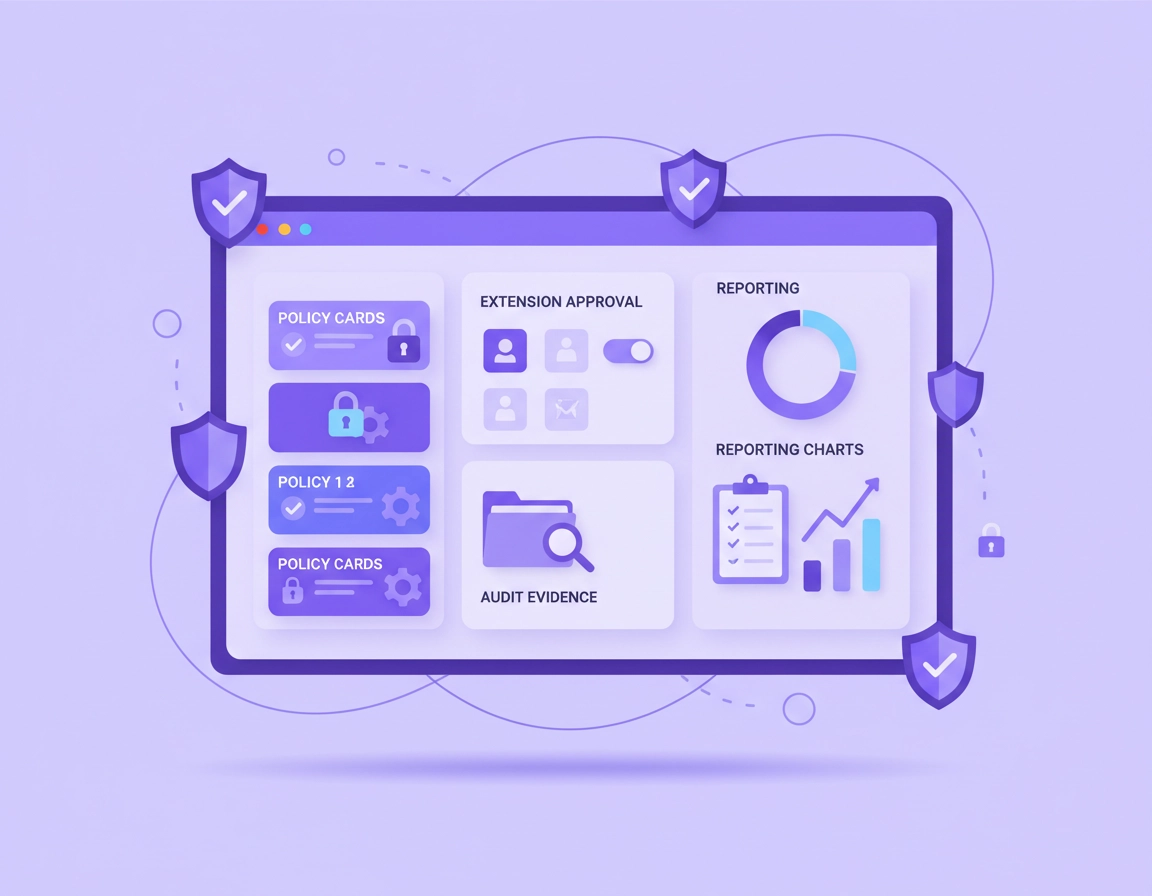
What Chrome Enterprise compliance actually means in a real business environment .
When organizations talk about Chrome Enterprise compliance, they are not referring to a single feature or checkbox inside the browser. Compliance in an enterprise environment is the result of a carefully managed combination of browser configuration policies, identity controls, device management, security logging, and regulatory alignment.
In practical terms, Chrome Enterprise compliance means ensuring that every managed browser instance operates within the boundaries required by internal security policies and external regulatory frameworks. This can include frameworks such as ISO 27001, SOC 2, HIPAA, GDPR, PCI DSS, and NIST cybersecurity controls, depending on the industry and geographic region in which an organization operates.
Modern compliance strategies increasingly recognize the browser as a critical security boundary. Employees conduct the majority of business workflows inside web applications — CRM systems, financial platforms, cloud storage, productivity suites, and internal dashboards all run through the browser. Because of this shift, security teams must ensure that the browser itself becomes a managed and auditable component of the enterprise security architecture.
Chrome Enterprise provides a large collection of administrative controls designed specifically for this purpose. Through the Google Admin console or enterprise device management platforms, administrators can enforce policies that define how Chrome behaves across thousands of devices. These policies allow security teams to control everything from extension installation rules and safe browsing enforcement to data-loss prevention restrictions and certificate management.
For compliance teams, the key benefit is that Chrome Enterprise turns browser configuration into a centrally managed and measurable control surface. Instead of relying on users to configure security settings manually, administrators can enforce standardized policies across Windows, macOS, Linux, ChromeOS, and virtual desktop environments.
This centralized management capability allows organizations to demonstrate compliance in ways that auditors expect. Security teams can provide evidence that:
- Security settings are enforced through centrally managed policies.
- Browser updates are applied automatically to reduce exposure to vulnerabilities.
- Extensions are restricted to approved or verified sources.
- Browsing protections such as Safe Browsing and phishing detection are enabled.
- Device access and identity authentication are tied to corporate accounts.
- Security logs and device telemetry can be exported for auditing or SIEM analysis.
These controls transform Chrome from a standard web browser into a compliance-aware endpoint within the enterprise security stack. The browser becomes part of the organization's broader defense strategy alongside identity management systems, endpoint protection tools, network monitoring, and zero-trust access frameworks.
As regulatory requirements continue to evolve, the ability to manage browser behavior at scale is becoming an increasingly important component of corporate compliance programs. Organizations that treat the browser as a fully managed security layer are far better positioned to meet modern audit expectations and maintain consistent policy enforcement across distributed workforces.
Related: For the broader operating picture, start with Chrome Enterprise Guide, then go deeper with Chrome Enterprise Admin Console, Chrome Enterprise Cloud Management, and Chrome Enterprise Security Settings.
Key terms worth defining before the page gets more technical .
- Cloud-managed browser: a Chrome browser enrolled so policies, reporting, and browser-level visibility can be centrally managed.
- Managed profile: a work-controlled Chrome profile that applies enterprise governance even when the whole device is not fully managed.
- Browser baseline: the approved default policy set your organization expects across the in-scope workforce.
- Extension governance: the process for approving, restricting, reviewing, and removing browser extensions based on risk and business need.
- Evidence pack: the set of artifacts that proves the browser control program exists, is active, and is periodically reviewed.
Compliance teams want
Traceability, review cadence, exception records, and evidence that browser controls are real rather than aspirational.
Security teams want
Restricted browser drift, fewer risky extensions, better event visibility, and tighter integration with identity and incident response.
IT teams want
Centralized policy assignment, supportable rollout paths, and fewer last-minute exceptions created by badly tested controls.
Where the browser becomes a compliance control surface .
One reason enterprise browser governance has become more important is that the browser is no longer a thin window into systems that are controlled somewhere else. It has its own attack surface, its own identity behavior, its own data movement paths, and its own plugin ecosystem. That means the browser can either reinforce the control environment or quietly weaken it.
In practice, there are a few browser areas that repeatedly show up in compliance work. Sign-in control matters because unmanaged accounts and mixed personal-work sessions create ambiguity over who is under policy. Extension governance matters because extensions can request powerful access to page content, cookies, browsing context, and network interactions. Reporting matters because controls you cannot evidence are difficult to defend. Download, upload, clipboard, and session-related controls matter because regulated data tends to move through browser workflows, not just through back-end systems.
This is also why browser compliance and zero trust increasingly overlap. The browser sits directly in the path between identity, application access, and user behavior. If you want policy decisions to reflect device trust, user context, managed accounts, or data-handling rules, the browser stops being just a user tool and becomes part of the access architecture.
The five browser domains that deserve the most attention .
| Domain | What you control | Why auditors care | Common weak point |
|---|---|---|---|
| Identity and sign-in | Managed accounts, profile scope, session consistency, SSO alignment | Shows who is actually subject to enterprise policy | Employees using personal profiles for work apps |
| Configuration management | Centralized browser policies, organizational scoping, change discipline | Demonstrates control consistency | Ad hoc exceptions becoming the real default |
| Extension governance | Allowlisting, permission review, forced installs, blocklists | Directly affects data exposure and browser risk | Open extension installs with no owner review |
| Reporting and events | Browser reporting, profile reporting, security event pipelines | Enables proof, investigations, and operational review | Reporting enabled, but never exported or reviewed |
| Data movement paths | Downloads, uploads, clipboard, printing, transfer controls | Maps directly to confidentiality and handling obligations | Strong identity, weak browser exfiltration controls |
Related: You can reinforce this layer with Chrome Enterprise Data Governance, Chrome Enterprise Policy Hardening, Chrome Enterprise Extension Management, Chrome Enterprise Session Management, and Chrome Enterprise Data Loss Prevention.
Before you start: scope, ownership, and policy structure .
Most browser compliance projects fail before the first policy is set because the team starts with settings rather than operating design. If you do not know who is in scope, who owns policy decisions, how exceptions are approved, or how evidence will be kept, the control set usually drifts into a mix of technical good intentions and business-driven workarounds.
Start by deciding what the browser program is trying to protect. For some organizations it is customer data inside SaaS systems. For others it is employee identity, extension risk, or the need to answer security questionnaires from customers. The browser baseline should reflect that. A call-center team handling customer records has a different browser risk profile than a developer sandbox unit or a marketing team running many SaaS integrations.
Then decide how Chrome Enterprise will actually be applied. Some organizations can rely heavily on fully enrolled cloud-managed browsers. Others need managed profiles because contractors, BYOD users, and hybrid work make full device management unrealistic. The choice is not just operational. It changes how clearly you can define policy coverage and how you explain the boundary between work-governed and personal browsing contexts.
- Ownership: assign a named owner for browser governance, not just a generic IT team.
- Scope: define which employees, contractors, departments, and devices must operate under managed browser or profile rules.
- Policy structure: decide whether policies are grouped by department, data sensitivity, workforce type, or application dependency.
- Exception model: set approval, review, and expiry rules before the first exception is requested.
- Evidence storage: decide where screenshots, exports, review notes, and extension approvals will live.
Fast checks before rollout .
- Check 1: Confirm whether you are governing browsers, profiles, or both, and make sure that distinction is documented.
- Check 2: Review your organizational unit or group structure so policy assignments follow real business boundaries.
- Check 3: Inventory high-risk extensions, browser-dependent line-of-business apps, and any workflows involving regulated data transfer.
- Check 4: Decide which changes require security sign-off and which can be handled by standard IT administration.
- Check 5: Make sure reporting is part of the design conversation, not something bolted on later.
Related: For setup and organizational alignment, pair this page with Chrome Enterprise Directory Integration, Chrome Enterprise SSO Configuration, Chrome Enterprise Identity Management, and Chrome Enterprise Access Control.
Recommended deployment sequence .
The strongest compliance rollouts are staged. Teams that try to lock everything down in one motion usually create app breakage, unplanned exceptions, and support resentment. Teams that stage the rollout can explain not just what they enforce, but how the control design matured.
- 1 Define the browser baseline in plain language. Start with identity behavior, extension rules, reporting requirements, session behavior, and obvious data handling risks.
- 2 Separate users into policy rings. Your baseline should apply broadly, but stricter browser rules often belong with finance, support, legal, healthcare, or customer-data-heavy teams.
- 3 Enroll browsers or enable managed profiles based on your workforce model. Write down where enterprise control begins and ends.
- 4 Turn reporting on before large-scale enforcement. Visibility first gives you a factual picture of versions, profiles, applied policies, and browser activity patterns.
- 5 Lock extension installs behind an approval model. Approved list, named business owner, risk review, and a documented removal path should all exist from day one.
- 6 Test your highest-risk workflows: SSO, upload portals, customer systems, printing flows, finance apps, and browser-heavy support tools.
- 7 Build your first evidence pack immediately after rollout. Do not wait until an audit request arrives.
- 8 Schedule a quarterly governance review covering policy drift, exceptions, browser versions, extension inventory, and unresolved risk items.
What success looks like: You can show which users and browsers are under policy, which extensions are approved, how browser reporting is handled, where exceptions are documented, and when the browser baseline was last reviewed.
What to standardize early .
- Account and profile behavior: prevent ambiguity between personal and work browsing where it matters.
- Extension intake: new extension requests should never start with “just install it and we’ll review later.”
- Policy naming and ownership: admins should know which controls are baseline, enhanced, or exception-only.
- Evidence rhythm: a quarterly export and review habit is far better than annual panic collection.
Common rollout variations .
- Small business: keep the baseline tight and manageable, then focus on extension governance and reporting discipline.
- Hybrid workforce: managed profiles often matter more because device ownership is mixed.
- Enterprise scale: use staged rings, formal change windows, and more structured exception control.
- Highly regulated teams: review browser settings together with identity, DLP, logging, and incident response rather than treating them separately.
Related: Continue with Chrome Enterprise Device Enrollment, Chrome Enterprise Usage Analytics, Chrome Enterprise Security Reporting, Chrome Enterprise Activity Logs, and Chrome Enterprise Compliance Reporting.
How browser controls map to compliance frameworks .
Browser controls rarely satisfy a framework on their own, but they frequently support controls that auditors and assessors care about. That is why this page should not claim that Chrome Enterprise is a shortcut to certification. It is more accurate, and more credible, to say that managed browser governance can support your control environment in meaningful ways.
| Framework angle | Browser relevance | Chrome Enterprise value | What you still need outside the browser |
|---|---|---|---|
| GDPR | Access discipline, data handling, third-party risk, accountability | Controlled profiles, extension restrictions, reporting visibility, safer data workflows | Lawful basis, records of processing, contracts, data subject rights processes |
| HIPAA | Access control, workforce behavior, incident response, endpoint exposure | Browser policy consistency, extension control, session discipline, event visibility | Administrative, physical, and broader technical safeguards |
| SOC 2 | Change management, logical access, monitoring, control operation | Central policy assignment, reviewable changes, reporting, evidence packs | Organization-wide control operation, vendor control, HR and governance processes |
| ISO 27001 | Policy ownership, risk treatment, access, operations, evidence of review | Governed browser baseline, policy review cycle, extension governance, documented exceptions | ISMS scope, risk register, internal audit process, statement of applicability |
| NIST / zero trust | Identity, resource protection, least privilege, visibility, access decisions | Browser as part of an identity-aware access and telemetry model | Architecture across identity, device, network, apps, and data layers |
That distinction matters for credibility. Readers with real enterprise experience know that compliance programs are multi-layered. The page becomes more authoritative when it explains exactly where the browser fits, where it does not, and how browser governance complements rather than replaces the rest of the security and compliance stack.
Related: For framework-specific pages, connect naturally to Chrome Enterprise GDPR Compliance, Chrome Enterprise HIPAA Compliance, Chrome Enterprise SOC 2 Compliance, Chrome Enterprise ISO 27001 Guide, and Chrome Enterprise NIST Framework Alignment.
What a real browser evidence pack looks like .
One of the biggest gaps in browser compliance work is that teams mistake dashboard visibility for audit evidence. A dashboard is useful, but it is not an evidence pack. Evidence has to be preserved, attributable, understandable, and retrievable later by somebody other than the person who originally configured the browser settings.
A strong browser evidence pack is boring in the best possible way. It should include the current browser baseline, a dated export or screenshot set showing that policies are active, proof that browser or profile reporting is enabled, an approved extension inventory with named owners, a list of live exceptions with expiration dates, and a short review record explaining what changed since the previous cycle. That last part is what separates active governance from stale configuration.
Minimum browser evidence pack .
- ✓ Browser baseline document with version date and named owner
- ✓ Screenshots or exports showing active policy assignments
- ✓ Browser or managed profile reporting status evidence
- ✓ Current approved extension list with business owner and review date
- ✓ Exception register with reason, approver, and expiry
- ✓ Quarterly review note describing changes, issues, and unresolved risks
- ! Escalation path for removing a risky extension or relaxing a broken control safely
Artifacts that make audits easier .
- One-page control map: browser controls grouped under access, configuration, extensions, monitoring, and data handling.
- Exception heatmap: which business units carry the most browser exceptions and why.
- Extension review sheet: publisher, permissions, business purpose, owner, decision date, next review date.
- Change log: who approved policy changes and what operational impact was expected.
Advanced governance and design patterns .
Once the baseline exists, the next step is not “add more controls.” The next step is to make the control set more intentional. Mature teams distinguish between baseline controls, enhanced controls, and exception-managed controls. Baseline controls apply to most users. Enhanced controls apply to risk-heavy groups. Exception-managed controls are the ones most likely to create real business friction and therefore need explicit oversight.
Pattern 1: Group controls by risk outcome, not by admin menu .
Nobody outside the browser team cares which settings page a policy came from. They care whether the browser baseline reduces unmanaged identity usage, controls extensions, strengthens session behavior, or improves evidence. If your baseline is written as a list of raw settings with no control objective attached, it is harder to support, harder to audit, and harder to update intelligently.
Pattern 2: Treat extension review like vendor review in miniature .
Extension sprawl is one of the most common weak points in enterprise browser governance. A serious review process checks business necessity, publisher trust, permission scope, update behavior, data access patterns, and owner accountability. Extensions with broad host access or page-reading capability should not be treated as harmless productivity tweaks. They are part of the browser risk surface.
Pattern 3: Separate personal and corporate browser context wherever possible .
Managed profiles are especially useful here. They help define where enterprise controls apply in hybrid and BYOD situations. That is not just a technical benefit. It also reduces governance ambiguity. If the organization cannot tell whether work browsing happened in a managed context, policy claims and evidence claims become weaker.
Pattern 4: Design your exception process so it can say “not yet,” not just “yes” or “no” .
Some browser policies break legitimate workflows. Mature teams do not handle that by silently weakening the baseline. They use temporary exceptions, pilot groups, safer alternative settings, or compensating controls while the business case is assessed. That creates a much healthier governance culture than all-or-nothing decision making.
Pattern 5: Make browser reviews part of broader access reviews .
Browser posture should be reviewed alongside identity, device trust, and sensitive SaaS access. When browser governance is reviewed in isolation, teams miss the fact that the browser is often the actual working surface for regulated data and privileged access.
Where advanced teams usually invest next .
- Browser event reporting connected to external security workflows
- Extension risk review with documented permission minimization
- Policy ring design for contractors, regulated users, and app-sensitive business units
- Evidence retention routines tied to quarterly governance meetings
- Browser posture aligned with zero trust and conditional access initiatives
Related: Keep building with Chrome Enterprise Zero Trust, Chrome Enterprise Risk Management, Chrome Enterprise Threat Detection Tools, Chrome Enterprise Device Visibility, and Chrome Managed Browser Security.
Privacy, logging, and security implications .
Browser visibility is valuable, but it has to be governed carefully. Security teams want browser events because they help identify risky extensions, unsafe sites, password reuse signals, and suspicious activity worth investigation. Compliance teams want reporting because they need to prove that controls are active and reviewable. Privacy teams want a different question answered: what is collected, why is it collected, who can see it, and how long is it retained?
Impact: Browser governance affects account context, extension freedom, event visibility, and how workforce activity in browser-based apps is monitored and investigated.
The strongest way to handle this is to publish a short browser governance statement internally. It should explain that enterprise-managed browser controls and browser reporting exist for security operations, compliance support, incident response, and platform stability. It should also define who can access that information and what approval is needed for deeper investigative use. Doing this well makes the program feel governed rather than covert.
There is also an important design choice here. If you tighten browser monitoring without making profile boundaries clear, users can feel as if work and personal browsing are being blurred together. Managed profiles reduce that problem because they make the work context explicit. That is good for user clarity and good for governance clarity.
Recommended posture models .
- Balanced enterprise baseline: managed sign-in where appropriate, reporting enabled, approved extensions only, quarterly evidence review.
- Regulated or customer-sensitive posture: tighter extension approvals, stronger session and data-handling discipline, faster review cycles, stricter exception tracking.
- Compatibility-first rollout: visibility first, core baseline enforced, aggressive controls delayed until business app testing is complete.
When to tighten aggressively .
- Users handle sensitive customer, financial, or healthcare data directly in web apps
- Extension usage is widespread and poorly governed
- Customer security reviews keep exposing browser governance gaps
- Identity and conditional access controls already exist and the browser should align with them
When to slow down and stage more carefully .
- Support teams are not ready for blocked workflows or extension rejection handling
- Important web apps have not been tested against stricter controls
- There is no exception workflow yet
- The organization still lacks clarity on browser versus profile scope
Related: For privacy-heavy deployments, continue with Chrome Enterprise Privacy Controls, Chrome Enterprise Privacy Compliance, Chrome Privacy Controls for Managed Devices, and Chrome Privacy for Business.
Audit readiness checklist .
A browser program is audit-ready when someone outside the browser team can understand it quickly. That means the design is documented, the scope is clear, the evidence is retrievable, and the exception story is under control. The checklist below is built for that standard rather than for a vague “best practice” claim.
Scope clarity
Can you show which users or browsers are in scope and where managed profile governance applies?
Control clarity
Can you explain the baseline in business language, not just policy names?
Evidence clarity
Can you produce exports, screenshots, approved extension records, and review notes quickly?
Exception clarity
Can you explain why exceptions exist, who approved them, and when they expire?
- ✓ A named owner is responsible for browser governance.
- ✓ The browser baseline is written in plain language and grouped by control objective.
- ✓ Managed browser or managed profile scope is documented.
- ✓ Reporting is enabled and reviewed on a defined cadence.
- ✓ Extension approval is formalized with owner accountability.
- ✓ Exceptions are approved, time-bounded, and revisited.
- ✓ Browser policy changes follow some form of change review.
- ✓ Browser governance is discussed alongside identity, endpoint, and access controls.
- ! Evidence artifacts are stored centrally and can be retrieved by more than one person.
- ! The organization does not describe browser management as equivalent to “being compliant.”
What weak browser audit posture looks like .
- Policies exist, but nobody can explain why they exist.
- Users install whatever extensions they want and cleanup happens only after incidents.
- Evidence lives in scattered screenshots and tribal knowledge.
- Exceptions are permanent by default.
- Managed profile or browser scope is unclear in hybrid work scenarios.
What strong browser audit posture looks like .
- The control model is easy to explain to IT, security, and compliance without changing the story.
- There is a living extension approval model, not a one-time cleanup project.
- Reporting artifacts exist and are actually reviewed.
- Exception handling is disciplined enough that the baseline still means something.
- The browser layer is clearly tied to broader governance, not treated as a side project.
Related: Follow this with Chrome Enterprise Audit Preparation, Chrome Enterprise Compliance Reporting, Chrome Security Audit Guide, and Chrome Browser Hardening Checklist.
Troubleshooting and failure patterns .
Related: These pages pair naturally with this section: Chrome Enterprise Device Management, Chrome Enterprise Remote Workforce, Chrome Enterprise for Contractors, and Chrome Enterprise Security Checklist.
If strict browser rules keep breaking business apps .
This usually means the policy model is too broad, not necessarily too strict. Split the impacted users into a separate policy ring, document the precise dependency, and create the narrowest possible exception. Do not weaken the entire browser baseline just because one business app was never tested against it.
If extension governance is causing friction .
The underlying problem is usually process latency. Users are more willing to live with restriction when there is a visible request path, a defined response target, and a clear explanation of why some permissions or publishers are considered risky. Slow, opaque approval workflows create shadow IT.
If reporting exists but nobody trusts the evidence .
Create a routine evidence package. Exports, screenshots, review notes, and dated extension inventories make the reporting output useful. Without that packaging, the organization knows the data exists but still struggles to present it credibly.
If BYOD and hybrid work are making scope messy .
Clarify whether managed profiles are your primary control boundary in those cases. The more precise you are about where work policy applies, the easier it becomes to explain governance and user privacy expectations at the same time.
If admins cannot explain policy decisions consistently .
Rewrite the baseline around outcomes. Every major browser control should answer four questions: what is enforced, why it exists, who owns it, and how exceptions are approved. If that information is not written down, the baseline is not mature enough yet.
If your browser program needs a controlled reset .
Freeze new exceptions first. Export the current state, inventory active extensions, list the most sensitive business workflows, and rebuild the policy structure in tiers. Resets fail when teams remove guardrails before they understand why those guardrails were there in the first place.
FAQ .
-
helpIs Chrome Enterprise itself “compliant” with GDPR, HIPAA, SOC 2, or ISO 27001?No. That framing is too simplistic and usually undermines credibility. Chrome Enterprise can support your compliance program through browser policy enforcement, managed profiles or managed browsers, reporting, extension governance, and better evidence discipline, but your organization’s compliance posture still depends on broader governance, identity, data handling, contracts, training, and risk management.
-
helpWhat is the single highest-value control most teams overlook?Extension governance. Many teams focus on browser deployment and sign-in, then leave extension installs largely open. In practice, the extension layer is one of the fastest ways to lose control over browser risk because extensions can request powerful access to content, sessions, and browsing behavior.
-
helpShould we govern browsers, managed profiles, or both?That depends on your workforce model. Fully managed browsers offer stronger, clearer control in device-managed environments. Managed profiles are valuable when you need policy enforcement for contractors, BYOD, or hybrid work without taking over the whole device. Many real deployments use both and apply stricter controls to higher-risk groups.
-
helpWhat should we keep as audit evidence?Keep your baseline document, active policy evidence, reporting evidence, extension approval inventory, exception log, and quarterly review notes. Good evidence proves not only that a control exists, but that it is operated, reviewed, and still intentional.
-
helpHow often should browser compliance settings be reviewed?Quarterly is a good default for most organizations. Teams with heavier regulation, more sensitive customer data, or faster application change should review more frequently, especially after incidents, major policy changes, or periods of heavy extension activity.
Sources & further reading .
- Set up Chrome Enterprise Core
- Enroll cloud-managed Chrome browsers
- Turn on Chrome browser and profile reporting
- Set Chrome policies for users or browsers
- Manage Chrome Enterprise reporting connectors
- Policy compliance log events
- View a device's current Chrome policies
- Set Chrome policies using custom configurations
- Manage Chrome Enterprise device trust connectors
- NIST SP 800-207: Zero Trust Architecture
- NIST SP 1800-35: Implementing a Zero Trust Architecture
Important note: This page is operational and informational. It is not legal advice, and it should not be presented as a certification claim. Compliance depends on your full control environment, not browser configuration alone.