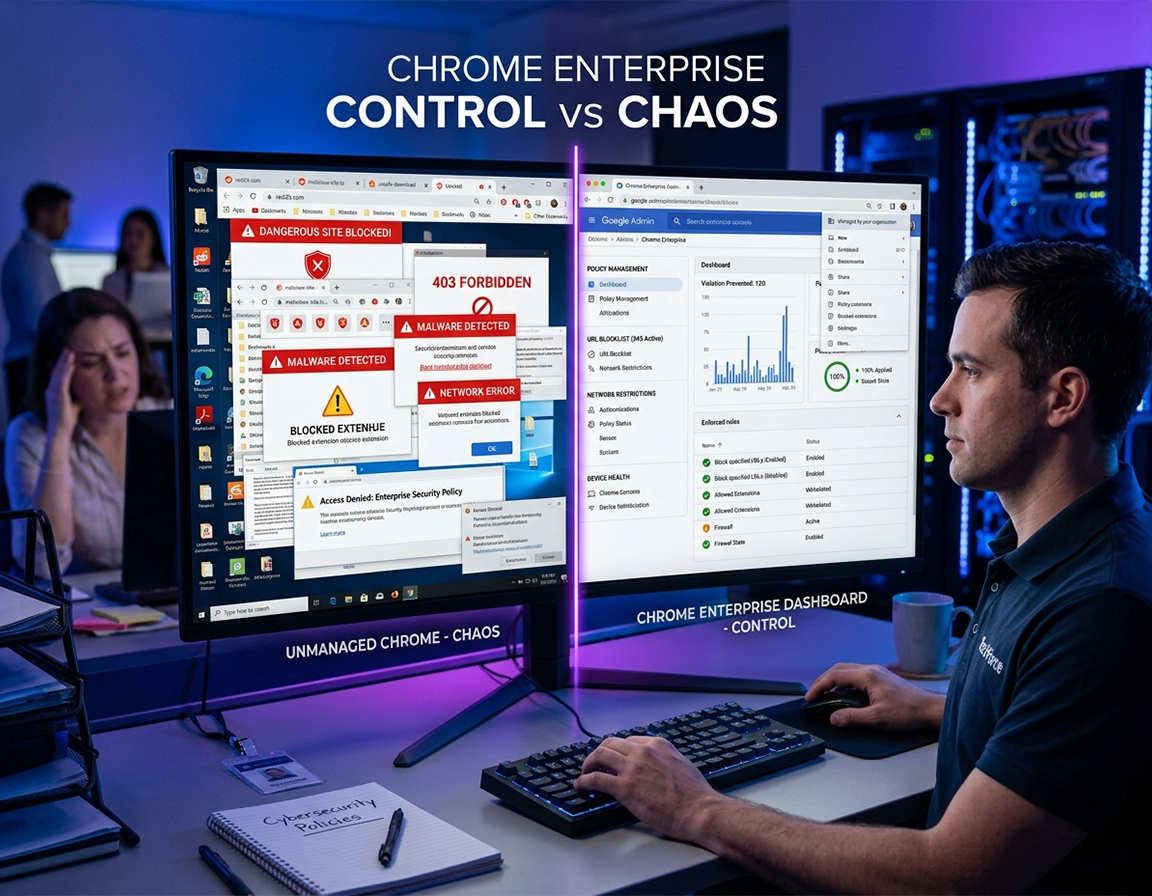
How Chrome Enterprise network restrictions work in practice .
In managed Chrome, network restrictions usually mean policy-driven control over which destinations load, how traffic exits the browser, how URL filters are matched, how DNS behavior aligns with enterprise expectations, and when web content may reach local or private network resources. They do not mean a simple “block the internet” switch.
That distinction matters because a lot of enterprise projects start with the wrong mental model. Teams search for a master setting that will magically force Chrome into a narrow browsing posture. Chrome Enterprise does not work that way. It exposes several policy families that solve different problems. URL policies answer whether a browser may load a destination at all, and Google explicitly positions URLBlocklist and URLAllowlist as basic URL management rather than a full content-filtering stack. Proxy policy answers how traffic leaves the browser and whether it remains on the expected inspection path. Resolver-related choices determine whether Chrome stays aligned with enterprise DNS assumptions. Private and local network protections increasingly matter because modern web apps do not just talk to public SaaS domains. They talk to printers, device consoles, loopback services, VDI helpers, internal APIs, and locally hosted support tools.
The more useful admin question is not “how do I block websites?” It is “which browser paths am I willing to allow?” In a mature environment, that answer becomes layered. Users may open only approved sites, only through an approved proxy route, while the browser still respects enterprise DNS requirements and prevents arbitrary public origins from reaching private network services. That is why this topic naturally belongs beside policy hardening, conditional access, and browser isolation rather than beside generic consumer site blockers.
Another reason this area causes so many enterprise incidents is that the visible hostname is often the least important part of the workflow. Chrome's documented filter syntax can match scheme, host, optional port, path, and query, which sounds precise until you discover that the application you are allowing depends on redirects, embedded assets, callback paths, WebSockets, a PAC file, or a loopback helper running on the endpoint. If the only thing you tested was the URL in the address bar, you did not test the application. You tested its opening scene.
Related: If your main concern is stopping extensions from introducing their own site access or routing behavior, read Chrome Enterprise extension management. Weak extension governance can undercut otherwise sensible network restrictions.
Do not collapse these control layers into one idea .
- Destination control: Should the browser load this URL, origin, or URL pattern at all, and is the filter written at the right scheme, host, port, path, or query depth?
- Routing control: Should traffic use direct access, inherit the system proxy, use a fixed proxy, or rely on PAC?
- Name resolution control: Does Chrome still behave in a way that fits DNS filtering, split-horizon DNS, and internal-only zones?
- Private network reachability: Can a public site reach localhost, private IP space, or internal device services?
- Policy scope: Is the rule attached to a managed user, an enrolled browser, a ChromeOS device, or a different management plane?
- Exception design: Which narrow dependencies are allowed back in after the core restriction is enforced?
The four-layer model that keeps restriction projects from turning into helpdesk theater .
| Layer | Main admin question | Typical Chrome controls | Typical failure when design is weak |
|---|---|---|---|
| Destination | Which sites, paths, or origins may load? | URLBlocklist, URLAllowlist, documented narrow exceptions | SSO, embedded CDNs, or app shells fail because only the visible hostname was considered |
| Routing | How does browser traffic leave the device? | ProxySettings, PAC, bypass rules, inherited system proxy | Users bypass inspection or internal apps fail behind the forced route |
| Name resolution | Which resolver path does Chrome actually follow? | Secure DNS choices, system DNS assumptions, DNS interception behavior | Split-horizon names, DNS filtering, or internal-only zones break unpredictably |
| Private network reachability | Can sites reach private IPs, loopback, or local services? | Local or private network access behavior, exception handling, app redesign where needed | Printers, localhost apps, device panels, or intranet widgets either fail or remain too open |
What admins usually mean when they say the browser must be restricted .
In most enterprises, “restrict Chrome” is shorthand for four separate concerns. Security wants fewer unmanaged SaaS logins and fewer public-origin pathways into private infrastructure. Networking wants browser traffic to stay on the inspection path instead of leaking into direct connections or conflicting DNS behavior. Compliance wants a documented browser perimeter that can be defended during audit or vendor review. Support wants browser breakage that is predictable enough to diagnose rather than weird, location-specific failures that depend on whether the user is remote, on VPN, behind PAC, or using a profile with stale policy. A page on this topic should speak to all of those concerns because that is how the work behaves in production.
Before you start: inventory and rollout design .
Before changing policy, decide where the rule will live and what entity it is meant to govern. A user-scoped policy that follows a managed identity behaves differently from a browser-scoped or device-scoped restriction on an enrolled endpoint. Many failed deployments begin with a control objective that belongs at device scope but is implemented at account scope, or the reverse. The result is inconsistent enforcement and confusing support tickets that look like browser bugs but are really management-design mistakes.
The second requirement is dependency inventory. Not a polite spreadsheet of user-facing URLs. A real dependency inventory. Map the identity provider, MFA pages, redirect domains, PAC locations, proxy hosts, certificate validation dependencies, extension update origins, internal names, private IP services, localhost agents, embedded frames, WebSocket endpoints, printing flows, VDI helpers, support portals, and any web app that talks to on-device components. Also decide whether your allow and block design might hit the documented 1,000-entry ceiling for each URL list before the pilot ever starts. Strict browser policy without that inventory is just delayed downtime.
Related: If your environment depends on federated authentication, device trust, or directory lookups, read Chrome Enterprise SSO configuration, Chrome Enterprise directory integration, and Chrome Enterprise conditional access. A large share of “network restriction” incidents are really undocumented auth dependencies.
Minimum inventory checklist before pilot .
- Management plane: Admin console, Group Policy, Intune, or another MDM as the actual source of truth
- Identity chain: IdP, MFA endpoints, logout endpoints, token refresh paths, embedded identity scripts, device-trust dependencies
- Network path: proxy hosts, PAC files, bypass rules, SSL inspection assumptions, guest and captive portal realities
- Resolver assumptions: Secure DNS position, internal-only zones, split-horizon DNS, off-network user behavior, DNS-layer filtering expectations
- Chrome dependencies: browser updates, extension delivery, Web Store access where relevant, certificate checks, Safe Browsing or adjacent browsing services if part of your estate
- Private network dependencies: printers, scanners, localhost services, endpoint helpers, device consoles, VDI brokers, internal APIs, intranet widgets
- Support model: who approves exceptions, who validates policy, who owns rollback, and how helpdesk separates URL failures from proxy or private-network failures
Build a pilot group that reflects actual risk .
The best pilot users are not random volunteers. They are users who exercise the workflows your environment actually cares about: SSO-heavy SaaS, HR and finance systems, browser-based support tools, printing, internal portals, remote work, VDI, smartcard helpers, local device interfaces, and shared-device patterns if those exist in your fleet. A pilot composed only of clean, cloud-native workflows creates false confidence. Then the first broader rollout collides with legacy apps, PAC edge cases, internal DNS, and private-network dependencies all at once.
Decide rollback criteria before rollout .
Mature teams define rollback triggers up front. Examples include sign-in failure rate above a threshold, PAC retrieval failure, extension update failures, internal portal access loss, broken localhost helpers, or broad remote-user breakage off-network. Without pre-agreed rollback criteria, every incident turns into an argument about whether the policy is “mostly working.” Browser hardening should be governed like change management, not treated as improv.
Step-by-step implementation path .
The cleanest rollout order is layered. Destination control first. Routing second. Resolver behavior third. Private network reachability last. If you apply all four at once, you lose the ability to identify which layer caused the outage. That turns a controlled browser change into a forensic exercise.
- 1 Choose the policy plane and scope. Decide whether the restriction belongs to managed users, enrolled browsers, ChromeOS devices, or a device-management system such as Group Policy or Intune. Avoid stacking conflicting controls across multiple planes unless you are very clear about precedence.
- 2 Start with destination rules. Apply URLBlocklist and URLAllowlist before touching proxy or private-network behavior. This is the easiest layer to validate and the easiest layer to roll back cleanly. In high-control environments, many teams block
*and then allow only the exact destinations or patterns required for the role. - 3 Write filters with precision. Chrome URL filters use the documented format
[scheme://][.]host[:port][/path][@query]. A filter that sounds correct in conversation can still be wrong in practice because the scheme, wildcarding, path scope, port handling, or query matching is too broad or too narrow. - 4 Validate on the endpoint, not only in the console. Open
chrome://policy, reload policies, and confirm both names and values. If URLBlocklist, URLAllowlist, or proxy settings are missing there, the problem is propagation, scope, or precedence rather than browser behavior. - 5 Add routing controls after destination rules stabilize. Decide whether Chrome should inherit the system proxy, use a fixed proxy, or rely on PAC. Then test PAC retrieval, authentication prompts, SSL inspection, bypass rules, and remote-user behavior off-network.
- 6 Review resolver implications. If your enterprise relies on DNS-layer filtering, internal-only names, or split-horizon DNS, test whether Chrome still behaves the way your resolver design assumes. Consumer-friendly DNS privacy logic is not automatically enterprise-safe logic.
- 7 Map local and private network access explicitly. Identify which apps legitimately need access to localhost, loopback, private IP ranges, printer interfaces, or internal device services. Treat those as deliberate exceptions or application redesign candidates, not hidden assumptions.
- 8 Expand only after full workflow testing. Scale by OU, browser group, or cohort after pilot users complete sign-in, approved SaaS access, printing, internal portal access, extension delivery, remote work, and browser-mediated support flows without surprises.
What success looks like: Approved destinations open predictably, blocked destinations fail predictably, users still authenticate and complete business workflows, and the endpoint shows the exact policy values you intended.
How to structure URL restrictions without creating exception debt .
The healthiest URL policy designs treat broad rules and exceptions as different kinds of objects. Broad blocks should reflect a genuine policy decision such as deny-by-default browsing for kiosks or risk-category suppression for a workforce segment. Allow entries should be as narrow as the application permits. If a vendor portal needs one login origin, one script host, one callback path, and one API endpoint, that is what should be documented. Allowing an entire vendor namespace because one page failed is how strict policy turns into a paper tiger.
Keep a short internal note for every exception: why it exists, what symptom appears if it is removed, who requested it, and whether it supports login, assets, embedded content, API traffic, or local-device interaction. Six months later, that note will matter more than the original ticket.
Dependencies teams routinely miss in allowlist projects .
- Identity redirects: the app opens, but sign-in jumps to a different hostname that was never cataloged
- Static assets and script hosts: the app shell appears, but styling, logic, or embedded controls never load
- API and WebSocket endpoints: dashboards render but never become interactive or live data stops
- Certificate and trust checks: adjacent security workflows fail quietly after the policy change
- Loopback helpers: smartcard tools, print helpers, browser support agents, or desktop connectors disappear only after restrictions are enforced
- Extension delivery paths: managed extensions stop installing or updating because nobody included the supporting network path
Where URL filter design usually goes wrong .
- Overbroad domain matching: allowing an entire parent domain when only one service should be reachable
- Path assumptions: writing an exception for a homepage while the real dependency sits on a deeper path or callback endpoint
- Port blindness: forgetting that a device helper or internal service may depend on a specific non-default port
- Ignoring query-driven flows: some redirect and callback behavior depends on specific query tokens or patterns, and Chrome's filter syntax can match them when that precision is genuinely needed
- Assuming one platform equals another: managed Windows, Mac, ChromeOS, Android, and iOS delivery models are not identical
Policy precedence matters more than admins want it to .
One of the most common wasted troubleshooting loops is arguing about browser behavior when the real problem is policy precedence. If you are mixing cloud-managed browser settings, local machine policy, user policy, Group Policy, Intune configuration, or ChromeOS device settings, you need to know which layer wins. The endpoint view at chrome://policy is not optional here. It is the only honest answer to “what is Chrome actually consuming right now?”
Related: URL restriction projects often expose weak posture elsewhere. Pair this work with Chrome Enterprise security settings, policy hardening, Group Policy setup, and MDM configuration so the browser is not merely restricted but coherently managed.
Platform variations that matter operationally .
- Enrolled desktop browsers: useful when you need device-level enforcement even if the user never signs into Chrome
- Managed user scope: useful when policy should follow the managed identity across devices, but weaker when the endpoint itself is loosely governed
- ChromeOS: often involves separate device, user, and network policy considerations that are easy to oversimplify
- Mobile platforms: browser management and URL control are typically more dependent on MDM delivery and less symmetrical with desktop than admins expect
Policy design decisions that separate clean rollouts from exception sprawl .
This is where real enterprise value sits. Basic site blocking is easy. Durable restriction design is not. The hard part is making Chrome behave like a governed access client inside an environment full of identity redirects, proxies, remote users, legacy intranet apps, localhost helpers, extension dependencies, and internal services that were never documented properly. That is why the strongest network-restriction projects are cross-functional. Browser admin alone is not enough.
Related: If you are evaluating whether Chrome-native controls are sufficient or whether you need a broader enforcement stack, compare Chrome Enterprise vs zero-trust browser, Chrome Enterprise vs SASE solution, Chrome Enterprise vs secure browser, and Chrome Enterprise alternatives for business.
1) Blocklists versus allowlists is really a workforce segmentation decision .
A blocklist-led model is easier to deploy and less disruptive on day one. It is usually right when the goal is reducing obvious risk, suppressing shadow IT, or enforcing a baseline across a broad knowledge-worker fleet. An allowlist-led model is stronger, but operationally expensive. It works best for kiosks, exam devices, shared terminals, healthcare stations, manufacturing endpoints, call centers, and other roles where the browser workflow is narrow and predictable.
The strongest enterprise posture is rarely the same browsing policy for every role. It is segmented strictness. General users may get targeted blocks, approved routing, and close control over exceptions. High-control cohorts get allowlist-led browsing and much tighter private-network rules. Shared or public devices get near task-only browsing. That segmented model yields better security and fewer support tickets than trying to push the entire company into the same policy box.
2) Proxy design is a browser trust decision, not just a networking choice .
Proxy enforcement matters because it decides whether Chrome follows the inspection, logging, DLP, or malware-scanning path your organization expects. If the browser can move outside that path, destination restrictions may still exist, but your control assumptions weaken fast. At the same time, forcing the wrong proxy model can damage login flows, break internal apps, interfere with PAC retrieval, and surface certificate-trust problems that had been hiding for years. On ChromeOS in particular, proxy behavior also has an order of precedence that can surprise admins who assume every layer applies equally.
In practice, admins choose among system proxy inheritance, fixed proxy configuration, PAC-driven behavior, and narrowly controlled direct bypasses. Each model carries a different support burden. System proxy behavior is often easiest to align with endpoint standards. PAC offers flexibility but adds another dependency and another failure mode. Fixed proxy behavior is predictable but unforgiving when roaming devices move across different networks. A mature rollout tests all of those conditions rather than assuming office behavior equals remote behavior.
3) Secure DNS can either support or undermine your control strategy .
Resolver behavior matters more than many Chrome admins expect. If your enterprise relies on DNS-layer filtering, internal-only names, or split-horizon resolution, browser behavior that diverges from the expected resolver path can create confusing symptoms. Public sites resolve, internal names fail, remote users behave differently from office users, or filtering results no longer match policy expectations. Privacy-enhancing DNS behavior is not automatically enterprise-compatible DNS behavior, especially when the browser and the network team have different assumptions about who owns resolution.
Hybrid work makes this even more important. A user on a managed browser, off corporate network, behind a home router, may still be expected to follow enterprise browsing rules. If your design assumes office DNS and office proxy conditions, the browser may look perfect on one network and unpredictable on another. That is why this topic belongs next to secure remote access, hybrid work, and VDI support.
4) Private network access is now a real browser security boundary .
For years, many enterprises focused only on outbound access to public websites and ignored the browser’s ability to interact with private network resources. That is no longer enough. Current Chrome platform work treats public-to-private and public-to-loopback requests as a real security boundary because they create pathways into routers, printers, scanners, device panels, endpoint helpers, and internal tools. Recent Chrome releases have continued tightening local network access behavior, including newer distinctions between local network and loopback access. Network restriction strategy is no longer just about the internet. It is also about whether arbitrary origins can use the browser as a bridge into local infrastructure.
The challenge is that legitimate business workflows live in the same zone. Printer pages, scanner consoles, localhost agents, smartcard helpers, internal dashboards, and browser-based support utilities often depend on private network reachability. So the right question is not “can we turn the restriction on?” The right question is “which origins genuinely need this reachability, and what is the smallest supportable exception model?”
5) Legacy app support is where hardening either matures or collapses .
Legacy apps expose every weak assumption in a restriction design. They depend on odd ports, internal names, mixed content, loopback services, certificate exceptions, or brittle redirect chains. Some teams respond by exempting everything the moment one app breaks. That is the wrong lesson. The right lesson is that browser hardening should expose hidden technical debt. Then you decide which dependencies deserve temporary exceptions, which deserve redesign, and which do not belong in the modern browser path at all.
When to tighten aggressively .
- Shared workstations, kiosks, exam devices, lab devices, and public terminals with tightly bounded workflows
- Regulated roles where browser activity should map closely to approved business functions
- Environments with frequent shadow IT, phishing risk, or unmanaged SaaS sprawl
- Use cases where the browser is effectively the user workspace and therefore the main enforcement point
When to stage very carefully .
- Organizations with many legacy intranet apps, private names, or loopback-dependent browser tools
- Fleets that rely heavily on PAC logic, SSL inspection, remote users, or split routing
- Environments already carrying years of undocumented policy exceptions and extension drift
- Companies with multiple management planes where browser policy precedence is not clearly owned
Common alternatives buyers compare .
Security and governance notes .
The security value of network restrictions is obvious: they reduce uncontrolled browser reach and make Chrome a governed access client instead of a general-purpose exit point. The governance value is just as important. Once exceptions are documented, rollout is staged, and endpoint validation becomes normal operating practice, browser policy stops being guesswork. That matters during audits, procurement reviews, partner-security questionnaires, and any environment where the browser is part of a regulated workflow.
Primary impact areas: identity redirects, proxy inspection, resolver behavior, private-network reachability, extension delivery, certificate validation, internal apps, and remote access.
Related: If your enterprise privacy posture is changing at the same time, pair this work with Chrome privacy controls for managed devices, Chrome Enterprise compliance, and audit preparation so browser restrictions support governance instead of fighting it.
Recommended baseline by control objective .
- Balanced enterprise baseline: targeted URLBlocklist entries, narrow allow exceptions, approved proxy design, documented resolver assumptions, and explicit review of private network dependencies before deeper enforcement.
- Maximum control baseline: segmented allowlist model, locked routing, enterprise-aligned DNS behavior, strict extension posture, and private-network exceptions only where justified.
- Compatibility-first baseline: block only clearly prohibited destinations first, preserve current routing assumptions, inventory localhost and internal-service usage, then tighten by phase.
Recommended settings by operational goal .
| Goal | Recommended direction | Main tradeoff | Best fit |
|---|---|---|---|
| Balanced corporate browsing | Block high-risk destinations, add narrow allow exceptions, verify the proxy path, and pilot private-network behavior before broad rollout | Less strict than a pure allowlist | Most knowledge-worker fleets |
| High-control task environment | Use allowlist-led browsing, locked routing, limited extensions, and sharply defined approved destinations | Higher support and exception burden | Kiosks, shared devices, regulated roles |
| Protect internal resources | Focus on private-network reachability, loopback dependencies, internal origins, and public-origin restrictions | Often exposes hidden application debt | Environments with internal tools, devices, and local helpers |
| Remote filtering consistency | Align browser routing and resolver behavior with remote-work assumptions, not only office-network assumptions | Requires browser, network, and identity coordination | Hybrid and distributed workforces |
Troubleshooting .
Related: If the problem appeared after a broader admin change, read policy hardening, API integration, directory integration, and rollback guide to rule out adjacent causes.
If the site opens but sign-in fails .
That usually means the visible application hostname is allowed but one or more dependencies are not. Common causes include identity redirects, asset CDNs, silent API calls, embedded frames, token refresh endpoints, callback paths, and WebSocket traffic. Test the entire sign-in flow with developer tools open, not just the first page load. Then compare blocked or stalled requests to your allow and block logic. Do not “fix” this by allowing an entire vendor namespace unless you have no safer technical option.
If Admin console looks correct but Chrome ignores the policy .
Verify on the endpoint. Open chrome://policy, click Reload policies, and inspect both names and values. If the rule is missing there, the problem is propagation, scope, enrollment, or precedence. If the rule is present but behavior still looks wrong, look for overlapping management sources, local machine policy, conflicting proxy behavior, or extension behavior that changes how Chrome reaches sites.
If the browser works in the office but fails at home .
This usually points to proxy or resolver assumptions rather than URL policy alone. Compare on-net and off-net behavior. Verify PAC retrieval, proxy authentication, Secure DNS behavior, internal-name resolution, split-tunnel or VPN expectations, and whether the remote path still matches the architecture you assumed when the policy was designed.
If printers, localhost tools, or internal device pages stop working .
Investigate private-network and loopback dependencies first. Newer Chrome platform protections treat public-to-private and public-to-loopback requests more carefully than many enterprise teams expect. Confirm whether the workflow depends on private IP addresses, loopback services, local helper apps, or mixed content between public and internal contexts. Some fixes require exception handling. Others require the application owner to modernize the workflow.
If managed extensions stop installing or updating .
Review whether your restriction set accidentally blocked paths needed for extension delivery or policy-driven installation. This is especially common in strict allowlist pilots that focused only on visible business apps. An extension that worked last week but no longer updates is often a symptom of over-restrictive network design rather than a pure extension-management problem.
If PAC or proxy enforcement behaves inconsistently .
Treat the PAC file and the route used to retrieve it as dependencies that must remain reachable. Also verify that roaming users, VPN users, and VDI sessions all see the same proxy assumptions you intended. What feels like random browsing failure is often PAC retrieval failure, unauthenticated proxy fallback, or bypass rules that behave differently on different networks.
If you need to capture hard evidence .
Start with chrome://policy for policy truth. Then collect browser-side evidence with developer tools, network waterfall analysis, and, where needed, Chrome network logging or proxy logs from the enterprise side. Good troubleshooting does not start with “Chrome is acting weird.” It starts with “which exact request failed, under which policy value, on which network path?”
If you need to reset safely .
Roll back by layer. Relax the newest change in the pilot group only, retest, and keep the rest of your hardening in place. Do not erase the whole browser policy set unless you genuinely do not know which layer failed. Layered rollback preserves evidence, keeps the rest of your browser posture intact, and makes the root cause easier to prove.
FAQ .
-
helpIs there a single Chrome Enterprise setting called “network restrictions”?No. In real deployments, network restrictions are assembled from multiple policy families. URL rules, proxy behavior, resolver-related choices, and private-network reachability each control a different part of browser behavior.
-
helpWhat is the safest first control to deploy?Start with URLBlocklist and URLAllowlist in a pilot group. They are visible, easy to validate on
chrome://policy, and much easier to roll back cleanly than a rushed proxy or private-network change. -
helpCan I block everything except an approved set of websites?Yes. Many high-control environments do exactly that, often by blocking
*and allowlisting approved URLs. Google documents this pattern directly. The hard part is not the concept. The hard part is documenting every dependency the approved workflow needs, including redirects, assets, APIs, and local-device interactions. -
helpHow specific can Chrome URL filters be?Chrome URL filters use the documented format
[scheme://][.]host[:port][/path][@query]. That lets teams match scheme, host, optional port, path, and query tokens. The precision is powerful, but it also means weak filter design creates brittle policies unless teams test exact patterns. -
helpWhy do allowlists generate so many enterprise support tickets?Because modern apps are multi-origin and multi-step. The visible hostname is often only one piece of the workflow. Strict allowlists fail when teams forget identity endpoints, embedded frames, WebSockets, extension delivery, localhost helpers, or private-network resources.
-
helpShould proxy enforcement and URL control be rolled out together?Usually no. Rolling them out separately gives you cleaner testing and faster root-cause isolation. If you change destination rules and routing behavior at the same time, every failure becomes harder to explain and slower to fix.
-
helpCan Chrome Enterprise network restrictions replace a zero-trust or SASE stack?Sometimes they are enough for a scoped browser-control objective, but often they are only one layer in a broader security architecture. The answer depends on whether Chrome is your primary enforcement point or a governed client inside a larger identity, network, and policy model.
Sources & further reading .
- Chrome Enterprise Policy List & Management
- Allow or block access to websites
- URL blocklist filter format
- Set Chrome policies for users or browsers
- Set Chrome browser policies on managed PCs
- Configure proxy settings on ChromeOS
- Atomic Policy Groups: Local Network Access settings
- ProxySettings policy reference
- Local Network Access behavior
- Private Network Access: introducing preflights
- Chrome release notes
Disclosure: This page is editorial guidance built around official Chrome Enterprise and Chrome platform documentation, with deployment commentary aimed at admins making real policy decisions in managed environments.