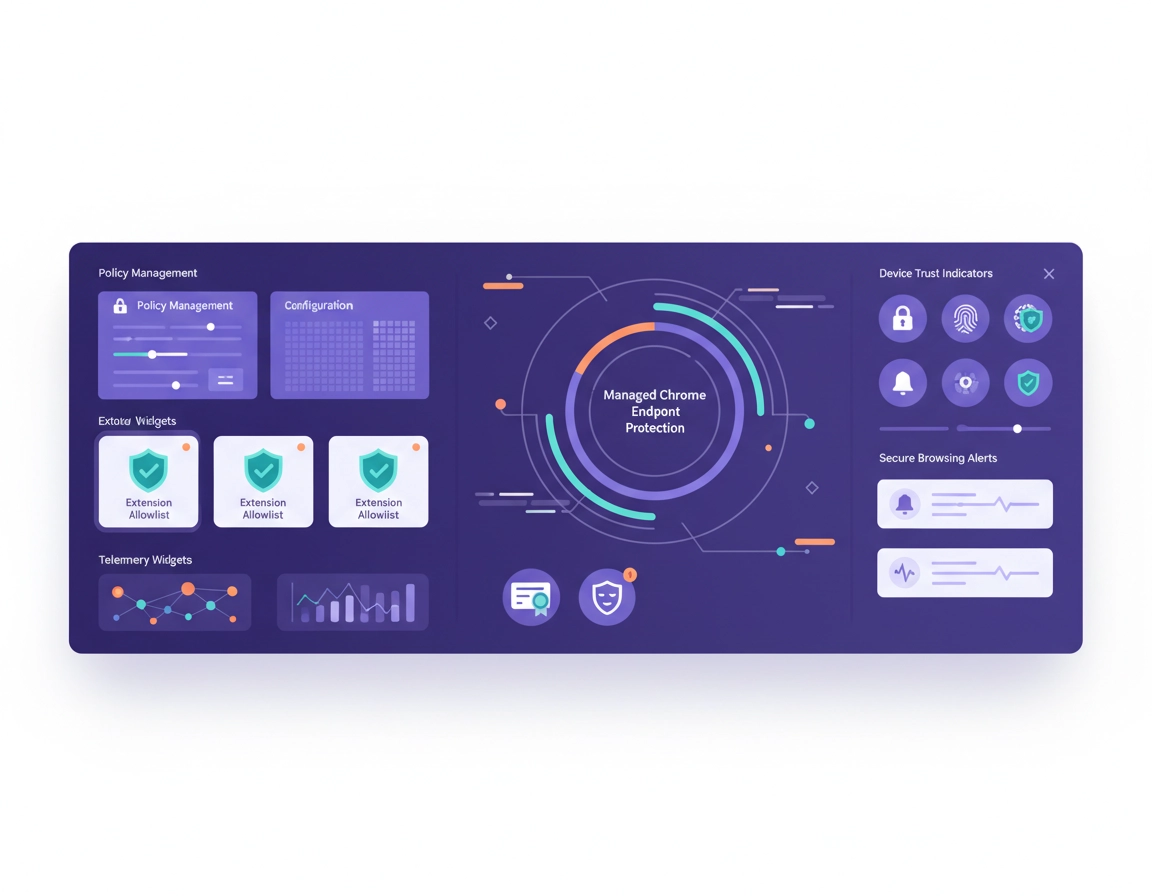
Why the browser now deserves endpoint-level security controls .
In modern business environments, the browser is no longer a thin client sitting harmlessly on top of the endpoint. It is where users authenticate, approve payments, access customer records, run SaaS workflows, install third-party code in the form of extensions, download reports, and interact with nearly every cloud service that matters.
That shift is why Chrome Enterprise endpoint security deserves its own design thinking. Many organizations still protect the device and the identity provider, but underinvest in the browser layer sitting between them. The result is a strange kind of partial maturity: strong endpoint tooling, strong identity tooling, and a browser posture that is treated like a bundle of convenience settings. That is not enough anymore.
A user can be on a company-issued laptop, authenticated with single sign-on, and still introduce risk through a permissive browser profile, a poorly governed extension, excessive local download freedom, unmanaged account crossover, or stale browser versions that lag security fixes. That is why endpoint security in Chrome Enterprise is not just about blocking bad sites. It is about turning browser behavior into something the organization can define, segment, audit, and explain.
In practical terms, that means Chrome should be treated as a managed endpoint execution layer. The business should know who is signed in, which profile is active, what extensions are allowed, how data can move, what version cadence is accepted, what trust signals are visible, and how policy exceptions are governed. If those answers are unclear, the browser remains a soft underbelly even inside a highly managed IT estate.
Security teams often describe this shift as “bringing the browser into the control plane.” That phrase sounds abstract, but the meaning is simple: instead of trusting the browser because the device is managed, you explicitly manage the browser because so much business activity happens inside it. This page is about how to do that without turning Chrome into an unusable brick.
Related: For the broader cluster entry point, start with Chrome Enterprise Guide. Supporting pages that pair naturally with this topic include Chrome Enterprise Security Architecture, Chrome Enterprise Policy Hardening, Chrome Enterprise Secure Browsing, and Chrome Enterprise Zero Trust.
Where browser risk shows up first .
What the Chrome Enterprise control surface actually includes .
One reason browser security content often becomes generic is that it talks about “locking down Chrome” without defining what is being locked down. In real admin environments, Chrome Enterprise endpoint security is made up of several distinct control surfaces, and each one carries a different kind of risk.
1) Identity and profile control .
The first question is not “Which sites are blocked?” It is “Who is this browser session for?” Managed environments should decide whether work browsing must happen inside managed profiles, whether personal Google accounts are permitted alongside work identities, how profile switching is handled, and how sign-in state lines up with access sensitivity. Security teams get into trouble when they protect the app but ignore the profile boundary the app is opened from.
2) Extension governance .
Extensions are one of the highest-leverage browser controls because they can read page content, request broad host access, alter web behavior, and create invisible risk paths. A mature program does not just maintain an allowlist. It tracks which extensions are approved, who requested them, what permissions they use, whether ownership changed, which groups are allowed to install them, and how quickly they can be removed when risk increases.
3) Safe browsing, downloads, and site execution .
This layer covers phishing exposure, malicious download risk, unsafe navigation paths, and the broader question of how much trust the browser extends by default. For some organizations, browser endpoint security fails here because download controls are too loose. For others, it fails because browser safeguards are active on paper but ignored operationally when exceptions accumulate.
4) Versioning and update discipline .
An enterprise browser is only as secure as its update posture. Teams usually understand this in theory, but in practice many estates drift into a muddled state: some users auto-update quickly, some are pinned by app compatibility, some sit in test rings too long, and some are effectively unmanaged. Endpoint security content that ignores version governance is missing a major piece of the story.
5) Certificates, network trust, and managed access assumptions .
In many businesses, browser security is tied to certificate trust decisions, internal applications, SSO paths, network boundaries, and conditional access logic. This is where Chrome stops being a simple browser and becomes part of access infrastructure. If certificates, trusted sites, or internal identity paths are handled sloppily, users push for broad exceptions that weaken the rest of the baseline.
6) Evidence, telemetry, and admin response .
A policy that exists but cannot be proven is fragile. Security teams need enough visibility to answer practical questions: who is outside policy, which users still have risky extensions, where are version gaps opening, which sessions no longer match device expectations, and what changed after the last rollout wave. Browser endpoint security becomes real once the organization can measure adherence, not just describe intent.
- Identity layer: managed sign-in, profile separation, account restrictions, session trust.
- Extension layer: allowlisting, denylisting, permission review, ownership change response.
- Content and browsing layer: safe browsing posture, download controls, risky site exposure, local data handling.
- Lifecycle layer: install method, version control, update rings, rollback process.
- Trust layer: certificates, internal web app compatibility, access policy alignment.
- Evidence layer: logging, dashboards, reporting, exception history, incident response triggers.
Related: If you are mapping this into operational pages, see Chrome Enterprise Identity Management, Chrome Enterprise Access Control, Chrome Enterprise Session Management, Chrome Enterprise Certificate Management, and Chrome Enterprise Extension Management.
How to design a policy architecture that does not collapse under exceptions .
The cleanest browser security programs are not the most restrictive. They are the most legible. That means the organization can explain why a rule exists, who it applies to, what business risk it addresses, which exception path exists, and how compliance is checked afterward. The moment Chrome policy becomes a pile of inherited exceptions from old app breakages, the environment stops being secure in a meaningful way and starts becoming merely confusing.
A durable architecture usually starts with a default baseline for managed employees, then adds narrower policy layers for privileged users, regulated workflows, contractors, shared devices, kiosks, VDI sessions, and temporary compatibility exceptions. The key is that each layer should have a reason to exist. If you cannot describe why a group has a looser or tighter browser policy, it probably should not exist as its own group.
This is where teams often overfit. They discover one special app requirement in one department and create a bespoke browser posture around it. A month later another department inherits it by accident, then support documentation drifts, then nobody knows which setting is normal anymore. Good browser security design prefers a small number of intentional policy tiers over dozens of tiny local exceptions.
A practical policy stack .
- 1 Global baseline: version control, managed identity assumptions, safer browsing defaults, basic extension restrictions, and logging visibility.
- 2 Role-based overlays: finance, legal, privileged admins, HR, and support teams with tighter handling where risk justifies it.
- 3 Context overlays: contractors, BYOD, shared devices, and VDI sessions with narrower trust and more explicit limits.
- 4 Compatibility exceptions: temporary, named, reviewable, and tied to one app or workflow instead of permanent baseline weakness.
- 5 Evidence rules: who confirms that the intended policy is actually landing on the intended users and devices.
Organizations that get this right usually think in terms of blast radius. A compatibility exception should affect as few users as possible. A high-risk extension approval should be scoped narrowly. A relaxed setting for a legacy application should not become the hidden standard for the whole company. Browser security becomes much easier to defend when exceptions are designed to stay small.
Another underappreciated point is ownership. Somebody should own the baseline. Somebody should own extension approvals. Somebody should approve security exceptions. Somebody should review telemetry and drift. Without named ownership, browser policy tends to become a shared responsibility nobody fully controls.
Design signals of a healthy browser security program .
- The baseline is easy to describe in one paragraph.
- Extension policy is documented and enforced by role, not by guesswork.
- Contractor and BYOD browser behavior is intentionally narrower than employee behavior.
- Legacy exceptions have owners, review dates, and scope limits.
- Security and support teams use the same language for policy tiers and expected behavior.
Related: For rollout mechanics and admin-side implementation paths, continue with Chrome Enterprise Group Policy Setup, Chrome Enterprise MDM Configuration, Chrome Enterprise Cloud Management, Chrome Enterprise Device Enrollment, and Chrome Enterprise Update Management.
High-impact controls that reduce browser risk first .
Teams with limited time should resist the temptation to chase a huge checklist. A smaller set of well-chosen controls usually reduces more risk than a sprawling policy document that nobody enforces consistently. The controls below tend to produce the biggest practical gains first.
Managed identity before cosmetic hardening .
If browser sessions are not clearly tied to managed identities and expected profile behavior, everything else becomes harder. Extension rules, audit trails, access conditions, and incident review all depend on knowing which account context the browser is operating in. This is why profile discipline usually matters more than superficial interface restrictions.
Extension allowlisting before extension cleanup drama .
Many environments try to “review extensions later” after they notice suspicious behavior. That is backwards. Extension policy should start with named approvals, category rules, and clear denial paths. The reason is simple: once extensions become embedded in daily work, removing them becomes politically harder even when risk increases.
Update rings that reflect business reality .
A good update strategy is not just “everyone updates immediately” or “everyone waits forever.” Most enterprises need some form of staged rollout that catches compatibility issues without normalizing stale browser exposure. Security and desktop engineering should agree on how fast production users move, who tests earlier, and who is allowed to remain on older versions temporarily.
Download and local data handling rules .
Sensitive browser work does not stop being sensitive once a file lands in Downloads. Teams often invest heavily in access control but ignore what happens after access is granted. Browser endpoint security should consider whether downloads, local saves, cross-profile copying, printing, and cloud sync patterns match the sensitivity of the data being viewed.
Certificate and internal-app trust hygiene .
Internal applications, certificates, and trusted network expectations are a major source of browser exceptions. If this layer is messy, administrators get pressured into broad relaxations that survive for years. Clean trust hygiene reduces support noise and protects the rest of the baseline from death by exception.
Monitoring tied to ownership .
No alert matters unless somebody owns it. High-value monitoring includes version drift, risky extension presence, policy noncompliance, unusual session behavior, and high-risk browsing patterns relevant to the business. But those signals only improve security when an owner reviews them and knows what action to take.
| Control area | Why it matters | Typical failure mode | Best first move |
|---|---|---|---|
| Managed profiles | Creates clean accountability for browser session behavior | Users mix work and personal contexts | Define where work browsing must occur and reduce unmanaged crossover |
| Extension policy | Third-party code inside the browser is a large attack surface | Open installation with no owner or review path | Move to approved, denied, and restricted categories |
| Update discipline | Old versions quietly undercut the rest of the security program | Testing rings become permanent parking lots | Set target timelines and review lagging groups |
| Data handling | Browser access is only half the problem; local movement matters too | Sensitive files flow freely after download | Map high-value workflows and restrict where needed |
| Telemetry and evidence | Lets security prove enforcement and detect drift | Admins trust policy intent instead of actual browser state | Review policy landing, extension exposure, and version gaps regularly |
Related: Supporting pages that deepen these control areas include Chrome Enterprise Data Loss Prevention, Chrome Enterprise Encryption Settings, Chrome Enterprise Secure Remote Access, Chrome Enterprise Version Control, and Chrome Threat Protection in Chrome Settings.
Operational model for rollout, monitoring, and evidence .
Security content becomes useful when it translates directly into operations. For Chrome Enterprise endpoint security, that means deciding how changes move from design to pilot to enforcement, and how evidence is gathered afterward. The technical settings matter, but the operating model determines whether those settings survive real business pressure.
A solid rollout usually begins with one managed baseline and one pilot population. That pilot should be real enough to expose breakage but narrow enough to contain support volume. The right pilot groups are often finance operations, internal IT, or another team with predictable workflows and good reporting habits. Avoid starting with your most politically difficult group unless you enjoy policy battles.
After pilot validation, expand in waves. The point of waves is not bureaucracy. It is to learn which policies generate noise, which apps need scoped exceptions, which extension requests recur, and which documentation gaps are creating avoidable tickets. Browser security rollouts fail when teams interpret early friction as proof the controls were wrong instead of feedback that the rollout path was sloppy.
Evidence collection should also be planned from day one. Security owners should know what success looks like numerically and operationally. Examples include fewer unreviewed extensions, lower version lag, cleaner policy inheritance, reduced unmanaged access to sensitive workflows, fewer download exceptions, and faster response to risky browser activity. Without those measures, leadership hears a lot about “hardening” and very little about whether risk actually went down.
Practical rollout sequence .
- Phase 1: inventory current browser states, extension use, update lag, and account behavior.
- Phase 2: define the baseline and name the non-baseline groups that truly need separate treatment.
- Phase 3: test extension rules, sign-in behavior, and update posture in a pilot wave.
- Phase 4: document exceptions with owners and expiry review instead of leaving them informal.
- Phase 5: monitor actual landing state, not just intended policy configuration.
- Phase 6: review the environment monthly for drift, repeated exception patterns, and stale rules.
What good evidence looks like .
- Named policy tiers with documented purpose
- Inventory of approved extensions and exception-owned extensions
- Evidence of version compliance across key user groups
- Logs or reports that show policy adoption rather than just policy publication
- Exception register with business owner, reason, scope, and review date
- Clear incident path for risky extension discovery or browser-related exposure
Related: This section connects naturally to Chrome Enterprise Monitoring Tools, Chrome Enterprise Activity Logs, Chrome Enterprise Security Reporting, Chrome Enterprise Audit Logging, and Chrome Enterprise Compliance Reporting.
Mistakes that quietly weaken endpoint posture .
Treating the device as secure, therefore assuming the browser is secure .
A managed laptop does not magically produce a managed browser. If profiles are loose, extensions are open, and browser versions drift, the browser remains a distinct risk surface. Device compliance helps, but it does not replace browser governance.
Using one baseline for employees, contractors, shared devices, and VDI .
These contexts do not deserve identical trust assumptions. Contractors usually need narrower access and cleaner offboarding. Shared devices need stronger session hygiene. VDI environments often need tighter compatibility planning. When all of them inherit one default posture, security either becomes too weak for high-risk groups or too disruptive for everyone.
Reviewing extensions only after there is an incident .
This is one of the most expensive browser security habits because extensions become culturally normal very quickly. Once users depend on them, security teams face resistance even when the risk is obvious. Governance belongs at the front of the lifecycle, not the back.
Letting compatibility exceptions become permanent architecture .
Every enterprise has awkward internal apps. The mistake is turning each awkward app into a long-lived reason to weaken the baseline for everyone. Compatibility pain should be scoped, documented, reviewed, and preferably reduced over time, not promoted into policy doctrine.
Confusing published policy with enforced policy .
Some teams proudly point to admin settings as proof the environment is hardened, but cannot prove how consistently they land. Endpoint security requires evidence from the user and device side of the equation, not just admin intent.
Allowing security and support to describe the environment differently .
When support says “that setting is optional” and security says “that setting is mandatory,” the browser program is already losing coherence. Shared terminology and documented tiers are not admin niceties. They are part of the security outcome.
Related: Follow-up pages that strengthen this section include Chrome Enterprise for Contractors, Chrome Enterprise VDI Support, Chrome Enterprise Rollback Guide, Chrome Enterprise Risk Management, and Chrome Enterprise Conditional Access.
FAQ .
-
helpIs Chrome Enterprise endpoint security mostly about locking settings so users cannot change them?No. Settings control is part of it, but a serious endpoint posture also includes identity discipline, extension governance, version management, data handling rules, evidence collection, and a process for exceptions. A browser that is merely locked down can still be badly governed.
-
helpWhat usually delivers the fastest security improvement in a managed Chrome environment?For most organizations, the fastest improvement comes from three things together: controlling extensions, tightening managed profile behavior, and reducing version drift. Those areas shrink a lot of practical risk before more advanced policy work even begins.
-
helpWhy do browser security projects create so many support tickets at first?Because hidden dependencies only become visible once the browser stops being permissive. Extensions people quietly relied on, odd internal apps, sign-in shortcuts, and weak documentation all surface at once. That does not automatically mean the controls were wrong. It usually means the environment was previously running on undocumented habit.
-
helpShould contractors get the same Chrome policy as full-time employees?Usually no. Contractors often sit on different device trust assumptions, shorter access windows, and narrower business scope. Their browser posture typically needs tighter session boundaries and more explicit limits rather than a copy of the employee baseline.
-
helpWhat does good evidence look like for browser endpoint security?Good evidence shows the intended policy landing in the real environment: version compliance, extension state, policy adoption by group, exception records, and admin visibility into drift or risky activity. A configuration screenshot is not enough.
Sources & further reading .
- Chrome Enterprise Browser overview
- Chrome Enterprise and Browser Cloud Management help center
- Google Admin browser management documentation
- Chrome Enterprise Security Checklist
- Chrome Enterprise Compliance
- Chrome Enterprise Monitoring Tools
Editorial note: This page is written for planning, rollout, and governance decisions around managed Chrome environments. It is designed to help readers think through browser policy as part of endpoint security, not as a disconnected checklist of isolated settings.