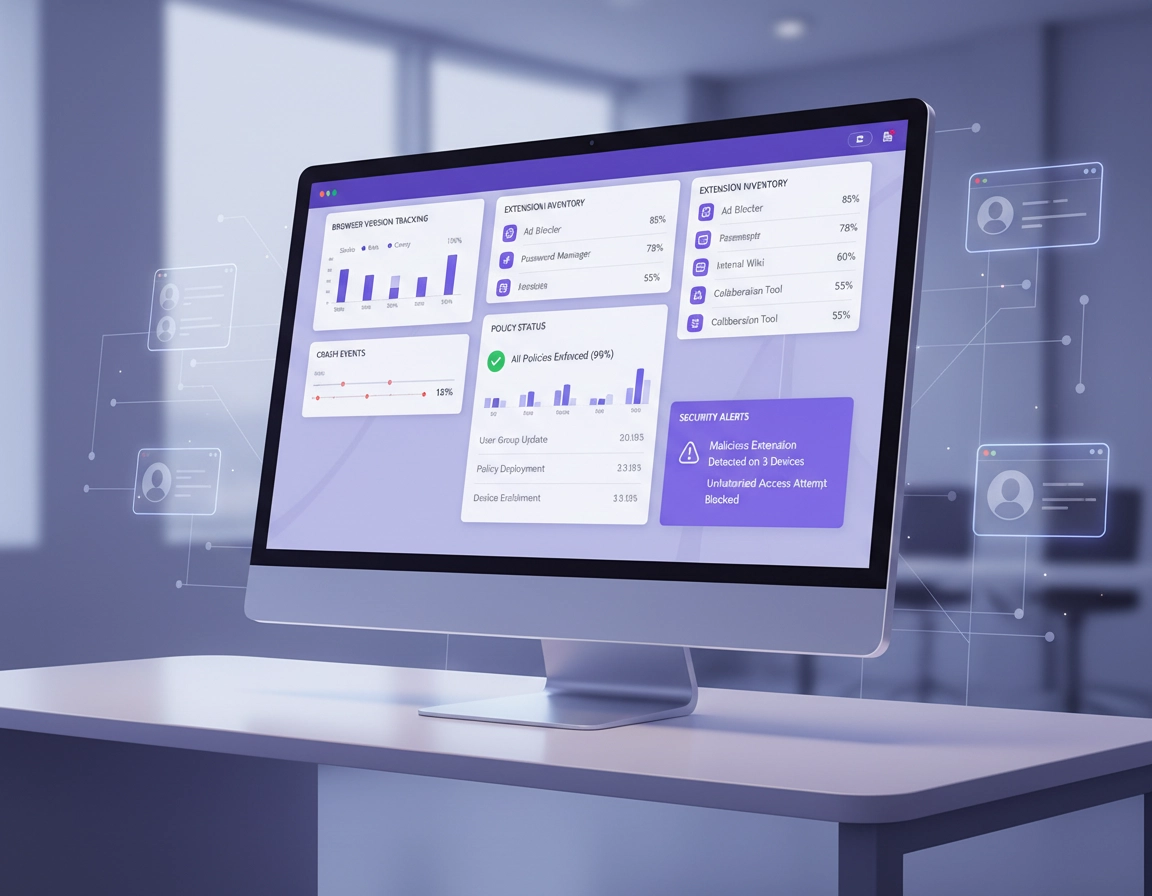
Core Monitoring Capabilities in Chrome Enterprise Environments .
In a real enterprise deployment, browser monitoring is not a single dashboard or one checkbox called “reporting.” It is the combined ability to answer very practical questions about the managed browser fleet. Which browser versions are deployed? Which browsers are inactive? Which extensions are installed? Which policies are actually applied? Where are crashes happening? Which security-relevant events can be investigated or exported? Which browser activities belong in the wider security story of the business?
That matters because many pages on this subject are still too generic. They talk about “monitoring visibility” as if that alone were the goal. In practice, monitoring only becomes valuable when it supports decisions. Version reporting helps you keep release discipline. Extension monitoring supports governance. Crash visibility helps you catch broken rollouts. Audit trails help you explain what happened. Reporting connectors let browser events leave the Admin console and join the rest of your security tooling.
The right way to think about Chrome Enterprise monitoring is by operational layer. The first layer is inventory and state: enrolled browsers, profiles, versions, operating systems, extensions, and applied policies. The second layer is quality and drift: crash events, inactive browsers, lagging versions, or unexpected extension spread. The third layer is investigation: event history, exported logs, and security workflows. The fourth layer is controlled action around data and threat signals in higher-security environments.
That layered model is also why smaller teams often get strong value from Chrome Enterprise Core without needing every advanced control on day one. If your deployment is still normalizing browser versions, trimming extension sprawl, and tightening cloud management, the best monitoring investment is usually cleaner reporting and clearer accountability, not a huge event pipeline with no one to tune it.
Related: for the broader platform view, start with Chrome Enterprise Guide, then branch into Chrome Enterprise Admin Console, Chrome Enterprise Device Visibility, and Chrome Enterprise Activity Logs.
Monitoring terms that should not be blurred together .
- Browser reporting: versions, apps, extensions, profiles, and browser inventory.
- Browser details: record-level visibility such as enrollment dates, installed extensions, and applied policies.
- App and extension usage reporting: pattern-level reporting for what is installed and seen across the managed fleet.
- Crash events: browser crashes surfaced through Chrome log events on the Audit and investigation page.
- Reporting connectors: export paths that send browser events to third-party services or SIEM-style workflows.
- Premium browser security telemetry: deeper event and data-protection visibility intended for stronger enterprise security programs.
The admin-console surfaces that matter most .
A strong page on this topic should name the actual monitoring surfaces administrators use. Otherwise the article ends up sounding like product copy. For Chrome Enterprise, the important surfaces are not all the same thing, and they answer different questions.
Browser overview and browser details .
This is where many monitoring workflows should begin. Chrome Enterprise Core gives administrators cloud-based browser management and reporting, including reporting on apps, extensions, versions, and more. At the individual browser level, Admin console details can expose enrollment dates, installed extensions, and applied policies. That means the browser details view is not just a list screen. It is where you validate whether management is real, whether expected policies landed, and whether the browser record tells the same story your rollout plan told on paper.
This matters operationally because version drift and policy drift often hide inside assumptions. Teams assume a browser is enrolled because a user received onboarding. Teams assume an extension policy applied because they set it at the OU level. Browser detail visibility is how you stop guessing.
App and extension usage details .
Extension visibility is one of the highest-value browser monitoring areas in enterprise environments. The app and extension reporting layer gives administrators a more fleet-oriented view of what is installed or observed, and Google’s extension usage reporting includes a Last report filter that can look back as far as 1.5 years. That is useful when you are reviewing long-tail extension sprawl, comparing approved versus unapproved tooling, or preparing evidence for internal audit.
Extension monitoring becomes especially valuable when you attach it to policy categories. Meeting add-ons, AI assistants, download helpers, screenshot tools, clipboard tools, and site-wide data-reading extensions should not all be treated the same. Mature teams map extensions to risk classes, not just names.
Crash events and stability review .
Chrome browser crash details belong in the monitoring conversation, not just support triage. Admins can review crash details for managed browsers over time, and crash events are available as Chrome log events on the Audit and investigation page. That shifts crash reporting from “somebody said Chrome keeps closing” into an actual fleet signal. If crashes rise after a browser release, a policy change, a rendering change, or an extension rollout, you can treat that as a quality-control event instead of waiting for scattered help desk complaints.
Audit and investigation workflows .
This is the layer where monitoring becomes evidence. Audit and investigation is not just a nicer name for logging. It is the workflow that lets security or administrative teams isolate the subset they care about and then prove what happened. If you are trying to explain a browser crash cluster, extension spread, unsafe navigation, or password reuse events, the investigation surface is where monitoring becomes defensible rather than anecdotal.
Legacy technology reporting .
This one is easy to miss, but it adds real specificity. Chrome Enterprise now supports a legacy technology report so administrators can see enterprise sites visited by managed browsers that still rely on deprecated or soon-to-be-deprecated technologies. That is not classical security monitoring, but it is operationally important because legacy web dependencies often explain why version upgrades stall, why browser policies get postponed, or why business-critical internal sites behave unpredictably.
Overview-page filtering and managed profile reporting .
Recent Chrome Enterprise updates also matter to how a modern monitoring page should be written. Core now has an overview page with richer filtering, including last-activity and organizational-unit views, and Chrome profile reporting has expanded to iOS through managed profile reporting. Those are not flashy headline features, but they are exactly the sort of details that separate a current enterprise guide from a template page that could have been written a year ago.
| Surface | What it tells you | Best use | Why it matters |
|---|---|---|---|
| Browser overview | Fleet state, activity, and management trends | Weekly posture review | Shows version and deployment drift quickly |
| Browser details | Enrollment dates, installed extensions, applied policies | Case-by-case validation | Confirms whether management is actually landing |
| App & extension usage | Installed and reported browser add-ons across the fleet | Extension governance | Helps spot spread, exceptions, and risky categories |
| Audit & investigation | Chrome log events including crash-related visibility | Evidence and incident review | Turns browser signals into reviewable history |
| Legacy technology report | Enterprise sites using aging or deprecated tech | Upgrade planning | Finds compatibility blockers before they become rollout failures |
Related: these monitoring surfaces connect especially well with Chrome Enterprise IT Dashboard Guide, Chrome Enterprise Usage Analytics, Chrome Enterprise Security Reporting, and Chrome Enterprise Version Control.
The browser signals worth tracking weekly .
Many teams collect too much data and still miss the signals that matter. Chrome Enterprise monitoring becomes useful when it narrows attention to the questions that produce decisions. A weekly review should not be a giant dump of browser facts. It should reveal drift, instability, exception growth, and policy failure early enough to act.
1) Version discipline and inactive pockets .
The first job of browser monitoring is to show whether your managed Chrome environment is behaving like one environment or several unofficial ones. Monitor current-version adoption, lagging browser pockets, rollout rings, inactive browsers, and unexpected channel spread. If your update plan is clean, these numbers should tell a coherent story. If they do not, the issue is usually outside the report itself: unmanaged browsers, dormant devices, weak OU design, or rollout exceptions nobody documented properly.
2) Extension posture and exception growth .
Extension oversight should be one of the core weekly views in any mature Chrome Enterprise deployment. The question is not just “which extensions are installed?” The better questions are: which categories are growing, which installs fall outside approval, which extensions request sweeping permissions, and where do exceptions keep accumulating? An enterprise browser that looks tidy at the policy layer can still become messy fast if extension governance is passive.
3) Crash clusters after change windows .
Crash visibility becomes powerful when you compare it against change windows. A spike after a browser release, a new extension, or a policy rollout is a much stronger signal than total crash volume alone. Mature teams monitor crash events by version, timeframe, and affected group. That makes browser stability measurable instead of anecdotal.
4) Policy-assurance sampling .
A policy that exists in the Admin console is not the same thing as a control in force. Weekly sampling of applied policies on representative browsers is one of the easiest ways to make monitoring more trustworthy. Pick high-value controls: extension allowlisting, security settings, browser update rules, remote-access hardening, or managed profile settings. Then verify them on real enrolled browsers instead of assuming the OU tree tells the whole truth.
5) Risk-relevant event export .
If your organization uses reporting connectors, the weekly question is not simply whether events are flowing. It is whether the right events are flowing and whether anyone cares when they do. Unsafe site visits, malware transfers, password reuse, data-transfer events, and URL filtering signals only help the business if they are mapped to triage logic. Otherwise you are just exporting browser noise to a more expensive place.
A lean weekly monitoring stack .
- Fleet posture: active vs inactive browsers, version spread, release lag
- Extension posture: top installs, new installs, exceptions, sensitive permission buckets
- Crash posture: crash trend by version, by group, by recent change
- Policy assurance: sample browsers checked against high-value controls
- Event posture: exported browser events that warrant human review
Related: this section ties naturally into Chrome Enterprise Performance Monitoring Tools, Chrome Enterprise Update Management, Chrome Enterprise Rollback Guide, and Chrome Enterprise Risk Management.
When reporting connectors and SecOps integrations make sense .
Reporting connectors are where Chrome Enterprise monitoring stops being self-contained. Google allows administrators to configure Chrome to report events to third-party service providers. Those events can include unsafe site visits, malware transfer, and password reuse. That means the browser can become part of a larger detection and response environment instead of being monitored only inside the Admin console.
This is highly relevant for companies already invested in SIEM, SOC, DLP, or broader security platform workflows. But it is also where many teams make expensive mistakes. Exporting browser events without tuning, ownership, or case design does not create security maturity. It creates queue clutter. A connector is valuable when the receiving system already knows how to prioritize the browser signal.
Use connectors when the browser is part of the incident story .
Browser telemetry becomes especially useful when identity, endpoint, and email signals are not enough on their own. Unsafe site visits, suspicious transfer events, reused passwords, or browser-mediated sensitive-data movement can provide the missing context during an investigation. In that sense, the browser is not just the application the user happened to have open. It is the workspace where the incident unfolded.
Why direct SecOps integration matters more now .
Google’s more recent positioning around Chrome Enterprise Premium and Google SecOps makes this direction clear. The browser is being treated more openly as a primary security sensor for web-borne threats, phishing, malware, and exfiltration activity. That is a meaningful shift. A few years ago, many teams treated the browser as a policy target. Increasingly, high-maturity teams treat it as a telemetry source too.
When connectors are premature .
- You still have incomplete browser enrollment
- No one owns browser event triage
- Your extension governance is still informal
- You are exporting events that nobody mapped to response logic
- Your Admin console views are still too weak to trust the source data fully
Related: you can support this topic with Chrome Enterprise API Integration, Chrome Enterprise Behavior Monitoring, Chrome Enterprise Security Reporting, and Chrome Enterprise Managed Browser Solutions Overview.
High-value monitoring use cases by team .
For IT operations: keep releases, extensions, and policies honest .
The operations case for monitoring is about control quality. You want to know whether release cadence is working, whether old versions are lingering, whether browser detail records match your rollout claims, and whether extension sprawl is growing faster than policy discipline. This is not glamorous work, but it is foundational. Without it, later security conclusions are built on shaky browser management.
For desktop engineering: catch bad change windows fast .
Crash event visibility is especially useful for desktop and endpoint teams. They can compare browser crashes against change windows, versions, groups, or environmental factors and quickly decide whether a rollback, staged halt, or extension review is needed. That shortens the time between “something feels wrong” and “we know which release or configuration caused it.”
For security teams: add browser context to detection .
In phishing, credential abuse, risky navigation, password reuse, and suspicious data movement cases, browser-side visibility can be the difference between guesswork and a tight narrative. The browser is where users authenticate, upload, download, copy, paste, and interact with SaaS platforms all day. Treating it as invisible weakens the security picture.
For compliance and audit: prove browser control with evidence .
Internal audit often asks simple questions that are surprisingly hard to answer without proper monitoring. Which browsers were managed? Which extension controls were in force? Which policies were applied? Were incidents reviewable after the fact? A solid monitoring program gives you evidence paths rather than screenshots and memory. That is a major E-E-A-T and trust angle for this topic because readers searching for monitoring tools are often really searching for proof they can rely on.
For regulated teams: watch browser-mediated data risk .
In legal, healthcare, finance, support, and other regulated environments, browser activity is often where sensitive data exposure occurs first. That is why Premium-style browser DLP and telemetry matter more in those sectors. Upload paths, downloads, print actions, copy-and-paste flows, and evidence handling are not abstract “security features.” They are the difference between policy theater and actual data governance.
| Team | Most useful monitoring layer | Primary question |
|---|---|---|
| IT admin | Browser reporting + browser details | Are managed browsers healthy, current, and policy-aligned? |
| Desktop engineering | Crash events + rollout comparisons | Did a release or extension change destabilize Chrome? |
| Security | Investigation + connectors + Premium telemetry | Does browser activity strengthen incident detection and response? |
| Compliance | Audit trails + extension governance evidence | Can we prove browser controls and show review history? |
Related: extend these use cases with Chrome Enterprise Compliance, Chrome Enterprise GDPR Compliance, Chrome Enterprise HIPAA Compliance, and Chrome Enterprise for Hybrid Work.
The blind spots that make monitoring look better than it is .
One of the biggest enterprise content mistakes is treating monitoring features as if enabling them guarantees insight. It does not. Browser monitoring is only as trustworthy as the managed footprint, the role design, and the discipline around exceptions.
Blind spot: partial enrollment pretending to be fleet visibility .
If browser cloud management is incomplete, every later report will overstate your confidence. You may see a tidy browser fleet on paper while a large unofficial browser population sits outside the dataset. Always validate managed footprint before relying on reporting conclusions.
Blind spot: extension reporting without extension policy .
A long list of installed extensions is not governance. Monitoring only becomes valuable when there is an approved baseline, a request workflow, and a clear understanding of which permissions or categories count as higher risk. Otherwise the report becomes a catalog, not a control.
Blind spot: crash data with no change context .
Crash counts feel technical, but on their own they are weak. The useful version is crash activity compared to changes: update waves, rollout rings, extensions, policy edits, operating-system patterns, or known app conflicts. Without change context, the team sees instability but not cause.
Blind spot: event export without triage ownership .
Many organizations export browser events because it sounds mature. Then no one owns the tuning, prioritization, or response. Browser events can be extremely valuable, but only when someone knows which ones matter and what happens next.
Blind spot: compliance language without evidence paths .
Audit readiness is not the same as having security settings enabled. It is being able to show which browsers were managed, which extensions were governed, which policies applied, and which investigation view or exported record supports your claim. Good monitoring pages should say that clearly because buyers in this area are often really buying confidence.
Related: if the challenge is broader than monitoring, continue with Chrome Enterprise Management, Chrome Enterprise Security Best Practices, Chrome Enterprise Audit Preparation, and Chrome Enterprise Zero Trust.
FAQ .
-
helpDoes Chrome Enterprise Core include real monitoring, or only basic management?Chrome Enterprise Core includes real monitoring value. It covers cloud-based browser management plus reporting on versions, apps, extensions, and other browser state. For many organizations, that is enough to manage fleet health, extension posture, and rollout quality well. Premium becomes more compelling when the browser must take on a stronger security and data-protection role.
-
helpWhere do Chrome browser crash events show up for admins?Chrome browser crash visibility is available through Chrome log events on the Audit and investigation page. That makes crash monitoring part of an investigation workflow rather than just an end-user troubleshooting complaint.
-
helpCan Chrome Enterprise show which extensions are installed on managed browsers?Yes. Chrome Enterprise reporting and browser details can expose installed extensions on enrolled browsers, and the app and extension reporting layer helps administrators review extension usage patterns across the managed environment.
-
helpWhat kinds of events can reporting connectors send out of Chrome Enterprise?Reporting connectors can send browser security events such as unsafe site visits, malware transfer, and password reuse to third-party service providers. That can make the browser a useful signal source in wider security workflows.
-
helpWhen is Chrome Enterprise Premium worth it for monitoring?Premium is usually worth it when browser monitoring needs to support stronger DLP, evidence handling, direct SecOps integration, or richer browser-native security telemetry. If your needs are mostly inventory, version control, extension oversight, and crash visibility, Core may be the better fit.
Sources & further reading .
- Chrome Enterprise Core: browser management and reporting
- View Chrome browser details
- View app and extension usage details
- View Chrome browser crash details
- Manage Chrome Enterprise reporting connectors
- View legacy technology usage details
- Chrome Enterprise and Education release notes
Editorial note: this page is intentionally built around admin-console behavior, event surfaces, and security workflow boundaries instead of generic browser-management copy. That keeps the page commercially useful and technically specific.