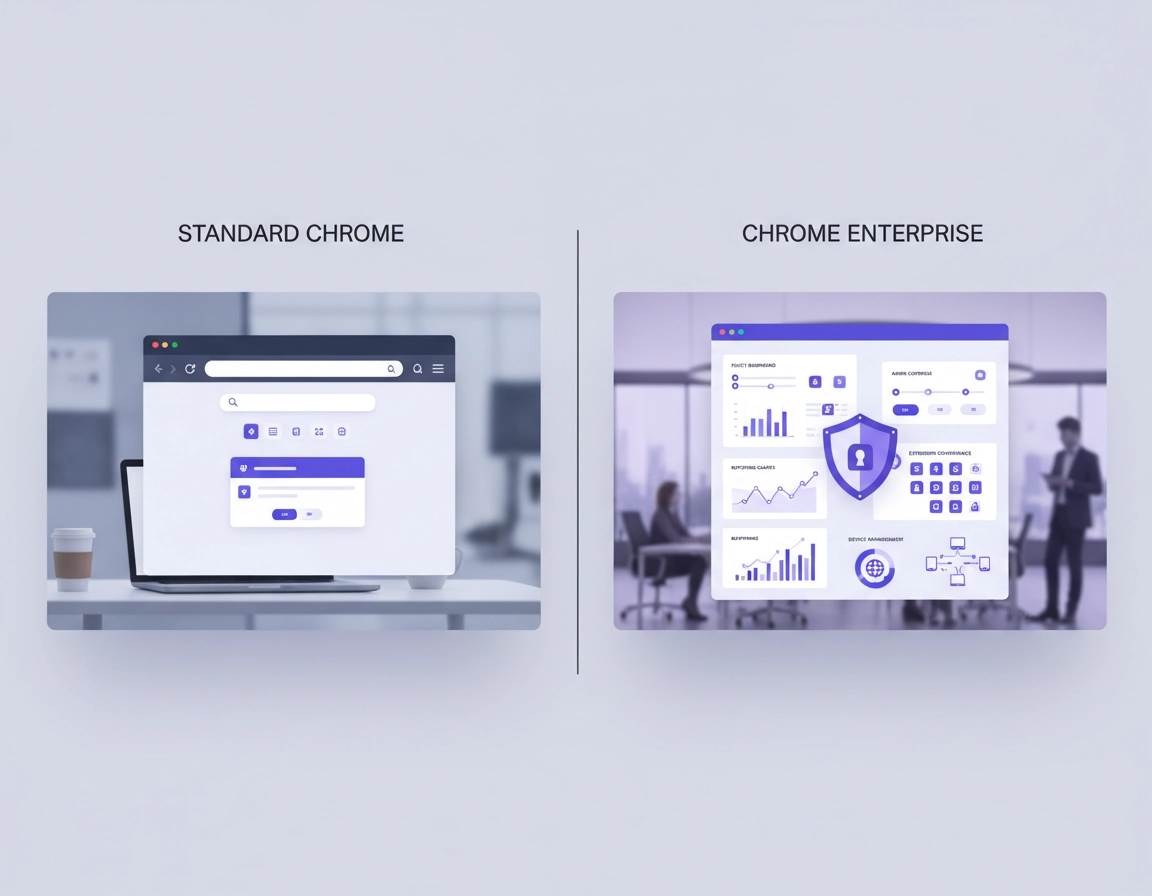
What each option includes .
The comparison gets clearer the moment you stop treating “Chrome Enterprise” as a single vague product name.
Standard Chrome is the familiar browser most users download directly. It is built for browsing, profiles, sync, extensions, web apps, and general day-to-day use. In unmanaged environments, configuration lives largely at the user level. That can be perfectly acceptable for solo operators, lightly managed startups, contractors using their own devices, or organizations that do not need to inspect, restrict, or standardize browser behavior across a fleet.
Chrome Enterprise Core is the management and visibility layer that makes Chrome governable at scale. It gives organizations cloud-based browser management, central policy enforcement, browser inventory, reporting on versions and installed extensions, and a cleaner operational workflow for rollout and support. This is the point where Chrome stops being “whatever each employee installed” and becomes something the company can administer deliberately.
Chrome Enterprise Premium builds on that management foundation and adds stronger browser-native security capabilities for organizations with higher-risk workflows. The buyer profile changes here. Premium is not mainly about basic browser administration. It is for teams that need the browser to participate more directly in access decisions, data controls, or advanced web security posture.
That distinction matters because many comparison pages collapse everything into “free Chrome vs paid Chrome.” That framing is too shallow for real procurement. The better progression is:
- Do we need a centrally managed browser at all?
- If yes, is Chrome Enterprise Core enough?
- If Core is enough operationally, do security or compliance requirements justify Premium?
Related: For cluster context, continue with Chrome Enterprise Guide, Chrome for Enterprise Overview, and Chrome Enterprise Features Explained.
Management model difference in one page .
The fastest way to understand this comparison is to look at who owns browser behavior.
In standard Chrome, the user largely decides which extensions get installed, which settings are changed, how profiles are used, which passwords are saved, and whether browser hygiene is maintained consistently. Even if a company uses other endpoint controls, the browser itself remains comparatively lightly governed unless the organization layers external tooling on top.
In Chrome Enterprise Core, the browser becomes part of formal IT operations. Admins can enroll browsers, apply policies, govern extensions, standardize configuration, and inspect browser state across the organization. That produces two important changes. First, the help-desk and deployment story improves because browser behavior becomes predictable. Second, governance improves because the organization can document and enforce what “approved Chrome use” looks like.
In Chrome Enterprise Premium, the browser becomes more than a managed application. It becomes part of the organization’s broader secure access and data protection posture. That distinction is important for companies handling regulated records, privileged SaaS access, high-value internal apps, or distributed workforces where browser sessions need closer scrutiny.
Standard Chrome is adequate when the business can tolerate browser variability. Chrome Enterprise becomes valuable when browser variability itself turns into operational cost, support drag, audit friction, or security exposure.
Comparison table: standard Chrome vs Chrome Enterprise Core vs Premium .
| Area | Standard Chrome | Chrome Enterprise Core | Chrome Enterprise Premium |
|---|---|---|---|
| Base browser experience | Yes — profiles, tabs, sync, extensions, web apps | Yes — same Chrome foundation with admin control added | Yes — same base browser plus advanced enterprise controls |
| Centralized browser management | No — browser state is mostly local and user-driven | Yes — centralized browser administration across managed fleets | Yes |
| Cloud policy enforcement | No as a standalone consumer-style deployment model | Yes — browser and user policy can be enforced centrally | Yes |
| Extension governance | Weak — users choose and install freely unless managed elsewhere | Strong — allow, block, force-install, and review workflows become practical | Strong — with higher security value in sensitive environments |
| Browser inventory and reporting | No centralized browser inventory by default | Yes — version, extension, app, and policy visibility | Yes — management visibility plus stronger security context |
| Deployment readiness | Basic — easy to install, weak for structured rollout at scale | High — better suited to repeatable deployment and lifecycle control | High |
| Help-desk supportability | Inconsistent — user drift creates support variance | Better — standardized browser state improves troubleshooting | Best in security-sensitive operations |
| Data protection and advanced access control | No dedicated enterprise layer | Limited — not the main Core value proposition | Yes — materially stronger fit for higher-risk environments |
| Best buyer profile | Individuals, freelancers, very small unmanaged teams | Most businesses that need browser governance without leaping into a heavier security stack | Organizations with stronger regulatory, data, access, or security enforcement requirements |
Most common evaluation mistake: buyers often compare standard Chrome directly against the most security-heavy enterprise scenario, then decide “Chrome Enterprise” is too much. The more accurate path is standard Chrome → Chrome Enterprise Management → higher-security deployment if needed.
Evaluation questions before you buy .
Before comparing feature lists, ask the questions that change procurement outcomes. These are the points where organizations usually discover whether unmanaged Chrome is still viable.
- Do we need browser settings to be consistent across employees and devices?
If the answer is yes, you are already beyond a casual browser deployment model. Consistency requires policy, not user preference. - Do we need visibility into versions, installed extensions, and browser posture across the fleet?
If nobody can answer which browsers are behind, which extensions are present, or where policy drift exists, support and security teams are operating with partial visibility. - Would a risky extension, unmanaged sign-in behavior, or inconsistent Safe Browsing configuration create business exposure?
This is a strong indicator that the browser has become part of your security boundary. - Are rollout, onboarding, and troubleshooting slowed down because every browser environment is slightly different?
This is where browser standardization starts to save labor, not just reduce risk. - Is the real requirement administration, or is it elevated browser security?
Many companies need centralized management before they need premium-grade browser security. Mixing those questions leads to poor buying decisions.
Related: Compare this page with Google Chrome Enterprise Benefits, Chrome Enterprise Pricing Overview, and Chrome Enterprise Cost Analysis.
Operational breakdown: policy, extensions, reporting, deployment, support .
Policy management and configuration control .
Standard Chrome works well when the organization does not care if homepage behavior, sign-in behavior, developer tools availability, printing rules, Safe Browsing posture, proxy configuration, or app installation choices vary from user to user. The moment that variation becomes a problem, central policy becomes the decisive capability.
Chrome Enterprise Core gives admins a practical way to move browser behavior out of the realm of suggestion and into enforceable configuration. That matters for onboarding speed, help-desk predictability, and internal policy alignment. It also matters for audits. A documented standard that cannot be technically enforced is weaker than most organizations assume.
Extension governance and browser attack surface .
The extension question is where many businesses realize that “normal Chrome is free” is not the same as “normal Chrome is low cost.” Unreviewed extensions can read page data, modify session behavior, interact with internal SaaS environments, and introduce exactly the kind of shadow IT that security teams later struggle to unwind.
In unmanaged Chrome, extension posture is largely decentralized. In a managed enterprise deployment, allowlists, blocklists, forced installs, approval processes, and browser-wide restrictions become practical. That is a major difference for any company with finance platforms, internal admin panels, customer data, or privileged SaaS accounts in the browser.
Related: Continue with Chrome Enterprise Extension Management, Chrome Extension Security Enterprise, and Chrome Extension Management Enterprise.
Browser inventory, reporting, and administrative visibility .
Standard Chrome gives you plenty of browser functionality and very little administrative visibility. That is fine until someone asks which users are behind on browser version, which extensions are installed across departments, which browsers are enrolled, or whether policy has been applied consistently. At that point, the gap stops being theoretical.
Chrome Enterprise Core improves this materially by giving administrators reporting on enrolled browsers, versions, apps, extensions, and policies. Visibility is not glamorous, but it is one of the highest-value enterprise capabilities because it turns browser support and security from guesswork into evidence-based operations.
Deployment discipline and lifecycle control .
Installing a browser for one person is not the same job as deploying a browser for a company. Standard Chrome is simple to install but comparatively weak as a framework for controlled, repeatable rollout. Enterprise environments care about packaging, version consistency, silent installation, policy templates, staged change, and rollback planning.
This is where Chrome Enterprise tends to look more mature than basic Chrome deployment. It fits structured workstation provisioning, joined-device workflow, staged release management, and repeatable onboarding more naturally. For growing companies, that becomes important long before the environment is “large enterprise” scale.
Related: See Chrome Enterprise Installation Guide, Chrome Enterprise Silent Install, Chrome Enterprise MSI Download Guide, and Chrome Enterprise Update Management.
Supportability and reduction in browser drift .
Unmanaged browser environments quietly generate support cost. Two users may both say, “Chrome is broken,” while running different versions, different extensions, different policies, different sign-in states, and different local settings. That variation slows down diagnosis and creates repeat tickets.
Managed browser environments reduce that variability. Chrome Enterprise Core gives support teams a more stable baseline and a clearer way to separate policy issues, version lag, extension conflicts, and local machine anomalies. For many businesses, that support value alone justifies moving away from ad hoc standard Chrome usage.
Security and compliance implications .
Browser choice becomes strategically important when the browser is a working surface for identity, finance, customer records, internal documentation, developer consoles, admin portals, HR systems, procurement workflows, and modern SaaS applications. In those environments, the browser is not just a client. It is part of the control layer around access and data exposure.
Standard Chrome: acceptable where browser variability is tolerable and other controls do most of the security work.
Chrome Enterprise Core: stronger fit where consistent browser policy, visibility, and extension governance are required.
Chrome Enterprise Premium: stronger fit where browser sessions themselves must participate more directly in higher-assurance security and data protection models.
Standard Chrome is not inherently insecure. That is an important correction. Chrome already ships with substantial browser security engineering behind it. The issue for business environments is not whether Chrome is technically capable. The issue is whether the organization can consistently govern how that browser is configured, extended, updated, and used across real users and real endpoints.
Chrome Enterprise Core strengthens security indirectly and operationally. It lets admins enforce policies, reduce risky variance, restrict problematic extensions, observe browser state, and treat browser configuration as a documented administrative domain. That makes audits easier, incident response cleaner, and cross-team governance more defensible.
Chrome Enterprise Premium becomes relevant when the company needs stronger browser-resident protections rather than management alone. This usually appears in regulated industries, high-trust customer environments, distributed workforces with sensitive access patterns, or mature security programs where browser sessions are considered a meaningful policy enforcement point.
Related: Deepen this section with Chrome Enterprise Security Architecture, Chrome Enterprise Data Loss Prevention, Chrome Enterprise Access Control, Chrome Enterprise Zero Trust, and Chrome Enterprise Compliance.
Compliance and customer assurance .
Many organizations do not feel browser governance pain until a customer questionnaire, internal audit, or regulatory review asks for evidence of control. “Employees use Chrome” is not the same answer as “the browser is centrally managed, extension use is governed, settings are enforced, and browser state can be reported.” The latter is the kind of answer that reads better in security reviews because it shows operational ownership.
Where Premium changes the conversation .
The Premium conversation usually starts when management capability is already accepted and the remaining question becomes: should the browser be treated as a stronger enforcement layer for access and sensitive data? If that is your question, you are no longer comparing “business browser vs free browser.” You are comparing security models.
| Security objective | Likely fit | Why |
|---|---|---|
| Basic secure browsing with user freedom | Standard Chrome | Appropriate when governance needs are low and endpoint controls do more of the heavy lifting |
| Consistent browser policy and lower extension risk | Chrome Enterprise Core | Provides the central management needed to reduce drift and improve visibility |
| Higher-assurance access and stronger browser-native security controls | Chrome Enterprise Premium | Better aligned to organizations where the browser itself must contribute more directly to security posture |
Best fit by company type and maturity .
Solo operators, freelancers, and very small unmanaged teams .
Standard Chrome is often enough here. The administrative overhead of central browser management may outweigh the benefit if devices are few, business data is limited, and extension use is modest. That said, the moment those users handle privileged customer systems, shared admin logins, or sensitive internal apps, the value of browser governance rises quickly.
Growing SMBs with hybrid work and recurring support needs .
This is where Chrome Enterprise Core usually makes the strongest case. The company is large enough for browser drift to create real friction, but not so large that it needs to overbuild immediately. Standardized extensions, cleaner browser inventory, better rollout discipline, and consistent policy enforcement tend to produce real operational leverage here.
Distributed teams, regulated workflows, and security-conscious organizations .
These teams should usually assume the browser belongs inside the managed security stack. Start with Core as the administrative baseline, then test whether Premium is warranted by data sensitivity, compliance exposure, contractor risk, or access-control needs.
Large enterprise or mature security programs .
By this stage, the browser is rarely viewed as a neutral commodity. It is part of access, support, monitoring, and risk management. The organization usually benefits from moving the conversation away from “Which browser is free?” toward “Which browser model integrates cleanly with governance, security, and operational scale?”
Very small and lightly managed: standard Chrome can be fine.
Growing and operationally messy: Chrome Enterprise Core is usually the right upgrade.
Sensitive, regulated, or security-mature: evaluate Core and Premium together.
Related: Continue with Chrome Enterprise for Small Business, Chrome Enterprise for Startups, Chrome Enterprise for Distributed Teams, Chrome Enterprise for Hybrid Work, and Chrome Enterprise for Enterprise Scale.
Frequent buying mistakes .
1) Treating Chrome Enterprise like a different end-user browser product .
The visible browsing experience is not where most of the value sits. The value sits in administration, governance, reporting, extension control, rollout discipline, and security layering.
2) Running a “free vs expensive” comparison instead of a capability comparison .
Unmanaged standard Chrome can look cheaper until you count support hours, extension sprawl, inconsistent policy, audit weakness, and browser drift across the fleet. Compare management capability first, not subscription language first.
3) Using extensions to compensate for the lack of browser governance .
This usually increases the attack surface instead of reducing it. If the real need is control over browser behavior, the answer is management policy, not a pile of add-ons.
4) Delaying browser standardization until an incident or audit forces the issue .
Browser inventory and policy reporting rarely feel urgent until they become business-critical overnight. Teams that wait for a trigger event usually end up standardizing under pressure.
5) Evaluating Premium before confirming the Core management baseline .
Premium has a stronger security case, but it is not the starting point for every company. Many businesses need browser management maturity before they need deeper browser-native security enforcement.
First decide whether unmanaged standard Chrome is still sufficient. Then decide whether Chrome Enterprise Core solves the operational problem. Only then evaluate whether Premium solves an additional security problem that Core does not.
Related: For procurement and rollout follow-up, see Chrome Enterprise Licensing Guide, Chrome Enterprise ROI for Business, Chrome Enterprise Deployment Guide, and Chrome Enterprise Cloud Management.
FAQ .
-
helpIs Chrome Enterprise a completely different browser from standard Chrome?No. The important difference is not a radically different browsing interface. The difference is that Chrome Enterprise adds a management layer, policy control, reporting, deployment structure, and in the Premium tier, stronger enterprise-grade security capabilities around Chrome.
-
helpWhat is the biggest reason a business upgrades from standard Chrome to Chrome Enterprise Core?Usually it is centralized browser control. Once a company needs consistent settings, extension governance, version visibility, or repeatable support across users and devices, unmanaged standard Chrome becomes harder to justify operationally.
-
helpCan a small business stay on standard Chrome?Yes, especially if the team is very small, lightly managed, and does not handle significant browser-based risk. But as soon as onboarding, support, extension review, or policy consistency start consuming time, Chrome Enterprise Core often becomes the more efficient long-term choice.
-
helpWhen does Chrome Enterprise Premium make sense?Premium is more compelling when the browser is part of a higher-assurance security model. That usually means the organization wants stronger browser-native data protection, contextual access controls, or a tighter link between browsing sessions and enterprise security policy.
-
helpIs this mostly a security purchase or an operations purchase?For many organizations, Chrome Enterprise Core starts as an operations purchase because it solves governance, rollout, reporting, and support problems. Premium shifts the conversation further toward security, risk, and data control.
Sources & further reading .
- Chrome Enterprise official overview
- Chrome Enterprise Core official overview
- Chrome Enterprise Premium official overview
- Google Help: start managing Chrome browser
- Google Help: understand Chrome policy management
- Chrome Enterprise downloads and deployment resources
- Chrome Enterprise and Education release notes
Editorial note: This page is written as a buyer-side and operator-side comparison. The goal is to help businesses separate unmanaged Chrome usage, Chrome Enterprise Core, and Chrome Enterprise Premium so they can make cleaner decisions on cost, governance, supportability, and security fit.