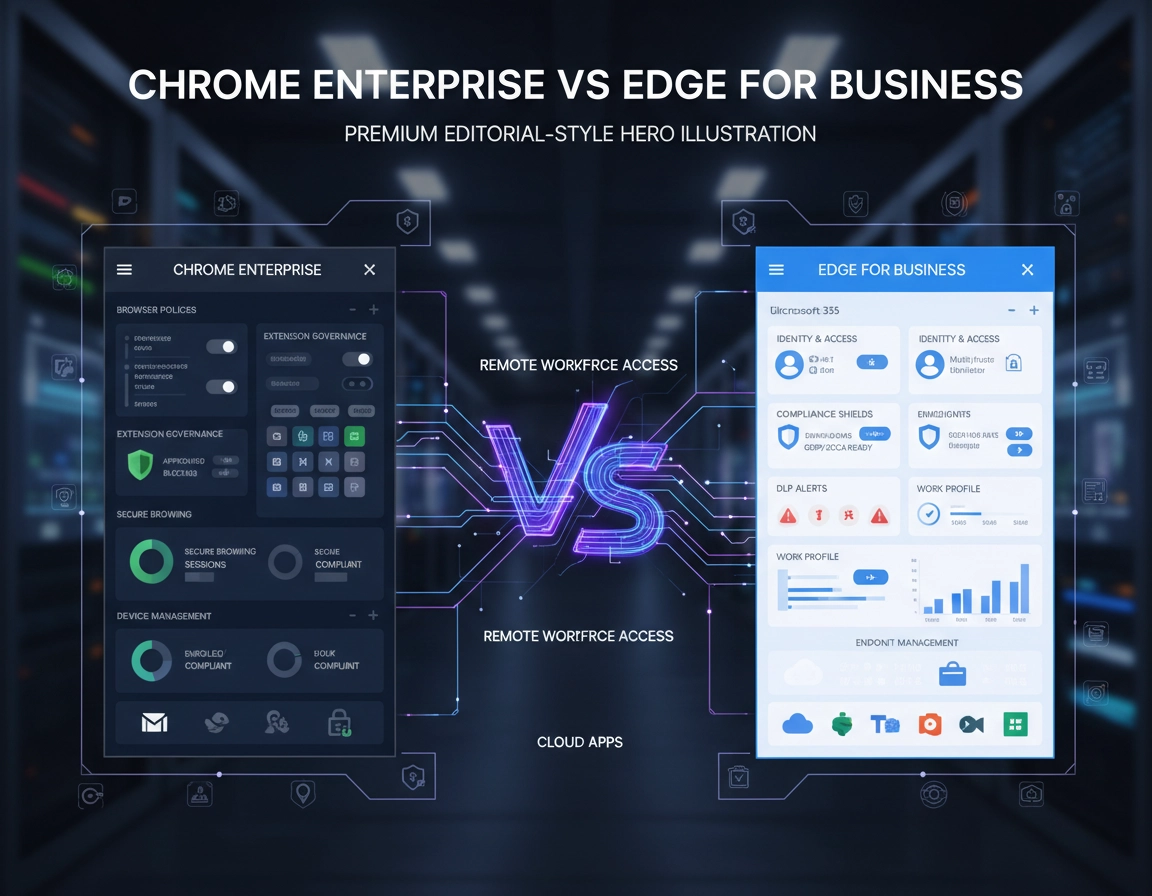
Where this decision gets expensive .
The mistake is not picking the weaker browser engine. The mistake is picking the browser whose management model fights your environment for the next three years.
Browser comparisons aimed at consumers usually talk about speed, memory use, startup feel, or interface preference. None of that is the hard part in a business environment. Chrome Enterprise and Edge for Business are both Chromium-based, so core site compatibility is already close enough that rendering performance rarely settles a procurement decision. The expensive part begins later, when you try to enforce browser policy consistently, separate work from personal use, govern extensions, protect sensitive data moving through SaaS, and explain to auditors why browser controls are split across three different consoles.
In a modern company, the browser is not a passive app. It is the delivery plane for identity prompts, document uploads, internal dashboards, customer portals, AI tools, sales platforms, HR systems, finance apps, developer consoles, and unmanaged-device access. Once the browser becomes the place where real work happens, browser governance stops being optional. That is why this comparison matters more than “Chrome vs Edge” ever did in a consumer context.
Chrome Enterprise tends to be strongest when the company wants browser management that stays consistent across Windows, macOS, ChromeOS, and lightly managed contractor machines, and when the admin team wants the browser itself to remain a first-class control surface. Edge for Business tends to be strongest when Microsoft 365 is already the operating layer for work and the browser is expected to inherit identity, device management, data protection, and cloud app control from Microsoft tooling without introducing a second philosophy of management.
Related: For the broader Chrome Enterprise stack, start with Chrome Enterprise Guide, Chrome for Enterprise Overview, and Chrome Enterprise Features Explained.
Terms that matter in this comparison .
- Managed browser: A browser whose settings, behavior, extensions, and reporting are controlled by policy rather than individual user choice.
- Work profile: A browser profile intended for business identity and business data handling, separate from personal browsing.
- Browser-centered management: The browser becomes its own serious policy and reporting layer instead of being just another endpoint app.
- Platform-centered management: The browser is governed mainly through a larger ecosystem such as Intune, Entra, Defender, or Purview.
- In-browser protection: Security controls applied directly inside the browser session rather than only at the device or network level.
- DLP: Data loss prevention policies that inspect or restrict copying, uploading, downloading, or sharing sensitive information.
The five questions that usually decide the winner .
Teams often waste time by starting with feature tables. A better sequence is to identify the operational constraints that will force the choice anyway.
- What is your identity anchor? If sign-in, conditional access, device trust, and policy targeting already revolve around Entra ID and Microsoft 365 groups, Edge starts with an embedded advantage. If identity is more mixed, or the company runs substantial Google Workspace alongside a multi-OS fleet, Chrome Enterprise usually feels less opinionated and easier to normalize.
- Where do you want browser policy to live? Chrome Enterprise Core is compelling because browser policies, settings, apps, and extensions can be managed centrally in a dedicated browser management model. Edge is strong too, but its appeal grows materially when the organization already lives inside the Microsoft 365 admin and security ecosystem.
- How serious is your unmanaged-device problem? Contractor access, partner access, consultants, and BYOD are exactly where “just deploy the browser” thinking fails. The browser must either carry more of the enforcement load, or it must integrate deeply into the access and data-protection stack already in place.
- How exposed are you to extension risk? In many organizations, the practical browser risk is not the engine. It is over-permissioned extensions, poor inventory visibility, shadow SaaS helpers, and users adding tools faster than security can review them.
- Are you comparing license price or operating cost? A browser that appears to be included can still be expensive if it duplicates policy administration, complicates support, or leaves gaps on unmanaged endpoints.
Related: For admin-side groundwork, see Chrome Enterprise Admin Console, Chrome Enterprise Cloud Management, Chrome Enterprise Group Policy Setup, and Chrome Enterprise MDM Configuration.
Fast shortlist guidance .
- Edge for Business is the default shortlist leader when you already own the surrounding Microsoft management and protection stack and want the browser to inherit it.
- Chrome Enterprise is the default shortlist leader when you want strong browser governance without making Microsoft the answer to every browser problem.
- Neither should be declared the winner from a spec sheet alone if DLP, contractor access, or extension control are material requirements.
Head-to-head comparison across the areas that actually create admin drag .
- 1 Map the browser to your identity and endpoint stack.
- 2 Decide whether browser policy should be browser-centered or ecosystem-centered.
- 3 Test unmanaged-device and DLP scenarios before you discuss price.
- 4 Score extension governance and reporting quality as seriously as security features.
1) Management model: dedicated browser plane versus Microsoft 365-native plane .
Chrome Enterprise Core is strategically attractive because it gives organizations a serious browser management starting point without forcing an immediate premium security purchase. Policies, settings, apps, and extensions can be centrally managed, and browser reporting is available as part of the Core tier. That matters for teams that want to establish browser discipline before they decide how much premium browser security they really need.
Edge for Business takes a different route. The browser itself becomes more valuable as your Microsoft operational maturity rises. The Microsoft Edge management service sits inside the Microsoft 365 admin center, cloud-based policies can be assigned there, and users signed into Edge can retrieve those settings. If your admins already live in Intune, Entra, Defender, and the Microsoft 365 admin ecosystem, Edge usually feels more natural because the management story extends existing habits instead of asking the team to adopt a separate browser-management mindset.
In other words, Chrome Enterprise often wins when the browser is treated as its own governed platform. Edge often wins when the browser is treated as a work browser inside a broader Microsoft operations model.
| Admin area | Chrome Enterprise | Edge for Business | Operational edge |
|---|---|---|---|
| Dedicated browser cloud management | Very strong starting point with Chrome Enterprise Core | Available, but most compelling inside Microsoft 365 admin workflows | Chrome in mixed environments |
| Windows-centric policy familiarity | Supported, including on-prem and MDM-oriented workflows | Excellent fit with Group Policy, Intune, and Microsoft admin tooling | Edge |
| Cross-platform browser governance | One of Chrome Enterprise's strongest arguments | Good, but philosophically stronger in Microsoft-led environments | Chrome |
| Lowest-friction path for Microsoft-heavy teams | Good, but more independent | Usually the easier operational fit | Edge |
Related: Compare this with Chrome Enterprise Management, Chrome Enterprise Device Management, and Chrome Enterprise Installation Guide.
2) Identity and profile behavior: this is where Edge gains real ground in Microsoft shops .
Edge for Business is deliberately designed around a dedicated work experience. Signed-in Entra users move into a work browser context, and Microsoft positions that work context across managed and unmanaged devices. That matters because browser identity is no longer cosmetic. It affects which policies arrive, which data protections activate, which cloud apps are considered in scope, and how cleanly a user can separate work from personal browsing.
For organizations already built on Microsoft 365, that is hard to dismiss. The browser stops feeling like a neutral web client and starts feeling like a native extension of the company identity layer. That reduces friction for admins trying to enforce work-profile usage and for users who already live inside Microsoft sign-in flows.
Chrome Enterprise still competes well here, but in a different way. Its strength is not “be more Microsoft than Microsoft.” Its strength is that it remains a strong managed browser option for organizations that do not want identity enforcement, SaaS access, and browser behavior to collapse into a single Microsoft dependency. In mixed estates, that can be a feature, not a weakness.
3) Extension governance: one of the most practical reasons companies end up standardizing the browser .
Enterprises rarely switch browsers because of tabs or bookmarks. They switch because the browser became a growing source of permissions risk, data exposure, and support noise. Extensions are usually central to that story. Sales enablement tools, PDF helpers, meeting add-ons, AI assistants, clip tools, screen capture add-ons, grammar tools, developer utilities, and customer-service overlays all compete for deep page access. Once that happens, extension control becomes part of enterprise security, not just end-user convenience.
Chrome Enterprise is especially strong when you want the browser management layer itself to become the primary place for extension governance. That includes policy-driven allow and deny patterns, force-install scenarios, and browser-side visibility into what is actually running in the fleet. Because Chrome Enterprise treats apps and extensions as first-class browser management objects, it often feels cleaner when extension governance is one of the main reasons you are formalizing browser standards in the first place.
Edge can still be governed strongly here, but the experience is often most attractive when the admin team wants extension policy to sit naturally alongside the rest of Microsoft-driven policy administration. So the question is not whether Edge can govern extensions. It can. The question is whether you want browser risk handled in a browser-led management plane or as part of a broader Microsoft policy program.
Related: See Chrome Enterprise Extension Management, Chrome Extension Security Enterprise, Chrome Extension Security vs Edge Extensions, and Chrome Enterprise Risk Management.
4) DLP and in-browser data protection: Edge becomes very powerful when Purview is already in the building .
This is one of the biggest dividing lines in the market. Edge for Business becomes materially stronger when paired with Microsoft Defender for Cloud Apps and Microsoft Purview. Microsoft has continued to expand in-browser protection and browser-based DLP workflows, including enforcement patterns that favor access through Edge for Business and Intune-assisted measures that help prevent users from routing sensitive activity into browsers where those protections do not apply.
That is not a small implementation detail. It means Edge can act as the preferred or enforced path into business apps in organizations already using Microsoft’s data-protection stack. If your security team already thinks in terms of Purview labels, Defender session protection, conditional access, and Microsoft-controlled cloud app flows, Edge for Business can feel less like a standalone browser and more like a controlled work surface.
Chrome Enterprise answers from a different angle. Chrome Enterprise Premium is designed to turn the browser itself into a stronger security boundary, with browser-native protections that go beyond basic management. That can be a better architectural fit when the company wants browser-level control over sensitive workflows without assuming that Microsoft services define every access and protection path. It is especially interesting in mixed environments and in businesses trying to govern web activity consistently across more diverse device ownership models.
The practical takeaway is simple: if you already run Purview and Defender seriously, Edge deserves a very hard look. If you want secure enterprise browsing that does not rely on Microsoft being the control center for browser data movement, Chrome Enterprise Premium becomes much more strategically appealing.
5) Deployment and policy reach: both are capable, but they reward different admin cultures .
Edge feels immediately comfortable in Windows-heavy organizations because it lines up with established Microsoft administration practices. Group Policy, Intune, Microsoft 365 group assignment, and cloud-based Edge management all fit the mental model most Microsoft-centric teams already use. That lowers training drag, reduces admin context-switching, and makes the browser decision easier to defend internally.
Chrome Enterprise is often more attractive where the team wants one browser standard across mixed operating systems, or where Chrome is already the de facto user browser and the company is formalizing governance rather than forcing a cultural browser switch. Chrome policies can still be delivered through traditional Windows paths and MDM-oriented workflows, but Chrome’s strongest story remains its browser-led management model rather than “look how Microsoft-native we are.”
6) Cost: stop reading the browser line item in isolation .
Chrome Enterprise Core is financially attractive because it lowers the threshold for browser governance. The organization gets centralized browser management and reporting without an immediate extra-cost premium layer, which is a strong proposition for SMBs and mid-market teams trying to improve browser control before they commit to broader secure enterprise browsing spend.
Edge for Business often looks effectively “included” in Microsoft environments, and in a narrow sense that is true. If you already pay for Microsoft 365, use Intune, and rely on Microsoft security and compliance tooling, the marginal cost of standardizing on Edge can be very low. But this is where weak comparisons mislead buyers. The real cost is not just what the browser costs. The real cost is duplicated policy management, extra support complexity, browser-switch resistance, reporting blind spots, and the amount of compensating control you need to bolt on later.
Decision matrix .
Choose Chrome Enterprise when you want the browser itself to be a serious cross-platform management surface, when Google Workspace or a SaaS-heavy model is common, and when browser governance must stay effective even outside a pure Microsoft endpoint universe.
Choose Edge for Business when the business already relies on Entra ID, Intune, Microsoft 365, Defender, and Purview, and the browser is expected to inherit that stack rather than sit beside it.
Pilot both when your deciding factor is not a feature list but a control outcome: DLP, contractor access, regulated data, extension sprawl, or work-profile enforcement on unmanaged devices.
Advanced tradeoffs: unmanaged devices, AI data leakage, release discipline, and lock-in .
This is the part most thin comparison pages skip. Browser buying only looks simple when you ignore the messy parts of real operations.
Related: For a deeper financial and planning angle, see Chrome Enterprise Pricing Overview, Chrome Enterprise Cost Analysis, Chrome Enterprise ROI for Business, and Chrome Enterprise Licensing Guide.
Unmanaged devices and contractor access .
Browser selection becomes much more important the moment you stop assuming full device management. Consultants, agencies, outsourced teams, temporary staff, and executives on personal devices all change the threat model. Edge for Business is very compelling in Microsoft environments because the work profile, identity layer, and in-browser protection story can connect directly into Microsoft app and data controls. For companies that already trust Microsoft to define the protected route into cloud applications, that is an efficient design.
Chrome Enterprise becomes especially interesting when you want the browser to carry more of the governance burden itself across a wider mix of machines and ownership states. That does not mean “Chrome is better for every unmanaged device.” It means Chrome can be architecturally cleaner when the company wants strong browser control without requiring Microsoft to be the single organizing principle for access and protection.
AI tools and browser-mediated data leakage .
AI has increased the strategic importance of enterprise browsers. Sensitive prompts are typed into web apps. Files are dragged into public AI tools. Browser-based assistants request page access. Employees paste customer data into models faster than policy teams can write memos about it. In practice, that means the browser is now a frontline data-loss surface.
Edge for Business becomes stronger here when the organization already uses Microsoft data protection and cloud app controls to shape which browser path is protected and how users are steered. Chrome Enterprise becomes stronger when the company wants the browser platform itself to participate more directly in secure browsing and data handling controls without collapsing the entire program into Microsoft-enforced workflows.
Update control and release discipline .
Most organizations do not switch browsers over release channels, but they do feel the pain when browser updates break line-of-business workflows or when security teams need more disciplined update management. Both ecosystems provide enterprise guidance, policy references, and channel controls. The real difference is not whether each vendor can support managed updates. It is whether the browser update process fits the admin tooling, testing cadence, and change-management model the company already uses.
In a Microsoft-heavy environment, Edge update governance tends to fit naturally into the existing endpoint and policy routine. In a mixed-device browser-led governance model, Chrome Enterprise often keeps browser lifecycle decisions cleaner because the browser is already being treated as its own managed platform.
How much lock-in are you quietly buying? .
Both products reward ecosystem alignment. That is not inherently bad. In fact, alignment can cut admin effort significantly. The question is whether you are consciously choosing that alignment or drifting into it because the default browser choice looked harmless. Edge deepens Microsoft centrality. Chrome Enterprise strengthens a browser-led and Google-friendly control posture. If your leadership team values strategic flexibility, that is worth saying out loud before rollout.
When Chrome Enterprise is usually the stronger choice .
- Your fleet is mixed across Windows, macOS, ChromeOS, and partner or contractor hardware.
- You want centralized browser management and reporting before making a premium browser security purchase.
- You care a lot about extension governance and browser inventory visibility.
- You do not want the browser to be operationally inseparable from Microsoft 365.
- You run Google Workspace, SaaS-heavy workflows, or a more distributed admin model.
When Edge for Business is usually the stronger choice .
- Your security and identity stack already centers on Entra ID, Intune, Defender, and Purview.
- You want work-browser behavior and cloud policy delivery to map cleanly to Microsoft 365 groups and admin routines.
- You need in-browser protection and DLP patterns that are strongest when users access apps through Edge.
- You want the lowest operational friction for Windows-first teams.
- You are optimizing for Microsoft stack efficiency more than browser neutrality.
When the safe answer is still “pilot both” .
- You handle regulated data and have not tested browser-enforced restrictions in your real SaaS workflows.
- You expect the browser to contain AI-related data leakage risk.
- You have heavy extension usage and no mature approval process.
- You support remote staff and external collaborators on partially managed or unmanaged devices.
- You are mid-transition on identity, endpoint management, or security tooling.
My practical recommendation .
For a company already committed to Microsoft 365 as the center of identity, device management, and compliance, Edge for Business is usually the safer operational default because it minimizes control-plane sprawl. For organizations with a more mixed estate, stronger browser-led governance ambitions, Google-aligned workflows, or less appetite for Microsoft dependency, Chrome Enterprise is often the better strategic standard.
The simplest honest summary is this: Edge often wins by ecosystem fit; Chrome often wins by cross-platform browser governance. That is a much more useful buying lens than “which browser is more secure” in the abstract.
Security and governance summary .
Neither of these products should be framed as the reckless choice. Both are enterprise-capable. The better purchase is the one that lets your company apply policy consistently, keep work identity clean, govern extensions realistically, and reduce the number of places admins have to jump between when a browser issue becomes a business issue.
Impact: Affects browser policy reach, extension risk, identity separation, unmanaged-device controls, DLP enforcement, audit posture, and long-term support complexity.
Related: Pair this page with Chrome Enterprise Security Architecture, Chrome Enterprise Zero Trust, Chrome Enterprise Data Loss Prevention, Chrome Enterprise Identity Management, and Chrome Enterprise Access Control.
Recommended baseline choice by environment .
- Microsoft 365 Business Premium shop: Edge for Business
- Google Workspace-heavy company: Chrome Enterprise
- Mixed Windows and macOS fleet with contractors: Chrome Enterprise often starts cleaner
- Regulated Microsoft enterprise with Purview maturity: Edge for Business
- Cross-platform team that wants browser-led governance: Chrome Enterprise
Recommended browser by goal .
| Goal | Recommended choice | Main reason | Main watchout |
|---|---|---|---|
| Fastest Microsoft-native rollout | Edge for Business | Best operational fit with Entra, Intune, Microsoft 365, Defender, and Purview | You are buying deeper Microsoft dependence |
| Cross-platform browser governance | Chrome Enterprise | Cleaner browser-led management across mixed fleets | Advanced protections may require Premium evaluation |
| Strongest extension-management posture | Chrome Enterprise | Very strong browser-centered apps and extensions control story | You still need an internal approval model |
| Purview and Defender-aligned DLP strategy | Edge for Business | Microsoft data-protection ecosystem becomes more enforceable in-browser | Value drops if Microsoft security tooling is not mature in-house |
| Best neutral answer for mid-market buyers | Pilot both | Fit depends more on control plane than on browser engine | Do not settle it with a generic feature checklist |
Common buying mistakes and rollout failures .
Related: For deployment planning, see Chrome Enterprise Deployment Guide, Chrome Enterprise Device Enrollment, Chrome Enterprise Update Management, and Chrome Enterprise Version Control.
Mistake 1: assuming Chromium parity means enterprise parity .
The shared engine narrows the web-compatibility gap, not the management gap. If your pilot only measures page rendering and general browsing comfort, you have not yet evaluated the enterprise product.
Mistake 2: treating price as the first filter instead of the last filter .
Browser costs look deceptively small. The bigger costs hide in control duplication, user confusion, weak work-profile discipline, extension cleanup, and blind spots on unmanaged endpoints. Score those first, then look at licensing.
Mistake 3: letting security and IT test different realities .
Security often tests DLP, data movement, and access policy. IT often tests deployment, sign-in, and supportability. If those teams do not use one shared test plan, the result is a political browser decision instead of a technical one.
Mistake 4: not testing work-profile behavior under real user habits .
Standardization often breaks on profile mixing, not on policy syntax. Test what happens when users switch identities, save files locally, install extensions, access business apps from personal devices, or move between managed and unmanaged contexts.
Mistake 5: ignoring exit cost .
Before you standardize, document which policies, extension assumptions, reporting routines, and access controls become browser-specific. That tells you how reversible the decision really is.
FAQ .
-
helpIs Chrome Enterprise more secure than Edge for Business?Not as a blanket statement. Both are enterprise-capable, Chromium-based browsers with serious management and security options. The more useful comparison is whether your company gets stronger enforcement and lower admin friction from Chrome's browser-led management model or from Edge's tighter integration with Microsoft identity, device, and compliance tooling.
-
helpWhy do Microsoft-first companies so often choose Edge for Business?Because the browser can inherit a lot of value from the existing Microsoft stack. When Entra ID, Intune, Defender, Purview, and Microsoft 365 are already core to the environment, Edge tends to reduce context-switching for admins and gives security teams a cleaner route to in-browser protections and work-profile enforcement.
-
helpWhy do mixed-device companies often lean toward Chrome Enterprise?Because Chrome Enterprise stays very strong as a browser-centered management layer across Windows, macOS, ChromeOS, and more distributed ownership models. That can be operationally cleaner when the business does not want browser control to be tightly coupled to Microsoft endpoint assumptions.
-
helpWhich browser is better for extension governance?Chrome Enterprise often has the cleaner story when extension governance is a core reason for standardizing the browser, because apps and extensions sit naturally inside the browser management model. Edge can still be governed well, especially in Microsoft-centered environments, but Chrome frequently feels more purpose-built for teams treating extension control as a browser problem first.
-
helpShould small and mid-sized businesses bother piloting both?Yes, if browser risk is more than theoretical. The pilot becomes especially valuable when you care about DLP, contractor access, unmanaged devices, profile separation, or extension control. A short pilot with realistic workflows is usually more informative than hours of reading marketing pages.
Official sources .
- Chrome Enterprise Core: centralized browser management and reporting
- Chrome Enterprise pricing
- Chrome Enterprise Premium overview
- Microsoft Edge for Business documentation
- Microsoft Edge management service
- In-browser protection with Microsoft Edge for Business
- Microsoft Purview DLP in Microsoft Edge
- Microsoft Edge policy reference
Editorial note: This page is written as a practical buyer and operator comparison. It is not a copy-and-paste summary of vendor sales language.