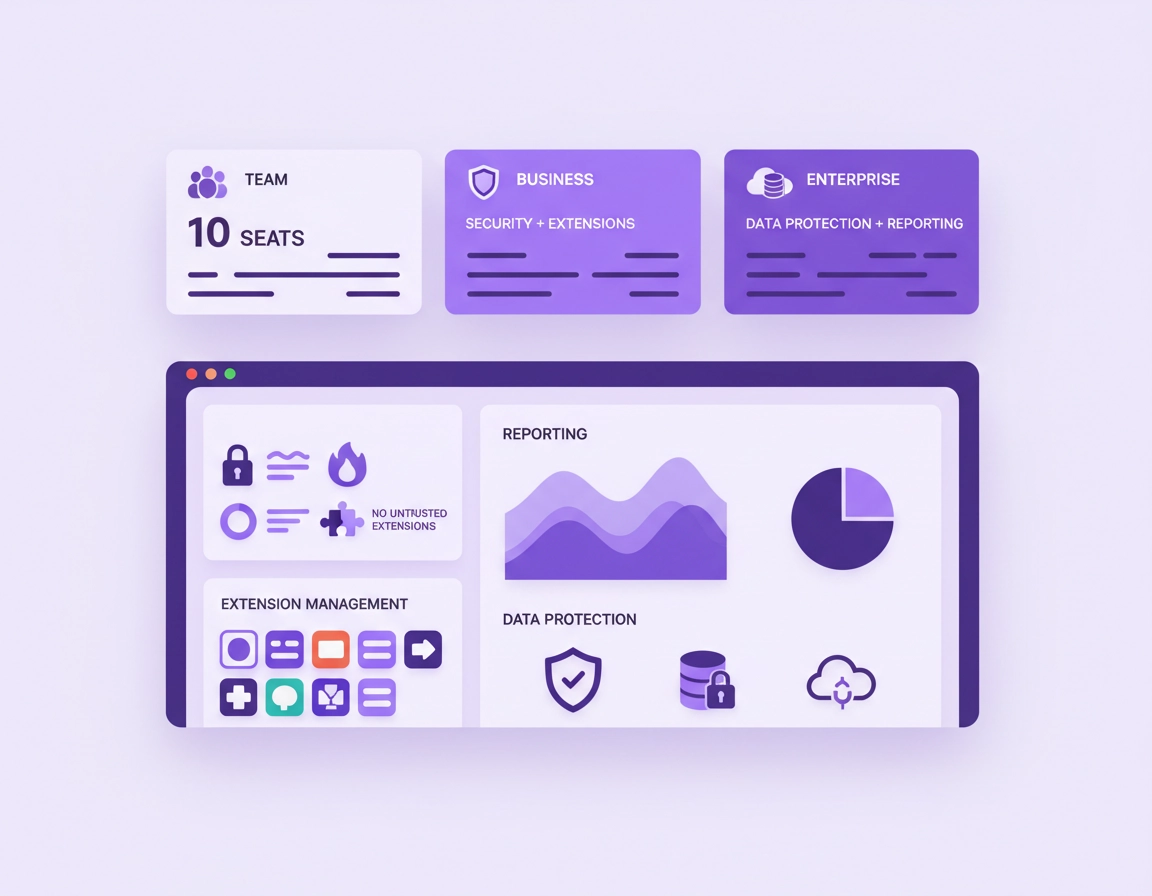
How Chrome Enterprise pricing is structured in 2026 .
Chrome Enterprise pricing is easier to read once you separate browser deployment, browser management, and advanced browser security. Those are related, but they are not the same budget line.
Publicly, Google positions Chrome Enterprise Core at no cost and Chrome Enterprise Premium at $6 per user monthly. Core is the cloud-based management layer: browser reporting, cloud policy management, extension administration, and third-party integrations. Premium adds more security depth at the browser layer, including real-time safe browsing protections, context-aware access controls for SaaS and private web apps, URL filtering, evidence locker, and stronger data protection tooling. In other words, the free tier is not a trial tier. It is the management baseline. The paid tier exists for organizations that need the browser to participate more directly in security enforcement and incident response.
That distinction matters because buyers often ask the wrong first question. They ask, “How much does Chrome cost?” The more useful procurement question is, what do we expect the browser to do for the organization? If the answer is centralized administration, policy consistency, version visibility, and extension governance, Core may be enough for a large share of the estate. If the answer includes data loss prevention, browser-based access decisions, or stronger web-layer controls for remote and hybrid users, Premium becomes much easier to justify.
This is also why Chrome Enterprise is discussed in the same room as SSO, device trust, SaaS governance, DLP, and zero-trust access. In many organizations, the browser is no longer a passive application. It is where customer data is viewed, where AI tools are used, where internal dashboards are opened, and where contractors access sensitive systems. Once work centralizes in the browser, browser spend stops being a convenience purchase and starts looking like a control-layer investment.
Related reading: Chrome for Enterprise Overview, Chrome Enterprise Features Explained, and Chrome Enterprise Licensing Guide.
Questions to answer before you compare price .
Procurement goes sideways when organizations compare Chrome Enterprise against a vague idea of “browser security” instead of a defined operating need. Before anybody models spend, answer these questions with precision.
- Who is actually in scope? Every employee, only corporate-managed users, only privileged users, only contractors, or only teams handling regulated data?
- What is the primary buying trigger? Browser management, extension control, audit visibility, remote-work risk, SaaS access enforcement, or data protection?
- What tools already exist? Strong endpoint control, mature identity policy, and modern SSE or CASB tooling can change whether Premium fills a genuine gap or duplicates coverage.
- What device mix do you support? Corporate Windows and macOS fleets are easier to govern than a hybrid estate involving BYOD, temporary workers, offshore partners, and unmanaged contractor machines.
- Who owns policy after purchase? Browser administration without a named policy owner, extension approval owner, and support owner turns “low-cost” software into expensive operational drift.
These questions influence cost more than most buyers expect. A company with a clean device estate and disciplined identity model can roll out browser governance quickly. Another company with exception-heavy workflows, unmanaged endpoints, and a large contractor population will spend far more time designing policies, handling exceptions, and supporting users even if both organizations see the exact same line-item price.
Useful cluster pages: Chrome Enterprise Management, Chrome Enterprise Cloud Management, Chrome Enterprise Device Visibility, and Chrome Enterprise Extension Management.
Direct price is the easy part: the real cost drivers are operational .
Enterprise buyers rarely get burned by the headline price. They get burned by the labor surrounding rollout, policy design, exception handling, and support. Browser platforms look simple from the outside because every user already knows how to click around the web. Administration is where the complexity hides.
Policy architecture .
Somebody has to decide which policies are mandatory, which are recommended, which user groups need exceptions, which sites are business-critical, and which extension permissions are acceptable. That work is not glamorous, but it is the difference between a usable rollout and a browser program that irritates every power user in the company.
Extension control and request handling .
Extensions create hidden cost fast. Every enterprise browser team eventually has to answer the same questions: who approves new extensions, how permissions are reviewed, how often approvals are revalidated, and what happens when a previously approved extension becomes risky. Even with Core, extension management is a living process, not a one-time checkbox.
Browser update discipline .
Visibility into versions is helpful. Reliable patch adoption is where real admin work begins. Security teams may assume that “managed browser” means instant uniform compliance, but users still defer restarts, legacy apps still break, and change windows still need to be respected. If the organization lacks a clean update-management process, the browser team ends up owning the consequences.
Support desk load .
Tighter policies nearly always change user experience. A blocked extension, stricter sign-in behavior, browser relaunch prompts, protected copy-and-paste paths, or access checks against unmanaged devices can all produce tickets. That does not mean the rollout is wrong. It means the rollout has to be supported.
Stakeholder alignment .
Premium deployments often touch security, compliance, identity, workplace engineering, legal, and procurement at the same time. The subscription may be straightforward, but cross-functional ownership rarely is. When those teams are not aligned, implementation drags and the perceived cost of the platform climbs.
Where buyers compare Chrome Enterprise most often .
How to estimate annual spend without fooling yourself .
The cleanest budget model starts with three columns: license cost, rollout cost, and ongoing administration. Too many teams build a business case from the first column only.
Annual Premium license examples .
At $6 per user monthly, a fully licensed population produces simple annual math: 100 users cost about $7,200 per year, 500 users about $36,000 per year, 1,000 users about $72,000 per year, and 5,000 users about $360,000 per year. Those figures are useful for planning, but they still say nothing about how many people actually need the paid tier.
Selective licensing is where financially disciplined organizations usually win. If only 20 percent of the workforce handles regulated data, works on unmanaged devices, or needs browser-based access enforcement, you do not need to buy Premium for the entire estate just to claim you are “covered.” Core can be the standard baseline, while Premium can be reserved for groups where the risk reduction is measurable.
| Organization size | Premium seats | Monthly license spend | Approx. annual spend |
|---|---|---|---|
| 250 employees | 50 seats | $300 | $3,600 |
| 1,000 employees | 200 seats | $1,200 | $14,400 |
| 5,000 employees | 1,000 seats | $6,000 | $72,000 |
| 5,000 employees | 5,000 seats | $30,000 | $360,000 |
Build the model in this order .
- 1 Define the baseline: all browsers managed under Core unless there is a strong reason not to.
- 2 Identify user groups that need Premium because of data sensitivity, access patterns, contractor exposure, or unmanaged-device risk.
- 3 Add rollout labor: policy design, pilot time, support documentation, communications, and extension review workflows.
- 4 Add ongoing administration: policy changes, incident follow-up, extension approvals, and periodic control reviews.
- 5 Compare the resulting spend against the specific risk or operational pain you expect the browser program to reduce.
Related: Chrome Enterprise Cost Analysis, Chrome Enterprise ROI for Business, Chrome Enterprise for IT Procurement, and How to Buy Chrome Enterprise.
Why pricing conversations end up in security and compliance meetings .
Browser pricing sounds like an endpoint management topic until security leaders realize how much business activity now lives in web apps. The browser is where employees access CRM systems, HR portals, financial dashboards, generative AI platforms, cloud consoles, email, shared drives, support tooling, and customer records. Once those workflows are browser-native, browser controls stop being peripheral.
That is why Chrome Enterprise evaluations often overlap with zero-trust architecture, regulatory evidence, audit logging, data handling rules, and secure remote access. When a security or compliance team pushes for Premium, the argument is rarely that “the browser should cost more.” The argument is that the browser is already part of the trust boundary and should be treated accordingly.
Deeper coverage: Chrome Enterprise Compliance, Chrome Enterprise Audit Logging, Chrome Enterprise Security Reporting, Chrome Enterprise Conditional Access, and Chrome Enterprise Identity Management.
Three budgeting positions that make sense .
- Operations-first: standardize on Core across the estate, clean up extensions, improve browser reporting, and fix patch visibility before funding Premium.
- Risk-first: use Core broadly and assign Premium to regulated teams, privileged users, contractors, and unmanaged-device workflows first.
- Control-first: if the organization already treats browser traffic as a high-value enforcement point, plan for broader Premium coverage with a strong security and compliance case.
Common buying mistakes and how to avoid them .
Mistake 1: treating “free” as “no effort” .
Core removes the added license fee. It does not remove the need for browser governance. Teams that confuse those ideas underestimate rollout effort and overestimate how fast value will show up.
Mistake 2: buying Premium because it sounds safer .
Premium should be bought for named controls and named outcomes, not for comfort language in a procurement meeting. If the use case is vague, the seat count will usually be wrong as well.
Mistake 3: licensing everybody by default .
A targeted rollout is often more defensible financially and operationally. Broad Core with selective Premium is a stronger model than broad Premium with a weak use case.
Mistake 4: ignoring extension governance .
Extensions are one of the fastest ways for browser cost to become support cost and risk cost. If you do not have a review model, the browser team will spend its time adjudicating chaos.
Mistake 5: confusing product fit with implementation maturity .
The platform may fit the environment perfectly while the organization is still unready to operate it well. That is why browser policy ownership matters as much as feature comparison.
FAQ .
-
helpIs Chrome Enterprise Core actually enough for serious business use?Yes, for many organizations it is. Core covers the management foundation: browser reporting, cloud-based policy control, extension governance, and integrations. If the main need is disciplined browser administration at scale, Core can be the right long-term baseline rather than just a stepping stone.
-
helpHow much should I budget for Chrome Enterprise Premium annually?Use the public price of $6 per user monthly as your first pass, then multiply by the specific users who genuinely need the paid controls. After that, add rollout labor, support readiness, and ongoing administration. For many companies, those surrounding costs matter more than the subscription math.
-
helpDoes every employee need Premium?No. Many organizations deploy Premium selectively to higher-risk groups, regulated teams, contractors, privileged users, or users working outside the assumptions of a tightly managed endpoint environment. Core can still provide the broad browser management baseline.
-
helpWhat is the biggest hidden cost in a Chrome Enterprise rollout?Governance effort. Policy design, extension review, support training, exception handling, communications, and update discipline all consume time. The headline price is usually not the part that surprises mature IT teams.
-
helpWhen does Premium become easy to justify?When the browser is a meaningful part of the trust boundary: sensitive browser-based workflows, hybrid access, contractor usage, data protection requirements, or zero-trust enforcement needs. In those cases, the cost discussion can be tied directly to risk reduction rather than generic platform preference.
Sources and validation points .
- Chrome Enterprise pricing
- Chrome Enterprise Core product overview
- Chrome Enterprise Premium product overview
- Chrome Enterprise download and browser management overview
- Chrome Enterprise and Education release notes
Editorial note: public pricing pages can change. Recheck live commercial terms before final procurement approval, especially for large rollouts or security-led deployments.