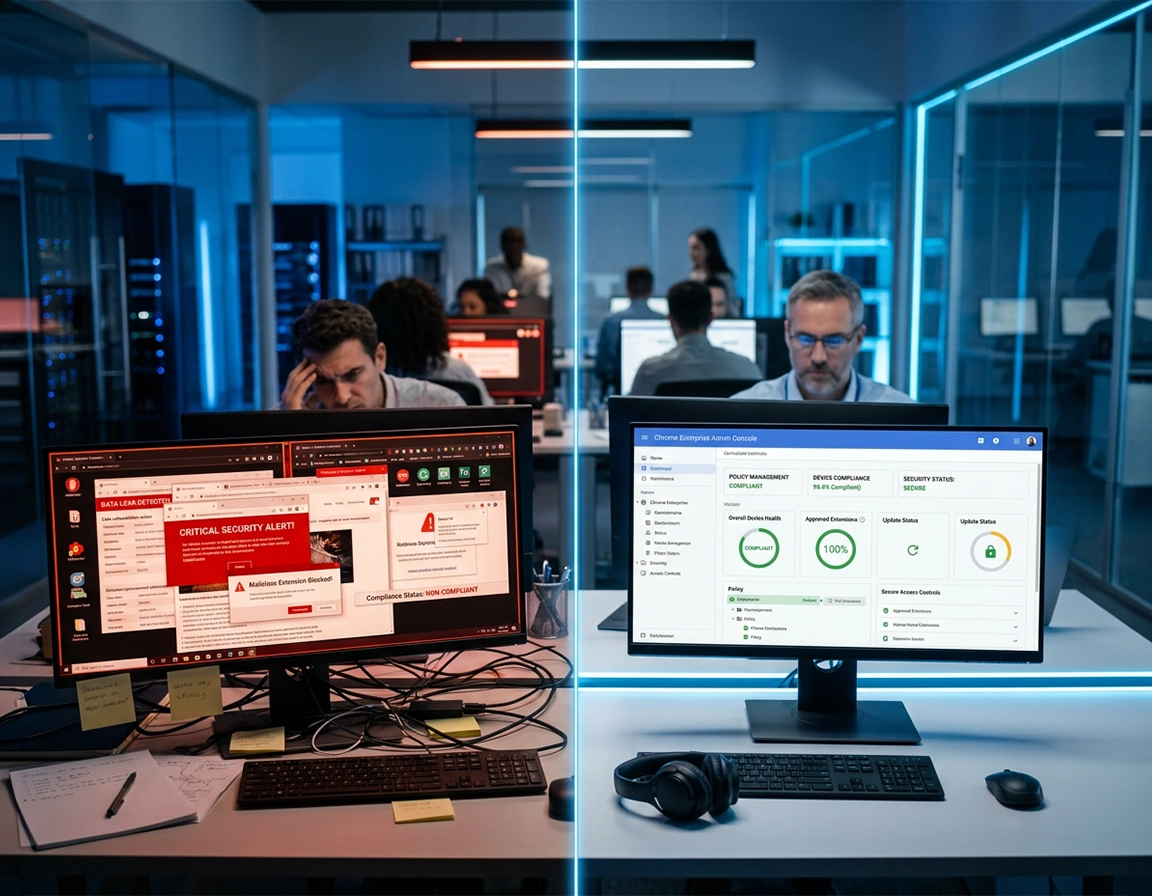
What a Chrome Enterprise demo request should accomplish .
A strong enterprise browser demo is not an introduction. It is a qualification event that should narrow scope, expose technical fit, and shape the buying path.
Too many teams request a Chrome Enterprise demo as if they are shopping for a broad productivity product. That approach produces the wrong meeting. The presenter stays high-level, the buyer hears familiar language about security and management, and the session ends without a firm answer to the questions that actually matter: how Chrome will be governed, what will change operationally, whether Core is sufficient, whether Premium is warranted, what deployment work sits in front of the team, and what a credible pilot would look like.
A useful demo request should lock onto the specific enterprise browser problem you are trying to solve. In most organizations that problem is not abstract. It is usually one of the following: inconsistent Chrome policies across Windows and macOS, weak extension governance, poor visibility into browser versions and installed extensions, difficulty controlling unmanaged or contractor access, a need for browser-centered security controls in SaaS-heavy environments, or the simple fact that Chrome is everywhere but no one truly owns it as an enterprise platform.
That is why the first outcome of the meeting should be problem classification. Are you mainly pursuing cloud-based browser management and reporting. Are you trying to harden browser posture and control extensions. Are you evaluating the browser as part of a broader Zero Trust access model. Are you trying to make procurement comfortable with the difference between a $0 management layer and a paid advanced protection layer. The answer to that question determines the rest of the evaluation.
The second outcome should be edition clarity. Your team should leave understanding whether the browser management capabilities associated with Chrome Enterprise Core cover the operational gap, or whether your requirements push you into a more security-led conversation that belongs in a Chrome Enterprise Premium discussion. If the meeting does not clarify that split, it is incomplete.
The third outcome should be deployment realism. You should know how Chrome would be enrolled, how policies would be staged, how extensions would be governed, what reporting would be visible, how updates would be handled, and which teams would have to own the rollout. Browser projects fail when this work stays theoretical.
Related: build context with Chrome Enterprise Guide, then move into buying-stage support pages like How to Buy Chrome Enterprise, Chrome Enterprise Contact Sales Guide, and Chrome Enterprise Evaluation Checklist.
Key terms that matter before the meeting starts .
- Chrome Enterprise Core: cloud-based browser management, policy control, and reporting for Chrome browser deployments across major desktop and mobile platforms.
- Chrome Enterprise Premium: the higher-security track for teams that need stronger browser protections, especially around safer access and data-sensitive browsing workflows.
- Managed browser: Chrome treated as an administrative asset with policy, reporting, version governance, and extension oversight rather than left to local defaults.
- Browser governance: the operational discipline around policies, versions, installed extensions, user behavior expectations, and administrative visibility.
- Buying-stage demo: a vendor meeting where the goal is to reduce uncertainty enough to justify a pilot, partner discussion, or procurement motion.
What to prepare before you contact sales .
The single biggest cause of generic enterprise demos is lack of buyer-side preparation. Google, partners, and sales engineers can only tailor the session to the level of detail you provide. If your request contains no technical context, no deployment shape, and no commercial signal, the session will default to a broad narrative that is hard to action internally.
Before you request a Chrome Enterprise demo, write down the current state of your browser environment. How many users and devices are in scope. Which operating systems dominate. Whether Chrome is standard today or still fragmented by team. Whether you already apply policy by Group Policy, MDM, Google Admin, or a mix. Whether unmanaged or contractor devices create risk. Whether the main pain point is operational overhead, security exposure, audit pressure, or buying justification. Those details are not administrative fluff. They tell the demo team which lane you are actually in.
You should also identify the internal owner of the browser decision. In some companies that is endpoint engineering. In others it sits with digital workplace, security architecture, identity, or a procurement-led sourcing project. Browser projects drift when ownership is unclear. If no one owns the browser today, the meeting should help establish who will own it after rollout.
Related: if you need broader context first, read Chrome for Enterprise Overview, Google Chrome Enterprise Benefits, Chrome Enterprise Features Explained, and Chrome Enterprise Management.
What a serious buyer should prepare in advance .
- Device and browser scope: number of users, number of browsers, operating systems, and whether mobile Chrome matters.
- Management baseline: current use of Group Policy, MDM, Google Admin, or no centralized browser administration.
- Identity stack: Entra ID, Google Workspace, Okta, or another identity foundation that may shape browser access discussions.
- Security priorities: extension governance, version visibility, safer SaaS access, data movement controls, contractor access, or audit evidence.
- Commercial stage: early research, active evaluation, budget request, or near-term procurement.
- Stakeholders: endpoint engineering, security, browser admin, architecture, procurement, and any business owners affected by policy change.
Questions you should answer internally before the form is submitted .
- Are we trying to manage Chrome more consistently, or are we trying to reduce web and browser risk in a more strategic way?
- Would cloud browser reporting, extension oversight, and policy centralization solve most of the problem?
- Do we have unmanaged devices, contractors, or BYOD workflows that make browser access harder to govern?
- Are we looking for a low-friction management improvement or a larger secure browser initiative?
- What would count as success after 30 days: fewer risky extensions, better policy coverage, cleaner version governance, or a defined pilot?
What information belongs in the actual request .
Keep the language concise but operational. State user count, device mix, current management approach, top pain points, and the exact comparison you want to make. For example: “We manage 4,100 Chrome browsers across Windows and macOS, currently through MDM with uneven policy coverage. We want a demo focused on cloud-based browser management, browser reporting, extension control, and how to decide between Chrome Enterprise Core and Premium for contractor and BYOD scenarios.” That is enough detail to improve the meeting dramatically.
How to request the right demo .
- 1 Start with the use case, not the product. Lead with the operational or security problem that triggered the evaluation.
- 2 Add environment detail. Include fleet size, operating systems, current policy method, and whether unmanaged devices or third parties matter.
- 3 State the evaluation boundary. Tell the team you want clarity on whether Chrome Enterprise Core is enough or whether Premium-level protections are actually justified.
- 4 Ask for a live workflow, not just slides. Browser enrollment, policy control, extension management, reporting, and update governance should be shown, not merely described.
- 5 Invite the right internal stakeholders. A demo without security or procurement often sounds good but stalls when real questions surface later.
- 6 End with a decision checkpoint. The call should conclude with pilot shape, next technical validation, commercial next step, or a clear no-fit signal.
What a successful first meeting should produce: edition clarity, a realistic deployment path, a shortlist of live proof points still required, and agreement on whether the next step is a pilot, a deeper security session, or a partner-led commercial discussion.
Related: support the buying motion with Chrome Enterprise Pricing Overview, Chrome Enterprise Cost Analysis, Chrome Enterprise ROI for Business, Chrome Enterprise Licensing Guide, and Chrome Enterprise for IT Procurement.
Example of a strong request .
“We are evaluating Chrome Enterprise for 3,700 users across Windows and macOS. Chrome is already broadly deployed, but extension governance, version reporting, and browser policy consistency are weaker than we need. We would like a live demo focused on Chrome Enterprise Core browser management, reporting, extension controls, rollout approach, and the point at which Chrome Enterprise Premium becomes necessary for higher-risk access and data-sensitive workflows.”
What the demo should show live .
- How browsers are brought under centralized management
- Where policies are applied, staged, and verified
- How extensions are allowlisted, blocklisted, forced, audited, and reviewed
- What browser inventory, version visibility, and policy reporting look like in practice
- How browser updates and version discipline are governed
- How access and higher-security scenarios are handled for unmanaged or contractor devices
- How the browser fits with identity, MDM, and broader security tooling already in place
Questions worth asking in the room .
- What does the first 30-day rollout usually look like for an organization like ours?
- Which controls deliver the quickest value before the full policy set is mature?
- How do customers stage extension restrictions without breaking business-critical workflows?
- What browser reporting is available immediately and what reporting usually matters most during a pilot?
- How do teams usually decide that Core is enough versus escalating to Premium?
- What are the most common rollout blockers in mixed Windows and macOS environments?
Who should attend .
- Browser or endpoint owner: to assess deployment realism and ongoing administration.
- Security stakeholder: to validate whether the browser meaningfully improves access control, browser posture, or data-aware protections.
- Procurement or commercial owner: to capture edition boundary, pricing posture, and partner path while the technical context is fresh.
- Architecture or workspace lead: if the browser will become a broader strategic control point rather than a narrow admin improvement.
How enterprise teams should evaluate the demo .
The most reliable way to evaluate Chrome Enterprise is to split the discussion into three layers: browser management maturity, browser security posture, and advanced access or data protection needs. This keeps the meeting grounded. Without that structure, buyers tend to over-index on polished feature language and under-index on operational fit.
The first layer is straightforward but important. Can Chrome be centrally governed in a way that is materially better than the current state. Does the team gain clear browser inventory, version visibility, extension insight, and policy control. Does cloud-based browser management simplify life enough to justify the project even before advanced protections are considered. For many organizations, that alone is the value case.
The second layer asks whether the browser improves security posture in practical terms. Can your team reduce risky extension sprawl. Can you tighten browser configuration more consistently. Can you get clearer evidence about browser state and user environment. Can you stage safer updates and reduce blind spots across mixed endpoint types. A large share of enterprise browser projects are justified here, not in the more advanced security layer.
The third layer is where the demo needs to become more exact. If the business case includes contractor access, BYOD, controlled access to SaaS, or stronger protection around sensitive web activity, the meeting needs to clarify whether your use case is still a management-first initiative or whether you are evaluating the browser as part of a modern secure access model. At that point, the difference between Core and Premium becomes commercially meaningful and technically important.
Related: deepen the technical side with Chrome Enterprise Security Architecture, Chrome Enterprise Access Control, Chrome Enterprise Session Management, Chrome Enterprise Usage Analytics, Chrome Enterprise Security Reporting, and Chrome Enterprise Risk Management.
When the meeting should stay focused on Core .
- You need centralized browser management, policy visibility, version discipline, and extension oversight more than you need advanced browser security controls.
- You want to reduce operational friction in an environment where Chrome is already standard but not truly managed.
- Your main browser pain is administrative inconsistency, not higher-risk access or data-sensitive web usage.
- You want a lower-friction rollout path before taking on a broader browser security program.
When the meeting should move into a Premium-level security conversation .
- The evaluation is being driven by risky web usage, sensitive SaaS workflows, or concerns around data movement inside browser sessions.
- You need the browser to play an active role in safer access for unmanaged users, contractors, or external collaborators.
- The security team wants the browser to become an enforcement layer, not just a better-managed application.
- Procurement is already comfortable with the management story and needs to know whether the additional security value justifies paid scope.
Evaluation scorecard enterprise teams should use .
| Category | What to test | What strong looks like | Why it matters |
|---|---|---|---|
| Management | Enrollment, policy structure, admin workflow, reporting | Clear, centralized browser control with low operational ambiguity | Reduces browser sprawl and admin friction |
| Extensions | Visibility, allowlisting, blocklisting, exceptions, force-install | Extensions are governable without breaking core workflows | Extension risk is one of the most practical enterprise browser issues |
| Versions and updates | Staged rollout, visibility, rollback posture, control by platform | Version discipline is measurable and predictable | Weak version control becomes a quiet security and support problem |
| Security posture | Browser hardening, browser-state evidence, risky use-case control | The browser contributes directly to a safer enterprise baseline | Moves Chrome from default tool to governed asset |
| Access and data | BYOD, contractor, SaaS access, sensitive activity protections | The browser fits real access patterns without heavy friction | Critical when the use case extends beyond managed endpoints |
| Commercial fit | Edition boundary, rollout assumptions, pilot path | The team knows when Core is enough and when Premium is justified | Prevents overbuying, underbuying, or stalled evaluation |
What procurement should capture while the technical team is still in the room .
- Which outcomes are achievable in the no-cost management layer versus paid advanced security scope
- What pilot shape is realistic for your environment and timeline
- Whether Google direct or a partner-led route makes more sense for your size and geography
- What rollout dependencies affect time to value: identity, MDM, extension workflow, endpoint ownership, or security policy design
- What internal evidence is needed to move from demo to budget approval or commercial review
What sophisticated buyers compare at this stage .
Security, governance, and browser-risk proof points to validate live .
In many enterprises, the browser sits between identity, SaaS, endpoint management, extensions, downloads, and user-driven data movement. That is why a Chrome Enterprise demo should not stop at “here is the admin console.” The real question is whether Chrome becomes meaningfully more governable and whether that governance reduces risk without creating rollout pain that the business will reject.
Why this matters: weak browser governance often leaves organizations with unmanaged extensions, uneven policy enforcement, poor version visibility, and unclear controls for unmanaged or contractor access. A strong browser evaluation closes those gaps early and gives procurement a cleaner decision.
Related: explore adjacent technical guides: Chrome Enterprise Extension Management, Chrome Enterprise Network Restrictions, Chrome Enterprise SSO Configuration, Chrome Enterprise Conditional Access, Chrome Enterprise Policy Hardening, and Chrome Enterprise Browser Isolation Guide.
Six proof points worth validating in the demo itself .
1. Policy administration is clear and audit-friendly. Ask how admins see applied policies, where conflicts appear, how browser state is verified, and what evidence can be exported. Enterprise teams need more than toggles. They need proof that policy control is operationally trustworthy.
2. Extension governance is practical, not theoretical. Ask to see an extension approval flow, a blocklisting scenario, a force-install scenario, and a reporting view that makes extension sprawl visible. Extensions are one of the most common browser-risk surfaces and one of the easiest areas for a vendor to oversimplify.
3. Browser versions are governable across real endpoints. Chrome security posture degrades fast when update control is sloppy. Ask how staging, cadence, visibility, and rollback decisions work across Windows and macOS. If that part of the meeting stays vague, the rollout plan is not mature enough yet.
4. Mixed endpoint reality is acknowledged. Ask where the management model feels strongest, where it has caveats, and how the team should think about mixed operating systems, signed-in user policies, device policies, and mobile support. Real enterprise environments are messy. The meeting should reflect that.
5. Access scenarios are tested against your actual identity model. If access is part of the business case, ask how the browser interacts with corporate identity, managed profiles, user context, and policies around who gets access to which applications from which type of device.
6. Higher-risk browsing or data-sensitive workflows are treated seriously. If your concern includes uploads, downloads, copy and paste, printing, or use of sensitive SaaS apps, ask exactly where browser management ends and where a stronger browser security discussion begins. That is often the line between Core comfort and Premium justification.
Recommended evaluation posture by buyer goal .
- Management-first: best for teams cleaning up browser sprawl, policy inconsistency, and weak extension governance.
- Management-plus-security: best for teams that need browser visibility and stronger browser risk reduction without jumping straight into a large security transformation.
- Security-led: best for organizations already treating the browser as part of their secure access and data-protection strategy.
Buyer goals and the most useful demo emphasis .
| Buyer goal | Best demo emphasis | Main risk if skipped | Best fit |
|---|---|---|---|
| Browser governance | Cloud management, policy visibility, browser reporting, extension control | Operational sprawl stays hidden | IT and endpoint teams |
| Safer access | Managed versus unmanaged access scenarios, identity alignment, contractor workflows | BYOD and third-party access stays inconsistent | Security and architecture teams |
| Data-sensitive browsing | SaaS activity, browser behavior controls, escalation point from Core to Premium | Buyers confuse management value with higher-security value | Regulated or high-risk environments |
| Commercial readiness | Edition clarity, pilot design, rollout assumptions, partner path | Evaluation stalls after the demo | Procurement and sourcing teams |
How to fix a weak or generic demo process .
Related: if your team is still deciding whether Chrome Enterprise belongs in the category at all, compare Chrome Enterprise Alternatives for Business, Best Enterprise Browser Solutions, and Best Managed Browser for Enterprise.
If the meeting stayed too high-level .
Re-scope the next session around a live use case. Good options include extension governance in a mixed fleet, browser reporting and version visibility, contractor access, or staging browser policies without breaking sensitive applications. The narrower the scenario, the more useful the follow-up usually becomes.
If you still cannot tell whether Core or Premium is the real fit .
Ask the vendor or partner to map every requirement into three columns: covered by your current Chrome deployment, covered by Chrome Enterprise Core, or only justified in a Premium conversation. That framework is much better than a generic feature recap because it exposes where the real value boundary sits.
If security is interested but procurement does not see enough reason to move .
Run a short proof-of-value plan instead of continuing with abstract positioning. Pick two or three measurable goals such as improved version visibility, reduction in unapproved extensions, cleaner browser policy coverage, or a safer contractor access path. Quantified movement gives procurement a better internal story.
If IT likes the management story but rollout risk feels too high .
Ask for a staged rollout approach. Start with one operating system group, one browser policy set, or one extension-control policy before broader expansion. Browser projects get political quickly when policy hardening breaks the wrong workflow in the wrong team at the wrong time.
If the browser security story overlaps with tools you already own .
That is expected. The goal is not zero overlap. The goal is clean control ownership. Decide which platform owns browser configuration, which one owns identity-driven access logic, which one owns broader endpoint posture, and where the browser itself adds unique value that other tools do not handle elegantly.
If you need to reset the project without losing momentum .
Convert the evaluation into a scorecard. Include browser management fit, extension governance fit, version-control maturity, deployment effort, security value, stakeholder ownership, and commercial clarity. Then request a sharper second conversation. Resetting the shape of the evaluation early is far better than dragging a vague buying process into procurement.
FAQ .
-
helpShould I request a Chrome Enterprise demo if I mainly want better browser management?Yes. In many enterprises the first real value comes from centralized browser management, policy visibility, extension governance, and version reporting rather than a broader security transformation. Ask for a management-led demo instead of a generic security overview.
-
helpWhat is the biggest mistake buyers make when requesting a demo?The biggest mistake is sending a low-context request. When the vendor does not know your scope, fleet, operating systems, current management model, or actual pain points, the session defaults to broad product positioning and leaves buyers without enough detail to decide what happens next.
-
helpWho should attend the first Chrome Enterprise demo?The browser or endpoint owner should always be there. If the business case includes access control, higher-risk browsing, or data-sensitive workflows, security should join as well. If the evaluation is active rather than exploratory, procurement or the commercial owner should be included from the start.
-
helpDo I need pricing before I ask for a demo?No. What you need first is enough environment detail and enough clarity on your use case to understand whether your needs fit mostly inside the no-cost browser management path or whether they move into a higher-security product discussion.
-
helpWhat if we already manage Chrome with Group Policy or MDM?That does not remove the value of Chrome Enterprise. Many organizations evaluate it because cloud-based browser management, reporting, extension visibility, and cross-platform governance are still weaker than they need even when some policy controls already exist.
-
helpHow do I know the demo was successful?A successful meeting leaves your team with edition clarity, rollout realism, a shortlist of pilot proof points, stakeholder ownership, and a defined next step. If you only leave with product impressions, the meeting was not specific enough.
Sources & further reading .
- Chrome Enterprise official site
- Chrome Enterprise Premium official page
- Set up Chrome Enterprise Core
- Manage Chrome updates with Chrome Enterprise Core
- Start managing Chrome browser
- Chrome Browser Enterprise Security Configuration Guide
Editorial note: this guide is written from the buyer side. The goal is not to summarize vendor messaging, but to help enterprise teams ask better questions before they commit to a pilot, partner conversation, or internal purchase motion.