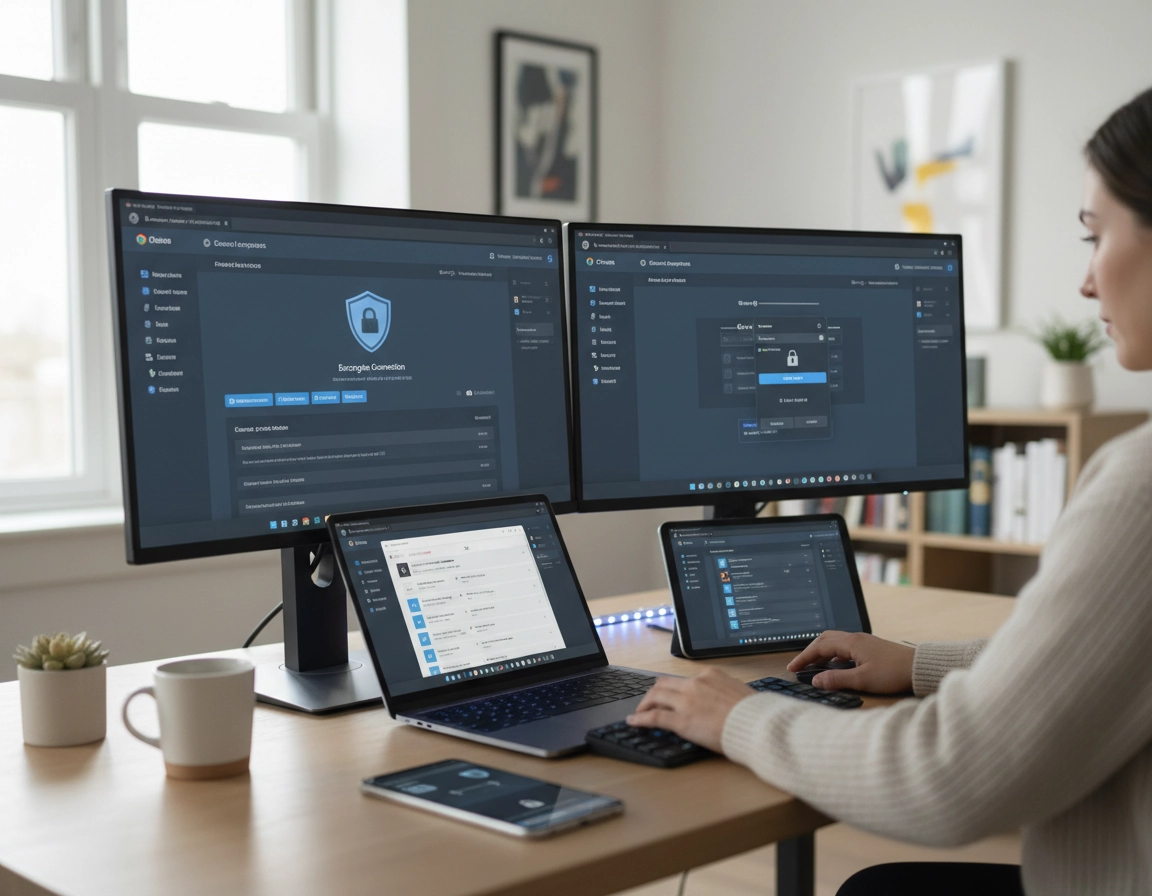
Why freelancers run into enterprise-style browser problems .
A lot of freelancers dismiss Chrome Enterprise because the name sounds oversized. It sounds like something you buy after a procurement meeting, not something you use while juggling deadlines from a home office, coffee shop, coworking space, or spare bedroom. But the reality is that many freelancers already work inside conditions that look surprisingly similar to a small managed business environment. The difference is not the nature of the problem. The difference is headcount.
If your revenue arrives through browser-based work, Chrome is no longer a casual utility. It is where you authenticate into client systems, review analytics, manage cloud files, open staging environments, access ad accounts, enter billing portals, approve content, run browser-based productivity tools, use password managers, and keep multiple identities alive at once. That makes the browser part of your operating model, not just a window to the web.
The browser failures that hurt freelancers are usually not dramatic. They are procedural. You publish from the wrong Google identity. You paste client copy while signed into the wrong CMS account. A browser extension with broad permissions is quietly installed everywhere. A session helper that made sense for one sprint never gets removed. An update lands the morning of a demo and something in your workflow behaves differently. None of that sounds cinematic, but all of it is expensive.
That is why Chrome Enterprise is relevant here. It gives a solo professional a way to introduce policy, reporting, enrollment, and controlled browser behavior before chaos becomes “normal.” The goal is not to imitate a big company. The goal is to stop treating the browser like an unmanaged personal space when it is clearly doing business-critical work.
The exact kind of friction Chrome Enterprise helps reduce .
- Cross-client identity leakage: wrong profile, wrong Gmail account, wrong ad platform login, wrong editor session
- Extension drift: too many helpers, too much permission scope, too little review
- Version uncertainty: you do not know what changed, when it changed, or whether Chrome caused the problem
- No browser baseline: every device or profile behaves differently over time
- Poor recoverability: when Chrome gets messy, there is no documented “known good” state
Related: for the broader cluster spine, start with Chrome Enterprise Guide, then move into Chrome Enterprise Management, Chrome Enterprise Cloud Management, and Chrome Enterprise Features Explained.
Where Chrome Enterprise actually earns its keep in solo work .
The mistake many people make is evaluating Chrome Enterprise as if the only question is licensing or company size. That misses the real issue. The better question is: where does browser disorder create business risk in freelance work? Once you answer that honestly, the value becomes easier to see.
- Log into multiple client environments daily and need hard profile boundaries
- Use browser extensions for passwords, research, screenshots, AI, marketing, QA, or analytics
- Rely on Chrome-based SaaS tools where downtime or browser weirdness hits paid work directly
- Need more disciplined update timing than consumer defaults provide
- Want reporting visibility instead of guessing which extensions, versions, or policies are active
- Need a cleaner security story when clients ask how workstations and browsers are handled
- Only browse lightly and rarely touch client systems
- Have almost no extensions and already maintain strict profile separation
- Do not use Chrome as a central work tool
- Do not need consistent browser behavior across devices or over time
For many freelancers, the strongest value is not “security” in an abstract sense. It is operational consistency. A managed browser is easier to keep clean. A managed browser is easier to audit. A managed browser is easier to explain to clients. A managed browser is harder to accidentally turn into a museum of abandoned extensions and merged identities.
Three solo-business scenarios where this matters fast .
Scenario 1: the performance marketer or SEO consultant. You are logged into analytics properties, tag managers, search consoles, ad accounts, CMS platforms, heatmaps, and client email. One wrong identity or browser helper can expose the wrong client view or contaminate the wrong working session.
Scenario 2: the developer or technical freelancer. You move between staging, production, admin dashboards, QA environments, and debugging tools. You need dev-oriented flexibility, but you do not want experimental tooling bleeding into the same browser context that holds sensitive client admin sessions.
Scenario 3: the consultant handling confidential or regulated work. You may not be a full internal IT team, but clients still expect discipline around credentials, browser behavior, client segregation, and extension use. Chrome Enterprise does not solve compliance by itself, but it gives the browser layer a more defensible structure.
Related: nearby support pages in your cluster map include Chrome Enterprise for Contractors, Chrome Enterprise for Startups, Chrome Enterprise for Small Business, and Chrome Enterprise Remote Workforce.
A realistic Chrome Enterprise deployment pattern for one-person businesses .
The right solo deployment is not broad. It is deliberate. Most freelancers do not need to manage every machine they own on day one. They need a clear answer to a simpler question: which browser instance is the work browser? Start there.
My recommended deployment pattern .
- Primary managed work browser: the laptop or desktop where billable work actually happens
- Optional secondary managed device: travel laptop or backup workstation, only after the main setup is stable
- Separate unmanaged personal environment: keep casual browsing, shopping, hobby use, and random experiments outside the work baseline
This split matters because browser governance works best when the boundary is clear. If everything is “sort of work” and “sort of personal,” policies become annoying and users start bypassing them. The point is to give your professional browser tighter rules while leaving your private browsing life alone.
How I would structure profiles inside that managed browser .
- Operations profile: invoicing, contracts, bookkeeping, banking, your own internal admin
- Client-admin profile: analytics, CMS, ad accounts, email administration, sensitive dashboards
- Client-production profile: routine project work, shared docs, content editing, collaborative tooling
- Testing profile: staging sites, temporary logins, extension trials, debugging, risky experiments
This structure is stronger than simply naming profiles after clients. Why? Because it separates by risk function. A testing profile should be disposable. A client-admin profile should be conservative. Your operations profile should not be where you install a flashy new AI assistant because it looked useful on social media. That kind of discipline has a very direct business payoff.
The browser-enrollment mindset freelancers should adopt .
Enrolling a browser is not about control for its own sake. It is about giving yourself a known management plane. Once the browser is managed, you can stop relying on memory and habit alone. You have a place to apply policies, watch reporting, and hold a baseline. That is a very different operating model from “I think this laptop has the right extensions and I hope the profile I need is still clean.”
If you later add a subcontractor, assistant, or temporary collaborator, that baseline becomes even more valuable. The browser is no longer just “your personal setup.” It becomes something you can reason about, replicate, and lock down in proportion to risk.
Related: continue with Chrome Enterprise Device Enrollment, Chrome Enterprise Admin Console, Chrome Enterprise Device Management, and Chrome Enterprise Usage Analytics.
The policy stack that matters most for freelance client work .
The worst way to approach enterprise policy as a freelancer is to treat it like a buffet. There are many possible controls. That does not mean you should use all of them. For solo work, the best policy stack is the one that solves the most expensive mistakes with the least friction.
The five policy areas with the highest practical return .
- Extension control: prevent random installation drift and keep risky tools out of sensitive profiles
- Startup behavior: make Chrome open into a predictable work context instead of tab chaos
- Sign-in discipline: reduce account crossover and encourage cleaner identity boundaries
- Update management: avoid unmanaged browser changes right before revenue-critical work
- Reporting visibility: know which versions, profiles, and extensions are actually active
These five are enough to deliver most of the value on their own. Once they are in place, your browser becomes meaningfully more stable and more legible. That is what matters. A freelancer rarely needs a maximalist stack. A freelancer needs a browser environment that behaves the same way tomorrow as it behaved yesterday unless you decide otherwise.
| Freelance objective | Policy emphasis | Why it matters | Typical downside |
|---|---|---|---|
| Protect client sessions | Profile boundaries, sign-in discipline, limited extension scope | Less cross-client leakage | Requires more intentional profile use |
| Keep Chrome stable | Update awareness, rollback planning, predictable testing path | Fewer workflow surprises | Needs periodic maintenance |
| Reduce extension risk | Approval mindset, smaller extension footprint, test-only profile | Lower permission exposure | Less impulse-install freedom |
| Answer client security questions better | Managed browser, reporting, documented baseline | More credible operational posture | Some setup overhead |
| Recover faster when things break | Known baseline, clear profile roles, reporting visibility | Faster troubleshooting | Requires initial planning |
What to avoid when setting policies as a solo operator .
Avoid building rules you cannot explain. Avoid tightening settings just because they sound impressive. Avoid locking down consumer-style convenience features in one profile while leaving the truly risky parts untouched. And avoid turning your managed work browser into something so inconvenient that you quietly move real work back into your unmanaged personal browser. That is one of the easiest ways to sabotage the whole effort.
The best browser policy stack feels calm, not dramatic. It quietly removes bad habits, limits obvious risk, and makes your day less error-prone.
Related: support pages that fit naturally here include Chrome Enterprise Policy Templates, Chrome Enterprise Security Settings, Chrome Enterprise Security Checklist, Chrome Enterprise Identity Management, and Chrome Enterprise Session Management.
Extension governance, profile boundaries, and session hygiene .
If there is one area where freelancers most often drift into risk without noticing, it is extensions. Extensions rarely look dangerous when you install them. They look efficient. They save clicks. They promise summaries, automation, screenshots, SEO data, productivity gains, or better tab control. That makes them easy to justify and hard to remove.
The problem is that many of the most appealing extension categories ask for broad access. They want to read page content, modify websites, interact with forms, inspect sessions, capture screenshots, or watch browsing across domains. That does not automatically make them malicious, but it does make them powerful. Powerful browser tools deserve a more adult decision-making process than “I might use this later.”
The extension model I would recommend for freelancers .
- One password manager: no overlap, no confusion, no competing autofill layers
- One screenshot or annotation extension: only if it is truly part of client delivery
- One daily productivity helper: something that earns its place every week
- Developer or research tools only in the testing profile: do not spread them everywhere
- No sentimental installs: if an extension solved one problem three months ago, that is not a reason to keep it today
This is especially important for AI sidebars, shopping tools, marketing toolbars, SEO plugins, session managers, auto-fill helpers, and browser-based research tools. These categories can be useful, but they also create exactly the kind of invisible permission surface that weakens a client-facing browser environment.
Session hygiene matters just as much as extension hygiene .
A freelancer can have a perfectly “secure” device and still lose professionalism inside the browser. Session hygiene means not carrying client identities everywhere they do not belong. It means not letting one Google account bleed into four roles. It means not keeping staging, production, and finance access in the same loose browser context. It means designing your profiles so the wrong action is slightly harder to make by accident.
That is why profile architecture matters so much. Extensions should not just be reviewed globally. They should be reviewed by profile purpose. A testing profile can be adventurous. A client-admin profile should be boring. Boring is good when admin permissions are involved.
The freelancer extension audit I would actually run .
- Open every work-relevant Chrome profile and list every extension installed.
- Write down the direct business reason each one exists.
- Remove anything that has no current workflow owner.
- Remove anything you cannot confidently explain to a security-conscious client.
- Move testing-only utilities into a disposable testing profile.
- Reduce overlap between screenshot tools, AI tools, research tools, SEO tools, and autofill helpers.
- Revisit extension permissions, especially anything with broad site access.
Related: pair this page with Chrome Enterprise Extension Management, Chrome Extension Security Check, Chrome Extension Permissions Guide, Chrome Extension Risk Analysis, and Password Manager for Freelancers Chrome.
Update control, rollback thinking, and workflow reliability .
Most freelancers do not think about browser updates until one arrives at the worst possible time. A consumer mindset says, “updates are good, just let them happen.” A professional mindset says, “updates are good, but timing matters.” That difference is small in theory and huge in practice.
If your income depends on browser-resident workflows, then browser changes are operational events. They can affect extension behavior, session helpers, compatibility quirks, UI location, SSO flow, authentication prompts, download handling, or page rendering inside tools you use all day. Many updates go smoothly. Some do not. Chrome Enterprise is useful because it gives you a cleaner way to watch, stage, and respond instead of absorbing all change blindly.
What update discipline looks like for freelancers .
- Know which browser version your primary work browser is on
- Know whether recent trouble started after a version change or an extension change
- Test critical client workflows in a lower-risk context before major deadlines when possible
- Have a rollback plan in mind for especially important work periods
- Do not let the first time you think about browser breakage be during a live client call
This matters more in some freelance roles than others. Paid media specialists, developers, analytics consultants, QA contractors, web ops freelancers, and anyone living inside admin-heavy SaaS tools usually feel browser changes more than someone whose work is mostly content drafting or basic communication.
Where rollback thinking becomes worth the effort .
Rollback planning is not paranoia. It is scheduling awareness. If you have a launch week, a migration window, a complex client demo, an ad-account turnover, or a reporting milestone that absolutely must work, that is when browser-version discipline becomes part of business continuity. You do not need a permanent frozen-browser mentality. You need the judgment to avoid accidental timing mistakes.
The same logic applies to extension updates. Freelancers often watch Chrome versions but ignore extension churn, even though extensions are frequently the more unstable layer. When something breaks, do not assume Chrome itself is guilty first. Ask whether a recently changed extension, permission prompt, or cached session state is the actual root cause.
Related: keep this page linked with Chrome Enterprise Update Management, Chrome Enterprise Version Control, Chrome Enterprise Rollback Guide, and Chrome Slow After Update Fix.
Privacy, client trust, and compliance conversations .
Chrome Enterprise does not give a freelancer instant compliance, instant security maturity, or instant client trust. What it does provide is a more controlled browser layer. That matters because the browser is where a surprising amount of freelance risk actually lives: credentials, session persistence, extensions, downloads, admin panels, file movement, and cross-account activity.
Primary impact: better browser consistency, better client-separation discipline, smaller extension attack surface, and a more defensible explanation of how web-based work is handled
How this helps with client confidence .
Clients are often less interested in product names than in evidence of process. They want to know whether you reuse the same messy browser for everything, whether you let random tools touch their accounts, whether your browser environment is documented, and whether you can recover cleanly when something goes wrong. A managed browser posture gives you better answers to those questions.
That does not mean you need to overstate things. You do not need to pretend your freelance business is a full enterprise SOC. But you can honestly say that client work runs inside a managed browser environment with defined profiles, restricted extension behavior, reporting visibility, and planned update handling. That is a materially stronger answer than, “I mostly use Chrome and try to keep it tidy.”
How freelancers should talk about compliance without overselling .
The right language is careful language. Chrome Enterprise can support compliance-oriented practice. It can strengthen your browser-side controls. It can reduce extension sprawl, improve auditability, and separate work contexts more cleanly. But it does not replace device hardening, MFA, secure storage, access reviews, password discipline, contractual process, or data-governance decisions outside the browser.
Recommended posture by freelance role .
- Writers, designers, and general creatives: manage extensions, separate work and personal browsing, keep client logins out of casual profiles
- SEO, paid media, and analytics specialists: emphasize account isolation, permissions discipline, and version awareness
- Developers and technical consultants: isolate staging and experimental tooling aggressively from admin workflows
- Sensitive-industry freelancers: move toward fewer extensions, tighter managed profiles, and a more documented browser baseline
Related: natural companion pages here are Chrome Enterprise Compliance, Chrome Enterprise Audit Logging, Chrome Enterprise Security Best Practices, Chrome Enterprise Access Control, VPN for Freelancers Using Chrome, and Chrome Enterprise Secure Remote Access.
Troubleshooting .
If the managed setup feels heavier than the value you are getting .
That usually means the setup is too broad, not that the concept is wrong. Pull back to the controls with the highest direct payoff: one managed work browser, cleaner profiles, restricted extensions, and more intentional updates. If you cannot immediately point to a policy’s business purpose, it is probably not helping enough yet.
If client identities still get mixed despite using profiles .
Your profiles are probably named too loosely or used for too many functions. Rename them by role, not just by vague “work” labels. Give them distinct icons or themes. Strip bookmarks down to what each profile actually needs. The sharper the profile role, the lower the chance of the wrong identity surviving inside it.
If a client workflow breaks after an update .
Start with sequence, not panic. Ask what changed first. Did Chrome update? Did an extension update? Did a client platform change something server-side? Reproduce the issue in the cleanest possible profile. If it disappears there, you are usually dealing with extension interference, cached state, or profile contamination rather than a pure Chrome problem.
If extensions keep becoming clutter again .
Stop auditing by memory. Audit by business function. Which extensions generate revenue, reduce risk, or support repeatable work? Which ones are just habit? Which ones would be awkward to justify if a client asked what browser code is allowed to inspect their tools? That framing tends to produce much better decisions than convenience alone.
If you need to rebuild the browser cleanly without losing your work system .
Document before you reset. Save the names and purposes of your profiles. List critical extensions by profile, not globally. Record startup pages, core bookmarks, client login dependencies, and anything unusual about your environment. A safe rebuild is not just a reset. It is a deliberate return to a known, simpler baseline.
Related: the most useful adjacent troubleshooting pages are Chrome Enterprise Version Control, Chrome Enterprise Rollback Guide, Chrome Enterprise VDI Support, Chrome Enterprise Secure Remote Access, and Chrome Keeps Crashing Fix.
FAQ .
-
helpDo freelancers really need Chrome Enterprise?Not all freelancers do, but many underestimate how much of their business lives inside Chrome. If your browser handles client dashboards, multiple identities, extensions, admin portals, or sensitive work, then managed browser controls can deliver real operational value even for a one-person business.
-
helpWhat is the biggest practical benefit for a solo user?Usually it is not a flashy security feature. It is reduced browser drift. Cleaner profiles, better extension discipline, more predictable updates, and fewer wrong-account mistakes tend to produce the biggest day-to-day benefit.
-
helpShould I manage every device I own?No. Start with the browser that handles client revenue. Once that environment is stable and useful, you can decide whether a second work device deserves the same management layer. Personal browsing does not need to be dragged into the same policy boundary.
-
helpCan Chrome Enterprise help with client security reviews?Yes, in the sense that it gives you a better browser-side story. You can describe managed browser settings, reporting, clearer profile separation, more controlled extensions, and more deliberate update handling. It helps, but it does not replace your broader device, identity, and data-handling practices.
-
helpWhat should I lock down first?Start with extension governance, profile architecture, and update awareness. Those three areas usually produce the fastest improvement in reliability and the largest reduction in avoidable browser mistakes.
Sources & further reading .
- Chrome Enterprise Core
- Set up Chrome Enterprise Core
- Enroll cloud-managed Chrome browsers
- Turn on Chrome browser and profile reporting
- Chrome Enterprise Policy List
- Chrome Enterprise and Education release notes
Disclosure: this guide is editorial and practical. Test policy or extension changes in a lower-risk browser context before applying them to active client work.