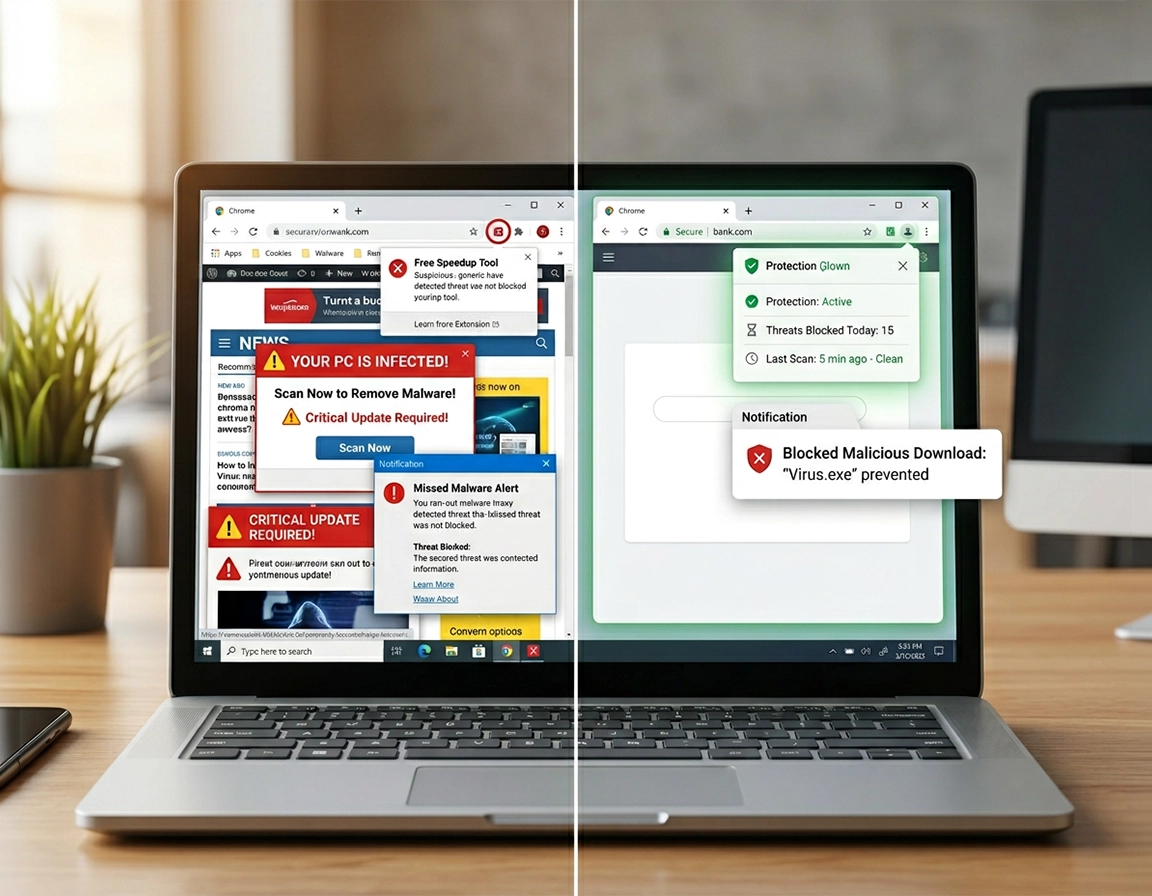
Where Chrome protection ends and antivirus begins .
This comparison is written for people protecting Chrome as a daily working environment, not for bargain hunters staring at a feature table with no idea where the failure point lives.
Chrome is not a blank doorway with no defenses. It already screens sites and downloads through Safe Browsing, isolates tabs in separate processes, and warns on a large share of phishing pages, deceptive prompts, and suspicious files before they settle into your machine. That matters because many browser-led compromises do not arrive with cinematic malware behavior. The first symptom is often dull and easy to dismiss: your search provider flips after a utility install, a coupon extension starts injecting shopping overlays, browser notifications begin spitting fake prize claims, or a “free PDF editor” drops a bundled installer that plants persistence outside the browser. In those moments, the buying question is not whether Chrome protects nothing. The question is where its protective boundary stops being enough for your habits.
Free antivirus usually adds value in the seam between browser warning and device-level verification. It is useful when you want a second scanner after clicking a weak download source, when a ZIP file came from a forum mirror instead of the vendor, or when Chrome starts launching extra tabs at startup and you need to know whether the damage stayed inside the browser profile or spilled into the operating system. For the user with one laptop and controlled browsing habits, that seam is often where most practical value lives. A decent free product can catch commodity malware, quarantine common PUPs, and help confirm whether the suspicious installer you touched yesterday left anything behind.
Paid antivirus starts earning its subscription when the browser incident can cascade into something costlier than a cleanup scan. Chrome is where many people store saved passwords, session cookies, payment autofill, cloud logins, SaaS dashboards, bank access, remote admin panels, and password reset emails. Once the risk profile includes credential theft, high-value phishing, stealer-style malware, family-device oversight, or repeated exposure to unknown extensions, a premium layer can move from optional to sensible. The practical value is not “more features.” It is shrinking the chance that one bad browser event turns into a morning of logouts, a weekend of account recovery, or a client call explaining why your billing dashboard was accessed from somewhere else.
That is why the free-versus-paid decision for Chrome does not map neatly to good product versus better product. It maps to low-cost mistakes versus expensive consequences. A student using a clean profile, official downloads, and a short extension list does not need the same stack as a freelancer who approves invoices in Chrome, stores passkeys in the same ecosystem, and experiments with browser add-ons every week. One person needs a reliable backstop. The other needs a wider response surface.
Related: If the bigger concern is cleanup rather than tool selection, start with Chrome malware cleanup guide, Chrome remove malicious extensions, and how to check if Chrome has virus.
Terms that matter in this comparison .
- Browser-level protection: Chrome-side warnings and controls such as Safe Browsing, download checks, permission prompts, site isolation, and extension review signals.
- Commodity malware: common payloads or bundled threats that show up in broad consumer scans and are often caught by baseline engines.
- Extension abuse: a Chrome add-on using broad host permissions, background scripts, or update changes to read page content, hijack searches, inject ads, or siphon data.
- Account fallout: the damage after the browser event, such as stolen sessions, reused passwords, exposed payment panels, or compromised saved logins.
Diagnose the risk before you spend .
Most weak antivirus purchases happen because the symptom gets labeled too fast. A homepage that keeps changing can be a hijacker extension, a poisoned shortcut, a sync-restored setting, a rogue policy, or bundled software that rewrites the browser state on launch. A premium suite can report a clean device and still leave the same hijacked Chrome profile staring back at you. Before comparing plans, pin down the failure path.
Related: Performance symptoms often blur into security symptoms. Cross-check with Chrome browser slow after virus fix and fix slow Chrome browser step by step so you do not mistake a bloated browser for an active compromise.
- Inspect the extension list before anything else: open
chrome://extensions/and look for tools with vague names, sudden permission expansion, duplicate “search helper” or “shopping companion” add-ons, or items you do not remember installing. If the problem sits here, paying for broader endpoint features may do less than removing the hostile extension and auditing what it could access. - Reconstruct the last risky click: did the trouble start after downloading a codec pack, browser converter, cracked utility, “driver updater,” game mod launcher, or installer from a mirror page full of aggressive ads? That history tells you whether free antivirus is likely enough to catch a routine bundled threat or whether you are dealing with a wider exposure pattern.
- Check where your valuables live: if Chrome is carrying saved passwords, payment autofill, sign-ins to cloud storage, bookkeeping tools, ad accounts, client portals, and your main email, then the cost of one compromise is no longer measured in scan time. It is measured in reset time, trust damage, and access cleanup.
- Count users, not devices: one disciplined user on one laptop sits in a very different lane from a shared household PC where every family member approves notifications, installs browser “helpers,” and downloads from search ads. Paid software becomes easier to justify when the human side is the bigger weak point.
Also separate a browser scare page from a security diagnosis. Fake “your Chrome is infected” alerts are built to convert panic into a phone call, remote access session, or bogus cleanup purchase. They lock the screen with looping audio, flashing warnings, and language that forbids closing the tab. None of that proves a device-level infection. It proves that the page operator understands urgency. If your buying impulse began inside one of those tabs, stop the scam flow first and assess the machine second.
A decision path that matches the tier to the threat .
- 1 Start with the browser baseline. Confirm Chrome is current, Safe Browsing is enabled, and the profile is not already showing redirects, altered search defaults, extension warnings, or blocked-download alerts. Buying from a compromised starting point hides the real need.
- 2 Name the exact outcome you want protection against. File malware, browser hijackers, phishing pages, fake support scams, password theft, and ransomware are adjacent problems, not identical ones. The cheaper products often cover the first category better than the rest.
- 3 Ask whether the likely damage stays inside Chrome. If your risk is mostly suspicious downloads, low-grade hijackers, and one-device browsing, a free scanner plus disciplined browser settings can be enough. If the likely damage includes stolen accounts, family-device support, or sensitive work systems, paid tools gain ground.
- 4 Price the recovery, not the license. A one-time toolbar cleanup has a different cost profile from recovering payment portals, replacing saved credentials, and walking several devices through resets after the same browser-originated mistake.
What a sound decision looks like: you can explain the purchase in one sober sentence. “Free is enough because my risk is mainly download scanning on one tightly managed machine,” or “Paid is justified because one browser compromise would expose banking, client systems, and two shared family devices.”
Related: strengthen the browser layer itself with Chrome Safe Browsing best practices, Chrome secure download settings, and Chrome anti-phishing settings.
When free antivirus tends to hold up well .
Free antivirus works best when the browsing pattern is narrow, repetitive, and controlled. You install software from the vendor, not from a “download now” ad. Your extension list is short enough to recognize at a glance. You are not hopping through streaming mirrors, cracked-license forums, sketchy converter sites, or AI tool directories with no vendor history. In that environment, Chrome’s own site and download warnings catch a meaningful share of the danger, and free antivirus functions as a backstop for the occasional bundled installer or unwanted file that slips through judgment. That is enough for a large number of personal Chrome users.
It also fits the one-bad-click recovery case. You downloaded a suspicious installer from a software roundup page, Chrome behaved oddly the next morning, and now you want confirmation that nothing settled outside the browser. A free scan can deliver practical value here without dragging you into a yearly subscription built around features you may never touch. For many users, this is the highest return-on-effort lane: clean the problem, reset the browser, rotate exposed passwords, move on.
Where free antivirus starts to feel narrow .
Free tools start thinning out when the problem is no longer “detect one bad file” but “contain the consequences of one bad browser event.” Picture a Chrome profile holding merchant logins, ad account access, saved cards, cloud documents, client email, and the browser extensions that touch all of it. Now add a habit of testing utilities with broad permissions, approving notification prompts, or logging in from public Wi-Fi with weak separation between work and personal browsing. In that environment, the weak point is not only malware detection. It is phishing resistance, account impact, layered web filtering, and the ability to reduce fallout after the click.
- Windows / ChromeOS: Windows users should compare free antivirus against the protections already present in the system and then focus on whether their remaining gap is browser-originated. ChromeOS users usually benefit more from browser hygiene, account hardening, and download discipline than from a traditional “bigger antivirus suite” mindset.
- macOS: Mac users are still exposed to malicious extensions, fake alerts, credential phishing, and browser notification abuse. The platform shifts some malware patterns, but it does not make the browser trust problem disappear.
- Android / iPhone: on mobile Chrome, the danger leans toward scam links, malicious prompts, unsafe APK paths, account theft, and notification abuse rather than classic desktop persistence.
Where paying changes the security result .
Paid antivirus is not a universal upgrade for Chrome. It becomes worthwhile when the premium features intercept a failure chain that free protection leaves exposed. Once you think in failure chains instead of brand slogans, the buying decision becomes far less fuzzy.
Related: for stronger browser-and-endpoint framing, compare with endpoint security for Chrome users and Chrome threat protection software review.
Paying becomes easier to justify when these patterns describe you .
- Chrome is part of your revenue path: consultants, operators, ecommerce owners, advertisers, and remote workers often live inside browser sessions that connect straight to money or client data. A stronger phishing and identity-protection layer can be cheaper than one compromised week.
- You support other people’s browsing habits: family plans, centralized alerts, and easier status visibility matter when the weak point is not your own caution but the behavior of everyone else using the covered devices.
- You need help beyond raw detection: rollback features, ransomware mitigation, suspicious-behavior monitoring, web filtering, and payment protection are not decorative when the damage can spread past a simple browser reset.
- You mix browser convenience with high-value storage: saved credentials, autofill, extension-heavy workflows, and single-profile convenience increase the value of added phishing defense and layered monitoring.
Paying is easier to skip when these patterns describe you .
- You keep Chrome lean, update quickly, use a small extension footprint, and download software only from official publishers.
- You already separate high-value accounts, use strong login hygiene, and want protection mainly for occasional scanning rather than daily behavioral coverage.
- You are shopping from fear after a pop-up scare page, not from a repeated risk pattern or a valuable failure scenario.
Feature buckets that matter more than marketing names .
Web-layer interception. For Chrome users, one of the most useful premium differences is the ability to block or flag risky pages, scripts, or known scam paths before a download lands. That matters more than a giant malware-statistics page because the first bad decision often happens in the browser, not in a downloads folder you open later.
Download scrutiny and PUP resistance. Users who test utilities, AI helpers, browser converters, media tools, “system cleaners,” and coupon add-ons need a product that treats bundled installers and gray-area software with more suspicion. A weak engine can leave you with a technically clean scan and a browser still being steered by junk.
Credential and payment protection. If Chrome is where you open merchant dashboards, accounting tools, banking, tax services, or password-reset email, anti-phishing and secure-session features deserve more attention than decorative extras. Those features protect the expensive part of compromise: the logins and approvals that happen after the page loads.
Multi-device visibility. The strongest reason some households and small businesses go paid is operational simplicity. A shared console, coverage reminders, and easier verification across several machines often save more time than marginal differences in scan labels.
Comparisons users often make before choosing .
- Best antivirus for Chrome when the goal is product shortlist rather than tier selection
- Antivirus extension vs desktop antivirus when the user is confusing browser add-ons with full-device coverage
- Antivirus vs browser protection for Chrome when the decision is about layer placement, not monthly cost
- Cloud antivirus for Chrome when lighter scanning and lower local overhead matter more than suite depth
Buying notes, privacy tradeoffs, and fit by situation .
A Chrome user comparing antivirus should evaluate privacy in two directions. One direction is obvious: phishing, malicious pages, extensions, and download-based compromise. The other direction is the security product itself. Browser-aware protection may inspect URLs, downloads, scripts, app launches, or reputation data to warn you in time. That can be a fair trade when the browser handles sensitive work, but it is still a trade. A product does not become trustworthy merely because it blocks threats loudly. Read what data the product collects, what telemetry drives the warning system, and whether that collection matches the level of protection you need.
Impact: the wrong choice can leave gaps around phishing, hijackers, malicious downloads, extension abuse, saved-password exposure, or family-device support. The wrong product can also generate alert fatigue, pushy upsells, or more data collection than the use case merits.
Related: if the problem looks like active hijacking rather than weak prevention, see Chrome browser hijacker removal, Chrome search engine hijacked fix, and Chrome homepage keeps changing fix.
Best-fit baseline choices by situation .
- Option A: free plus hard browser hygiene — strongest for one careful personal device, few extensions, vendor-only downloads, and low-value browsing fallout.
- Option B: paid for browser-heavy work — strongest for consultants, operators, remote workers, and anyone using Chrome as the gateway to billing, banking, ads, or client systems.
- Option C: paid household or small-team coverage — strongest when you need fewer support calls, fewer forgotten scans, and more visibility across other people’s browsing behavior.
Decision matrix for Chrome users .
| Situation | Better fit | Main reason | Tradeoff |
|---|---|---|---|
| Careful solo user | Free antivirus | Chrome and system-level protections already cover much of the baseline attack surface | Less help with identity spillover, broader phishing coverage, and multi-device oversight |
| Browser-heavy business activity | Paid antivirus | Phishing resistance, credential protection, and incident containment matter more than scan-only coverage | Recurring cost and a product privacy policy worth reviewing closely |
| Family or shared machines | Paid antivirus | Central management and easier verification reduce chaos after risky clicks | May be broader than one disciplined user needs |
| Single suspicious install and cleanup | Free antivirus first | High value for scan-and-reset workflows without locking into long-term spend | May not cover account fallout if credentials or sessions were exposed |
Troubleshooting the browser problems antivirus often misses .
Related: permission abuse often starts inside extensions. See Chrome extension permission abuse detection and Chrome suspicious extension detection.
If Chrome keeps opening redirects or random tabs .
This pattern often points to extension abuse, bundled software, rogue notifications, or browser settings being restored through sync rather than to a dramatic infection that premium antivirus alone will solve. Remove unfamiliar extensions first, review search engine and startup settings, revoke notification permission from unknown sites, and then scan the device. If the behavior returns after sign-in or profile sync, the problem may be following the profile state rather than living in one local file.
If you keep seeing virus pop-ups telling you to call a number .
Treat the page as hostile, not authoritative. Do not call, do not install the suggested cleanup tool, and do not grant remote access. Close the tab or browser task, clear site data if it keeps relaunching, and run a trusted scan afterward. Those pages are conversion funnels for fraud. Their job is to frighten you into buying the wrong service fast.
If a paid antivirus says the machine is clean but Chrome still feels hijacked .
That usually means the unresolved issue is sitting in browser state rather than in a detectable payload. Common causes include Chrome policies planted by unwanted software, browser shortcuts modified with startup parameters, sync-restored settings, notification spam, and extensions that were disabled but not understood. At that stage, stop scanning in circles and inspect the browser itself: extensions, policies, profile state, startup pages, search defaults, notifications, and sync behavior.
If you need to rebuild Chrome without importing the same problem back in .
Back up only the data you still trust, especially bookmarks and any manually verified passwords stored elsewhere. Document which extensions are essential, then reset Chrome settings and rebuild the profile in a narrow sequence: sign in, confirm Safe Browsing is active, restore bookmarks, add only trusted extensions, and test the browser for a day before restoring convenience extras. Fast bulk reinstalls are how bad extensions and poisoned settings walk straight back into a freshly cleaned browser.
FAQ .
-
helpDoes Chrome need antivirus if Safe Browsing is already enabled?Safe Browsing covers a meaningful portion of risky sites, deceptive pages, and suspicious downloads, but it does not replace device-level scanning or post-click cleanup. If your browsing pattern is low risk, that may be enough plus a free scanner. If Chrome holds sensitive accounts or sits in a shared-device environment, extra protection becomes easier to defend.
-
helpIs paid antivirus automatically better for malicious Chrome extensions?No. Many extension-driven problems are resolved faster by removing the add-on, checking host permissions, revoking notification spam, and clearing sync side effects. Paid tools help more when the extension is one part of a wider compromise involving downloads, credential theft, or persistence outside Chrome.
-
helpWhen does free antivirus make the most sense for Chrome users?Free antivirus fits best when you have one disciplined device, a short extension list, official-download habits, and modest account fallout if something goes wrong. In that lane, the main gain is dependable scan coverage without paying for family dashboards, identity extras, or broader containment tools.
-
helpWhat is the strongest reason to move up to paid protection?The strongest reason is consequence. If one compromised Chrome session could expose banking, customer systems, business dashboards, or several household devices, the premium layer can be cheaper than the cleanup. The case for paid improves as the fallout becomes harder to reverse.
Sources & further reading .
- Google Account Help: Manage Enhanced Safe Browsing for your account
- Google Chrome Help: Manage warnings about unsafe sites
- Google Safety Center: online safety and Chrome protections
- FTC: How to spot, avoid, and report tech support scams
- FTC: malware signs, prevention, detection, and removal
Disclosure: this page focuses on protection categories and fit-by-risk. It is written to help users choose the right layer, not to pad a feature table with empty “top 10” language.