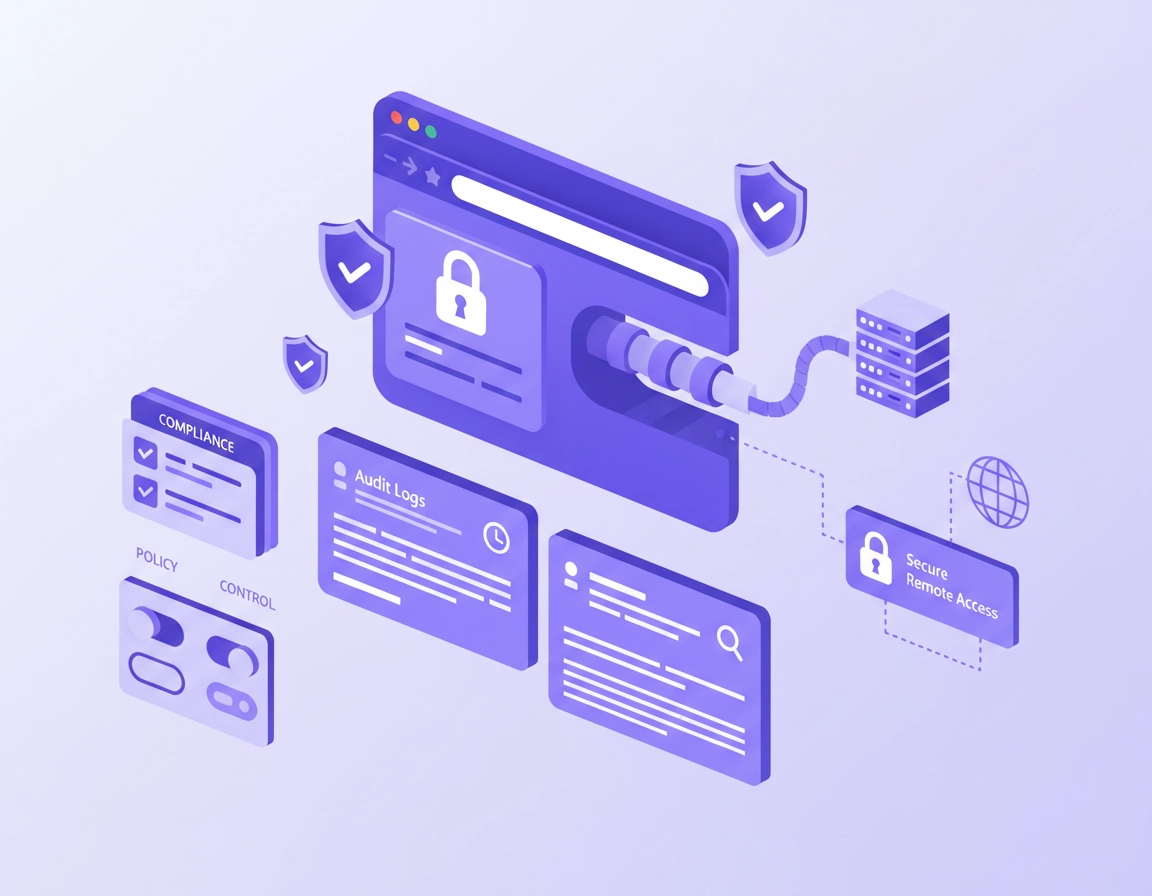
What this is and why SOC 2 teams care .
This guide is about practical control design for browser traffic in a SOC 2 environment. It is not legal advice and it is not a claim that any single browser tool satisfies an audit on its own.
When people search for a VPN for Chrome SOC 2 compliance, they are usually trying to solve one of three real business problems. First, they want to reduce risk for employees who use Chrome on public Wi-Fi, home networks, and unmanaged internet connections. Second, they want more confidence that browser sessions to internal apps, admin dashboards, customer portals, and cloud tools are routed in a controlled, encrypted way. Third, they want to know whether adding a VPN extension to Chrome helps them during a SOC 2 review.
The honest answer is that a Chrome VPN can be useful, but only if you describe it correctly. A SOC 2 audit is about the design and operating effectiveness of controls. That means the question is not “Do we have a VPN extension?” The better question is “What control objective does this support, how is it configured, who is allowed to use it, how do we monitor it, and what evidence shows it operates consistently over time?”
In practice, a VPN for Chrome most often supports the Security and Confidentiality sides of a modern control environment. It may help protect browser sessions in transit, reduce exposure to hostile networks, and create more predictable egress paths for sensitive web activity. But it does not replace identity controls, least privilege, device posture, extension governance, patching, endpoint detection, log review, or vendor due diligence. If your team describes it as a “compliance feature,” you are already framing it too narrowly.
There is another subtle point here: not all VPN setups are equal. A Chrome extension VPN usually covers browser traffic only. A desktop VPN app can protect all device traffic. A managed enterprise browser policy can control extensions, permissions, and deployment. For SOC 2 purposes, this difference matters because auditors care about scope. If you say “all employee traffic is protected” but only Chrome web requests are routed through the VPN, your written control may overstate reality.
Related: Start with the main hub at Best VPN for Chrome, then compare this guide with VPN Chrome Corporate Compliance and Chrome Enterprise SOC 2 Compliance.
Key terms you should define internally .
- Browser VPN: A VPN or proxy-like service that mainly routes traffic generated inside Chrome, often through an extension.
- Desktop VPN: A device-level client that tunnels traffic for the whole operating system, not just one browser.
- Managed Chrome: Chrome deployed with enterprise policies for users or enrolled browsers, allowing control over apps, extensions, and settings.
- Control evidence: Screenshots, policy exports, logs, test results, review records, and approvals that prove a control exists and is operating.
- Scope statement: A plain-English description of what traffic, users, systems, and data the control actually covers.
Before you start: scope, evidence, and architecture checks .
Before you install anything, define the actual control boundary. This is where many teams lose time. A security reviewer or auditor is going to ask what systems are in scope, what traffic is protected, whether the control applies to employees or contractors, and how exceptions are handled. If you cannot answer those questions clearly, the problem is not the VPN product. The problem is control design.
Start by identifying which Chrome use cases matter most. Are employees logging into admin dashboards? Are support agents accessing customer data in web applications? Are developers using browser-based cloud consoles? Are contractors restricted to web tools only? Those details change the right deployment model. A browser-only VPN can be reasonable for a tightly scoped web workflow. It is much less convincing if users also move sensitive data through desktop sync clients, terminal sessions, or non-browser apps that bypass the extension completely.
Related: If you are still deciding how strict your managed setup should be, read VPN for Chrome Policy Enforcement, VPN for Chrome Device Management, and VPN for Chrome IT Admin Guide.
- Check your scope statement: Document whether the VPN covers only Chrome traffic or all device traffic. Do not blur the line.
- Check your user groups: Separate employees, admins, support, contractors, and privileged users if they need different controls.
- Check data sensitivity: Browser sessions involving customer records, admin panels, or internal tools deserve tighter review than casual web browsing.
- Check your deployment path: Manual installation is weak for compliance. Centralized deployment is much stronger.
- Check vendor evidence: Save the vendor’s security documentation, logging capabilities, admin controls, and access model in one place.
- Check extension permissions: A security control that asks for broad browser access needs its own risk review.
The last point is especially important. A VPN extension may request powerful permissions or route traffic through an external service. From a SOC 2 perspective, that means you are not only implementing a protective control. You are also introducing a third-party dependency into your browser stack. That creates new review work: vendor due diligence, ownership assignment, renewal review, incident contact details, and policy decisions on whether users can install alternative VPN tools.
Step-by-step: how to deploy a Chrome VPN control for SOC 2 .
The recommended approach is to treat your Chrome VPN as a documented control lifecycle, not as an ad hoc browser add-on. The sequence below is the version most likely to hold up under internal review and external questioning.
- 1 Define the control objective. Write a one-paragraph statement such as: “Chrome-based access to internal web applications from remote networks is protected through an approved VPN control with centralized deployment, logging, and periodic review.”
- 2 Choose the right architecture. Decide whether a Chrome extension is enough, whether a desktop VPN is required, or whether a zero-trust/browser access model is more appropriate for your environment.
- 3 Review the vendor. Capture ownership, admin controls, logging features, encryption claims, support channels, and any contractual or security documentation you need for vendor management.
- 4 Deploy centrally. Use managed Chrome or your device management stack to install and control the extension rather than asking users to set it up themselves.
- 5 Restrict permissions and exceptions. Define who can disable the control, who can add other extensions, and how policy changes are approved.
- 6 Test the real outcome. Verify connection behavior, leak exposure, login experience, site compatibility, and any routing exceptions for internal tools.
- 7 Collect evidence. Save policy screenshots, change records, user group mappings, test logs, and review dates for your audit trail.
- 8 Review quarterly. Confirm the extension is still approved, still deployed, still needed, and still aligned with your written policy and risk profile.
What success looks like: Users reach approved web apps through the intended secure path, the extension is centrally controlled, exceptions are documented, sensitive Chrome sessions are covered as designed, and your team can prove all of that with evidence instead of assumptions.
Related: Pair this page with VPN Chrome Security Audit, VPN Extension Permissions in Chrome, and VPN for Chrome Zero Trust Security.
What to document in each step .
Control objective: Keep it narrow and honest. Do not say “all data is secured by VPN” unless that is provably true across the entire device and network path. A better wording is “specified browser sessions to company web applications are protected through approved secure access controls.”
Architecture decision: Explain why you chose a browser VPN instead of a desktop VPN. Maybe your workforce is web-only, maybe you operate in ChromeOS-heavy environments, or maybe you needed fast enforcement for contractors who only access browser apps. This rationale matters because auditors often care less about the exact tool and more about whether the design makes sense for the risk.
Deployment method: Manual installation is weak evidence. A centrally enforced configuration is stronger because it shows repeatability. If you can prove the extension is force-installed or governed through policy, your control looks far more mature.
Validation: Do not stop at “the icon appears in Chrome.” Test what really matters: IP location, DNS behavior, WebRTC exposure, login stability, access to internal web apps, behavior after browser restart, and what happens if the extension is disabled or crashes. For Chrome-specific leak checks, your related pages on DNS leak testing, IP leak protection, and WebRTC leak fixes fit naturally into the workflow.
Common variations .
- Small SaaS team: Use a vetted VPN service, managed browser deployment, quarterly review, and a clear policy that defines which browser workflows must use it.
- Remote support team: Apply the control to customer-facing admin tools and ticketing systems accessed in Chrome, with stronger logging and session review.
- Contractor-heavy environment: A browser-layer control can help when you do not manage the entire device, but you must document that limitation clearly.
- Enterprise rollout: Browser VPN may become one element in a larger Chrome Enterprise, identity, network, and endpoint stack rather than the primary control.
Advanced control design for power users and security teams .
This is where the topic becomes commercially valuable and technically realistic. The teams that get the most value from a VPN for Chrome in a SOC 2 program are not the ones chasing a badge. They are the ones designing layered controls with clear ownership. In a mature setup, the VPN is usually mapped to a specific risk narrative: protecting remote browser sessions, reducing exposure to hostile networks, constraining access paths, or improving visibility into approved traffic patterns.
From a control design standpoint, you should think in layers. The browser VPN may help with data in transit for Chrome sessions, but it needs help from other controls: SSO for user identity, MFA for authentication strength, managed Chrome for extension policy, endpoint controls for malware and posture, and logging for evidence. This layered approach is not just more secure. It also gives you a much more defensible audit story because each control can be described, tested, and reviewed on its own.
Related: For broader stack decisions, compare VPN vs Zero Trust Browser Security, VPN vs Built-in Chrome Security, and Chrome Enterprise Guide.
Where a Chrome VPN helps most .
- Remote workforces accessing internal web tools from varied networks
- Teams that live primarily inside SaaS and browser-based admin consoles
- Contractor populations with narrowly scoped browser-only access
- Interim controls while a broader zero-trust access program is still being rolled out
- Organizations that need a clearly documented security layer for web traffic in managed Chrome
Where it falls short .
- When sensitive workflows extend outside Chrome into desktop apps, terminals, or sync agents
- When you need full-device assurance rather than browser-only coverage
- When your team cannot centrally deploy, govern, and review the extension
- When you rely on vague vendor marketing instead of internal evidence and scoped policy statements
- When the extension becomes a blind spot because nobody reviews permissions, logs, or exceptions
Type I vs Type II mindset .
If you are early in your compliance journey, a SOC 2 Type I conversation is often about whether the control is designed appropriately as of a point in time. That means architecture, policy wording, approvals, and initial deployment discipline matter a lot. In a Type II setting, the bar gets higher because you need to show that the control operated over a period. That is where recurring evidence matters: review logs, change history, exception approvals, sample user testing, and periodic confirmation that the VPN is still enforced and still relevant.
Vendor management angle .
Do not forget that a VPN provider is a vendor in your security and confidentiality chain. For many teams, the biggest compliance mistake is focusing only on traffic encryption while forgetting supplier risk. Your internal documentation should explain who approved the vendor, what data the service may process, whether logs are retained, how administrative access is controlled, what incident contacts exist, and how you would offboard the vendor if the relationship changed.
Common alternatives users compare .
- Chrome VPN extension vs desktop VPN client
- VPN for Chrome vs secure web gateway or zero-trust browser access
- Manual extension install vs managed Chrome policy deployment
- VPN-based browser hardening vs broader Chrome Enterprise controls
Privacy and security notes .
This is the section most teams skip, even though it is the one auditors and security reviewers care about. A VPN extension can improve confidentiality of browser traffic in transit, but it also changes your trust model. Instead of traffic flowing directly from user to destination, it passes through a service you selected. That may be a good trade if the service is approved, logged, governed, and deployed properly. It is a bad trade if users can install random browser VPNs without review.
Impact: Affects browser traffic routing, extension trust, access patterns, potential metadata exposure, and how accurately your written controls match reality.
Related: If you suspect broader browser risk, read Chrome Extension Security Check and Chrome Extension Permissions Guide.
Recommended baseline settings and practices .
- Option A (balanced): Managed extension deployment, user group targeting, documented scope, quarterly review, and leak testing for critical apps.
- Option B (maximum control): Desktop VPN or zero-trust access for sensitive workflows, with the browser extension used only where it adds operational value.
- Option C (contractor compatibility): Browser-only secure access for tightly scoped web tools, with explicit documentation that non-browser traffic is outside the control.
Recommended setups by goal .
| Goal | Recommended setup | Main tradeoff | Best for |
|---|---|---|---|
| Balanced browser security | Managed Chrome VPN extension with policy controls, evidence collection, and periodic review | Browser scope only | Most web-first teams |
| Higher assurance | Desktop VPN or zero-trust access plus Chrome policy management | More admin overhead | Security-sensitive environments |
| Contractor access | Browser-only secure path to approved SaaS apps with strict account controls | Limited device coverage | Scoped third-party users |
| Audit-friendly rollout | Centralized deployment, named control owner, review cadence, and sample test evidence | More process discipline required | SOC 2 preparation teams |
What auditors may ask about this control .
- Who approved this VPN solution and why was it selected?
- Which users, browsers, and workflows are in scope?
- How is the extension deployed and prevented from drift?
- What evidence shows the control operated during the review period?
- How are exceptions approved and documented?
- What happens if the extension fails, is removed, or conflicts with another network control?
Troubleshooting common compliance gaps .
Related: For adjacent setup issues, see VPN for Chrome Troubleshooting Guide, VPN for Chrome Connection Issues Fix, and VPN for Chrome Best Settings Guide.
If your team says “we have a VPN, so we’re covered” .
This is a documentation problem, not a technical success. Rewrite the control statement so it reflects the real scope. Spell out what is protected, what is not, and what companion controls are required. Overstated controls create audit pain because they are easy to challenge.
If users can install their own VPN extensions .
You have an extension governance gap. Restrict installation rights, approve a standard VPN option, and document an extension allowlist or approval workflow. A compliance-friendly browser setup should not depend on user judgment for network-routing tools.
If internal apps break when the VPN is enabled .
Check routing assumptions, IP allowlists, SSO trust conditions, and browser-based geolocation or fraud controls. In some cases you may need specific egress locations, split-routing logic, or a different architecture for sensitive internal apps. Broken compatibility is not just an IT annoyance; it can push users toward unsafe workarounds.
If your evidence is too thin for review .
Build a simple audit packet: control description, owner, policy reference, deployment screenshots, group assignment evidence, sample user verification, leak-test notes, exception list, and review date. Most compliance teams do not fail because the technology is absent. They fail because nobody packaged the evidence clearly.
If you need to reset safely .
Remove the extension through managed policy if possible, capture the change in your ticketing or change-management record, retest access for affected users, and update your control narrative if the architecture changes. Never “quietly swap tools” in a compliance environment without updating the written control and ownership details.
FAQ .
-
helpDoes a VPN for Chrome make a company SOC 2 compliant?No. A VPN for Chrome can support a control objective, especially around security and confidentiality for browser sessions, but SOC 2 is about the design and operation of an overall control environment. You still need documented policies, access control, review processes, logging, vendor management, and evidence.
-
helpIs a Chrome VPN extension enough for remote employees?Sometimes, but only for narrowly scoped browser workflows. If sensitive activity also happens in desktop apps, sync tools, terminals, or file-transfer utilities, a browser extension alone is usually too limited. Your control statement should match the actual traffic path.
-
helpWhat evidence should we keep for an audit?Keep a control description, owner assignment, approval records, deployment screenshots or policy exports, user group mappings, test results, review logs, and any documented exceptions. You want enough evidence to show the control exists, is scoped properly, and operated during the relevant period.
-
helpShould we choose a Chrome VPN or a zero-trust browser access model?That depends on your risk profile and architecture. A Chrome VPN can be a practical layer for web-first teams, while zero-trust access may provide tighter policy control for sensitive internal applications. Many companies end up using a layered approach rather than treating the two models as strict opposites.
Sources & further reading .
- AICPA: SOC 2 overview
- AICPA: Trust Services Criteria
- Chrome Enterprise policy list
- Google Admin Help: set Chrome policies for users or browsers
- Google Admin Help: managing extensions in your enterprise
- Google Admin Help: ExtensionSettings policy
- Chrome Developers: privacy API and WebRTC IP handling
Disclosure: This page is educational and editorial. Always map browser security controls to your own environment, risk register, and audit scope before making compliance claims.