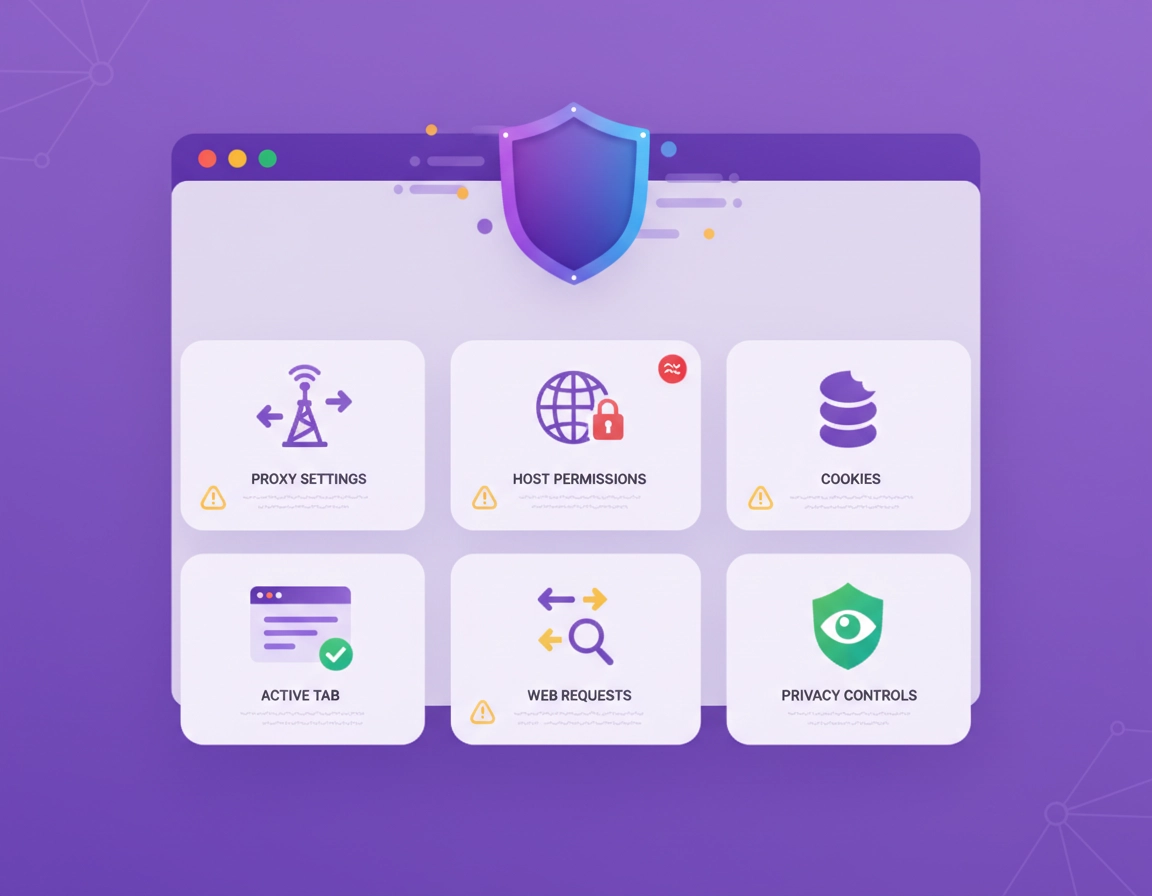
Why VPN extension permissions matter more than ordinary extension permissions .
A theme extension can get away with very little. A shopping coupon extension usually needs page access on retail sites. A VPN extension is different because its entire job is tied to traffic handling, browsing context, connection state, account state, site reachability, and sometimes proxy configuration. In other words, it operates much closer to the trust boundary.
That is why Chrome permission language feels heavier here. If an extension wants to influence how browser traffic is routed, it is stepping into territory that is inherently more powerful than a cosmetic add-on or note tool. The right question is not “why does this VPN extension ask for anything at all?” The right question is “does each requested capability match a real VPN-related function, or is the product taking more than it needs because it is easier to build that way?”
Chrome also separates extension access into several layers that users often blur together: declared API permissions, host permissions, optional permissions, optional host permissions, temporary tab access, and user-controlled site access after install. If you treat those as one giant blob called “permissions,” you miss the most important part of the analysis. A disciplined extension team uses those layers deliberately. A lazy or opportunistic one often asks for the broadest possible access up front.
The highest-signal insight for buyers is this: browser permission quality often reflects product quality. Mature teams usually minimize warnings, ask for optional permissions later when the feature is actually used, and explain why a capability is needed. Lower-trust products are much more likely to ask for broad permanent access without offering crisp technical reasoning.
Best companion reads: Best VPN for Chrome, Chrome VPN Extension Comparison, VPN Chrome vs Desktop VPN, and Secure VPN for Chrome.
Good sign
The extension description explains browser-only coverage clearly and tells you where full device protection would require the provider’s desktop app.
Better sign
The provider uses optional permissions or narrower site controls instead of pushing every sensitive capability into the first install prompt.
Bad sign
The extension markets itself as “secure and private” but cannot explain why it needs broad site access, cookies, or request-handling power.
The actual Chrome permission types you are likely to see on a VPN extension .
Chrome’s permission model is more specific than most users realize. Some permissions grant access to Chrome APIs. Some grant access to matching websites. Some can be requested later at runtime. Some are temporary. If you understand that structure, the install prompt becomes much easier to interpret.
1) Required permissions .
These are the capabilities the extension declares as necessary for its core functionality. If the VPN extension cannot work without them, the developer may put them directly in the main permission block. This is where storage, proxy-related access, or other core API use may appear.
2) Optional permissions .
Chrome lets extension developers ask for some permissions later instead of front-loading everything at install time. That matters because it gives you context: the product can explain the exact feature that needs the permission when you try to turn that feature on. For users, that is usually a healthier design pattern.
3) Host permissions .
Host permissions cover which sites or groups of sites an extension can interact with. This is where “read and change your data on websites you visit” style warnings usually come from. For VPN-style tools, broad host access can be legitimate, but it is also one of the highest-trust areas to review because host access can unlock page interaction, request monitoring, cookie access on matching hosts, and other powerful behaviors.
4) Optional host permissions .
This is the more restrained version. The extension does not take permanent access to every relevant site on day one. Instead, it asks when a feature or site actually requires it. That tends to reduce both warning noise and unnecessary reach.
5) activeTab .
activeTab is one of the most misunderstood entries in Chrome. It gives the extension temporary access to the current tab after you invoke the extension, and that access is revoked when you leave the page or close the tab. For many extension use cases, it is meaningfully safer than broad all-sites access because it is tied to an explicit user action and limited in duration.
6) Proxy control .
This is the most directly relevant permission family for VPN-like browser behavior. If the extension is changing how Chrome routes browser traffic, proxy-related control is not random extra power. It is central to the product’s architecture. At the same time, it is powerful enough that you should expect the provider to explain it clearly and pair it with transparent privacy language.
7) Cookies and request handling .
Cookie access and request-monitoring capabilities can make sense for session continuity, authentication flows, smart routing, site behavior rules, or privacy features layered into browsing. They are not automatic proof of abuse. But they are also where a weak-quality provider can drift from “browser protection” into “browser visibility,” so they deserve much closer scrutiny than ordinary storage or UI permissions.
storage
Used for server selection, user settings, UI state, session state, and other internal preferences.
activeTab
Temporary tab access after you invoke the extension. Safer than broad permanent host access in many cases.
Host permissions
Controls where the extension can interact with pages, requests, tabs, cookies, and matching website data.
proxy
Relevant when the extension manages Chrome’s proxy settings or routing behavior inside the browser.
cookies
May support login and site continuity, but should be easy to justify in product documentation.
webRequest / network rules
Can be legitimate for advanced network-aware behavior, but the provider should explain exactly why it is needed.
Related security reading: Chrome Extension Permissions Guide, Chrome Extension Security Check, and Browser Extension Security vs Desktop Apps.
How to audit a VPN extension before installation .
The install prompt is only one checkpoint. A high-quality audit starts on the listing page itself. By the time you click “Add to Chrome,” you should already know what the extension claims to do, what its business model is, what part of your traffic it protects, and whether the provider treats permissions as a product design responsibility or just something users are expected to ignore.
Read the listing like a buyer, not like a fan .
Start with product clarity. Does the extension say it secures browser traffic, controls proxy routing, blocks trackers, prevents WebRTC leaks, handles geo-switching, or works as a companion to the provider’s full VPN app? Those are materially different products. The more precise the promise, the easier it becomes to judge whether the permission list fits.
Then check the company behind it. A recognizable VPN brand is not automatically safe, but it usually brings clearer privacy documentation, incident history, customer support, and more scrutiny than a nameless privacy add-on spun up to harvest installs. For a page targeting high-intent users, this matters because the real buying decision is often not “extension or no extension” but “which provider’s trust model am I comfortable accepting in the browser?”
Compare the feature list to the permission surface .
- Broad host access with broad site-level protection: often understandable.
- Proxy permission with browser traffic routing: expected.
- Cookies with account login continuity or site-state handling: sometimes reasonable, but should be explained.
- Request-monitoring power with advanced filtering or traffic logic: possible, but needs very clear justification.
- Unrelated extras: this is where trust starts to fall apart fast.
Look for signals of permission discipline .
The best Chrome extensions do not just function. They respect the warning model. They use optional permissions where possible, keep broad host access scoped to what the product really needs, and avoid alarming users with unnecessary reach. That is not a marketing detail. It is one of the best indicators that the team understands both security and user trust.
Six-question pre-install test .
- 1 Is this clearly a real VPN provider or a generic privacy extension wearing VPN language?
- 2 Does the product explain whether it protects only Chrome traffic or your entire device?
- 3 Can you map the requested permissions to features you can actually see on the page?
- 4 Does the privacy policy discuss logs, diagnostics, account data, and browsing-related handling in plain English?
- 5 Does the extension seem to rely on optional or narrower permissions when possible, or does it grab everything on install?
- 6 Would you still trust this provider if the install prompt did not look polished?
Useful next reads: How to Install VPN Extension in Chrome, How to Use VPN With Chrome Browser, VPN Chrome No-Logs Policy, and VPN Chrome Privacy Review.
How to review and tighten access after installation .
A surprising number of users stop at the install prompt and never look at the extension’s details page. That is a mistake. Chrome gives you meaningful post-install controls, and a good VPN extension should still make sense when you inspect it there.
What to check in chrome://extensions .
Open Chrome’s extension management page, find the VPN extension, and click Details. Review the permission section and site access controls. If the extension can operate with narrower access, switch to a more restrictive setting and test it. If core functionality breaks, you at least learn whether the broad access is genuinely structural or simply the provider’s preferred convenience model.
When “On click” is useful and when it is not .
For extensions that only need momentary page interaction, On click can be a strong privacy improvement because it grants access when you invoke the extension and not before. For VPN extensions, this varies. If the product is meant to operate browser-wide in the background, forcing it into a strictly on-click model may reduce or break the protection you installed it for. That does not mean the extension is bad. It means the architecture may genuinely depend on persistent browser-wide access.
When specific-site access makes sense .
If your use case is narrow, such as securing a handful of work dashboards or using the extension for selected browsing contexts, Chrome’s specific-site controls can be valuable. They are especially useful when you want the extension available, but not everywhere. This is one of the clearest real-world ways to reduce trust exposure without uninstalling the product entirely.
What to watch for after first launch .
- New permission requests that only appear after sign-in
- Unexpected redirects, injected promos, or shopping-style overlays
- Heavy account nudging without clear explanation of browser data handling
- Site breakage on banking, admin panels, identity providers, or corporate SaaS apps
- Region changes or route changes that behave inconsistently across tabs
Technical follow-up guides: VPN Chrome DNS Leak Test Guide, VPN Chrome IP Leak Protection, VPN Chrome WebRTC Leak Fix, and VPN for Chrome Best Settings Guide.
Permission patterns that should make you uneasy .
The strongest red flags are not single permissions in isolation. They are combinations of power, vagueness, and weak provider trust.
| Pattern | Why it may be legitimate | Why it may be a problem | What to do |
|---|---|---|---|
| Broad host access | Needed for browser-wide behavior across sites | Grants very large trust surface if the extension is poorly governed | Check whether the provider explains exactly why it is necessary |
| proxy + broad site access | Common for serious browser VPN operation | Still powerful enough to demand a strong provider and strong docs | Read privacy policy and product architecture notes before installing |
| cookies + request-handling | May support authentication and traffic logic | Can drift into invasive visibility if the provider is weak | Look for plain-English explanation, not vague “improved experience” language |
| Everything upfront | Sometimes done for simpler development | Often a sign the product is not designed with permission restraint | Prefer extensions that use optional permissions where possible |
| Security branding + monetization clutter | Rarely justified | Suggests a mismatch between the trust promise and the business model | Walk away |
Green flags that matter more than glossy branding .
- The provider openly distinguishes browser coverage from full-device VPN coverage.
- The extension requests permissions in stages instead of taking maximum access at install.
- Permission explanations appear in the listing, help docs, onboarding, or settings screens.
- The product behaves predictably on normal browsing, banking, and work sites.
- There is a coherent privacy story around logs, diagnostics, account state, and browser data scope.
More risk-focused pages: Chrome Extension Malware Removal, Chrome Extension Stealing Data Fix, Chrome Extension Threat Detection, and Chrome Extension Network Traffic Monitoring.
What changes on managed browsers, work devices, and schools .
Permission analysis gets more serious on a managed Chrome browser because the extension is no longer just a personal convenience tool. It may operate inside a company, school, or compliance-controlled environment where admins decide which extensions are allowed, how they are installed, and whether users can change site access or remove them.
In those environments, you are not only asking whether the VPN extension is reasonable for an individual user. You are asking whether its permissions are acceptable for a fleet. A company may reject a browser VPN extension that looks fine for home use simply because the permission surface, data path, or provider location does not fit internal policy.
Questions admins actually care about .
- Does this extension need broad host access across corporate applications?
- Can we limit it by policy, force-install it, or block it entirely?
- Does it overlap or conflict with existing endpoint security, proxy, or zero-trust controls?
- Is the provider’s privacy documentation sufficient for compliance review?
- Will users misunderstand browser-only VPN behavior as full enterprise protection?
For business use, a good extension has to win twice: it must make sense technically, and it must fit an admin’s control model. That is why many enterprise buyers end up preferring either a managed browser security stack or a full desktop VPN deployment over a standalone browser extension, even when the extension itself is not obviously bad.
Enterprise cluster reads: VPN for Chrome IT Admin Guide, VPN for Chrome Policy Enforcement, Chrome Enterprise Extension Management, VPN Chrome Corporate Compliance, and VPN for Chrome Zero Trust Security.
When a desktop VPN is the better security decision .
Some users land on this page expecting a simple yes-or-no answer about Chrome VPN permissions. The more honest conclusion is more useful: a VPN extension can be a valid browser privacy tool, but it is not always the cleanest answer. If your real goal is full-device protection, protection on public Wi-Fi, consistent coverage outside Chrome, or reduced dependence on extension-level site access, a desktop VPN is often the better foundation.
That does not make browser extensions obsolete. They remain useful for browser-specific workflows, quick location switching, per-browser convenience, and cases where you want Chrome-layer controls without affecting the rest of the machine. But those are convenience and workflow reasons. They are not automatically stronger security reasons.
| Your priority | Best fit | Why | Tradeoff |
|---|---|---|---|
| Full-device protection | Desktop VPN | Covers traffic beyond Chrome | Less browser-specific convenience |
| Fast Chrome-only location switching | VPN extension | Simple browser workflow | Depends more on extension permissions |
| Work laptop / managed browser | Admin-approved stack | Policy and compliance matter more than convenience | Less user freedom |
| Maximum privacy discipline | Desktop VPN plus selective browser tools | Reduces need for broad extension-level trust | More setup complexity |
Comparison pages worth opening next: VPN vs Built-In Chrome Security, VPN vs Browser Extension Security Tools, VPN vs Proxy for Chrome Differences, VPN vs Private DNS for Chrome, and VPN vs Zero Trust Browser Security Explained.
FAQ .
-
helpIs it normal for a VPN extension to ask for “read and change your data on all websites”?Sometimes, yes. Broad host access can be consistent with browser-wide VPN or privacy behavior. The important check is whether the provider explains why that access is needed, whether the feature set actually requires it, and whether Chrome gives you narrower site access choices after installation.
-
helpIs the proxy permission a red flag?Not by itself. For many browser VPN or proxy-style extensions, proxy control is central to how the product works. It becomes concerning when the extension cannot clearly explain what it is doing with that power, or when the provider’s privacy and routing claims are weak.
-
helpWhy does activeTab feel less scary than all-sites access?Because activeTab is temporary and tied to a user action. Chrome grants access to the current tab when you invoke the extension, and that access is revoked when you navigate away or close the tab. It is often a more privacy-conscious design choice than taking permanent broad host permissions.
-
helpCan I trust a VPN extension just because it has many users?No. Popularity helps, but it does not replace technical fit. You still need to review permissions, privacy documentation, site access behavior, and whether the product is honest about being browser-only versus full-device protection.
-
helpShould I use a browser VPN extension on a work computer?Only if it is explicitly allowed and makes sense within the organization’s security model. Managed Chrome environments often have policy restrictions, approved extension lists, and compliance requirements that matter more than personal convenience.
Sources & further reading .
- Chrome for Developers: chrome.permissions API
- Chrome for Developers: Declare permissions
- Chrome for Developers: Permission warning guidelines
- Chrome for Developers: activeTab permission
- Chrome for Developers: chrome.proxy API
- Chrome for Developers: chrome.webRequest API
- Chrome Web Store Help: Install and manage extensions
- Chrome Enterprise Help: Set Chrome app and extension policies
Editorial note: this guide is written to help users interpret Chrome extension permission scope and browser trust boundaries. It does not certify any individual VPN extension as safe.