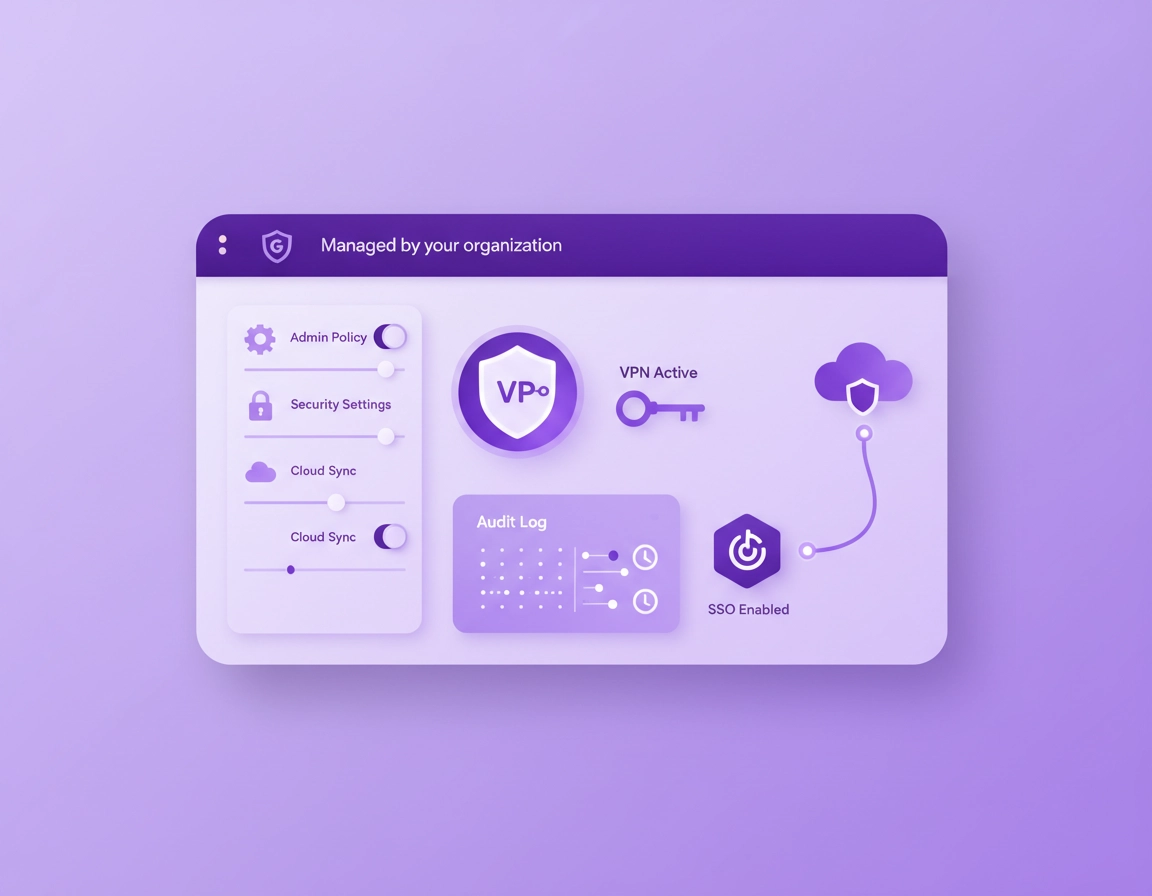
What “VPN compliance in Chrome” really means .
This guide reflects how auditors and security engineers evaluate controls, not marketing claims.
“Corporate compliance” isn’t a checkbox you tick by installing a VPN extension. In regulated environments, you’re judged on whether your controls are defined, enforced, monitored, and evidenced. That last word matters: if you can’t produce evidence (policies, logs, screenshots, configuration exports, vendor attestations), you don’t have a reliable control — you have a preference.
A VPN is often part of the story because it protects data in transit, reduces exposure on public networks, and can enforce network-based access rules. But compliance programs (SOC 2, ISO 27001, HIPAA, GDPR, PCI DSS, internal risk frameworks) don’t require “a VPN” as a universal cure. They require outcomes like access control, secure transmission, logging, vendor management, incident response, and data protection. Your VPN approach must fit the control objective — and your Chrome deployment must not undermine it.
When people say “VPN for Chrome,” they could mean three very different things:
- Browser VPN extension: A Chrome extension that routes browser traffic through a provider. Useful for basic privacy and some corporate use-cases, but often limited for compliance because it may not cover other apps, may not enforce device posture, and may not provide the evidence you need.
- Device-level VPN client: A managed client that routes traffic at the OS/network layer. This is the typical compliance-friendly option because it can be always-on, tied to identity, and enforced by device management.
- SASE / ZTNA / secure web gateway: A modern pattern that combines identity-aware access, security inspection, DNS controls, and policy enforcement (sometimes with VPN-like tunneling). Often the best “compliance narrative” because it produces rich logs and strong access controls.
Related: If you’re still deciding what “VPN for Chrome” even means for your org, read VPN in Chrome vs desktop VPN (what each covers). For an enterprise-focused setup, start here: VPN for Chrome Enterprise.
Key terms (quick definitions) .
- Control objective: The security/privacy outcome you need (e.g., restrict access to internal apps, protect data in transit, log access events).
- Enforcement: A setting that users cannot bypass (policy, MDM, conditional access, network controls).
- Evidence: What you show an auditor: policy exports, screenshots, vendor reports (SOC 2/ISO), log samples, access review records.
- Split tunneling: Only some traffic goes through the tunnel; the rest goes direct. Useful, but risky when misconfigured.
- DNS leak: Your browser uses the VPN tunnel for web traffic but still resolves DNS via the local network/ISP. This can expose metadata and break policy assumptions.
- WebRTC leak: Real-time features can expose local network details in some configurations if not handled correctly.
Before you start: scope, risks, and decision points .
Before you select a vendor or push an extension, write down the compliance scope. This step is boring — and it saves weeks. Most “VPN compliance” failures happen because the team is trying to solve a network-access problem with a browser plugin, or they’re trying to claim “no logging” while also needing audit logs.
1) Define your compliance scope in one paragraph .
Answer these as a single statement you can paste into a ticket: Who needs protected access, to what resources, from where (office/home/travel), on which devices (managed/unmanaged), under which compliance obligations (GDPR, HIPAA, SOC 2, ISO 27001, internal policy), and with what evidence required (logs, reports, access reviews).
2) Decide: extension-only vs device-level VPN vs SASE/ZTNA .
- Choose extension-only if your primary risk is casual browsing on untrusted networks and you do not need strong access controls for internal apps. (Still: you’ll need extension governance and proof it’s installed/enforced.)
- Choose device-level VPN if you need “always-on” coverage, you handle regulated data, or you must ensure traffic cannot bypass the tunnel.
- Choose SASE/ZTNA if you need identity-aware access, app segmentation, conditional policies, and strong audit logging across remote users.
Related: If your compliance story includes device governance and policy enforcement, this is your backbone: Chrome Enterprise Guide. If your VPN needs to be enforceable, read: VPN for Chrome policy enforcement.
3) Identify your biggest risk category .
Compliance isn’t just “encryption.” Pick the dominant risk so you don’t overbuild the wrong thing:
- Data exposure in transit: staff on public Wi-Fi, travel, cafes, client sites.
- Unauthorized access: credentials reused, shared, phished; weak device posture.
- Shadow IT: users install random VPN extensions, bypass corporate policies.
- Evidence gaps: you can’t prove enforcement, can’t show logs, can’t show vendor controls.
- Jurisdiction/data residency: requirements around where traffic/logs are processed and stored.
Fast checks (do these first) .
- Check your Chrome management status: open chrome://management. If this device/browser is unmanaged, compliance controls will be harder to enforce.
- Confirm update posture: in managed fleets, verify update policy and versions to avoid “works on my Chrome” drift. See update management.
- Inventory existing VPN extensions: run an extension audit and block unknown VPNs. See Chrome extension security check.
- Decide what must be logged: security wants “who/when/from where”; privacy wants “minimum necessary.” Don’t promise “no logs” if you need auditability.
Compliance mapping (practical, not legal advice) .
Different frameworks name things differently, but your VPN/Chrome controls typically support these common areas:
- Secure transmission / encryption in transit: VPN tunnel + modern protocols + secure DNS behavior.
- Access control: SSO, conditional access, least privilege, segmentation, allowlists.
- Change management: policy updates, approved configurations, version control, documentation.
- Logging & monitoring: connection events, admin actions, anomaly detection, alerting.
- Vendor management: DPAs, security reports (SOC 2/ISO), breach notification terms.
Important: This is an engineering guide, not legal advice. If your organization has formal compliance obligations, validate requirements with your security/compliance owner and legal counsel, then implement the technical controls described here.
Step-by-step: compliance-ready deployment flow .
Think of this as a repeatable workflow you can run for every regulated team, office location, or client environment. The goal is to end with three outputs: (1) enforced configuration, (2) centralized evidence, and (3) a short, defensible narrative.
- 1 Define the control objective (one paragraph) and decide whether you need extension-only, device VPN, or SASE/ZTNA.
- 2 Select a vendor by capabilities (SSO, logs, posture, protocols, admin controls, data processing terms) — not by marketing.
- 3 Harden Chrome first: enforce extension allowlists, block unknown VPN extensions, and lock down risky browser paths.
- 4 Deploy and enforce the VPN client/extension (users cannot disable it for in-scope work).
- 5 Verify leak protections (DNS, WebRTC) and document your test method.
- 6 Turn on auditing: connection logs, admin changes, access events, and alerting for anomalies.
- 7 Package evidence (policy exports + screenshots + vendor reports + sample logs) into an “audit folder.”
- 8 Create an “undo” plan (break-glass access) and a troubleshooting playbook.
What “success” looks like: A new device in scope can be enrolled, receive Chrome policy, receive VPN policy, authenticate via SSO, and produce verifiable logs showing protected access — without users having the ability to bypass the tunnel or install unapproved VPN extensions.
Related: If you need a broader decision guide, start with best VPN for Chrome, then read the enterprise version: best enterprise VPN for Chrome.
Vendor capability checklist (compliance angle) .
When compliance is involved, you’re not buying “a VPN.” You’re buying a managed security control. Here’s what to ask for (and what to store as evidence):
- Identity integration: SSO (SAML/OIDC), MFA enforcement, user lifecycle/SCIM if available.
- Administrative controls: centralized console, role-based access control, change logs for admin actions.
- Audit logs: user connection events, device identifiers, IP/egress location, policy applied, failures. Export to SIEM if possible.
- Encryption & protocols: modern protocols (e.g., WireGuard or well-configured OpenVPN/IKEv2), strong ciphers, forward secrecy. (Exact choices depend on your environment.)
- DNS controls: ability to prevent DNS leaks, optionally provide secure DNS, and log DNS events where appropriate.
- Device posture: integrate with MDM/EDR posture or provide checks (managed device, OS version, disk encryption, security agent present).
- Data processing terms: DPA, breach notification obligations, retention options, data residency where required.
- Independent assurance: SOC 2 Type II report and/or ISO 27001 certification, penetration test summary, security whitepaper.
- Support & SLA: uptime commitments, incident response process, escalation path, status page history.
Chrome policy baseline (what to enforce first) .
Your VPN can be perfect, but compliance still fails if users can install random extensions, bypass inspection, or route around the tunnel. A compliance-friendly Chrome posture typically includes:
- Extension governance: allowlist approved extensions, block everything else, and specifically block unknown VPN/proxy extensions. Start with extension security check and enterprise extension management.
- Secure DNS decisions: decide whether DNS should be handled by VPN/SASE or by Chrome Secure DNS and ensure you don’t create split-brain behavior. See secure DNS setup.
- Proxy/VPN routing clarity: avoid competing routing layers. If you use a corporate proxy/SWG, understand how it interacts with VPN. See Chrome proxy settings guide and VPN vs proxy differences.
- Account/sync posture: ensure corporate browsing happens in a managed profile/account and you’re not mixing personal sync with regulated work. See sync settings and sync security risks.
Common variations (Windows, macOS, mobile) .
- Windows / ChromeOS: easiest to enforce at scale when paired with device management (GPO/MDM and Google Admin for ChromeOS). Use this as your compliance “gold standard.”
- macOS: very enforceable with MDM, but watch user-installed profiles and conflicting network filters. Keep a clean “one owner” model for routing (VPN/SASE vs proxy).
- Android / iPhone: compliance typically requires device-level VPN/managed profiles. Browser-only VPN is rarely enough for regulated work because other apps can still exfiltrate data.
Advanced: controls, evidence, and auditor-grade hardening .
This section is where you earn “high-value” compliance traffic: the difference between “we use a VPN” and “we have an enforceable control with evidence.” If you’re building a real program, treat this as a menu: pick the controls your scope requires, then document and test them.
Related: If you’re designing a broader enterprise browsing program, start with Chrome Enterprise compliance and audit logging. For VPN controls specifically, see VPN for Chrome IT admin guide.
Control #1: Enforcement (users cannot bypass) .
Enforcement is the heart of compliance. If a user can “disconnect,” install a different VPN, or move browsing to an unmanaged profile/device, your control becomes a suggestion. Choose an enforcement strategy that matches your scope:
- Always-on device VPN: best for regulated workflows. Even if Chrome is locked down, device VPN ensures other apps don’t bypass your protections.
- Identity-aware access: require access to corporate apps only through an approved tunnel/gateway and deny access from unknown networks or unmanaged devices.
- Chrome extension enforcement: if using an extension, enforce installation via admin policy and block removal for the in-scope organizational units.
Control #2: Identity & access (SSO, MFA, least privilege) .
A VPN that authenticates with a shared username/password is a compliance weak point. Prefer identity integration: SSO + MFA + lifecycle management. Your compliance story is stronger when you can show that access is tied to corporate identity, that access is revoked automatically when employment ends, and that high-risk logins trigger step-up authentication.
- SSO (SAML/OIDC): tie VPN access to your IdP and enforce MFA.
- Role-based access: finance/legal/engineering may require different egress locations, split tunneling rules, or inspection policies.
- Access reviews: maintain a periodic review of who has VPN access for regulated resources.
Control #3: Logging that doesn’t violate privacy .
This is the common tension: compliance wants audit logs; privacy wants minimization. The solution is to log events and policy decisions, not “everything someone does.” In most organizations, the defensible baseline is: connection events + authentication events + admin changes + policy applied. Content-level browsing logs should be limited to security needs, documented, and retained only as long as required.
Recommended minimum logs .
- User identity: who connected (SSO identity), including failed authentication attempts.
- Device context: device ID or MDM device record, OS version, managed/unmanaged flag.
- Network context: egress region/IP pool, tunnel protocol, connection time, disconnect reason.
- Policy decision: what policy applied (e.g., “Finance-Strict”), split tunneling state, DNS handling mode.
- Admin actions: who changed policy, what changed, and when.
If your vendor claims “no logs,” interpret that carefully. Many providers mean “we don’t log browsing history.” For compliance, you still need operational and security logs (connection events, policy, admin changes). The question is: can you configure log retention and data access appropriately? This ties directly into your internal privacy policy posture.
Control #4: DNS, WebRTC, and “it says connected” fallacies .
A compliance claim fails fast if traffic leaks around your control. Two common leak paths in Chrome-world are: (1) DNS resolution leaving outside the tunnel, and (2) WebRTC/network discovery behavior in real-time apps. If you need to prove protection, you must test and document it.
- DNS leaks: treat DNS as part of the control boundary. Test using your standard method and keep a record. Start here: DNS leak test guide.
- WebRTC leaks: understand what your VPN/extension does with WebRTC. Fix guidance: WebRTC leak fix.
- Secure DNS settings: do not accidentally create two competing DNS strategies (VPN DNS + Chrome Secure DNS). If you rely on VPN DNS, enforce Chrome behavior accordingly. See: DNS over HTTPS settings.
Control #5: Split tunneling (useful, but dangerous when sloppy) .
Split tunneling is often required for performance (video calls, SaaS traffic, local printing), but it’s a frequent compliance failure mode. The most common mistake is “split tunnel everything except internal apps” without accounting for: authentication flows, DNS resolution, cookie/session scope, and data exfil paths.
A safer approach is “tunnel only what must be tunneled” plus enforce strong controls on what can leave: DLP rules, web filtering, and strict egress IP policies for regulated apps. If you use split tunneling, you should be able to answer: Which domains/IPs are forced through the tunnel? and What stops sensitive data from going direct?
Control #6: Dedicated IP, allowlisting, and corporate SaaS .
Some corporate services still rely on IP allowlisting. For compliance, that can be a helpful control (only allow logins from known IPs), but it can also be brittle. A dedicated IP or controlled egress pool makes the control consistent. If your access policy includes IP allowlisting, read: VPN for Chrome with dedicated IP.
Control #7: Kill switch expectations (especially in browser extensions) .
“Kill switch” is a strong term — and it’s frequently misunderstood. A true kill switch blocks traffic if the tunnel drops. Many VPN extensions can only control browser traffic, not the whole device, and some cannot reliably enforce “no traffic outside tunnel” across all failure modes. If kill switch is in your control narrative, validate what it actually does in your environment: VPN for Chrome with kill switch.
Evidence pack: what to keep for audits .
If you want to sleep during audit season, build an “evidence pack” folder and update it quarterly (or whenever policies change). Here’s a practical checklist:
| Evidence item | What it proves | Where it comes from | Update cadence |
|---|---|---|---|
| Chrome policy export (extensions) | Only approved extensions allowed; VPN control enforced | Admin console / policy templates | Quarterly + on change |
| VPN/SASE policy export | Tunnel enforcement, split tunneling rules, DNS behavior | VPN admin console | Quarterly + on change |
| SSO/MFA policy screenshot | Identity protection and MFA required | IdP configuration | Quarterly |
| Log samples (redacted) | Auditability: who/when/policy applied | SIEM / vendor logs | Monthly spot-check |
| Vendor assurance report | Third-party controls (SOC 2/ISO) | Vendor trust portal | Annually / on renewal |
| Leak test record | DNS/WebRTC behavior matches claims | Test procedure + screenshots | On major updates |
Common alternatives users compare .
- Free VPN extensions vs premium VPN services (compliance risk is usually in the free tier)
- VPN vs proxy vs secure web gateway (controls and evidence differ)
- Traditional VPN vs zero-trust access (identity + posture as first-class controls)
- VPN extension vs desktop VPN (coverage and enforcement)
Privacy & security notes (leaks, DNS, logging, data) .
Corporate compliance sits between two forces: security (prove who did what, stop threats) and privacy (minimize data collection, respect user rights, reduce exposure). A compliant VPN/Chrome program is honest about the tradeoffs and documents them.
Impact: Affects traffic routing, DNS behavior, identity logging, egress jurisdiction, and how easily users can bypass controls.
Related: If your compliance focus is privacy law, start with VPN for Chrome GDPR compliance. If you handle healthcare workflows, see VPN for Chrome HIPAA compliance. For security assurance, see VPN for Chrome SOC 2 compliance.
Recommended baseline settings (by intent) .
- Option A (balanced compliance): Managed Chrome + enforced approved VPN/SASE + connection/admin logs + DNS leak protection + basic web filtering.
- Option B (maximum security): Always-on device VPN + conditional access (deny unmanaged devices) + strict extension allowlists + rich logging/alerting.
- Option C (compatibility-first): Split tunneling for non-sensitive traffic + forced tunnel for regulated apps + dedicated IP allowlisting if required.
Recommended settings by goal .
| Goal | Recommended setup | Tradeoff | Best for |
|---|---|---|---|
| Balanced | Managed Chrome + enterprise VPN + SSO/MFA + connection logs | Requires admin overhead | Most organizations |
| Maximum security | Always-on device VPN + ZTNA + strict extension allowlist + SIEM alerts | More friction; more tuning | Regulated teams |
| Compatibility | Split tunneling + forced tunnel for regulated apps + dedicated IP allowlist | Misconfig risk if scope drifts | Hybrid SaaS + legacy apps |
Threat model notes you can copy into documentation .
- Public Wi-Fi risk: VPN reduces exposure to local network interception, but doesn’t prevent phishing or account takeover.
- Account takeover risk: Mitigate with SSO/MFA, strong password hygiene, and device posture checks. Consider pairing with a managed password manager program.
- Extension risk: Unvetted extensions can exfiltrate data even if a VPN is used. Enforce allowlists. See extension risk analysis.
- Data residency risk: A VPN can shift processing to another region. Handle this explicitly in vendor review and privacy documentation.
Troubleshooting .
Related: If extensions are involved, start with Chrome extension security check. If performance is a complaint, see VPN performance impact and Chrome network optimization.
Problem: “VPN is connected, but traffic still leaks” .
This is usually DNS leakage or split tunneling. First, run your standard test: DNS leak test guide. Then verify whether Chrome Secure DNS is enabled in a way that conflicts with VPN DNS. If your corporate standard is VPN/SASE-managed DNS, align Chrome settings/policy so Chrome doesn’t override with a different resolver.
Problem: “Users can uninstall the VPN extension” .
That’s an enforcement gap. In a managed environment, the extension should be pushed by policy and removal should be blocked for in-scope users. Also block installation of unapproved VPN/proxy extensions using your allowlist/blocklist model. If you need a blueprint, start with: Chrome enterprise extension management.
Problem: “Some corporate sites break when VPN is on” .
Common causes: geo-based access rules, IP allowlisting mismatches, TLS inspection conflicts, or a required local network path. Fix options (choose the smallest change):
- Use a dedicated IP: stabilizes allowlisting. See dedicated IP guide.
- Split tunnel only the breaking dependency: avoid broad “split tunnel everything.” Document scope and retest leaks.
- Switch protocol/endpoint: some networks block certain VPN protocols. See VPN protocols compared.
Problem: “Performance dropped a lot after VPN deployment” .
VPN overhead is real: encryption, routing distance, and inspection can slow things down. Measure before and after. If performance is part of your compliance program (user productivity, service availability), document your tuning: speed optimization tips and performance test guide.
Problem: “We need compliance logs, but privacy team says ‘no logging’” .
Reframe the question. You’re not choosing between “all logs” and “no logs.” For compliance, keep minimum necessary logs: authentication, connection events, admin changes, and policy decisions — with defined retention and restricted access. Avoid collecting browsing content unless you have a documented security need and a policy basis. Write this down and add it to your evidence pack.
If you need to reset safely (break-glass approach) .
Every enforcement control needs a break-glass plan for outages. Create a temporary exception group (time-limited), with a documented approval flow, and log every use. When the incident is over, revoke the exception and document the closure. This is often required for maturity in SOC 2/ISO programs because it shows controlled exception handling.
FAQ .
-
helpIs a VPN extension in Chrome enough for corporate compliance?Sometimes, but rarely for regulated work. A browser-only VPN may not cover other applications, may not enforce always-on behavior, and may not produce the evidence you need. For compliance, most organizations use managed Chrome plus an enforceable device-level VPN or SASE/ZTNA approach.
-
helpWhat proof do auditors usually want for “VPN compliance”?They typically want evidence of enforcement and monitoring: policy exports showing required configuration, logs showing connection and admin change events, and vendor assurance documents (like SOC 2/ISO). A short control narrative plus sample log entries (redacted) usually goes a long way.
-
helpCan we claim “no logs” and still be compliant?Be careful with wording. You can often avoid logging browsing content while still keeping necessary security logs (auth, connection events, admin changes). Compliance usually requires some auditability; aim for “minimum necessary logging” with restricted access and defined retention.
-
helpHow do we prevent users from installing random VPN extensions?Use managed Chrome extension governance: allowlist approved extensions, block installs outside that list, and enforce installation of the corporate VPN extension (if applicable). Pair this with monitoring so new/unknown extensions trigger alerts or are blocked automatically.
-
helpWhat’s the biggest hidden risk when deploying VPN for Chrome?Leak paths and bypass. DNS leakage, split tunneling mistakes, and unmanaged profiles/devices are the common reasons a “VPN control” fails in audits. Test DNS/WebRTC behavior, lock down Chrome policies, and document enforcement.
-
helpDoes a VPN replace other browser security controls?No. A VPN helps with traffic protection and access routing, but it doesn’t stop phishing, malicious extensions, or credential theft on its own. For a strong compliance posture, combine VPN/SASE with extension governance, safe browsing controls, identity protection, and endpoint posture checks.
Sources & further reading .
- Google Chrome Help Center
- Chrome Enterprise & Education Help
- Chrome Enterprise policy list (official reference)
- NIST Cybersecurity resources (frameworks & guidance)
- GDPR overview (public reference)
- HIPAA (HHS) overview
Disclosure: Some pages may mention tools or services. Recommendations are editorial and based on testing and operational best practices.