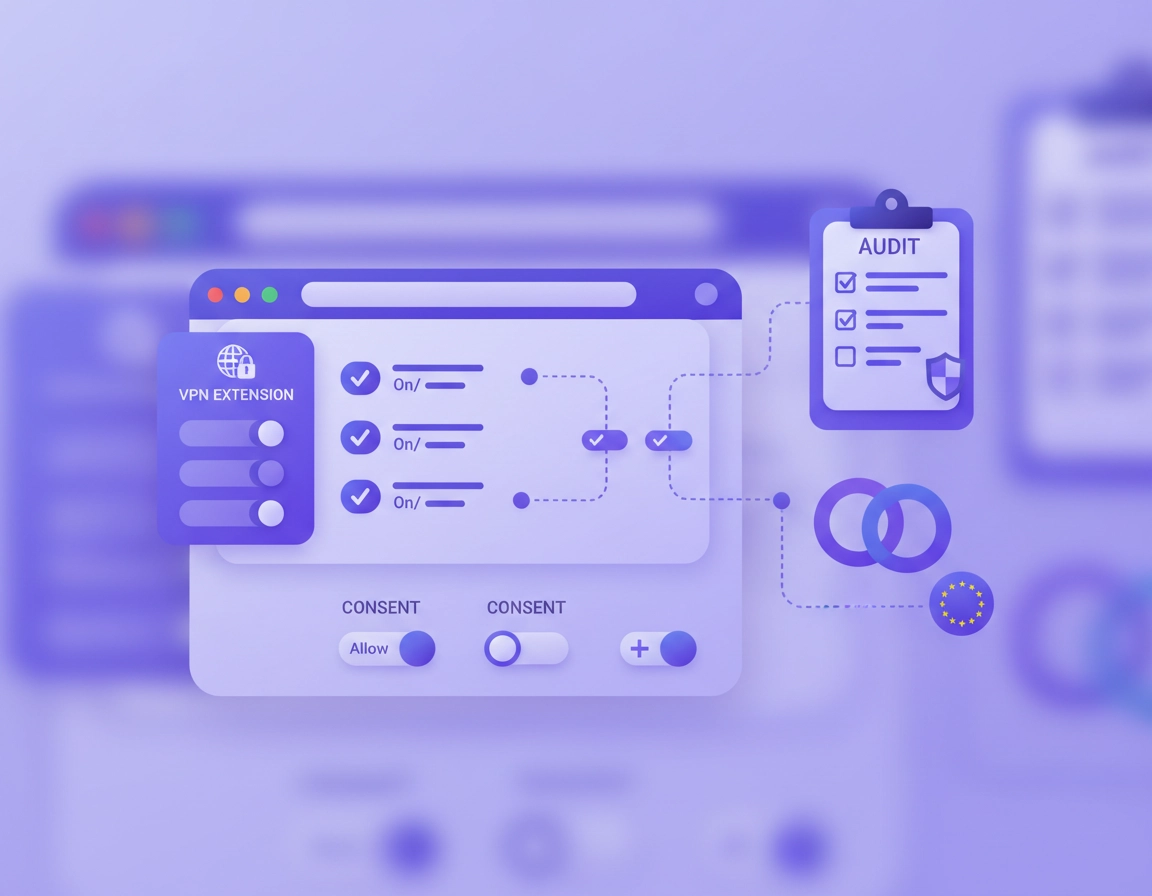
What VPN for Chrome GDPR compliance really means .
A VPN can support a privacy strategy, but it does not replace governance, contracts, minimisation, or security controls.
When people search for a VPN for Chrome GDPR compliance, they are usually trying to solve one of three problems. First, they want to reduce unnecessary exposure of browsing data, especially on public networks or remote connections. Second, they want a browser setup that is easier to justify during a privacy review. Third, they assume that routing Chrome traffic through a VPN automatically solves European data protection requirements. That last assumption is where most setups go wrong.
GDPR is about lawful, fair, and proportionate handling of personal data. In practical Chrome terms, that means asking better questions than “Is the VPN on?” You need to know what personal data is still visible, who receives it, how long it is stored, whether the provider acts on your documented instructions or for its own purposes, whether staff can install risky extensions freely, whether WebRTC or DNS requests leak outside the encrypted tunnel, and whether your internal browser policies match your written privacy posture.
For a single user, that often comes down to choosing a trustworthy service, reducing extension permissions, turning off weak browser behaviors, and avoiding unnecessary account sync. For a business, the scope gets wider. You need vendor due diligence, a data processing agreement where appropriate, retention questions, regional routing awareness, extension allowlists, policy-based controls, and a documented reason for using a browser-only VPN instead of a full-device solution.
The key mindset shift is this: a VPN is one control in a layered privacy model. It is not the model itself. Chrome, extensions, identity providers, ad scripts, analytics tags, browser sync, cookies, downloaded files, and internal SaaS tools can all remain part of the personal-data picture even when a VPN is active.
Related: Start with the broader buying guide at Best VPN for Chrome, then compare browser-only tools against full-device protection in VPN Chrome vs Desktop VPN.
Key terms you should understand first .
- Controller: the person or organization deciding why and how personal data is processed.
- Processor: a service provider processing personal data on behalf of the controller under agreed terms.
- Data minimisation: collecting or exposing only the data genuinely needed for the purpose.
- Retention: how long logs, session records, or account data are kept before deletion.
- Extension permissions: what a Chrome extension can read, change, intercept, or route within the browser.
- Leak protection: measures that stop IP, DNS, or WebRTC traffic from exposing identifying network details outside the intended secure path.
Before you start: fast checks .
Before you spend time rewriting policies or installing tools, do a quick reality check. Most teams can identify 80% of the GDPR risk in a Chrome VPN setup with a short audit of access, logs, and browser behavior.
Related: If you are working through this from the browser side first, read Chrome Privacy Compliance Setup and Chrome Enterprise GDPR Compliance.
- Check the deployment model: Is this a browser extension, a desktop VPN app, or both? Browser-only VPNs usually protect less than users assume.
- Check extension permissions: Review exactly what the Chrome extension can read and change on sites you visit.
- Check leak surfaces: Confirm DNS, WebRTC, and split-routing behavior. A VPN that leaves these exposed weakens the privacy argument.
- Check provider logging: Look for session metadata, connection timestamps, IP handling, diagnostics, crash reporting, and account analytics.
- Check geography: Know where the provider is based, where traffic exits, and whether admin data or logs may leave your preferred region.
- Check account coupling: If the same browser profile is signed into multiple services, a VPN alone may not meaningfully reduce profiling.
- Check business controls: If this is for staff, can you allowlist or block extensions centrally and document the approved configuration?
Step-by-step: safer setup path .
This is the practical path I would use for a solo professional, consultant, startup team, or compliance-minded small business using Chrome heavily. It is intentionally conservative: reduce risk first, then optimise convenience.
- 1 Choose the right architecture. If you need stronger protection for work data, prefer a full-device VPN or centrally managed browser setup. Use a Chrome VPN extension only when you specifically want browser-scoped traffic control.
- 2 Review the VPN provider’s logging, retention, and business terms. Look for clarity on diagnostics, abuse prevention logs, account metadata, and legal-process handling.
- 3 Install the Chrome extension only from the official Chrome Web Store listing or a managed enterprise deployment path, then review its site and host permissions carefully.
- 4 Reduce browser exposure. Limit third-party cookies where possible, disable unnecessary sign-in sync, review autofill, and keep site permissions tight.
- 5 Test for leaks. Validate DNS behavior, WebRTC exposure, and whether traffic really exits where the extension claims.
- 6 Document the decision. Write down why this tool was chosen, what data it can process, which teams may use it, and when a stronger control is required.
- 7 For teams, move from trust to enforcement. Use Chrome Enterprise or your device-management stack to control installations, approved extensions, and policy consistency.
What success looks like: you can explain the VPN’s scope, prove the extension is constrained, show that leaks are addressed, and demonstrate that your organization has not confused “encrypted browser traffic” with “GDPR solved.”
Related: For technical setup details, see How to Install VPN Extension in Chrome, VPN Extension Permissions in Chrome, VPN Chrome DNS Leak Test Guide, and VPN Chrome WebRTC Leak Fix.
What to document internally .
- Purpose: why the VPN is used in Chrome at all
- Scope: which users, devices, countries, and browser profiles are covered
- Data categories: account identifiers, browsing metadata, connection timestamps, support logs, and billing data
- Vendor role: whether the provider acts as processor, controller, or both across different data types
- Retention: what is kept, for how long, and why
- Escalation rule: when to require full-device VPN, secure browser, or managed enterprise controls instead
Common variations by use case .
- Solo privacy user: focus on permissions, logs, and leak prevention.
- Remote team: add documented tool approval, training, and extension governance.
- Regulated workflow: do not rely on a browser extension alone if sensitive data is processed outside Chrome or across multiple apps.
- Managed devices: enforce policies centrally and keep user choice narrower.
Advanced compliance thinking for teams .
This is where the topic becomes commercially important. A lot of high-intent searches around browser privacy, enterprise browsing, and VPN compliance are really about risk ownership. Legal wants assurance, IT wants enforceability, security wants visibility, and users want the tool not to break their day. The strongest setup balances all four.
Related: For broader managed-browser context, see Chrome Enterprise Guide, VPN for Chrome Policy Enforcement, and VPN for Chrome Device Management.
The five compliance questions that matter most .
1) What personal data is involved?
Even with a VPN, personal data can include account identifiers, IP addresses, browsing destinations in some contexts, support logs, device identifiers, and security telemetry. If the extension integrates analytics or diagnostics, your map needs to include that too.
2) Who decides the purpose and means?
This is the controller-versus-processor question. A provider may process some data on your behalf while also acting independently for fraud prevention, product analytics, or service improvement. That distinction matters because it shapes the contract, notices, and accountability model.
3) Is the control proportionate?
GDPR thinking rewards minimisation. If a browser extension can do the job with fewer data flows than a sprawling unmanaged stack, that can be positive. But if your users handle sensitive files, desktop apps, video calls, or local-network resources, browser-only protection may be too narrow and create compliance theater rather than real risk reduction.
4) Can you enforce it consistently?
Informal advice is not enough. Approved extension lists, blocked installs, synced policies, browser management, and periodic review make the compliance position stronger because they reduce drift between policy and practice.
5) Can you prove review and improvement?
Audits and internal reviews often go smoother when the team can show a simple decision record: why the tool was chosen, which risks it addresses, which risks remain, and what alternate control is used for higher-risk processing.
When a Chrome VPN extension is reasonable .
- Low-to-moderate risk browser work where the main goal is reducing network exposure in Chrome
- Teams that mainly use SaaS inside the browser and can govern extensions tightly
- Travel, remote work, or public Wi-Fi scenarios where browser traffic needs added privacy but the environment is otherwise managed
- Layered setups where the extension is a convenience tool, not the only privacy control in play
When it is not enough .
- Workflows involving files, desktop apps, local sync clients, messaging apps, or remote desktop tools outside Chrome
- Highly regulated sectors where monitoring, segmentation, logging controls, and stronger endpoint posture are expected
- Organizations that cannot answer vendor, routing, or retention questions clearly
- Situations where users can freely add overlapping privacy or proxy extensions that create unknown behavior
Common alternatives users compare .
- Chrome VPN extension vs full desktop VPN client
- Unmanaged extension installs vs enterprise allowlists and policy control
- VPN for browser privacy vs secure browser or zero trust browser stacks
- VPN-based network privacy vs broader compliance tooling for browser management
Related: Explore VPN vs Zero Trust Browser Security Explained, VPN vs Built-In Chrome Security, and Best Chrome Compliance Tools.
Privacy & security notes .
The strongest privacy angle here is not “hide everything.” It is “expose less, control more, and document why.” That is a better fit for both real security and practical GDPR thinking.
Impact: Affects network metadata exposure, extension trust, routing visibility, policy consistency, vendor risk, and the credibility of your privacy posture.
Related: If you are evaluating trust signals, read VPN Chrome No-Logs Policy, VPN Encryption Explained for Chrome, and VPN Protocols for Chrome Compared.
Recommended baseline by scenario .
- Option A: Balanced — reputable provider, minimal extension permissions, cookie tightening, safe browser defaults, leak testing, documented use case.
- Option B: Privacy-first — full-device VPN preferred, Chrome sync minimized, restrictive extension policy, stricter site permissions, regional routing decisions documented.
- Option C: Compatibility-first — VPN used selectively for browser sessions, split behaviors documented, exceptions approved for apps or services that do not tolerate routed traffic well.
Recommended settings by goal .
| Goal | Recommended setup | Main tradeoff | Best for |
|---|---|---|---|
| Balanced privacy | Trusted VPN service, Chrome extension with reviewed permissions, WebRTC and DNS checks, tighter browser privacy settings | Some site friction and admin overhead | Most professionals and small teams |
| Maximum defensibility | Managed browser or device VPN, allowlisted extensions only, documented vendor review, policy enforcement, limited sync | Less convenience and more rollout effort | Compliance-minded businesses |
| Compatibility first | Selective VPN use in Chrome, controlled exceptions for specific workflows, monitoring for breakage | Weaker privacy consistency | Legacy web apps and mixed environments |
Mini audit checklist for your records .
- Have we identified what user and connection data the VPN provider still processes?
- Do we know whether the extension changes site data, proxy settings, or both?
- Have we tested for DNS and WebRTC leaks in the actual environment users work in?
- Do we know which countries or regions traffic and management data may transit?
- Do our browser policies match the guidance we give to staff?
- Do we know when a browser VPN is insufficient and a stronger control must be used?
Troubleshooting common mistakes .
Related: For setup and breakage issues, see VPN for Chrome Troubleshooting Guide, VPN for Chrome Connection Issues Fix, and VPN for Chrome Best Settings Guide.
If your team says “we’re compliant because we use a VPN” .
This is the most common conceptual error. Fix it by separating three layers in your documentation: transport security, browser privacy configuration, and data governance. Then list what each layer covers and what it does not. That usually exposes blind spots immediately and improves internal training.
If sites break after tightening the setup .
The breakage may come from blocked cookies, altered geolocation behavior, login challenges, aggressive DNS filtering, or the VPN exit location. Test one variable at a time. Keep a narrow exception list instead of weakening the full privacy posture for everyone.
If the extension looks private but still leaks identifying data .
Check WebRTC, system DNS behavior, split routing, and whether the extension only affects browser tabs while other supporting apps remain exposed. In many cases the correct answer is to move from extension-only protection to a device-level solution for work sessions that involve multiple tools.
If staff keep installing random VPN or proxy extensions .
This is no longer just a user-choice issue. It is a policy and governance issue. Use managed browser controls, approved-extension lists, and periodic reviews. Uncontrolled extension sprawl creates unknown data flows and weakens any GDPR argument you are trying to make.
If you need to reset safely .
Remove unapproved extensions, return Chrome privacy settings to a known internal baseline, clear test profiles if needed, and reinstall only the reviewed VPN tool. If the environment is business-managed, capture the previous configuration first so you have a before-and-after record for troubleshooting.
FAQ .
-
helpDoes a VPN for Chrome make me GDPR compliant by itself?No. A VPN can improve privacy and reduce exposure of certain network data, but GDPR compliance depends on lawful processing, minimisation, contracts, transparency, security measures, retention practices, and accountability across the whole workflow. Think of the VPN as one control, not the whole answer.
-
helpIs a Chrome VPN extension enough for business use?Sometimes, but only for narrower browser-scoped use cases. If employees also use desktop apps, sync clients, video calls, or local-network resources, a full-device VPN or managed browser approach is usually more defensible. Extension-only protection is often too limited for sensitive workflows.
-
helpWhat is the biggest privacy risk with VPN extensions in Chrome?The biggest risk is misplaced trust. Users often assume the extension protects more than it really does. The second big risk is permissions and logging: if the extension has broad access or the provider collects more operational data than expected, your privacy posture may be weaker than the marketing suggests.
-
helpWhat should I review before approving a VPN for staff?Review provider terms, logging and retention disclosures, traffic scope, country routing, extension permissions, leak protections, deployment method, and whether the tool can be governed through Chrome Enterprise or your device-management stack. Also define when employees must use a stronger control than a browser extension.
Sources & further reading .
- Chrome Enterprise Help: Privacy resource center
- Google Chrome Help: Install and manage extensions
- Chrome Enterprise Help: Allow or block apps and extensions
- Chrome Enterprise Help: Set Chrome policies for users or browsers
- Chrome Enterprise Policy List
- Chrome Enterprise Policy: WebRTC IP handling
- European Commission: GDPR principles overview
- European Commission: Data protection explained
- Google Business Safety: Data protection law compliance
Editorial note: This page is a practical guide, not legal advice. GDPR obligations depend on your use case, vendor terms, data flows, and local regulatory interpretation.