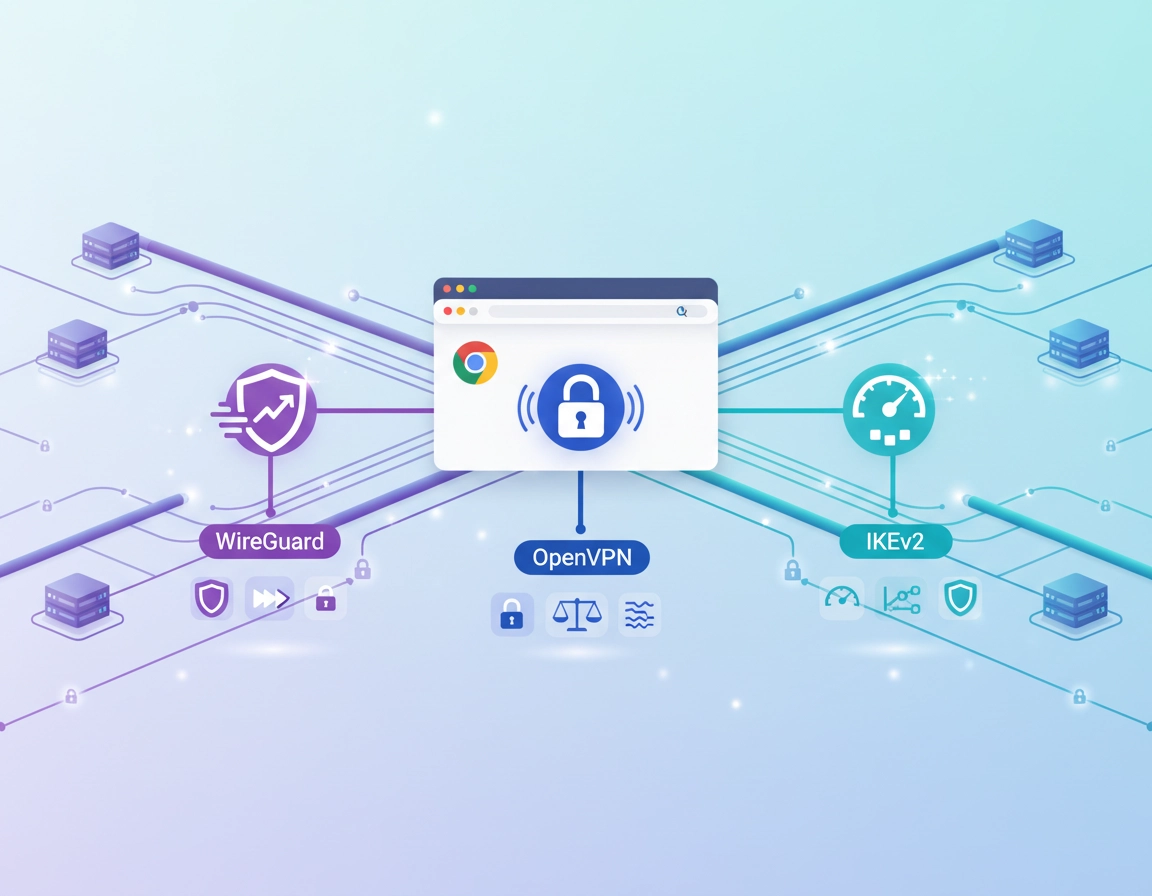
Why VPN protocol choice matters in Chrome .
When people shop for a VPN for Chrome, they usually compare brand names, prices, free plans, or extension ratings first. That is understandable, but it misses one of the most important technical variables: the protocol. The protocol is the ruleset that determines how the encrypted tunnel is created, how keys are exchanged, how packets move, how well the connection survives network changes, and how much overhead the browser feels while you work.
In plain English, the protocol helps decide whether your VPN feels fast or sluggish, stable or temperamental, lightweight or battery-hungry. It also affects how well the setup handles restrictive hotel Wi-Fi, corporate filtering, public hotspots, or frequent switching between home broadband and mobile tethering. On Chrome, those differences show up in page load times, login flow reliability, streaming quality, WebRTC behavior, and whether the browser feels “sticky” under heavier network conditions.
The biggest mistake I see is treating protocol names like marketing labels. They are not. WireGuard, OpenVPN, and IKEv2 are not interchangeable. They reflect different design philosophies. WireGuard focuses on lean modern cryptography and low overhead. OpenVPN is older, battle-tested, and extremely flexible. IKEv2 is often praised for reconnecting cleanly when network conditions change, especially on mobile devices. Older protocols such as PPTP or L2TP/IPsec may still appear in old tutorials or legacy environments, but they should not be your first choice for a modern Chrome security setup.
For a Chrome user, protocol choice also intersects with another critical issue: whether your VPN protects only the browser or the entire device. That is why this article does not just rank protocols in the abstract. It explains which protocol makes sense for Chrome browsing, Chrome extensions, remote work, secure public Wi-Fi, streaming, enterprise policy control, and high-sensitivity business traffic.
Related: If you want the bigger picture first, start with Best VPN for Chrome and then compare this page with How VPN Works in Chrome.
Chrome extension vs full-device VPN protocol reality .
Before comparing protocols, we need to be precise about what “VPN for Chrome” means. Some products are true device-level VPN clients that create a tunnel for your operating system. Chrome traffic then travels inside that system-wide encrypted path, along with other apps if configured that way. In this model, protocol choice is usually explicit. You may be able to select WireGuard, OpenVPN UDP, OpenVPN TCP, or IKEv2 in the app settings.
Other products are Chrome browser extensions that route traffic from the browser only. In some cases they are tightly integrated with the desktop client. In other cases they function more like an encrypted browser proxy. That does not automatically make them bad, but it does mean the protocol conversation changes. The extension may simplify choices, abstract protocol details, or use a provider-specific transport method that is not the same as the desktop app.
This matters because many users assume that installing a Chrome extension with a big “connected” button gives them full VPN behavior. Sometimes it does not. A browser-only connection may protect web requests originating from Chrome while leaving other apps outside the tunnel. DNS handling, IPv6 behavior, WebRTC exposure, and local network access can also differ depending on how the extension was built.
Chrome extension only
Best for quick browsing privacy, geo-routing of browser traffic, and lightweight convenience. Usually simpler, but not always equal to a full VPN tunnel.
Desktop VPN app + Chrome
Best when you want protocol selection, stronger device-wide protection, more reliable leak control, and a cleaner security story for public Wi-Fi or work devices.
Managed enterprise setup
Best when policy, auditability, centralized deployment, and risk reduction matter more than one-click convenience inside the browser.
Related: If you are deciding between extension-only and full-device protection, read VPN Chrome Extension vs Desktop VPN and VPN Extension Permissions in Chrome.
- Use a browser extension when your goal is mainly Chrome traffic privacy, simple location switching, or fast access to a particular site through the browser.
- Use the desktop VPN app when you care about protocol control, full-device encryption, safer public Wi-Fi use, or protecting non-browser traffic as well.
- Use managed deployment when your company needs consistent policy enforcement, approved configuration baselines, and user support that does not depend on every employee understanding protocol tradeoffs.
WireGuard, OpenVPN, IKEv2, and older protocols at a glance .
Here is the short version. WireGuard is the modern favorite because it is lean, efficient, and usually feels fastest in daily browsing. OpenVPN remains the workhorse for compatibility and mature deployment. IKEv2 shines when quick reconnection matters, especially on laptops moving between networks or phones switching between LTE and Wi-Fi. PPTP is outdated and should be avoided. L2TP/IPsec is mostly a legacy fallback today, not a first-choice protocol for a modern Chrome privacy or security strategy.
WireGuard .
WireGuard is designed to be compact, efficient, and modern. In real-world Chrome use, that usually translates into lower latency, faster connection establishment, and better browsing responsiveness. It is particularly appealing for people who want a VPN to feel almost invisible while browsing, opening many tabs, joining web apps, or working in cloud-based tools all day. WireGuard is also often easier on CPU usage than older protocols, which can help battery-conscious laptop users.
The tradeoff is that real implementation details matter. Some providers wrap WireGuard in additional privacy design choices to address operational concerns around identity mapping or session management. In other words, the protocol itself may be elegant, but the provider still has to implement it correctly. Chrome users should not assume that “WireGuard” automatically means “perfect privacy.” It usually means modern performance, but provider design still matters.
OpenVPN .
OpenVPN has been the dependable standard for years. It is flexible, widely supported, well understood by administrators, and available in both UDP and TCP modes. For Chrome users, the biggest benefit is that OpenVPN still performs well across a wide range of networks and is often the safest fallback when modern protocols struggle with a particular firewall, captive portal, or enterprise environment.
OpenVPN TCP can sometimes punch through difficult networks more reliably, but it often feels slower for browsing because of extra transport overhead. OpenVPN UDP is usually the better browsing choice when available. Compared with WireGuard, OpenVPN often consumes more resources and may feel heavier under sustained use, but it still has a strong place in serious VPN stacks, especially where stability and deployment maturity matter.
IKEv2 .
IKEv2 is frequently appreciated for resilience when the network changes. If you close a laptop, move from one Wi-Fi network to another, or jump from office Wi-Fi to a phone hotspot, IKEv2 can re-establish the session quickly. That makes it attractive for mobile users, consultants, and people who work in transit. In Chrome, this can feel smoother during roaming use, particularly when the browser is part of a full-device VPN configuration.
The limitation is not that IKEv2 is weak. It is that for Chrome-specific buying decisions, it is not always the first feature users are optimizing for. Many are choosing between a browser extension and desktop client, or comparing speed, streaming performance, and privacy behavior. In those scenarios, WireGuard or OpenVPN often dominate the conversation.
L2TP/IPsec and PPTP .
These protocols mostly belong to legacy compatibility discussions now. PPTP should be avoided. L2TP/IPsec is more defensible than PPTP, but it is still not the protocol most people should choose for a modern Chrome security setup. If you encounter either option in a current VPN buying decision, ask why the provider is emphasizing them at all.
Practical rule: for new deployments, your comparison usually begins with WireGuard vs OpenVPN, then adds IKEv2 if mobile reconnection is especially important. Everything else is either legacy or niche.
Protocol comparison table .
| Protocol | Typical speed | Connection stability | Best Chrome use case | Main weakness |
|---|---|---|---|---|
| WireGuard | Usually fastest | Very good | Daily browsing, streaming, remote work, modern laptops | Depends heavily on provider implementation details |
| OpenVPN UDP | Good to very good | Excellent | Balanced choice when you want maturity and compatibility | Heavier overhead than WireGuard |
| OpenVPN TCP | Usually slower | Strong on difficult networks | Fallback for restrictive or unstable networks | Can feel sluggish for browsing and uploads |
| IKEv2 | Fast | Excellent during network changes | Mobile work, laptop roaming, hotspot switching | Less central in Chrome extension-only discussions |
| L2TP/IPsec | Variable | Legacy-level | Compatibility fallback only | Outclassed by newer options |
| PPTP | Fast but outdated | Legacy-level | None recommended | Security should rule it out |
One subtle but important point: protocol speed and browsing speed are not the same thing. A protocol that benchmarks well in raw throughput may still feel worse in Chrome if the provider’s DNS routing is sloppy, if latency spikes during handshakes, if the extension leaks traffic outside the intended path, or if the chosen server is overloaded. Protocol quality is part of the story, not the whole story.
Best VPN protocol for each Chrome use case .
Best for most users: WireGuard .
If your typical day involves email, dashboards, browser-based apps, research, streaming, YouTube, downloads, and lots of tab switching, WireGuard is usually the best first protocol to try. It tends to offer the best balance of speed and simplicity. Chrome feels lighter under it, especially on mid-range laptops where extra overhead becomes noticeable after hours of work.
Best for compatibility and fallback behavior: OpenVPN .
OpenVPN is the safer conservative choice when you are dealing with inconsistent networks, business travel, old routers, tough firewalls, or an IT environment that values a mature, widely understood protocol. If WireGuard works beautifully 90% of the time but you need a fallback that behaves predictably in the remaining 10%, OpenVPN is often that answer.
Best for switching networks often: IKEv2 .
If you move around a lot and your laptop changes networks throughout the day, IKEv2 is worth considering. It is especially useful for consultants, frequent travelers, and remote workers who rely on mobile hotspots. Chrome sessions can recover more smoothly when the device tunnel re-establishes quickly after the connection shifts.
Best for restrictive networks: OpenVPN TCP .
This is not the first option you want, but it is a valuable rescue tool. When hotel Wi-Fi, airport networks, or corporate filtering break more efficient transports, OpenVPN TCP can sometimes work where others fail. The tradeoff is reduced performance, but having it available is better than having no secure connection at all.
| Goal | Best protocol | Why | Second choice |
|---|---|---|---|
| Fast Chrome browsing | WireGuard | Low overhead, quick handshakes, responsive feel | OpenVPN UDP |
| Public Wi-Fi travel | WireGuard | Fast and modern for normal use | OpenVPN TCP if the network is restrictive |
| Corporate fallback reliability | OpenVPN UDP/TCP | Mature, widely supported, predictable | IKEv2 |
| Mobile hotspot switching | IKEv2 | Strong reconnection behavior | WireGuard |
| Streaming in Chrome | WireGuard | Good balance of speed and low latency | OpenVPN UDP |
| Legacy compatibility | OpenVPN | Still the most dependable universal option | IKEv2 |
Speed, battery, and browsing performance .
From a Chrome user’s perspective, performance is not just about download speed. It is about how fast the browser feels. Does a new tab open and load quickly? Does a dashboard remain responsive? Do video calls in web apps remain stable? Do large cloud uploads stall? These are the moments where protocol overhead becomes visible.
WireGuard usually wins the “feels fastest” test because it keeps overhead low. On many systems, that means less CPU work, faster session setup, and lower latency under normal browsing. On battery-powered devices, that efficiency can matter over a full workday. If you keep Chrome open for hours with many active tabs, the smaller performance tax of WireGuard becomes practical, not theoretical.
OpenVPN can still perform very well, especially in UDP mode, but it often feels heavier. That does not mean it is bad. It means the protocol was designed in a different era, with flexibility and robustness taking precedence over compact minimalism. On strong hardware and good networks, the difference may be minor. On older machines, budget laptops, or heavily used corporate endpoints, the difference can become more noticeable.
IKEv2 often lands somewhere between those two in perceived browsing performance. It can be fast, but where it stands out most is graceful recovery after network disruptions. That matters when your workflow includes moving around, sleeping and waking a laptop repeatedly, or tethering from a phone while traveling.
- For constant desk-based work: WireGuard is usually the best first choice.
- For mixed network environments: OpenVPN remains an excellent backup protocol.
- For roaming use: IKEv2 deserves attention, especially in full-device clients.
Related: If performance is your main concern, see VPN for Chrome Performance Impact, VPN for Chrome Battery Usage, and VPN for Chrome Speed Optimization Tips.
Security, privacy, and leak considerations .
Protocols matter for security, but they do not tell the whole truth by themselves. A protocol can be sound and still be wrapped in a poor implementation. For Chrome users, the real question is whether the entire browsing path is handled cleanly: encrypted transport, safe DNS routing, proper IPv6 handling where relevant, and protection against browser-specific leakage such as WebRTC exposure.
WireGuard has earned a strong reputation because of its modern cryptographic design and minimal codebase. Smaller code can mean fewer places for bugs to hide. That said, real-world privacy depends on how session handling, address assignment, metadata retention, and key management are implemented by the provider. Do not mistake protocol elegance for automatic privacy perfection.
OpenVPN remains highly respected because it has been scrutinized for a long time and fits well into many mature operational models. For businesses and careful technical users, that predictability has value. If your threat model emphasizes conservative deployment practice over raw speed, OpenVPN is still a very rational choice.
IKEv2 is also strong when properly implemented, but many Chrome users never directly evaluate it because their decision begins at the browser extension level. That is why I keep repeating the extension-vs-device distinction: a secure protocol used by a device client is not the same thing as a browser-only add-on that leaves other vectors unprotected.
Impact: A poor setup can expose DNS requests, non-browser traffic, local traffic assumptions, or browser behaviors you thought were covered.
Three questions smarter buyers ask .
- Does the Chrome extension use a browser-only proxy model or integrate with a full-device tunnel?
- Does the provider offer reliable DNS leak protection and guidance for WebRTC behavior in Chrome?
- Can I choose a fallback protocol if one transport behaves badly on my network?
Related: Pair this page with VPN Chrome DNS Leak Test Guide, VPN Chrome IP Leak Protection, VPN Chrome WebRTC Leak Fix, and VPN Encryption Explained for Chrome.
Recommended settings by goal .
| Goal | Recommended protocol | Reason | Watch for |
|---|---|---|---|
| Balanced privacy + speed | WireGuard | Strong modern default for most users | Make sure DNS and browser leak protections are solid |
| Maximum deployment conservatism | OpenVPN UDP | Mature, trusted, widely supported | Extra overhead compared with WireGuard |
| Difficult network environment | OpenVPN TCP | Often survives when others fail | Reduced speed and more browsing drag |
| Roaming between networks | IKEv2 | Fast reconnection behavior | Usually more relevant in device clients than extension-only tools |
Enterprise and IT admin considerations .
In business environments, protocol choice is rarely just a speed question. It is an operational question. How easy is the solution to deploy? How predictable is it under policy? How well does it behave on locked-down endpoints? What happens when users call support from a hotel network at 10 p.m.? Those realities often make OpenVPN more attractive than consumer-oriented performance discussions would suggest.
For IT admins supporting Chrome users, the best protocol is often the one that balances security posture with support burden. A modern, efficient protocol is great, but if it causes intermittent issues on a subset of networks and your help desk now carries that cost, the “best” choice may look different. That is why many serious VPN deployments still provide multiple protocol options rather than forcing a single transport on every user.
WireGuard is increasingly attractive for remote teams because it is efficient and pleasant to use. Employees are more likely to keep security tools enabled when those tools are fast and unobtrusive. That matters. Security that users bypass is not security. But enterprises also need auditability, fallback paths, documentation, and predictable troubleshooting. OpenVPN remains valuable there because administrators know how it behaves and how to support it.
For Chrome-centric workforces, protocol selection should be paired with clear browser security policy. A VPN does not replace extension management, Safe Browsing controls, DNS strategy, identity protection, or zero-trust access design. It is one layer, not the whole stack.
Related: Enterprise readers should also review VPN for Chrome IT Admin Guide, VPN Chrome Enterprise, VPN for Chrome Policy Enforcement, VPN for Chrome Zero Trust Security, and Chrome Enterprise Guide.
When you should choose WireGuard in business .
- When user experience and performance adoption matter.
- When laptops are modern and the environment is not excessively restrictive.
- When the provider’s implementation and support model are mature enough for your team.
When OpenVPN is still the better business answer .
- When you need battle-tested fallback behavior.
- When support documentation and administrator familiarity matter heavily.
- When users connect from a wide variety of unpredictable networks and locations.
Troubleshooting protocol-related problems .
If Chrome feels slow only when the VPN is on .
First change the protocol before blaming the provider. Move from OpenVPN TCP to OpenVPN UDP if possible, or from OpenVPN to WireGuard. Then test a different nearby server location. Many “the VPN is slow” complaints are actually protocol-overhead plus bad server selection rather than a universal provider failure.
If the VPN works at home but fails on hotel or office Wi-Fi .
Try the provider’s more conservative fallback option. Restrictive networks often interfere with faster or more modern transports first. This is exactly where OpenVPN TCP can justify its existence, even if it is not the best everyday protocol.
If Chrome shows your location incorrectly or leaks browser details .
Check whether you are using an extension-only product rather than a full-device client. Then verify DNS behavior and WebRTC handling. The protocol may be fine, but the overall browser routing model may be incomplete for your expectations.
If remote work apps keep disconnecting during network changes .
Test IKEv2 in the full-device client if supported. Its reconnection behavior can be a better fit for roaming laptops and hotspot users than a protocol that benchmarks faster in static conditions.
If you need to reset safely .
Disable the browser extension, disconnect the desktop VPN, fully close Chrome, reconnect using one known-good protocol, and test in a clean browser session. Change one variable at a time: protocol, then server region, then extension or app mode. If you change all three together, you will not know what actually fixed the problem.
Related: For deeper fixes, see VPN for Chrome Troubleshooting Guide, VPN for Chrome Connection Issues Fix, and VPN for Chrome Best Settings Guide.
FAQ .
-
helpWhat is the best VPN protocol for Chrome?For most users, WireGuard is the best starting point because it usually provides the strongest mix of speed, responsiveness, and modern design. OpenVPN is still an excellent choice when compatibility and fallback reliability matter more. IKEv2 becomes especially interesting when you move between networks frequently.
-
helpIs WireGuard better than OpenVPN for Chrome?Usually, yes, if your definition of better is faster and lighter in day-to-day browsing. OpenVPN is still better in some environments because it is mature, flexible, and often more dependable as a fallback on restrictive networks. The right answer depends on your setup, not just the protocol name.
-
helpDo Chrome VPN extensions use the same protocols as desktop VPN apps?Not always. Some Chrome VPN extensions are tightly linked to the desktop client and its protocol options, while others act more like browser-only proxies. That is why protocol claims in provider marketing should always be checked against how the Chrome extension actually works.
-
helpShould I avoid older protocols like PPTP?Yes. PPTP is outdated and should not be part of a modern Chrome security setup. L2TP/IPsec may still appear for legacy compatibility, but for new deployments the real discussion should start with WireGuard, OpenVPN, and sometimes IKEv2.
-
helpWhich VPN protocol is best for business Chrome users?For many business users, WireGuard is attractive because it is efficient and improves day-to-day usability. For IT teams that prioritize conservative deployment and reliable fallback behavior, OpenVPN remains highly relevant. The best business answer often includes more than one protocol option.
Sources & further reading .
- WireGuard official project
- OpenVPN official site
- Google Chrome Help
- Chromium project resources
- IETF protocol and standards references
Editorial note: This guide is written for practical Chrome use, not protocol fanboy debates. The best choice is the one that matches your traffic scope, device model, network conditions, and support requirements.