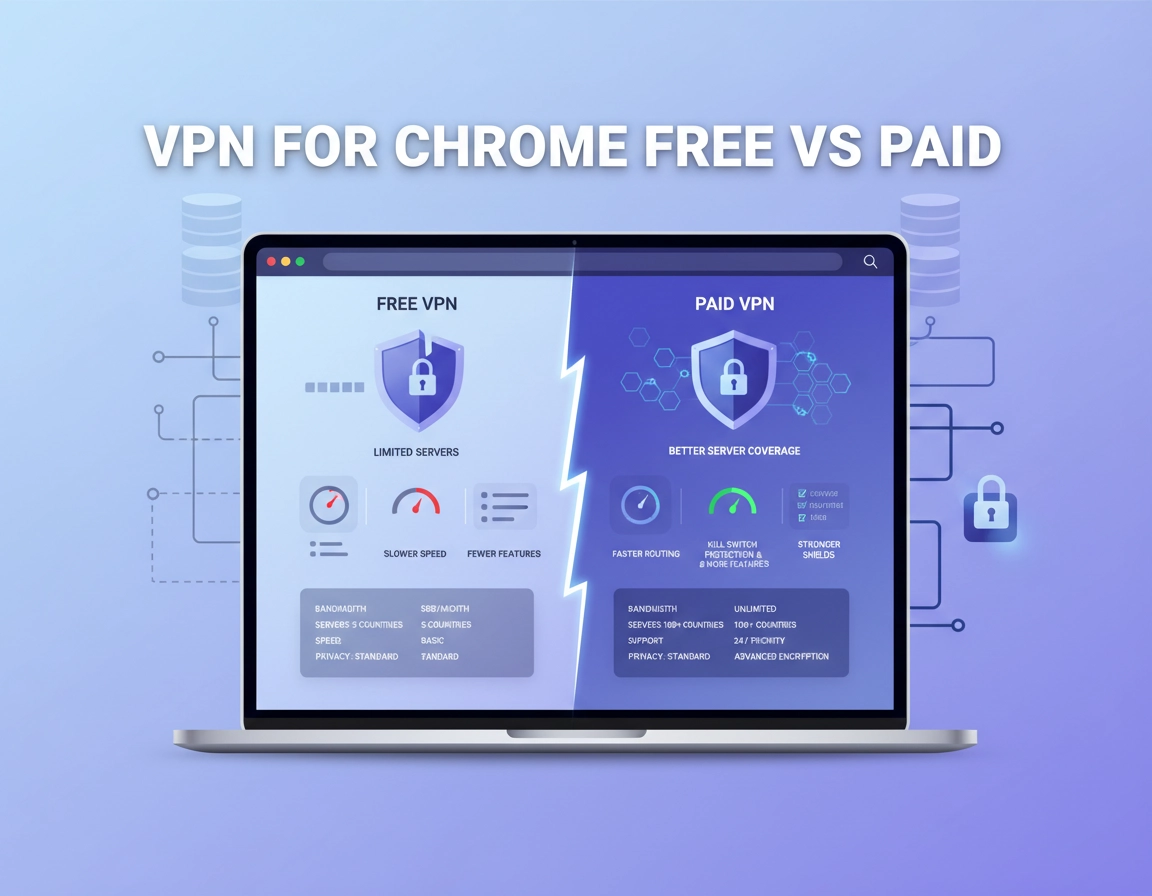
What “free vs paid” really means for Chrome users .
Most people compare free and paid VPNs as if the only variable is cost. In real Chrome usage, that is the least interesting difference.
When a user says they need a VPN for Chrome, they usually mean one of several different things. They may want basic browsing privacy, safer use on public Wi-Fi, a cleaner way to hide their IP from websites, a browser extension that feels lightweight, or a stronger security layer for work dashboards and account logins. A free VPN and a paid VPN can both address some of those goals, but they do not usually address them equally well.
The word free also hides important distinctions. Some free VPNs are genuinely limited versions of reputable paid services, designed to let you test the platform or meet light browsing needs. Others are “free” in the sense that you are not paying cash, but you are accepting stricter limits, heavier congestion, weaker support, reduced server choice, and sometimes a business model that depends on monetizing attention, data, or conversion pressure.
The word paid is not simple either. A paid VPN can mean a solid browser extension plus full desktop protection, a polished privacy suite with stronger features like kill switches or dedicated IP options, or a business plan with user management and policy controls. Some paid services are worth the money because they reduce friction and risk. Others mainly charge for branding while delivering little extra value in a Chrome-centered workflow.
The right question is therefore not “Is free bad and paid good?” The right question is “What level of privacy, speed, stability, and accountability do I actually need when I use Chrome?” A student reading general sites at home has one answer. A remote contractor on airport Wi-Fi using ad dashboards, CRMs, and billing tools has a very different one.
Related: Start with Best VPN for Chrome, then compare this page with Free VPN for Chrome, Premium VPN for Chrome, and VPN for Chrome Value Comparison.
Three buyer assumptions that cause most mistakes .
- Assumption 1: If it encrypts traffic, it must be “good enough.” In practice, the details of logging, DNS behavior, extension scope, and failure handling matter a lot.
- Assumption 2: A Chrome extension automatically protects everything. Many browser tools protect only browser traffic or act more like proxies than full VPN tunnels.
- Assumption 3: Paying always solves the problem. Some users simply do not need a premium plan, while others need features that the cheapest paid tier still does not provide.
Where a free VPN can be good enough .
There are situations where a free VPN for Chrome is entirely reasonable. If your goal is to reduce casual IP exposure, browse more privately on non-sensitive sites, or test whether a VPN workflow fits your browser habits, a well-chosen free plan can do the job. That is especially true if the free offer comes from a reputable provider using the free tier as a funnel to its paid product rather than as a vague monetization engine.
Free VPNs also make sense when you are still learning what you actually need. Many Chrome users say they want privacy but have not yet identified whether their real pain point is tracking, public Wi-Fi exposure, location control, extension convenience, or browser-based work security. A constrained free tier can help clarify that without forcing a purchase too early.
The key phrase is light and non-sensitive use. If you are reading articles, browsing forums, visiting general websites, or doing low-risk searches, a limited free VPN may be acceptable. Once the browsing becomes login-heavy, work-related, or dependent on stable performance, the weaknesses of free offerings tend to show quickly.
Signs a free VPN can fit your situation .
- You mainly want a privacy trial run before deciding whether to pay.
- You browse lightly and do not depend on many sensitive logins in Chrome.
- You can tolerate lower speeds, fewer locations, or usage caps.
- You are realistic that this is browser convenience, not a full security strategy.
Related: For the budget side of this decision, also read Cheap VPN for Chrome, VPN for Chrome Trial vs Free Plan, and VPN for Chrome Contract vs Monthly.
Where free plans usually start to feel thin .
The first weakness is often speed. Free servers tend to be more crowded, which means page loads can feel inconsistent and streaming or large downloads suffer. The second weakness is location and server choice. A free plan may give you only a small number of exit points, which is fine until you need better routing, regional flexibility, or cleaner site compatibility. The third weakness is support. When something breaks in Chrome, the difference between a polished paid service and a bare-bones free plan becomes very obvious.
Free plans can also create a false impression of what VPN use feels like. A user tries a congested free server, dislikes the lag, and concludes that all VPNs are annoying in Chrome. Often the real lesson is not “VPNs are bad,” but “this particular free setup is under-provisioned for my expectations.”
Where a paid VPN clearly wins .
Paid VPNs start to justify themselves the moment browsing becomes consequential. That does not only mean “secretive” or “high-security” browsing. It means situations where Chrome is the doorway to work, money, clients, or personal accounts that you would not want exposed to sloppy routing, poor reconnect behavior, aggressive throttling, or uncertain privacy commitments.
Public Wi-Fi is the obvious example. On hotel networks, cafés, airports, conference venues, co-working spaces, and shared accommodation internet, you want more than a maybe-good-enough extension. You want predictable behavior, better server quality, and ideally a fuller app-based tunnel with features like stronger kill switch support. A paid VPN is usually much easier to trust in those conditions.
Paid plans also matter when Chrome is central to remote work. If you sign into ad accounts, analytics panels, invoicing tools, support dashboards, CRMs, internal admin pages, content systems, or cloud storage from Chrome, the quality of the VPN stops being a convenience issue and becomes a workflow issue. Stability, cleaner server reputation, stronger account management, and lower daily friction have real value.
In business and enterprise contexts, the gap widens further. Consumer-style free plans are generally not built for management, auditability, consistent rollout, or risk tolerance. A paid service can offer clearer support boundaries, better policy alignment, more predictable traffic handling, and options that free tiers simply do not try to provide.
Related: For those higher-trust use cases, continue with Secure VPN for Chrome, Most Secure VPN for Chrome, VPN for Chrome With Kill Switch, and VPN Chrome Secure Public WiFi.
Signals you have already outgrown free .
- You rely on Chrome for client work, banking, admin access, or repeated sign-ins.
- You use public or unstable networks regularly.
- You care about better speeds, more server options, or fewer interruptions.
- You want stronger confidence in how traffic is handled when connections fail.
- You need business features, policy discipline, or cleaner support.
Technical differences that matter more than price .
Low-quality VPN comparisons often fixate on the monthly price while skipping the details that actually shape browser safety and usability. For Chrome users, those details are what decide whether the VPN feels invisible and helpful or irritating and weak.
Extension-only protection versus fuller device protection .
Many free VPN products aimed at Chrome live primarily as extensions. That can be fine for browser-scoped privacy, but users should be careful not to overstate what the tool is doing. A browser extension may not behave like a full device-level VPN client. In some cases it is closer to a secure proxy layer for web traffic inside Chrome. That can still be useful, but it is not the same as protecting the whole network stack.
Paid services are more likely to give you both: a Chrome extension for convenience and a main app for stronger full-tunnel use. That combination matters when you want flexibility. Some days you may need quick browser-only routing. Other days you may want the assurance of a real tunnel with better failure handling.
Related: Compare Chrome VPN Extension Comparison, VPN Chrome vs Desktop VPN, and How VPN Works in Chrome.
Server quality and congestion .
Free traffic has to go somewhere. In practice that often means a smaller set of servers shared by more people. Congestion affects browsing feel more than marketing pages admit. Tabs hang longer, pages load inconsistently, and anything media-heavy becomes less pleasant. A paid plan often buys not only speed in the abstract, but a more consistent browsing rhythm in everyday Chrome use.
DNS handling, reconnect behavior, and leak resistance .
The best paid services are usually more deliberate about how DNS is routed, how reconnects behave after sleep or Wi-Fi changes, and whether failure states are handled cleanly. Free offerings may be good enough while everything is steady, but the difference becomes clearer during unstable conditions. That is one reason remote workers and travelers feel the gap much more than casual home users.
Related: Go deeper with VPN Chrome DNS Leak Test Guide, VPN Chrome IP Leak Protection, and VPN Chrome WebRTC Leak Fix.
Support quality is a technical feature once things break .
Support is rarely listed beside protocols and server counts, but it matters. If Chrome sites start failing, if banking or verification pages behave strangely, if logins get challenged repeatedly, or if the extension collides with other privacy tools, the ability to get clear help becomes part of the product. Paid buyers are far more likely to care about this because they are using the VPN for something that matters.
Feature depth changes the value equation .
The free-versus-paid discussion becomes more interesting once features enter the picture. For some users, extra features are fluff. For others, they are the entire reason to pay. Dedicated IP access can matter for repeated logins. Kill switches matter on unstable networks. Split tunneling may help performance or app compatibility. Business plans can matter for user management and safer rollout. Price only becomes meaningful after you know which of those you actually need.
Related: Continue with VPN for Chrome With Dedicated IP, VPN for Chrome With Split Tunneling, VPN Protocols for Chrome Compared, and VPN for Chrome Pricing Comparison.
| Comparison area | Typical free VPN behavior | Typical paid VPN behavior | Why Chrome users care |
|---|---|---|---|
| Server choice | Limited and more crowded | Wider selection and cleaner routing options | Affects speed, site compatibility, and regional flexibility |
| Speed consistency | Can fluctuate heavily | Usually more stable | Pages, media, and dashboards feel more reliable |
| Support | Minimal or slow | Higher-touch and more accountable | Important when Chrome workflows break |
| Feature depth | Basic or restricted | Broader toolset | Matters for kill switch, dedicated IP, business use |
| Risk tolerance | Fine for light use only | Better suited for serious use | Determines whether Chrome is merely more private or operationally safer |
Privacy and security tradeoffs .
This is the section that matters most, and also the one most commercial comparison pages soften. A free VPN does not become dangerous just because it is free. But free products have less margin to deliver broad infrastructure, polished support, generous bandwidth, and strong trust signals at the same time. Something has to give. Sometimes it is speed. Sometimes it is support. Sometimes it is the level of confidence you can place in the service model.
A paid VPN does not automatically deserve blind trust either. However, paid services generally have more room to offer better infrastructure, clearer operational commitments, and a Chrome experience that feels less compromised. That matters because browser use today is not trivial. Chrome often contains identity, payments, client accounts, email, cloud documents, and administrative access. The browser is not a toy. It is a front door.
Impact: Free VPNs can be low-risk for basic browsing but become a poor fit when Chrome usage involves public Wi-Fi, business access, money, sensitive accounts, or repeated daily work.
Related: If your main concern is protection rather than price, read VPN Chrome Security Audit, VPN Chrome No Logs Policy, and VPN vs Built-in Chrome Security.
What free does not usually buy you .
- Strong confidence that the browser workflow will stay smooth under load
- Broad flexibility for travel, frequent region changes, or repeated client access
- Cleaner support when a Chrome-specific issue appears
- The same operational comfort level for work and business use
What paid still does not magically solve .
- Bad browsing habits, unsafe extensions, or weak account security
- WebRTC or DNS misunderstandings if the setup is sloppy
- The need for browser hygiene in shared or high-risk environments
- Poor purchasing decisions if you buy on marketing instead of fit
Recommended baseline choices by goal .
- Option A — Casual privacy: a reputable free tier can be enough for light browsing and testing.
- Option B — Balanced protection: a paid plan is better for frequent browsing, public Wi-Fi, and regular logins.
- Option C — Serious work use: a paid VPN with stronger Chrome support and fuller app-level protection is the safer default.
| Goal | Best choice | Main tradeoff | Best for |
|---|---|---|---|
| Testing the idea | Free tier from a reputable provider | Limited speed or usage | Curious first-time users |
| Everyday safer browsing | Paid plan with stable Chrome support | Monthly or annual cost | Frequent users, travelers |
| Remote work and clients | Paid plan, ideally with fuller app protection | Higher expectations and setup effort | Freelancers, contractors, agencies |
| Business operations | Paid business-oriented solution | Higher spend, but better governance | Teams and admins |
Recommended by user type .
A useful way to end the debate is to stop thinking in abstract categories and start thinking in user profiles. The right answer depends less on ideology and more on how you actually use Chrome.
Students and casual home users .
A free VPN can be perfectly acceptable here, provided the use case is mostly browsing, light account use, and low-risk privacy improvement. Students often need to watch cost first. In that case, starting free is reasonable, but they should still be picky about extension permissions and realistic about speed and limitations.
Travelers and public Wi-Fi users .
This group moves into paid territory much faster. Network quality changes, reconnects happen more often, and login sessions are more exposed to unstable conditions. A better paid plan is usually worth it because reliability matters as much as encryption.
Freelancers, agencies, and remote contractors .
Paid usually wins here. The browser often contains client tools, analytics, ad accounts, support systems, CMS access, and payment flows. In these cases, the cost of weak performance or questionable privacy is much higher than the subscription fee. This is where paid plans stop feeling like luxury and start feeling like basic operating hygiene.
Teams and managed work environments .
Free plans are generally the wrong answer. Business browsing needs consistency, clearer support, and sometimes policy control. Chrome in a company is rarely just a browser window. It is an access point to systems, customers, internal tools, and compliance expectations.
Related: Business readers should continue with VPN for Chrome Business Pricing, Best Business VPN for Chrome, VPN for Chrome Remote Work Security, and VPN for Chrome Enterprise Cost.
| User type | Free can work? | Paid recommended? | Reason |
|---|---|---|---|
| Casual browser user | Yes | Not always | Low-risk browsing can tolerate limitations |
| Student | Often | Sometimes | Budget matters, but expectations should stay realistic |
| Traveler / café user | Sometimes | Usually | Network instability makes reliability more important |
| Freelancer / contractor | Rarely ideal | Yes | Client and account risk make paid value clearer |
| Small team / business | No | Yes | Consistency, support, and governance matter |
Troubleshooting and buying mistakes .
Related: For hands-on fixes, also see VPN for Chrome Troubleshooting Guide and VPN for Chrome Connection Issues Fix.
If your free VPN feels painfully slow .
Congestion is the most likely cause. Free endpoints are often crowded. Before assuming all VPNs are too slow for Chrome, test a different server if available, reduce background network load, and decide whether the issue is intrinsic to VPN use or specific to a heavily shared free tier.
If websites keep challenging your logins .
Shared free IP addresses can create more friction because many users are coming from the same endpoints. Banking sites, analytics tools, account dashboards, and security-sensitive services may react badly to that. A cleaner paid service or dedicated IP option often helps.
If you are not sure whether you need to upgrade .
Ask one practical question: would a failed or unstable Chrome session cost me anything meaningful? If the answer is no, free may still be enough. If the answer is time, money, client trust, or access pain, a paid plan is usually the rational move.
If you bought paid and still hate the experience .
The problem may not be “paid VPNs.” It may be that you bought the wrong plan, are relying on an extension when you needed a full app, or are using a server choice that clashes with your workflow. Re-test with the provider’s main app, a nearby location, and a cleaner extension stack before giving up.
If you need to reset safely .
Remove conflicting privacy extensions, reconnect the VPN cleanly, restart Chrome, and test again with the simplest possible setup. Then add extras back one by one. This is slower than guessing, but it produces clearer answers and better security decisions.
FAQ .
-
helpIs a free VPN for Chrome always unsafe?No. Some free VPN offerings are legitimate limited tiers from reputable providers and can be fine for light browsing. The issue is not that “free” is automatically unsafe, but that free plans usually come with more limits, weaker support, and less room for serious or sensitive Chrome use.
-
helpWhen is a paid VPN for Chrome worth the money?A paid VPN is usually worth it when Chrome is part of your work, travel, banking, client access, or public Wi-Fi routine. In those cases, better reliability, cleaner server quality, stronger feature support, and lower daily friction often justify the subscription quickly.
-
helpCan a Chrome VPN extension replace a full paid VPN app?Sometimes for light browser-only use, but not always for stronger protection. Many Chrome VPN extensions are convenient but do not behave like full device-level VPN clients. If you need broader protection or better failure handling, a full app is usually the safer option.
-
helpShould businesses or remote teams ever rely on free Chrome VPN plans?Generally no. Teams usually need consistency, support, clearer policy boundaries, and lower operational risk. Free plans can be useful for personal experimentation, but they are rarely the right foundation for business browsing security.
Sources & further reading .
- Official Chrome Help
- Google Chrome Help: Private browsing basics
- Google Chrome Help: Security and privacy controls
- CISA: General security awareness guidance
Editorial note: This page compares free and paid VPN value through the lens of Chrome use, public Wi-Fi exposure, login-heavy workflows, and business practicality rather than marketing slogans or unrealistic “one-size-fits-all” advice.