What value really means in a Chrome VPN comparison .
“Best value” is not the same as “lowest monthly number on the pricing page.”
When people compare a VPN for Chrome, they usually begin with price. That makes sense, but it is also where most bad decisions start. The number on the landing page often reflects a long contract, a temporary introductory discount, or a plan that looks complete until you notice the missing pieces. In practical terms, a Chrome VPN has value only when the subscription cost lines up with the actual protection, browsing convenience, and support you receive.
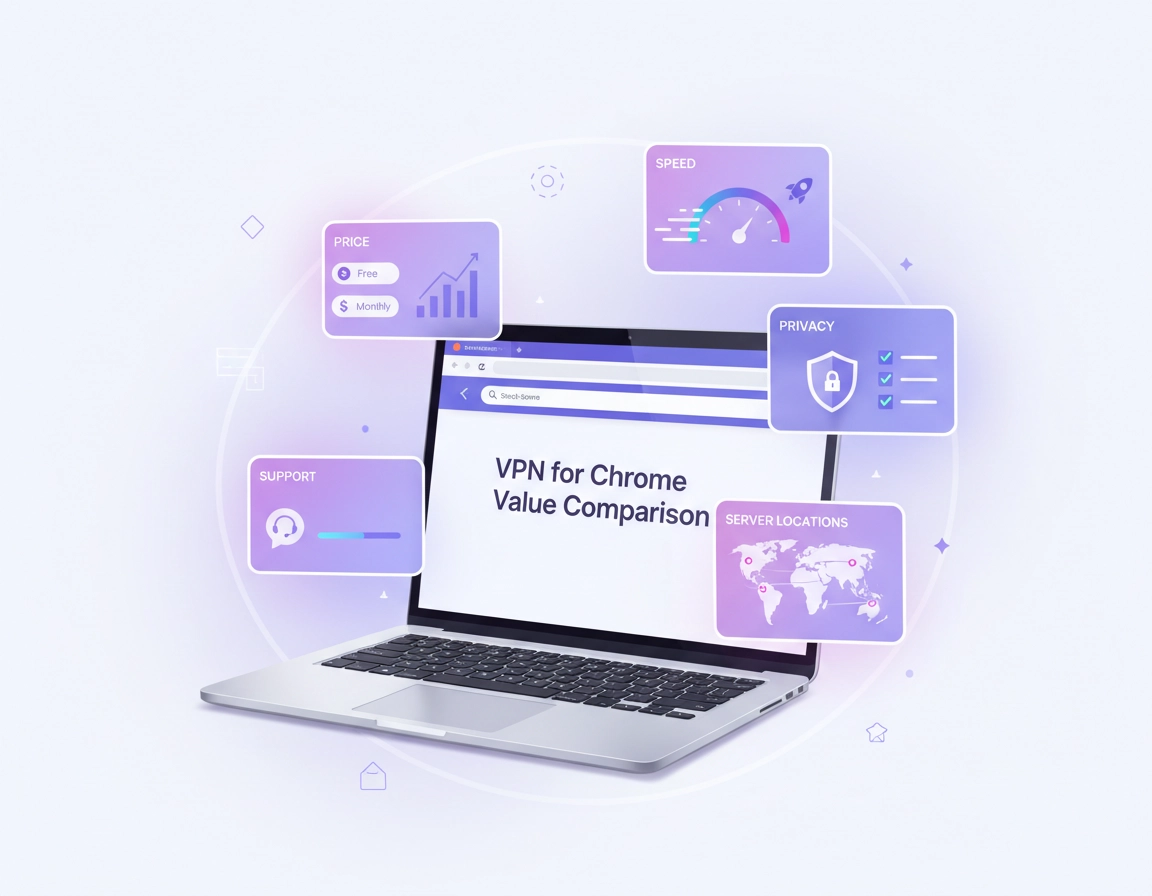
For a browser-only workflow, value usually comes from five things working together: strong privacy posture, consistent browsing performance, a trustworthy extension experience, enough geographic coverage for your needs, and a pricing model you can live with after the first billing cycle. If even one of those parts is weak, the “cheap” plan can become expensive in lost time, poor reliability, or additional tools you need to buy later.
This matters even more for Chrome because many users are not buying a VPN to protect an entire home network. They want secure browsing on public Wi-Fi, safer logins, more privacy from local network snooping, stable access while travelling, or a simple way to separate browser activity from the rest of the device. That means extension quality, WebRTC leak handling, authentication flow, and how the VPN behaves inside Chrome can matter as much as the raw network itself.
A good value comparison should therefore look at effective cost, practical feature coverage, and risk reduction per dollar spent. It should also reflect your use case. A solo user who only wants encrypted browsing and a clean interface evaluates value differently from a remote team that needs admin controls, safer connections on laptops, and predictable onboarding.
Related: Start with the broader hub at Best VPN for Chrome, then compare cost structure on VPN for Chrome Pricing Comparison and plan structure on VPN for Chrome Free vs Paid.
Key terms you should judge correctly .
- Effective monthly cost: the real average cost over the commitment period, including renewal assumptions, not just the sale banner.
- Browser-only protection: protection limited mainly to traffic handled through the Chrome extension rather than the entire device.
- Value density: how much useful protection, speed, convenience, and support you get for each unit of spend.
- False bargain: a low-price plan that creates hidden costs through weak performance, privacy gaps, or limited usability.
Before you compare plans .
Before comparing brands or plan tiers, define your browser use case. Most poor-value purchases happen because buyers compare products in the wrong category. Someone who only needs secure browsing during travel does not need the same package as a business user managing sensitive logins, shared dashboards, and client systems inside Chrome all day.
Related: If you are deciding between browser-only and full-device protection, read VPN Chrome vs Desktop VPN. If speed matters most, also see VPN Chrome Speed Comparison.
- Define your scope: do you need a Chrome extension only, or a subscription that also covers desktop and mobile apps?
- Define your risk level: casual browsing, frequent public Wi-Fi, travel, secure work access, or client account management?
- Define your non-negotiables: no-log posture, faster speeds, more locations, dedicated IP, business billing, or centralised admin?
- Define your tolerance for lock-in: monthly flexibility has a higher price, while long-term contracts can lower cost but increase commitment risk.
- Define renewal comfort: some users are fine with short-term testing; others want a price they can justify year after year.
You should also know that value changes by buyer type. A student or casual user may accept fewer locations and slower support in exchange for lower cost. A freelancer may value stable login sessions and fewer browser interruptions more than saving a small monthly amount. A team lead may see “value” almost entirely through reduced support tickets, easier onboarding, and fewer risky workarounds.
The practical value scorecard .
The simplest way to compare VPN value for Chrome is to score each plan across the factors that actually affect daily use. Do not compare ten tiny features equally. Weight the things that create real outcomes: privacy confidence, speed consistency, Chrome usability, plan flexibility, and support quality.
A reliable scorecard for most buyers looks like this:
| Factor | Why it matters | High value signal | Low value warning |
|---|---|---|---|
| Real price | The advertised number often hides contract length or renewal jumps. | Clear pricing, reasonable renewals, no confusing tier traps. | Huge discount headlines, vague renewals, upsells after signup. |
| Chrome extension quality | Your daily experience depends on stability, simplicity, and browser-specific controls. | Fast connect flow, reliable login, clean location switching. | Buggy UI, frequent sign-outs, confusing permissions. |
| Privacy posture | Value collapses if the provider is weak on logging, leaks, or transparency. | Clear policies, leak awareness, strong account security. | Vague claims, weak trust signals, excessive data collection. |
| Speed consistency | A slow VPN turns browsing into friction and wastes paid time. | Stable page loads, usable video calls, predictable routing. | Unreliable servers, congestion, unstable connections. |
| Server usefulness | More locations are meaningless if the locations you need are poor. | Useful regions, reliable nearby options, sane load balancing. | Long list of locations with poor real-world performance. |
| Support quality | Support becomes part of the product when something breaks. | Fast help, setup docs, useful troubleshooting. | Scripted replies, long delays, weak documentation. |
| Plan fit | The best value depends on whether you are solo, travelling, or managing work devices. | Plan aligns with your use case and device mix. | Paying for features you never use or missing ones you need. |
How to use the scorecard in practice .
- 1 Write down the plan’s true commitment length and likely renewal cost.
- 2 Check whether the Chrome extension gives you the core controls you actually want.
- 3 Score privacy trust, speed, and support higher than novelty features.
- 4 Compare the total outcome, not the marketing slogan.
What “good value” looks like: you pay a fair amount, get a smooth Chrome experience, trust the provider’s privacy posture, and do not feel pushed into workarounds, refunds, or extra tools within the first few weeks.
Related: If you are specifically deciding between flexible billing and lower long-term cost, compare VPN for Chrome Contract vs Monthly and VPN for Chrome Subscription Cost.
Value by buyer type .
- Budget buyer: best value usually means acceptable privacy and stable browsing at the lowest sustainable cost, not the absolute cheapest offer.
- Power user: best value means better speed, more server options, fewer disconnects, and cleaner browser controls.
- Freelancer or consultant: best value means lower operational friction, reliable access, better support, and less time lost during client work.
- Team or business: best value means lower risk, easier rollout, clearer billing, stronger support, and less dependence on individual user troubleshooting.
Where false value usually hides .
The most common false-value pattern is a long-term plan that looks dramatically cheaper than a monthly option but only works well under ideal conditions. If the provider’s servers are inconsistent, the extension feels underdeveloped, or the support queue is slow, the low sticker price does not represent value. It represents low-cost entry into higher future friction.
Another common trap is feature inflation. Buyers see extras like ad blocking, identity alerts, or bundle tools and assume the package offers more value. Sometimes that is true. But if the Chrome experience itself is poor, those extras do not rescue the core product. Value starts with the job the VPN is supposed to do inside Chrome: connect cleanly, protect browser traffic, reduce risk, and stay out of your way.
Advanced buying factors most people miss .
Once you move beyond beginner comparisons, the value discussion gets more interesting. Two plans can look similar on a pricing grid and still deliver very different long-term outcomes. This is where experienced buyers separate promotional pricing from operational value.
Related: For deeper feature tradeoffs, see VPN for Chrome with Kill Switch, VPN for Chrome with Dedicated IP, and VPN for Chrome Trial vs Free Plan.
1) Browser extension value vs full-device value .
Some Chrome VPN subscriptions are best-value purchases only if you also plan to use their desktop or mobile apps. If the browser extension is just a companion to a stronger full-device service, then a Chrome-only buyer may be overpaying. On the other hand, if you browse, research, and work mainly inside Chrome, then extension convenience can justify a higher price because it reduces daily friction.
2) Renewal math matters more than launch discounts .
Buyers who focus only on the first-year promotion often misjudge value. A plan can feel excellent at signup and mediocre at renewal. If the provider expects you to cancel, renegotiate, or constantly switch tiers to stay near the entry price, that weakens the long-term value equation. Sustainable value feels reasonable even after the welcome offer ends.
3) Time saved is part of the value .
This matters for remote workers and business users. A plan that connects faster, fails less often, and resolves support tickets more quickly can be worth meaningfully more than a cheaper option. The difference is not theoretical. Every failed login session, unstable connection, or badly documented issue costs attention and working time. For professionals, time saved is often the hidden return on a better-value plan.
4) Business features may be worth more than headline speed .
For solo buyers, speed usually dominates the comparison. For teams, value shifts toward billing clarity, role separation, onboarding simplicity, and predictability. If your organisation needs account management, consistent policy enforcement, or easier deployment, then a more expensive plan can still be the better value choice because it reduces administrative drag and avoidable risk.
5) Niche features only matter if they solve a real bottleneck .
Dedicated IP, split tunneling, malware filtering, and compliance-facing features can all add value, but only if they solve a concrete problem in your workflow. Paying for premium features you never use is not buying value. It is buying theoretical benefit. Strong value means feature relevance, not just feature count.
When the more expensive plan is actually better value .
- You rely on Chrome for work and cannot afford frequent disconnects or unreliable location switching.
- You need stronger support and faster resolution when a login or routing issue appears.
- You want a better extension experience plus apps across your laptop and phone.
- You need cleaner account security, better transparency, or fewer privacy compromises.
- You are buying for a team where saved admin time outweighs a small price difference.
When the cheaper plan is genuinely better value .
- You only need browser-level protection for light, non-sensitive use.
- You mainly want safer browsing on public Wi-Fi and basic privacy improvement.
- You do not need advanced routing, premium support, or niche add-ons.
- You understand the limitations and they do not affect your real workflow.
Privacy & security value notes .
In security products, value is not just about convenience or cost. It is about how much risk the product removes relative to what you pay. A VPN for Chrome that is inexpensive but careless about privacy, account protection, or extension permissions can become poor value very quickly, because the whole reason you bought it was to reduce risk in the first place.
Impact: your value decision affects browser privacy, session protection, trust in the provider, extension permissions, and how much you rely on Chrome versus a full-device security stack.
Related: If you want the privacy side explained in more depth, read VPN Chrome Privacy Review, VPN Chrome DNS Leak Test Guide, VPN Chrome IP Leak Protection, and VPN Chrome WebRTC Leak Fix.
Recommended baseline value checks .
- Balanced value: choose a reputable paid plan with a stable Chrome extension, reasonable server coverage, usable speeds, and transparent pricing.
- Maximum privacy value: prioritise trustworthy privacy posture, account security, leak controls, and transparent documentation over gimmick features.
- Compatibility value: prioritise reliable browsing, fewer broken sites, clean logins, and a nearby server mix that supports daily use without constant switching.
Recommended value model by goal .
| Goal | Recommended value focus | Tradeoff | Best for |
|---|---|---|---|
| Balanced everyday use | Transparent paid plan with strong extension usability and steady speeds | May cost more than entry-level budget plans | Most Chrome users |
| Maximum privacy | Provider trust, leak protection, cleaner security posture, stronger account controls | May involve higher price or fewer casual extras | Privacy-conscious users and remote workers |
| Business practicality | Support, billing clarity, rollout ease, lower friction across users | Higher subscription cost than consumer plans | Teams and small businesses |
One final privacy point: do not overestimate what a Chrome VPN extension does. It can add meaningful protection for browser activity, especially on untrusted networks, but it is not a replacement for strong passwords, browser hygiene, safer extensions, updated software, or full-device protection where that is needed. A plan becomes poor value when its marketing encourages unrealistic security assumptions.
Related: You may also want to compare a VPN against other protection layers on VPN vs Proxy for Chrome Differences, VPN vs Private DNS for Chrome, and VPN vs Built-in Chrome Security.
Common buyer mistakes and how to avoid them .
Related: If you are already narrowing options, read Cheap VPN for Chrome, Premium VPN for Chrome, and VPN ROI for Remote Teams.
Mistake 1: buying on introductory price alone .
This is the biggest mistake. Buyers see a strong discount and assume the value case is settled. The fix is simple: compare the launch price, the likely renewal price, the contract term, and the cost of leaving early if the plan disappoints. A strong-value VPN should still feel defendable after the discount ends.
Mistake 2: treating the Chrome extension as a bonus instead of the product .
If you mainly live in Chrome, the extension experience is not a side detail. It is central to the value equation. A plan with great brand recognition but a weak extension can be poor value for browser-first users. The fix is to judge the Chrome experience directly: sign-in flow, location switch speed, session stability, and ease of everyday use.
Mistake 3: overpaying for features that never get used .
Many buyers move upward into premium plans because the feature list sounds impressive. But unless those features solve a real problem, they do not add real value. The fix is to separate “nice to have” from “changes my workflow.” Only the second category deserves extra spend.
Mistake 4: underestimating support quality .
Support becomes part of value the moment something fails on a deadline, during travel, or on a shared team account. A cheaper plan with bad support can end up costing more in interruptions. The fix is to treat support responsiveness and setup guidance as a real comparison factor, especially for business or client-facing work.
Mistake 5: comparing consumer value and business value as if they are identical .
They are not. A consumer often values flexibility and price. A business often values predictability and lower support overhead. The fix is to ask whether the plan saves individual money or organisational time. Those are different value equations.
If you need to reset your comparison safely .
Start again with three columns only: what you need, what you can spend comfortably, and what risk you are trying to reduce. Then shortlist only the plans that satisfy those three conditions. This removes marketing noise and gives you a clearer value comparison in ten minutes than most feature grids do in an hour.
FAQ .
-
helpWhat is the best-value VPN for Chrome for most people?The best-value option for most users is usually a reputable paid plan with a stable Chrome extension, transparent pricing, reasonable speeds, and no obvious privacy red flags. It does not have to be the cheapest or most premium plan. It just needs to deliver dependable browser protection without hidden compromises.
-
helpIs a free Chrome VPN ever good value?A free plan can offer short-term value for light or temporary use, but many free VPNs become poor long-term value because of data limits, slower performance, weaker trust, fewer locations, or aggressive upsells. For regular work, travel, or privacy-sensitive browsing, paid plans usually provide more reliable value.
-
helpShould I compare monthly plans or long contracts when measuring value?Compare both, but do not mix them casually. Monthly plans offer flexibility and lower lock-in risk, while long contracts often reduce headline cost. True value comes from matching the billing model to your confidence level, budget, and tolerance for renewal changes.
-
helpDoes a premium VPN always offer better Chrome value?No. Premium pricing only adds value when it improves the things you actually use, such as stronger privacy posture, better speeds, cleaner extension performance, better support, or business-friendly controls. If you never use the added benefits, the premium tier may be worse value than a simpler paid plan.
Sources & further reading .
- Official Chrome Help
- Chrome Web Store Help
- ChromeThemer: How VPN Works in Chrome
- ChromeThemer: VPN Extension Permissions in Chrome
- ChromeThemer: VPN for Chrome Best Settings Guide
Disclosure: This guide is editorial in nature and is designed to help readers make better VPN buying decisions for Chrome. The focus here is practical value, not hype.