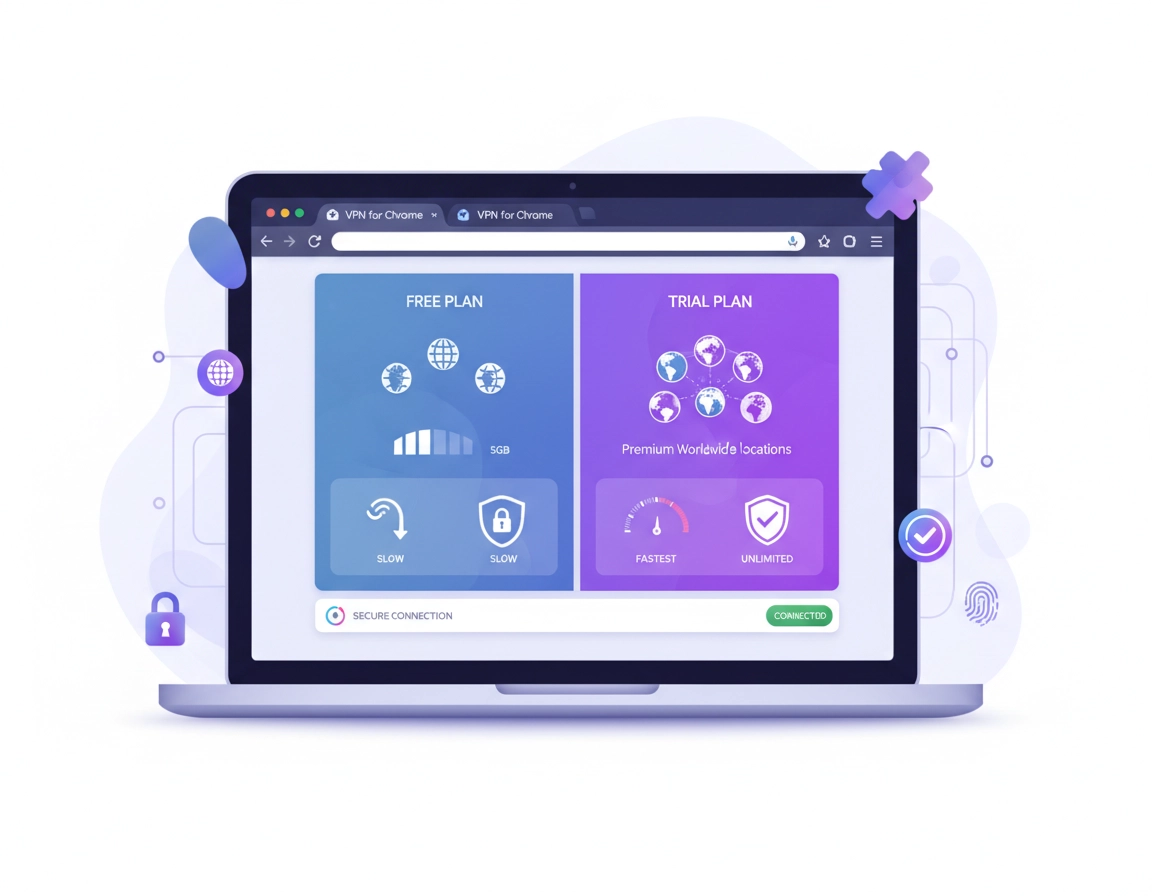
What “trial vs free plan” really means .
This page focuses on Chrome VPN decision-making, not generic VPN marketing language.
When people compare a VPN for Chrome trial with a free VPN plan, they often assume both options are simply two ways to use a VPN without paying immediately. In practice, they are very different products with very different incentives behind them. A free plan is normally a permanently no-cost tier with restricted bandwidth, fewer locations, slower speeds, weaker support, and stricter feature limits. A trial, by contrast, is typically a temporary window into the paid product. The provider is trying to prove the premium service is worth buying.
That distinction matters because the experience you get inside Chrome can be dramatically different. A free VPN extension may only cover browser traffic, may route you through a small server pool, and may push you toward usage limits quickly if you browse heavily, stream media, use web apps all day, or log in to multiple dashboards. A trial plan often unlocks more locations, faster network routes, better stability, stronger leak protection, and access to the provider’s better support stack. That makes a trial more useful if your goal is to answer the real question: Will this VPN hold up in my normal workflow?
The business model is the hidden variable. With a free plan, the provider must fund infrastructure somehow. Sometimes that is done cleanly through paid upgrades. Sometimes it is done through aggressive upsells, limited resources, or a product experience designed to frustrate you into converting. With a trial, the provider is often absorbing short-term cost in exchange for a chance to win a long-term customer. That does not automatically make every trial good or every free plan bad, but it does explain why the tradeoffs look so different once you move past marketing headlines.
For Chrome users, the choice becomes even more specific. You are not just asking whether a VPN is free. You are asking whether it is trustworthy at the browser layer, whether the extension permissions are reasonable, whether the performance is acceptable for Chrome-based work, whether WebRTC or DNS behavior is handled well, and whether the product is actually fit for secure browsing instead of just location spoofing. That is why the best comparison is not “free or paid?” It is “which model gives me enough trust, enough performance, and enough control for the job I actually do in Chrome?”
Related: If you want the broader shortlist first, start with Best VPN for Chrome or compare the wider market in Chrome VPN Extension Comparison.
Key terms (quick definitions) .
- Free plan: A permanent no-cost tier with feature or usage restrictions.
- Trial: A time-limited test of a premium plan, often with broader access and better performance.
- Browser-only VPN: Protection that generally covers traffic inside Chrome rather than your whole device.
- Data cap: A hard monthly or daily limit on how much traffic you can route through the VPN.
- Server selection: The number and variety of VPN locations you can choose from.
- Leak protection: Safeguards against revealing your real IP, DNS requests, or browser-communication paths.
Before you choose: fast checks that matter .
Before comparing prices, look at your own usage pattern. Most bad VPN decisions happen because users compare offers in abstract terms instead of matching them to actual Chrome behavior. A student checking email on public Wi-Fi has a different risk profile from a remote contractor logging into client dashboards, and both are different from a traveler who needs stable access to services while abroad.
Related: If your main concern is long-term cost rather than the access model, read VPN for Chrome Pricing Comparison, VPN for Chrome Free vs Paid, and VPN for Chrome Subscription Cost.
- Check your goal: Are you testing security and performance, or do you simply need a temporary browsing shield?
- Check your workload: Light web browsing can tolerate limits. Streaming, banking, dashboards, video meetings, uploads, and cloud apps cannot.
- Check your risk tolerance: If privacy is the point, you cannot ignore provider reputation, extension permissions, and data-handling behavior.
- Check your environment: On shared devices, school networks, work devices, or managed Chrome environments, reliability and compliance matter more than the lowest entry cost.
- Check your coverage needs: A Chrome extension may not protect all device traffic. If you need system-wide security, a browser add-on alone may not be enough.
One of the most useful screening questions is this: What am I trying to learn before I spend money? If the answer is “I want to know if the VPN is fast, stable, and secure enough for my routine,” a trial is usually the right instrument because it exposes the premium experience. If the answer is “I only need occasional low-volume browsing and I do not care about premium extras,” a free plan can be a rational choice. In other words, a trial is better for evaluation, while a free plan is better for low-stakes access.
Another fast check is to separate friction from value. Some users choose free plans because they dislike entering payment details. That is understandable, but friction avoidance is not the same as picking the best product. Likewise, some users choose trials because “premium” sounds safer. That also can be wrong if the provider’s extension asks for overly broad access or if the cancellation process is messy. Your decision should not rest on the label. It should rest on what the plan lets you test and what risks you are accepting.
How to choose between a trial and a free plan .
The cleanest way to compare these options is to follow a short decision framework. Do not start with the sales page. Start with the use case, then validate trust, then test performance, then consider price. That order produces better decisions than chasing the cheapest headline.
- 1 Define the Chrome task. Are you browsing casually, traveling, streaming, accessing client systems, managing cloud tools, or protecting web sessions on public Wi-Fi?
- 2 Decide whether you are evaluating or merely using. If you are evaluating long-term fit, pick a trial. If you only want lightweight occasional use, shortlist free plans.
- 3 Check limitations before install. Look for data caps, server restrictions, speed throttling, log-in requirements, support access, and which features are disabled on the free tier.
- 4 Review extension permissions and privacy posture. Read what the extension can access in Chrome and whether the vendor clearly explains what it collects and why.
- 5 Test with your real workflow. Open the sites you normally use, sign in, browse normally, test speed and stability, and watch for breakage on login flows, video, downloads, and web apps.
- 6 Measure the exit cost. For trials, check cancellation rules and billing triggers. For free plans, check whether the limits make the plan useless once the novelty wears off.
What “success” looks like: the VPN feels invisible during ordinary Chrome use. Pages load normally, secure logins work, speeds stay acceptable, and you understand exactly what happens when the trial ends or the free plan hits its limit.
Related: If you want the browser setup side of this decision, see How VPN Works in Chrome, How to Install VPN Extension in Chrome, and How to Use VPN With Chrome Browser.
When a free VPN plan makes sense .
A free plan can make sense for users with modest expectations. You browse lightly, do not need many server locations, can tolerate occasional slowdowns, and mainly want basic protection on coffee-shop Wi-Fi or a temporary privacy layer for ordinary browsing. This is also the right category for people who want to inspect the interface and trust signals before ever considering payment.
Free plans are strongest when your use is predictable and limited. Examples include reading news sites, checking personal email, using basic social platforms, or doing light research sessions in Chrome. In that scenario, the “good enough” threshold may be low. If you can stay within the data allowance and you do not need premium features such as advanced routing, broader server access, better streaming performance, or priority support, a reputable free plan can be perfectly defensible.
When a trial is the smarter choice .
A trial wins when you need to answer a higher-value question. Can this VPN handle remote work in Chrome? Will it remain stable on hotel Wi-Fi? Does it keep performance acceptable while using cloud apps, finance portals, customer admin panels, Google Workspace, or other browser-heavy workflows? If you need those answers, a trial is more efficient because a free plan often withholds exactly the features you need to test.
Trials are also better when you care about the provider’s real support experience. Browser VPN users often discover the true difference between cheap marketing and actual service quality only when something breaks: multi-factor logins, banking sites, corporate portals, captchas, web conferencing tools, or region-sensitive content. A premium trial gives you a better chance to see how the vendor handles those situations.
Common variations .
- Windows / ChromeOS: Browser extensions are convenient, but you may still need a desktop client for full-device coverage.
- macOS: Safari and system apps are not protected by a Chrome-only extension; evaluate coverage boundaries carefully.
- Android / iPhone: Mobile browser use often benefits more from app-based VPN protection than extension-style thinking.
Advanced evaluation: performance, trust, and business risk .
This is where the comparison becomes more useful than a generic “free vs paid” article. In Chrome, the cost of a weak VPN choice is not just speed. It can be session instability, broken web apps, higher friction on authentication flows, weaker privacy protection, or a false sense of security. If you use Chrome for serious work, these costs matter more than the headline price.
Related: Business readers should also see Best Business VPN for Chrome, VPN for Chrome Remote Work Security, VPN for Chrome Business Pricing, and VPN ROI for Remote Teams.
Performance is not just “fast or slow” .
Many users compare VPNs by headline speed, but Chrome users should look at consistency, not just peak performance. A free plan may feel acceptable when opening ordinary sites, then fall apart when loading image-heavy dashboards, cloud apps, maps, or streaming tabs. That happens because the free tier may share a smaller server pool, receive lower routing priority, or impose hidden congestion during busy hours.
A trial often provides a truer signal because you are testing the actual infrastructure the provider wants paying users to experience. That lets you evaluate latency, tab responsiveness, multi-site browsing behavior, login stability, and how the VPN interacts with the sites you care about. For someone using Chrome all day for work, that is more valuable than simply saving money for a week.
Trust comes from incentives, not slogans .
You should always ask what the provider gains from offering the plan you are considering. Free plans can be legitimate customer-acquisition tools, but their economics are different from paid products. If the free tier is so restricted that it only functions as an upsell trap, that is useful to know. If the free tier is respectable and transparent, that is a positive sign. Likewise, a trial can be generous and honest, or it can be designed to push users into accidental renewal if the billing process is not clear.
This is why mature buyers read the privacy policy, the extension permissions screen, and the account terms before they install. They do not just compare the words “no logs,” “military-grade encryption,” or “fastest VPN.” They look for practical transparency. Can you see what data is collected? Can you see what happens after the trial ends? Can you cancel without friction? Can you tell which features are browser-only and which need the desktop app? Those details separate credible offers from thin marketing.
The hidden cost of “free” in business and remote work .
In high-CPC, commercially serious use cases such as remote work, finance access, healthcare portals, agency accounts, e-commerce dashboards, or client-admin environments, the real cost of a weak VPN is time loss and operational friction. A few failed logins, random disconnects, blocked sessions, or slow SaaS dashboards can cost more than the price of a month of premium service. That is why many businesses use free plans only for quick inspection, not for ongoing production use.
For teams, a trial is also more informative because it helps answer procurement questions. Is support responsive? Are there administrative controls? Does the product have a credible security story? Can it scale beyond one browser? Even if your starting point is just Chrome, the decision often expands into a broader browser-security conversation.
Common alternatives users compare .
Privacy & security notes .
This is the part many comparison pages underplay. If your reason for using a Chrome VPN is privacy, then you cannot compare trial vs free plan only by price or speed. You must compare how much confidence each option gives you that your browsing is being handled responsibly.
Impact: Affects exposure of browsing habits, IP address handling, session trust, support quality, and whether you rely on protection that may only cover Chrome traffic instead of your full device.
Related: If your goal is deeper technical protection, continue with VPN Chrome DNS Leak Test Guide, VPN Chrome IP Leak Protection, VPN Chrome WebRTC Leak Fix, and VPN Extension Permissions in Chrome.
Recommended baseline settings .
- Option A (balanced): Use a reputable free plan only for light browsing and combine it with Chrome privacy hygiene.
- Option B (maximum confidence): Use a premium trial to validate performance, support, leak protection, and real workflow stability before subscribing.
- Option C (business/remote work): Skip free tiers for anything involving client data, regulated access, financial accounts, or heavy SaaS usage.
Recommended settings by goal .
| Goal | Recommended choice | Tradeoff | Best for |
|---|---|---|---|
| Casual browsing | Reputable free plan | Data caps, fewer servers, slower support | Light personal use |
| Real evaluation | Premium trial | Time limit, possible billing deadline | Users testing before purchase |
| Remote work | Premium trial or paid plan | Higher commitment | Professionals and contractors |
| Maximum privacy confidence | Premium trial from a transparent vendor | Requires more due diligence | Security-conscious users |
| Lowest-friction starting point | Free plan | May not reflect the true premium experience | Curious first-time users |
My practical rule of thumb .
If the consequence of failure is minor, a free plan is acceptable. If the consequence of failure is lost time, broken work, exposed sessions, or false security confidence, use a trial or go straight to a reputable paid option. That simple rule helps most Chrome users avoid the worst decisions quickly.
Troubleshooting common buying mistakes .
Related: For performance-side fixes, see VPN for Chrome Performance Impact, VPN for Chrome Speed Optimization Tips, and VPN for Chrome Troubleshooting Guide.
If the free plan feels useless after one day .
This usually means the plan is functioning as a teaser rather than a sustainable service tier. Check whether the issue is a data cap, overloaded server choice, browser-only coverage, or disabled premium features such as faster routing. If your goal is serious evaluation, stop treating the free tier as a fair test and switch to a trial.
If the trial feels great but you are worried about billing .
This is a process problem, not a product problem. Record the end date immediately, confirm whether cancellation must happen before renewal, and document the account path while it is fresh. A trial is valuable only when you control the exit. If the cancellation terms look vague, treat that as a trust signal and downgrade the provider in your evaluation.
If Chrome still leaks your real browsing context .
Remember that a browser extension is not always equal to system-wide VPN protection. Some traffic can still behave differently depending on browser features, DNS configuration, and WebRTC behavior. If that matters to you, validate coverage carefully and consider whether the provider’s full app is the better product for your use case.
If websites start breaking or logins become annoying .
That can happen on both free plans and trials. Test a different server, temporarily disable the extension for a specific session if appropriate, and compare behavior against your normal non-VPN browsing. If a premium trial cannot handle the sites you rely on, that is exactly the kind of failure you want to discover before subscribing.
If you need to reset safely .
Remove the extension, sign out of the VPN account if relevant, restart Chrome, and re-check site behavior. If you were evaluating several VPNs, test them one at a time. Running multiple browser privacy or proxy tools together can muddy results and create misleading performance issues.
FAQ .
-
helpIs a VPN trial safer than a free VPN plan for Chrome?Often, yes, because a trial usually exposes the provider’s real premium infrastructure, support, and feature set. But “trial” alone does not guarantee trust. You still need to assess the vendor’s privacy posture, extension permissions, and billing transparency.
-
helpCan a free Chrome VPN plan be enough for everyday browsing?Yes, if your use is light and low-risk. A reputable free plan can be fine for ordinary browsing, email, and occasional public Wi-Fi sessions. It becomes less suitable when you rely on stable speeds, broader server access, business portals, or all-day web app usage.
-
helpWhat is the biggest mistake people make when comparing trial vs free?They compare the word “free” instead of comparing the job they need done. A free plan is usually a limited utility product. A trial is usually an evaluation tool. If you confuse those roles, you end up making the wrong decision for your workflow.
-
helpShould remote workers use a free Chrome VPN plan?Usually not as a long-term solution. For remote work, reliability, stable authentication, and trustworthy support matter more than avoiding payment for a few days. A trial is a much better way to validate whether the VPN can handle real work inside Chrome.
-
helpDoes a Chrome VPN extension protect all internet traffic on my device?Not always. Many Chrome VPN extensions focus mainly on browser traffic. If you need full-device coverage for apps outside Chrome, you may need the provider’s desktop or mobile VPN application instead of relying only on the browser extension.
Sources & further reading .
- Chrome Web Store Help
- Google Chrome: Check if your connection is secure
- Google Chrome Help: Privacy and security controls
- Google Chrome Help: Use extensions
- FTC consumer privacy and online security guidance
Disclosure: This page is editorial and educational. It is designed to help readers compare value, privacy, and workflow fit before choosing a VPN for Chrome.