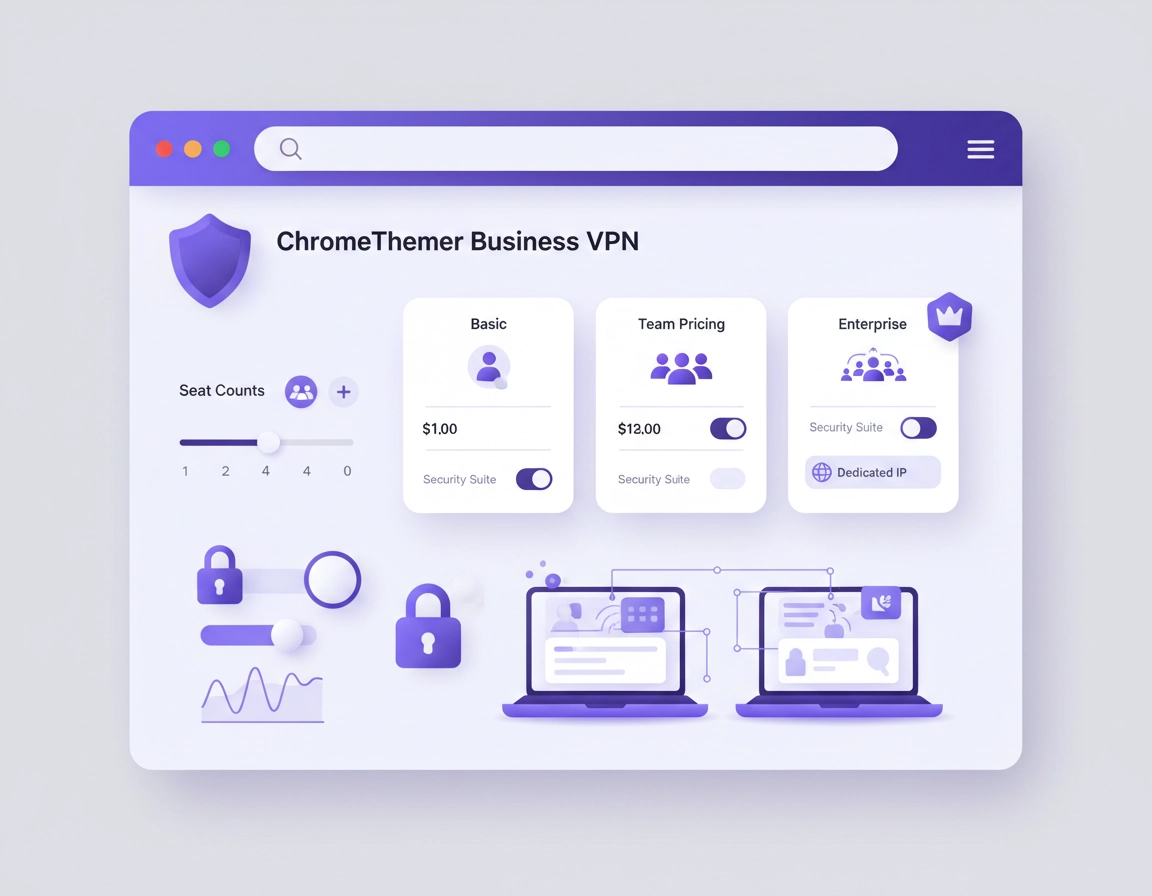
What business VPN pricing for Chrome really means .
When businesses search for VPN for Chrome business pricing, they are often mixing together three different needs: a browser-level privacy tool for Chrome, a team-ready VPN service with centralized management, and a broader secure access platform that happens to protect Chrome traffic as part of the package. Those are not the same purchase, and that is where a lot of pricing confusion starts.
A solo user buying a cheap Chrome VPN extension usually thinks in terms of a monthly subscription. A business, by contrast, should think in terms of licensed users, admin effort, access policy, browser behavior, data handling, and support obligations. The sticker price may look manageable, but the operational cost changes fast once you need onboarding, offboarding, role control, dedicated egress IPs, or proof that your traffic policies are being applied consistently across a distributed team.
Chrome-centric teams also need to be especially clear about the difference between a Chrome extension VPN experience and a full-device or full-network business VPN service. A browser extension typically protects browser traffic only. That can be enough for some use cases, such as controlled browsing, SaaS access, or travel-based browsing protection. It is not enough when your staff use local apps, file sync tools, remote desktop clients, or internal resources outside the browser. That gap affects the plan you choose, which in turn affects the price.
In practical terms, business VPN pricing for Chrome is best understood as a stack of costs: base seat price + management features + security extras + contract choice + support expectations. Once you look at pricing this way, vendor comparisons become much more honest. A low per-seat figure might still be expensive if the plan excludes central administration or charges extra for the business features your team actually needs.
Related: Start with Best VPN for Chrome for a broader market overview, then compare this page with VPN for Chrome Pricing Comparison and VPN for Chrome Subscription Cost.
Key terms you should know before comparing prices .
- Per-user pricing: a recurring fee for each active team member account, usually billed monthly or annually.
- Minimum seat count: the lowest number of paid users required to start a business plan.
- Dedicated IP: an exclusive outbound IP for your company or team, often sold as an extra.
- Admin console: the control panel where IT manages users, policies, regions, and access.
- Identity integration: SSO, SCIM, or directory sync that links VPN access to your company identity stack.
- Quote-based pricing: vendor pricing that requires contact with sales instead of a public checkout flow.
Before you compare vendors .
Before you look at price tables, decide what your business is really trying to protect. This sounds obvious, but it is where budgeting becomes accurate. If your team mostly works inside Chrome on cloud apps, your cost structure can be simpler. If your team uses Chrome plus local software, shared drives, development tools, or internal systems, a browser-focused buying model may under-budget what you need.
You should also define your tolerance for admin overhead. Some businesses want a lightweight tool staff can install themselves in Chrome and use in minutes. Others need IT ownership, locked-down policies, approved regions, session logs, device posture checks, and reliable offboarding when contractors leave. Those two organizations are shopping in entirely different pricing categories even if both type the same keyword into Google.
Related: If you are planning rollout rather than just pricing, read Business VPN for Chrome Setup, VPN for Chrome IT Admin Guide, and VPN for Chrome Device Management.
- Check 1: Do you need browser-only protection or full-device VPN coverage?
- Check 2: Will the plan be used by employees, contractors, or both?
- Check 3: Do you need fixed IP addresses for allowlisting or banking tools?
- Check 4: Is annual billing acceptable, or does the business need short-term flexibility?
- Check 5: Will procurement require invoices, a business entity agreement, or sales support?
- Check 6: Do you need SSO, auditability, or compliance controls today, or only later?
Common pricing models for business VPNs used with Chrome .
Most businesses will run into one of four pricing models. Knowing which model you are dealing with immediately makes a vendor page easier to read.
1) Consumer-style subscription
Low advertised price, long contract term, usually great for individuals, but often weak on centralized team management. Good for freelancers. Risky for real business administration.
2) Self-serve business plan
Per-user monthly or annual pricing with a small seat minimum and a visible checkout flow. Often the best fit for startups and small teams that need proper admin controls without a sales cycle.
3) Business platform with add-ons
A reasonable base price, then extra cost for dedicated servers, identity integrations, compliance features, or advanced analytics. More realistic for scaling teams.
4) Quote-based enterprise pricing
No fixed public price for the full package. Best for larger companies with custom routing, secure access, branch networking, or stronger governance requirements.
For budgeting, the most useful pricing question is not whether one vendor advertises a lower number than another. It is whether the advertised number includes the things a business actually buys. A plan that looks cheap but lacks role control, central billing, dedicated IP, or business onboarding is not actually a cheaper business solution. It is just an incomplete one.
In the current market, many self-serve business VPN offerings still cluster around a familiar per-user annual range, while more advanced platforms move into higher pricing once access architecture and operational controls become part of the package. Some vendors publish business seat pricing directly. Others route you into demo-led or quote-led conversations because they are really selling secure access infrastructure, not just a VPN toggle for a browser.
Typical cost bands businesses should expect .
| Plan style | Typical pricing logic | What it usually includes | Who it suits |
|---|---|---|---|
| Solo / consumer | Low headline monthly equivalent on long-term billing | Core VPN access, browser extension, basic locations | Individuals and micro businesses |
| SMB self-serve business | Per user, per month, often annual commitment | Admin portal, user control, business billing, small-team deployment | Small teams and startups |
| Growth team plan | Higher per-seat plus optional extras | Dedicated IP, stronger access control, better reporting | Distributed teams with repeatable access needs |
| Enterprise / SASE-adjacent | Custom quote based on users, gateways, policy, architecture | Broader network security, segmentation, admin depth, tailored support | Larger or regulated organizations |
Related: Compare this page with VPN for Chrome Enterprise Cost, VPN for Chrome Contract vs Monthly, and VPN for Chrome Value Comparison.
What actually increases the cost .
Businesses often underestimate how quickly total VPN cost changes once real operating needs enter the picture. The headline plan price is only the base layer. The following are the biggest cost drivers for Chrome-heavy teams.
1) Seat count and seat minimums .
Business plans often require a minimum number of users. That means a three-person company may still be buying a five-seat package. This matters because a vendor can appear competitively priced while still being less economical for a very small team than a simpler business subscription.
2) Monthly vs annual billing .
Annual billing usually lowers the monthly equivalent, but it also locks your assumptions in place. If your team is growing, seasonal, contractor-heavy, or still proving workflow fit, the cheapest annual figure may not be the most efficient buying decision. The right question is whether your seat count is stable enough to justify the commitment.
3) Dedicated IP or fixed egress .
Many businesses eventually need a dedicated IP for SaaS allowlisting, admin panels, finance platforms, or partner systems. This is one of the most common places where a low-cost plan stops being low-cost. Dedicated IP is rarely the first thing buyers compare, but it is often the feature that determines whether the VPN works cleanly in production.
4) Admin and identity features .
The cost can rise meaningfully when you move from “users can sign in” to “IT can govern access.” SSO, SCIM, directory sync, team roles, granular policies, and account lifecycle control all save operational time, but they are rarely free. For many companies, these features are worth paying for because they reduce mistakes during onboarding and offboarding.
5) Compliance and reporting expectations .
Businesses in legal, healthcare, finance, or client-services environments often need stronger documentation, better control, or clearer separation between users and traffic policy. Even when the VPN itself is not a compliance product, the surrounding management layer tends to become more expensive once reporting and policy evidence matter.
6) Support quality .
A low monthly price is much less attractive when your admin team waits days for answers during a rollout problem. For business use, support responsiveness is part of cost, not an optional luxury. The more dependent your team is on always-on browser access, the more you should value stable support.
Total annual estimate = active seats × annual per-seat price + dedicated IP or gateway charges + admin/security add-ons + a buffer for growth and replacements.
Common add-ons businesses forget to budget for .
Related: If dedicated exit IP matters to your team, read VPN for Chrome with Dedicated IP. If fail-safe protection matters more, pair this with VPN for Chrome with Kill Switch.
Budgeting examples by team size .
The best way to evaluate pricing is to stop thinking about “the VPN price” and start thinking about a team budget scenario. Below are practical ways to model the spend.
Scenario 1: 5-person startup using Chrome for SaaS work .
This is the simplest business case. The team needs safer browsing, travel-friendly access, and a manageable shared standard. They do not yet need complex routing or enterprise compliance controls. In this case, a self-serve business plan with annual billing may be the sweet spot. Budget conservatively for the minimum seats, central billing, and at least one likely add-on such as a fixed IP later.
The hidden cost here is usually not the subscription. It is the cost of choosing a plan too consumer-focused to support proper team admin, then having to migrate later. For a five-person startup, paying slightly more for real user management is often smarter than chasing the lowest headline deal.
Scenario 2: 20-person remote team with contractors .
Now pricing becomes more dynamic. Contractor turnover, short-term access, and onboarding speed matter. A rigid long-term plan with no good user lifecycle management can waste money quickly. At this size, offboarding discipline matters as much as seat price. It is easy to overpay simply by leaving accounts active.
This is where businesses benefit from role-based provisioning, good admin visibility, and a plan that does not make user management painful. Even if that raises per-seat cost, it can reduce waste and reduce security risk enough to justify the difference.
Scenario 3: 50-person company with finance, ops, and client access rules .
At this point, the VPN starts to intersect with access architecture. Different departments may need different browsing patterns, allowed regions, or trusted outbound IPs. The company may also care more about auditability, support quality, and platform reliability under travel or hybrid work conditions. That means the cheapest visible per-seat figure is usually the wrong buying metric.
For this kind of business, model both the subscription spend and the operational spend. Ask how much time IT will spend managing exceptions, unlocking access, rotating users, and fixing service friction. A more mature plan can save money indirectly by reducing internal support load.
Scenario 4: Regulated or security-sensitive organization .
Here, the buying decision is less about cheap VPN access for Chrome and more about controlled secure access with browser coverage included. Pricing often moves into quote-led territory because the vendor is really selling a broader risk management and access-control layer. That can still be cost-effective if it replaces several weaker tools or reduces the chance of a security incident tied to unmanaged browsing behavior.
| Team profile | Best buying style | Main cost risk | What to prioritize |
|---|---|---|---|
| 5 users | Self-serve business plan | Choosing a consumer plan that lacks admin control | Seat minimums, easy onboarding, business billing |
| 20 users | Business plan with lifecycle controls | Paying for inactive or churned users | User management, fixed IP options, flexible scaling |
| 50 users | Managed business security platform | Underestimating admin and policy complexity | Governance, reporting, support quality |
| Regulated org | Quote-based or enterprise-focused plan | Buying too small, then layering expensive exceptions | Control, documentation, identity, reliable support |
Related: For broader ROI thinking, read VPN ROI for Remote Teams and Best Business VPN for Chrome.
How to choose the right plan without overpaying .
Buying well means matching the plan to the way your team uses Chrome. A browser-heavy company with cloud-first workflows can often save money by choosing a plan with strong admin basics and only one or two strategic extras. A complex company can lose money by starting too small and building a fragile patchwork around it.
- 1 Define the scope: browser-only protection, full-device coverage, or broader secure access.
- 2 Estimate stable users vs temporary users so you know whether annual commitment makes sense.
- 3 Decide whether you need dedicated IP, fixed egress, or access-region consistency for business tools.
- 4 Check the admin layer: billing, account control, offboarding, support, and policy enforcement.
- 5 Compare total cost, not just the visible per-seat number.
What “good value” looks like: The plan supports your current Chrome workflow cleanly, gives IT enough control to avoid chaos, and does not force you into multiple paid workarounds three months after rollout.
When a lower-priced plan is enough .
- Your team mainly works in browser-based SaaS tools.
- You need secure browsing and location flexibility, not deep network segmentation.
- You can operate with simple admin controls and straightforward billing.
- You do not yet need identity federation or formal compliance workflows.
When it is worth paying more .
- You need predictable fixed IPs for allowlisting.
- You manage employee and contractor churn frequently.
- You need centralized enforcement instead of user-by-user setup.
- You want cleaner offboarding and lower security drift.
- You need procurement-grade support and dependable service guarantees.
Browser extension vs full VPN service for business .
This is one of the most important pricing decisions for Chrome-based organizations. A Chrome extension can be excellent for browser traffic, location switching, and low-friction adoption. But it does not automatically solve security needs outside the browser. If your staff use desktop sync tools, developer environments, or internal apps, the apparent savings can be misleading. You may buy a cheap browser solution and then still need another security layer later.
The right buying mindset is to decide whether Chrome is the work surface or only one part of the work environment. If Chrome is the primary work surface, the business case for a Chrome-friendly VPN plan is strong. If not, compare this with VPN Chrome vs Desktop VPN before locking yourself into the wrong price tier.
Privacy and security tradeoffs .
A business VPN for Chrome can improve browsing privacy, reduce exposure on public networks, and create a cleaner policy baseline for distributed teams. But businesses should not treat “VPN” as a magic word that solves every security problem. Price and security value only align when the plan fits the way your team actually works.
Impact: Pricing decisions affect not only cost, but also how consistently browser traffic is protected, how users are managed, and whether access remains stable for critical business tools.
Related: For the security layer behind the pricing, continue with Secure VPN for Chrome, VPN Chrome Enterprise, and VPN Chrome Corporate Compliance.
Recommended baseline by business goal .
- Balanced cost: annual business plan, central billing, admin controls, browser extension support, room to add a dedicated IP later.
- Maximum operational safety: business or enterprise plan with stronger user lifecycle control, support responsiveness, and fixed-IP capability.
- Maximum flexibility: monthly or shorter commitment, even if per-user cost is higher, when seat count is unstable.
Recommended settings by buying goal .
| Goal | Recommended buying style | Tradeoff | Best for |
|---|---|---|---|
| Lowest predictable spend | Annual self-serve business plan | Less flexibility if staffing changes fast | Stable small teams |
| Best access reliability | Plan with dedicated IP and stronger admin tools | Higher total cost | Ops, finance, and client-facing teams |
| Most scalable governance | Quote-based business platform or enterprise plan | Longer buying process | Mid-size and regulated organizations |
Common buying mistakes and how to avoid them .
Related: Compare pricing logic with VPN for Chrome Free vs Paid and VPN for Chrome Trial vs Free Plan before you let a “free” option shape your business expectations.
If the cheapest plan looks perfect on paper .
Check whether it is a real business plan or just a consumer plan with many devices. The business feature gap usually appears later: no central controls, weak offboarding, poor billing workflow, or no practical fixed-IP path.
If your team needs a dedicated IP later .
Recalculate the entire solution, not just the add-on. Dedicated IP often changes how you judge vendor value because it affects compatibility with internal portals, banking tools, client systems, and access policy.
If monthly pricing feels too high .
That may be normal for flexible seat environments. Monthly plans often cost more because they reduce commitment risk. If your team size is unstable, paying more per month can still be cheaper than locking too many unused annual seats.
If admins complain that user management is messy .
That is not just a workflow nuisance. It is a real cost signal. Admin friction usually becomes visible before financial inefficiency does. Difficult user management often leads to dormant seats, inconsistent access, and security drift.
If you need to reset the buying process safely .
Go back to four questions: what traffic must be protected, how many stable users you truly have, whether you need a fixed IP, and who owns administration. Once those are clear, most pricing confusion disappears.
FAQ .
-
helpHow much should a small business budget for a VPN for Chrome?A small business should budget beyond the visible per-user price. For many small teams, the working budget starts with the annual seat total and then adds room for business-specific extras such as dedicated IP, admin features, or better support. The safest planning model is to calculate total annual cost, not just the advertised monthly equivalent.
-
helpIs a Chrome VPN extension enough for business use?It depends on whether most work happens inside Chrome. If your employees mainly use browser-based SaaS tools, a Chrome-friendly solution can be a strong fit. If they also rely on local apps, synced files, remote desktop, or internal tools outside the browser, a browser-only layer may not be enough.
-
helpWhy do business VPNs cost more than consumer VPN plans?Because businesses are paying for management, not just access. The added value usually includes centralized billing, team administration, role control, fixed-IP options, account lifecycle management, and more reliable support. Those business capabilities are what make the plan usable in a real organization.
-
helpIs annual billing always the best value?Not always. Annual billing reduces the monthly equivalent, but only pays off when your seat count is stable. Teams with contractor churn, short projects, or rapid growth may find that a more flexible monthly plan is financially safer even if the headline monthly price is higher.
-
helpWhat is the most commonly overlooked cost?Dedicated IP and operational management are the two biggest surprises. Businesses often compare the subscription alone, then discover later that fixed-IP access, support responsiveness, or user administration are what really drive total cost and long-term value.
Sources & further reading .
- NordLayer pricing
- Proton VPN for Business pricing
- Surfshark for Teams
- Perimeter 81 business VPN overview
- Perimeter 81 / Check Point SASE
Editorial note: Pricing pages change frequently. This guide focuses on how business VPN pricing works, what usually affects the final bill, and how Chrome-focused teams should compare plan value responsibly.