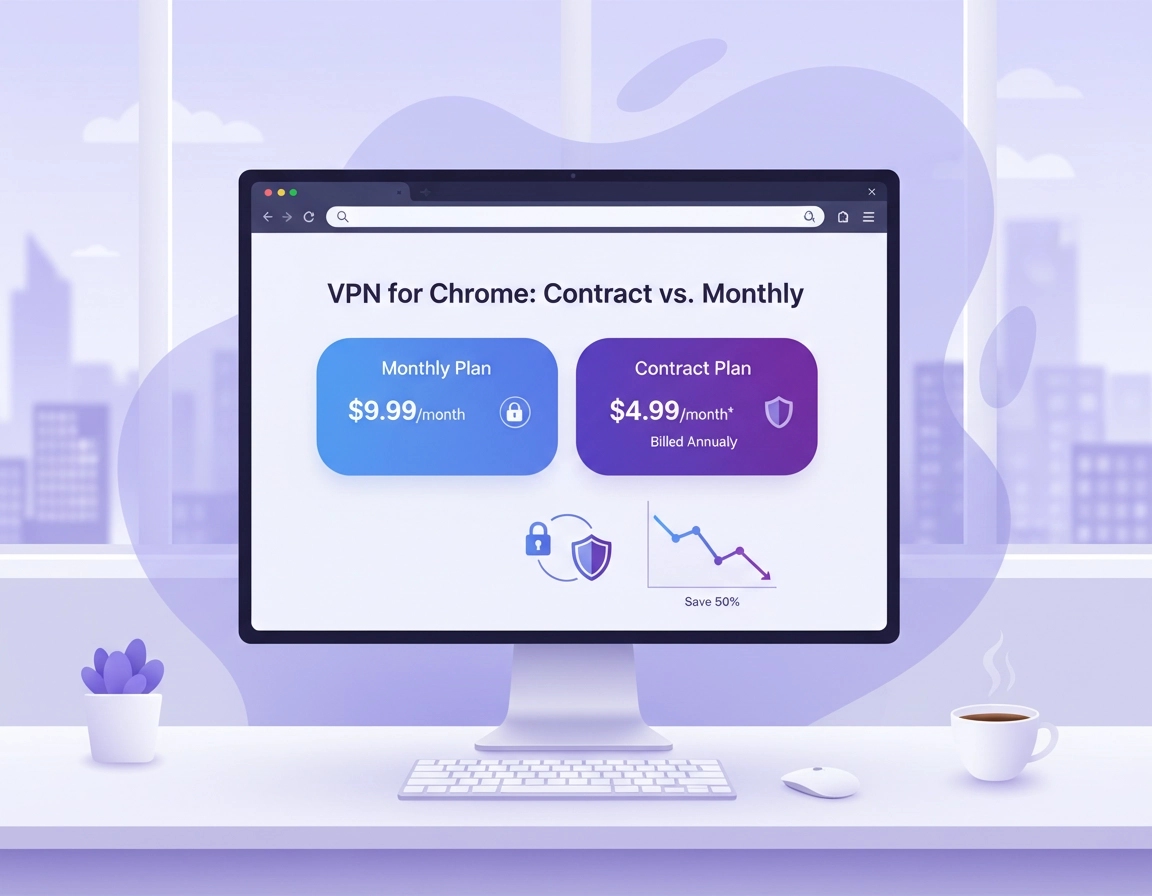
What “contract vs monthly” means for a Chrome VPN .
When people compare a VPN for Chrome on a contract basis versus a monthly basis, they are really comparing two different kinds of risk. The first risk is financial: how much you pay now, how much you save over time, and what happens if you cancel early or forget to turn off auto-renew. The second risk is operational: whether the provider still fits your browser workflow after real-world use.
A monthly plan is usually the rolling, cancel-any-time option. It costs more per month, but it gives you room to test the Chrome extension, confirm your usual sites still behave properly, measure browsing speed, and decide whether the provider’s logging claims, support quality, and feature set match your expectations. This is especially useful when you care about browser-specific issues like WebRTC leaks, extension permission scope, session reliability, or whether the provider only protects browser traffic instead of your entire device.
A contract plan, by contrast, usually means a 12-month, 24-month, or sometimes even longer commitment. In return, you get a lower effective monthly rate. On paper, that looks like clear value. In practice, the right answer depends on whether you already know you will keep using the service. A discounted contract is only truly cheaper if the provider remains good enough to keep. If you abandon it after two months because of slow speeds, awkward server selection, poor support, or weak enterprise controls, the “discount” was not a discount at all.
For Chrome users, this matters more than many comparison pages admit. Some providers have strong desktop apps but underwhelming browser extensions. Others offer polished Chrome extensions but limit advanced controls, omit key protections, or reserve better features for higher tiers. That is why the smartest way to compare contract versus monthly is not only to ask, “Which is cheaper?” but also, “Which buying model best matches my certainty?”
Related: Start with the broader overview on Best VPN for Chrome, then compare deeper pricing angles in VPN for Chrome Pricing Comparison.
Key terms (quick definitions) .
- Monthly plan: a rolling month-to-month subscription with higher short-term flexibility and a higher effective monthly cost.
- Contract plan: a longer prepaid commitment, usually annual or multi-year, with lower effective pricing but more commitment risk.
- Effective monthly cost: the total contract price divided by the number of months, which is the only fair way to compare plan economics.
- Renewal price: the price charged when the promotional term ends, which is often higher than the first term.
- Seat licensing: the number of users, devices, or managed identities included in a business plan.
Monthly plans are best when .
- You are evaluating a provider
- You need short-term coverage
- Your team size may change soon
- You want easy cancellation
Contract plans are best when .
- You already trust the provider
- You need predictable annual budgeting
- You expect stable long-term usage
- You want the lowest per-user cost
Before you choose a plan .
Before you even compare price tables, decide what kind of VPN user you are. A traveler, remote contractor, student, and enterprise buyer may all search for “VPN for Chrome,” but they do not have the same cost structure or tolerance for risk. The wrong plan often comes from buying too early, not from choosing the wrong brand.
- Check your use period: Are you protecting Chrome for one trip, one project, one quarter, or permanently?
- Check your coverage model: Do you only need the browser extension, or do you need a desktop app too for non-Chrome traffic?
- Check your must-have features: Dedicated IP, kill switch, business admin controls, compliance documentation, and account sharing rules all affect plan value.
- Check your change likelihood: If you may switch jobs, devices, countries, or vendors soon, flexibility matters more.
- Check renewal risk: A cheap intro contract can become expensive later if the renewal price jumps sharply.
For solo users, the main question is usually value versus flexibility. For teams, it is broader: procurement timing, onboarding cost, documentation requirements, identity management, invoicing, tax treatment, and whether support is responsive enough for operational use. A plan that looks inexpensive for one user can become frustrating at ten seats if the vendor lacks centralized billing or admin tooling.
Related: If you are comparing price and functionality together, also read VPN for Chrome Value Comparison, VPN for Chrome Business Pricing, and VPN for Chrome Enterprise Cost.
- Fast check 1: Make a short list of the websites you use daily in Chrome. Banking portals, SSO dashboards, SaaS admin consoles, and geo-sensitive sites should be tested before any long commitment.
- Fast check 2: Verify whether the provider’s Chrome extension includes leak protection, server choice, split behavior, or only simple proxy-like browser routing.
- Fast check 3: Write down the date the refund window ends. That is your true evaluation deadline.
How to decide step by step .
The cleanest way to choose between a contract plan and a monthly plan is to treat the decision like a staged rollout instead of a one-time purchase. Most buyers either overpay for flexibility they do not need, or they lock into a contract before proving the service works in their real browser environment.
- 1 Define your use case. Are you protecting public Wi-Fi sessions, accessing region-specific services, securing client work, or rolling out a browser-safe baseline for staff?
- 2 Start with a short evaluation period. Monthly works well here because you can test without turning your first purchase into a sunk cost.
- 3 Test the Chrome extension under real conditions: normal browsing, login flows, video calls, downloads, web apps, and sites that are sensitive to IP reputation.
- 4 Measure what matters: speed consistency, disconnections, UI friction, support response, and how easy it is to switch servers or recover sessions.
- 5 Only after the provider passes that test should you compare longer contract discounts and decide whether the savings justify the commitment.
What success looks like: your Chrome browsing remains stable, your key sites keep working, the extension is easy to manage, support is reachable, and you have enough confidence that a longer term will not become wasted spend.
This step-by-step method is particularly strong for high-intent commercial buyers. It respects the reality that “cheap” is not the same as “cost-effective.” A contract becomes cost-effective only when the service is proven. That is why many savvy buyers use monthly first, then migrate to an annual plan after a successful test window. This hybrid approach reduces regret without permanently locking you into the more expensive billing model.
Related: If you are still choosing a provider, see Top Rated VPN for Chrome, Fastest VPN for Chrome, and Most Secure VPN for Chrome.
Common variations by user type .
- Solo user: monthly first is usually the safest path unless you already know the service well.
- Frequent traveler: monthly often makes sense if your need is seasonal or trip-based.
- Remote team: monthly is useful for pilot testing, but contract pricing usually becomes more attractive after internal approval.
- Business procurement: compare contract length, support tier, invoice handling, seat minimums, and admin access together, not separately.
A practical decision rule .
If you are less than 80% certain you will keep the provider for at least a year, start monthly. If you are already using the provider successfully, have stable needs, and the renewal terms are acceptable, a contract usually gives better economics. That sounds simple, but it prevents a surprising amount of buyer regret.
Advanced buyer considerations .
This is where the comparison becomes more valuable than a surface-level pricing page. Contract versus monthly is not only about the headline rate. It is about total cost of ownership, switching friction, internal approvals, and how much uncertainty remains after a real trial.
Total cost is more than subscription price .
The subscription fee is only one part of cost. There is also setup time, support burden, the time spent training users, the risk of incompatible sites, and the administrative overhead of changing providers later. For one person, these soft costs may be small. For a team, they can easily outweigh the visible discount of a longer contract.
Example: a two-year contract may look much cheaper than month-to-month pricing. But if the extension creates login friction for your CRM, breaks a client portal, or generates too many support tickets, the apparent savings vanish quickly. On the other hand, if the provider works cleanly in your environment and your team needs the service every day, contract pricing can meaningfully reduce long-run per-seat cost.
Related: If you need performance context before buying, read VPN for Chrome Performance Impact, VPN for Chrome Speed Optimization Tips, and VPN Chrome Performance Test.
Feature mismatch is where contracts go wrong .
A common mistake is assuming every plan tier includes the same Chrome-related protections. Some providers place dedicated IPs, advanced routing, team features, or priority support behind more expensive plans. Others reserve certain business controls for separate contracts altogether. That means a bargain consumer contract can be the wrong purchase for a business, even if the headline price looks attractive.
If you specifically need features like a dedicated IP, stronger session safety through a kill switch, or Chrome-focused policy guidance for teams in corporate security setups, check that the contract tier actually includes them.
When you should choose monthly .
- You are testing a provider for the first time
- You only need coverage for travel, short-term work, or a specific project
- Your team count may expand or shrink soon
- You are uncertain whether a Chrome extension is enough or whether you need full-device protection
- You expect to compare multiple vendors before standardizing
When a contract is the better move .
- You have already validated the provider in your real workflow
- You want better long-run pricing and predictable budgeting
- You are onboarding a stable team with known seat requirements
- You need to minimize repeated reimbursement or monthly procurement handling
- You are standardizing on one vendor for support, training, and documentation
Common alternatives users compare .
- Monthly VPN plan vs annual or multi-year discounted contract
- Browser-only VPN extension vs full desktop VPN client
- Free plan or free trial vs paid plan with support and better servers
- Consumer pricing vs business VPN pricing with admin control and compliance support
Related: Continue with VPN for Chrome Free vs Paid, VPN for Chrome Trial vs Free Plan, and Best Business VPN for Chrome.
Privacy, security, and procurement notes .
A billing model does not directly change encryption strength, but it does affect your ability to respond when a provider underperforms. That makes contract decisions partly security decisions. The less certain you are about a vendor’s trustworthiness or browser implementation quality, the more valuable flexibility becomes.
Impact: plan choice affects cancellation flexibility, vendor lock-in, support dependence, and the cost of correcting a bad purchasing decision.
Related: If your decision is tied to policy or regulated environments, also review VPN for Chrome GDPR Compliance, VPN for Chrome HIPAA Compliance, and VPN for Chrome SOC 2 Compliance.
Recommended baseline settings by buyer type .
- Option A (balanced): begin on monthly, test for at least one normal work cycle, then move to annual if the provider performs well.
- Option B (maximum flexibility): stay monthly if your needs are unpredictable, location-based, or temporary.
- Option C (best long-term value): choose a contract only after validating support, performance, renewal terms, and feature access.
Recommended plan by goal .
| Goal | Recommended plan | Main tradeoff | Best for |
|---|---|---|---|
| Testing a provider safely | Monthly | Higher monthly cost | New users, uncertain buyers, short pilots |
| Lower long-run cost | Annual or longer contract | Less flexibility, more lock-in | Stable users and established teams |
| Business rollout | Monthly pilot, then contract | Takes longer to finalize | IT admins and procurement teams |
| Travel or short project | Monthly | Best price rarely available | Freelancers, travelers, contractors |
Contract terms worth reading carefully .
- Auto-renew and how much the price increases at renewal
- Refund window length and any eligibility conditions
- Whether billing is prepaid or invoiced
- Seat additions, removals, and proration rules for teams
- Support level, response targets, and business-hours limitations
Common buying mistakes and troubleshooting .
Related: If implementation becomes the issue after purchase, see How to Install VPN Extension in Chrome, How to Use VPN with Chrome Browser, and VPN for Chrome Troubleshooting Guide.
If the monthly plan feels “too expensive” .
That may be true in strict per-month terms, but the comparison can still be misleading. Monthly pricing buys optionality. If you are unsure about the vendor, that optionality has real value. The better question is not whether monthly is cheap, but whether the contract discount is worth the extra commitment risk.
If the contract price looks unbeatable .
Check the renewal rate, refund conditions, and what happens if your needs change after thirty days. Many buyers focus on the first term and ignore the second. A good contract should still look acceptable after the promo period, not only during it.
If your team cannot decide between pilot and rollout .
Use a phased model. Start with a small monthly pilot for the users who rely most heavily on Chrome-based workflows. Test business-critical sites, support quality, admin visibility, and user satisfaction. If results are good, negotiate a longer contract from a stronger position.
If the Chrome extension is good but the desktop app is weak .
Re-check your original requirement. If you only need browser-level privacy, that may be acceptable. If you need broader device protection, the contract may be the wrong purchase even if the extension itself feels fine.
If you need to reset the decision safely .
Keep a written evaluation checklist, track the refund deadline, and document the sites and use cases you tested. This makes it easier to cancel in time, justify renewal internally, or move to a better provider without repeating the same mistakes.
FAQ .
-
helpIs a contract VPN plan always cheaper than monthly for Chrome?Only on paper. A contract usually has a lower effective monthly price, but it is only truly cheaper if you keep using the provider long enough for the savings to matter. If the service fails your real-world Chrome tests and you stop using it early, the contract can end up costing more in practical terms.
-
helpShould I start monthly before buying an annual VPN plan?In many cases, yes. Starting monthly gives you a safer evaluation window for Chrome extension quality, website compatibility, support responsiveness, and performance. After that, moving to an annual plan often becomes the best value move.
-
helpWhat matters most for businesses comparing monthly vs contract VPN pricing?Businesses should look beyond price and check seat flexibility, centralized billing, admin access, compliance support, onboarding friction, renewal terms, and support SLAs. A business contract makes the most sense after a controlled pilot proves the vendor works in the team’s Chrome environment.
-
helpWhen is monthly the better permanent choice?Monthly can remain the better option if your needs are short-term, seasonal, travel-based, or uncertain. It also makes sense when you frequently re-evaluate vendors, have changing team sizes, or are not ready to standardize on one provider yet.
Sources & further reading .
- Google Chrome Help Center
- Google: Use extensions, apps, and themes
- Google: Browse the web privately
- FTC guidance on online security and trust signals
Disclosure: This page is editorial and intended to help users think more clearly about plan structure, browser fit, and purchase risk before subscribing.