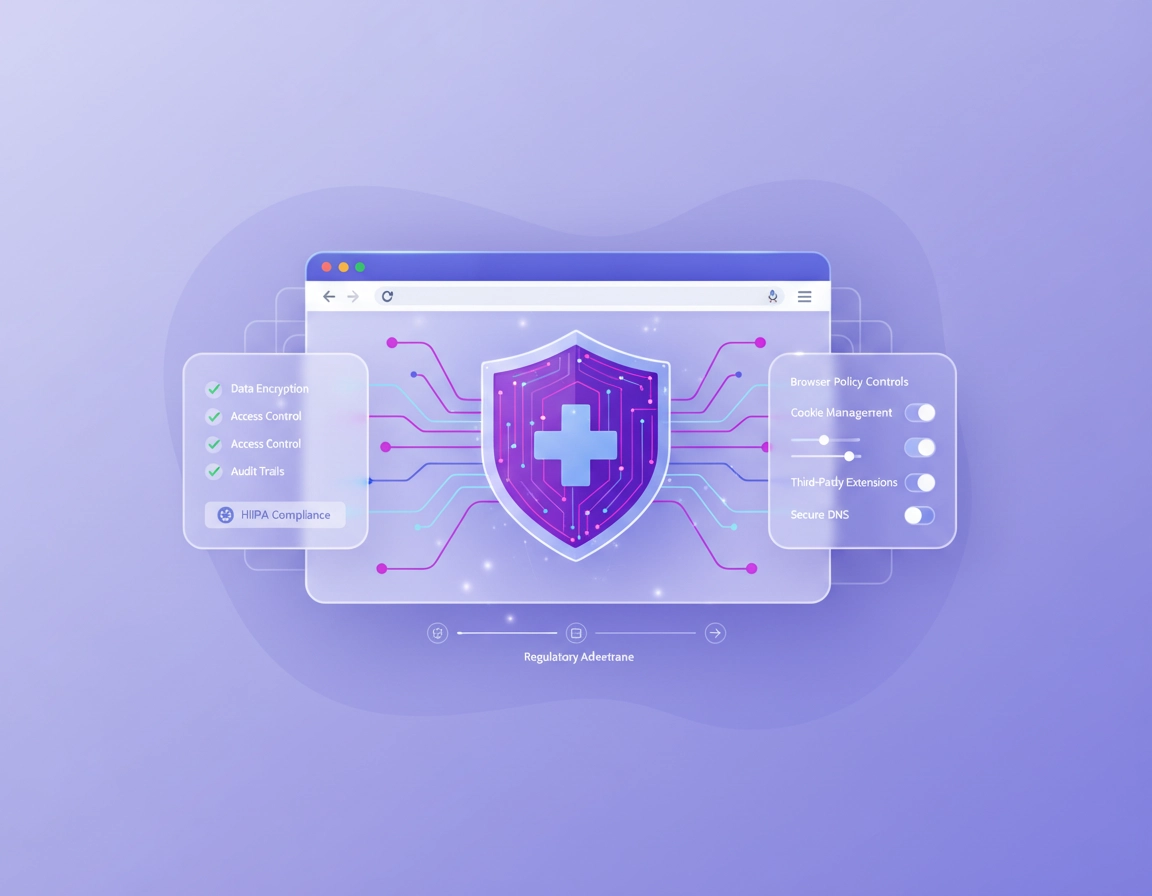
What HIPAA compliance means in the context of a Chrome VPN .
The most important framing point is simple: a VPN for Chrome is not a compliance shortcut. It is only one control in a much larger environment that may include managed devices, authenticated workforce access, browser policies, endpoint protection, logging, vendor contracts, and written procedures. If a team starts by asking “Is this VPN HIPAA compliant?” the better question is “Can this VPN be used in a HIPAA-aligned workflow without creating unmanaged risk?”
That distinction matters because HIPAA does not work like a browser extension marketplace label. Healthcare organizations are responsible for implementing reasonable and appropriate safeguards around electronic protected health information. In practice, that means you evaluate the full system: who accesses data, where data moves, how access is authenticated, what is logged, how incidents are handled, how staff are trained, and whether third parties that may create, receive, maintain, or transmit ePHI are contractually and operationally suitable.
For Chrome specifically, a VPN extension usually protects only traffic that flows through the browser context it controls. That can still be useful. It may reduce exposure on public Wi-Fi, help route browser traffic through a trusted provider, and support safer access to web-based portals. But it may not cover the rest of the device, local apps, background sync outside the extension’s scope, or traffic leaks caused by poor configuration. That is why a browser-only VPN is usually better understood as a narrow technical safeguard rather than a whole healthcare security stack.
Healthcare readers should also think carefully about metadata, not just record contents. Even when a vendor does not visibly store medical charts or diagnoses, it may still handle connection information, session details, IP addresses, DNS requests, timestamps, user identifiers, or browser-level events that become sensitive in context. In regulated environments, the safest move is to treat that question seriously during vendor review instead of assuming “no logs” marketing language solves it.
Related: For a broader starting point, read Best VPN for Chrome, Secure VPN for Chrome, and VPN Chrome Corporate Compliance.
Key terms you should align on internally .
- ePHI: Electronic protected health information. In this context, think patient data viewed, transmitted, or accessed through Chrome.
- Browser VPN extension: A Chrome add-on that typically routes browser traffic through a provider network, but does not necessarily protect the whole device.
- Managed deployment: Rolling out Chrome settings and extensions through administrative controls rather than letting users install anything they want.
- Auditability: Your ability to review events, access patterns, policy state, and security-relevant activity later.
- BAA: A business associate agreement. This matters when a third party may create, receive, maintain, or transmit ePHI on behalf of a covered entity or business associate.
Before you approve any VPN for Chrome .
Before testing speed, pricing, or server count, answer five pre-approval questions. These save time and prevent a common mistake: approving a browser VPN because it sounds secure, then discovering it does not fit your healthcare workflow, documentation standards, or vendor risk posture.
Related: If you are comparing service models, see VPN for Chrome Free vs Paid, VPN for Chrome Business Pricing, and VPN for Chrome Enterprise Cost.
- 1. What traffic needs protection? If clinicians or staff only access a browser-based EHR or web portal in Chrome, a browser-scoped VPN may be relevant. If workflows involve desktop apps, file shares, email clients, remote support tools, or non-browser services, a Chrome extension is too narrow by itself.
- 2. Could the vendor touch sensitive data or metadata? Review connection paths, DNS handling, session routing, support logs, telemetry, and admin tooling. Do not treat that as a legal footnote. Treat it as part of your technical and vendor assessment.
- 3. Can you centrally manage and restrict it? A healthcare team should rarely depend on every user installing a VPN extension correctly by hand. You want policy control, approved extension deployment, limited permissions, and a consistent browser baseline.
- 4. Can you monitor what matters? A tool that encrypts traffic but gives you zero useful visibility may reduce one risk while creating another. Audit and reporting capability matters for investigations, exceptions, and policy verification.
- 5. What happens when the VPN fails? Browser VPNs vary widely in how they behave during disconnects, authentication failures, policy changes, or browser restarts. Healthcare workflows need predictable failure modes and clear instructions.
If a vendor cannot answer those questions clearly, that is already meaningful data. In regulated environments, ambiguity is not neutral. It is operational risk.
Step-by-step evaluation checklist .
This is the practical decision path I would use before any healthcare practice, billing team, remote care workflow, or admin unit deploys a VPN extension in Chrome.
- 1 Map the workflow. Write down exactly which browser-based systems staff use in Chrome, what data they access, whether they view or transmit ePHI, and whether the activity happens only in Chrome or also in local applications.
- 2 Confirm the VPN’s coverage model. Verify whether the extension protects browser traffic only, whether DNS requests are tunneled, whether WebRTC leaks must be handled separately, and whether there are provider-specific exceptions.
- 3 Review extension permissions. Check what the extension can read, modify, or intercept in Chrome. For healthcare use, broad permissions deserve extra scrutiny because they expand trust assumptions inside the browser.
- 4 Review vendor logging and telemetry. Ask what is collected, how long it is retained, where it is stored, what admins can see, and whether diagnostic or support tooling could expose sensitive information or identifiers.
- 5 Review contract posture. Determine whether the vendor may create, receive, maintain, or transmit ePHI or related data on your behalf, and whether your compliance or legal team requires a BAA or additional contractual protections.
- 6 Validate identity and access controls. Check MFA, admin roles, least-privilege design, enrollment, offboarding, and whether shared staff devices or shared profiles are still in use anywhere.
- 7 Test auditability. Confirm whether your team can verify extension deployment, browser version, profile state, policy status, and relevant security events for managed users or devices.
- 8 Run a failure test. Simulate disconnects, expired sessions, Chrome restarts, account switching, and public Wi-Fi use. Your policy should define what staff must do if the VPN is unavailable.
- 9 Document the decision. Capture the vendor assessment, accepted risks, deployment scope, instructions for staff, and the fallback plan.
What “success” looks like: The VPN extension is only used for an approved browser workflow, deployed in a controlled way, verified by IT, supported by written policy, and backed by vendor review rather than assumptions.
Related: Continue with VPN for Chrome Policy Enforcement, VPN for Chrome Device Management, and VPN for Chrome IT Admin Guide.
What to inspect inside Chrome during testing .
- Extension source and publisher identity: Confirm the exact publisher, support path, update cadence, and whether the extension belongs to the same vendor selling the service.
- Permission prompts: Review every permission warning instead of clicking through them. For healthcare environments, unexplained broad access is a governance issue, not just a UX issue.
- Profile separation: Make sure clinical and non-clinical use is not blended in a single loosely managed profile.
- Browser update posture: Keep Chrome current. An outdated browser weakens the value of any browser security control layered on top of it.
Common variations by environment .
- Small clinic: Simpler rollout, but usually less dedicated security staff. Written process and vendor review matter even more.
- Multi-site healthcare group: Standardize browser policy, approved extensions, admin roles, and exception handling across locations.
- Remote coders, billers, and support staff: Browser-only VPNs may help with web portal access, but should usually sit inside a broader remote work security model.
- Contractors: Treat unmanaged personal devices as higher risk. A Chrome extension does not replace device trust controls.
Advanced deployment guidance for healthcare teams .
This is where the page moves from “consumer VPN advice” to something actually useful for a regulated workplace. The core question is not whether a VPN sounds secure. It is how it behaves inside a managed Chrome environment that must support confidentiality, integrity, access governance, and oversight.
Related: For broader browser hardening, see Chrome Enterprise HIPAA Compliance, Chrome Enterprise Security Settings, and Chrome Enterprise Compliance.
Where a Chrome VPN actually helps .
- Protecting browser sessions on untrusted or mixed-trust networks
- Reducing casual interception risk for web-based healthcare workflows
- Supporting location-consistent routing for approved browser services
- Adding a control layer for remote workers whose primary workflow is web-based inside Chrome
Where it does not solve the problem .
- It does not secure the full endpoint by default.
- It does not replace MFA, strong identity controls, or role-based access.
- It does not guarantee audit logging you can actually use.
- It does not erase vendor risk or contractual obligations.
- It does not fix unsafe extension sprawl, shared devices, or poor browser hygiene.
That is why mature healthcare teams usually deploy VPN-related controls inside a broader model: managed Chrome, approved extensions only, current browser versions, workforce guidance, endpoint protection, and defined incident response. The browser becomes one governed surface, not a patchwork of user choices.
Questions compliance reviewers should ask vendors .
- What exact browser traffic is tunneled, and what is outside scope?
- What connection, usage, or diagnostic logs are retained?
- Are admin and support access paths separated and role-based?
- Can the product be centrally deployed and restricted in managed Chrome environments?
- How are outages, disconnects, and failed authentication events handled?
- What data crosses vendor infrastructure, and where is it processed or stored?
- What written commitments can the vendor make regarding handling of sensitive workloads?
Common alternatives healthcare teams compare .
- Browser VPN extension vs full-device VPN
- Consumer VPN plan vs business or enterprise deployment
- Browser-only protection vs managed browser security
- VPN extension vs zero-trust access model
- Manual user installs vs centrally enforced extension policy
For those comparisons, these pages fit naturally into the cluster: VPN Chrome vs Desktop VPN, VPN for Chrome Zero Trust Security, VPN for Chrome Corporate Security Setup, and VPN for Healthcare Teams Chrome.
Privacy, security, and compliance notes .
The compliance-sensitive part of this topic is not the word VPN. It is the combination of traffic routing, extension trust, user behavior, vendor visibility, and policy enforcement. Healthcare teams should look at all of those together.
Impact: Affects browser traffic confidentiality, vendor exposure, extension trust, remote work posture, and whether your controls are documented well enough for internal review.
Related: If you also need leak testing and browser-specific technical checks, see VPN Chrome DNS Leak Test Guide, VPN Chrome IP Leak Protection, and VPN Chrome WebRTC Leak Fix.
Recommended baseline settings and controls .
- Option A (balanced): Managed Chrome deployment, approved VPN extension only, current browser version, enforced sign-in, MFA, and staff guidance for public Wi-Fi and remote work.
- Option B (maximum control): Managed browser plus full-device security controls, approved extension list, centralized reporting, restricted profiles, and a documented exception process.
- Option C (compatibility-first): Use the VPN only for defined browser-based workflows and keep sensitive workflows off unmanaged or mixed-use devices.
Recommended settings by goal .
| Goal | Recommended approach | Tradeoff | Best for |
|---|---|---|---|
| Balanced security | Approved Chrome VPN extension in a managed profile, MFA, locked extension list, documented workflow | Still narrower than full-device protection | Small clinics using browser-based portals |
| Maximum assurance | Managed browser plus broader device and access controls, vendor review, reporting, incident process | Higher admin overhead and cost | Multi-user teams, hybrid staff, larger practices |
| Compatibility-first | Limit VPN use to approved browser workflows and exclude unsupported edge cases | More exceptions to manage | Teams with legacy web apps or variable network conditions |
Practical risk themes you should not ignore .
- Browser-only scope: Staff may assume the whole device is protected when only Chrome traffic is routed.
- Extension trust: The permissions model matters. A highly privileged extension deserves the same skepticism you would apply to any software operating near sensitive workflows.
- Logs and support channels: The risk is not only stored data, but operational metadata and support interactions.
- User workarounds: If the VPN breaks a portal or slows a workflow, staff may disable it unless your process is clear.
- Unmanaged devices: A VPN extension on a personal laptop does not create a managed healthcare endpoint.
Troubleshooting and red flags .
Related: For broader browser hygiene and safer settings, see Chrome Secure Browser Setup Guide, Chrome Browser Hardening Checklist, and Chrome Extension Security Check.
If the vendor says “HIPAA compliant” but gives no detail .
Pause the approval process. Ask for written detail about what the product does, what it logs, how it is managed, what environments it supports, whether healthcare customers use it in browser-only or broader deployments, and what contract options exist. Treat vague compliance copy as a prompt for deeper review, not as approval evidence.
If the extension needs very broad permissions .
That does not automatically mean “unsafe,” but it does change the trust model. Review exactly why those permissions are needed, whether optional permissions are available, and whether the extension can be restricted to a managed environment. In healthcare settings, permissions should be understandable enough that security and compliance staff can explain them internally.
If users work outside Chrome too .
A browser VPN extension is probably too narrow as your main control. Build around the actual workflow. If staff use desktop apps, shared folders, remote desktop, or email clients in addition to Chrome, evaluate a broader access and endpoint model rather than forcing a browser tool to carry the whole burden.
If you cannot verify deployment state .
That is a management problem, not a user training problem. In a regulated environment, you should be able to say which users or devices have the approved extension, whether the browser is current, and whether the configuration is consistent. If you cannot answer that, your control is weaker than it looks.
If you need to reset safely .
Remove unapproved extensions, confirm the user is in the correct Chrome profile, update Chrome, reapply managed policy if applicable, and retest the workflow on a known-good network. Do not let staff solve repeated security failures by installing multiple overlapping VPN or proxy add-ons.
FAQ .
-
helpCan a Chrome VPN extension make my healthcare organization HIPAA compliant?No. A Chrome VPN extension can support one part of a safer browser workflow, especially around encrypted transit and untrusted networks, but HIPAA readiness depends on far more than that. You still need appropriate administrative, physical, and technical safeguards, plus documented processes, identity controls, and vendor review.
-
helpDoes a browser VPN count as enough protection for remote healthcare staff?Usually not by itself. It may be useful for browser-based portal access, but remote healthcare work often involves broader device, identity, and policy requirements. A browser-only VPN is best treated as one control inside a larger managed remote-work setup.
-
helpDo I need a BAA for a VPN provider used in Chrome?That depends on whether the provider may create, receive, maintain, or transmit ePHI on behalf of your organization, and on how your legal and compliance teams interpret the deployment. This should be reviewed deliberately, not assumed away. If the vendor may sit in a path that touches regulated data or sensitive operational metadata, raise the question early.
-
helpWhat is the biggest mistake teams make with VPN for Chrome in healthcare?The biggest mistake is treating a browser extension as a compliance badge instead of a scoped technical control. The second biggest mistake is letting users self-install security tools without policy, logging, review, or a fallback process when the tool fails.
Sources & further reading .
- HHS: The HIPAA Security Rule
- HHS: HIPAA Security Series - Technical Safeguards
- HHS: Guidance on HIPAA and Cloud Computing
- HHS: Business Associates Guidance
- Chrome for Developers: Permission Warning Guidelines
- Chrome for Developers: Extension Permissions Reference
- Chrome Enterprise: Policy List & Management
- Google Admin Help: Chrome Browser and Profile Reporting
Editorial note: This page is for practical education and evaluation support. It is not legal advice. Healthcare teams should route final compliance decisions through their own compliance, privacy, legal, and security reviewers.