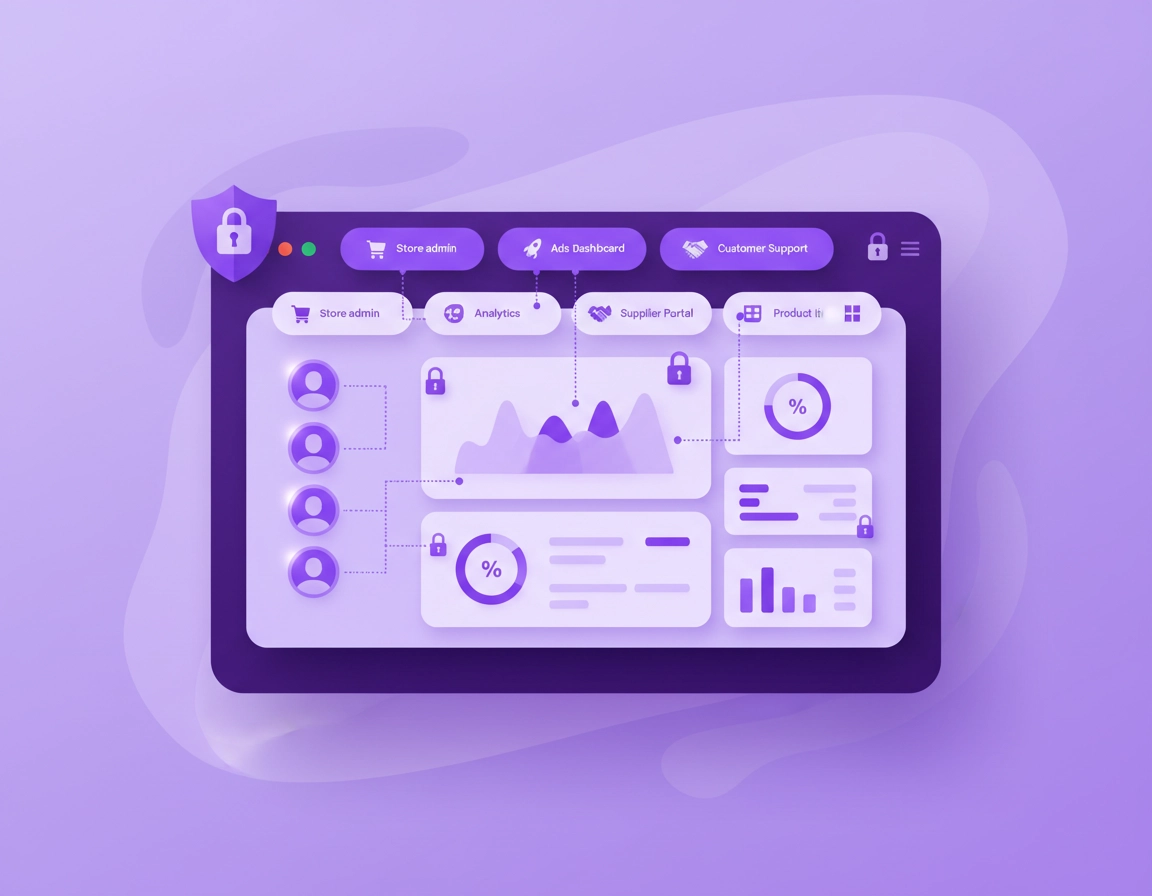
How a VPN Helps Ecommerce Teams Using Chrome .
This guide is about operational browser security for online retail teams, not generic “VPN marketing claims.”
When people search for a VPN for ecommerce teams using Chrome, they are usually trying to solve one of four business problems: protect staff on home or travel Wi-Fi, reduce risk around store-admin logins, keep agency or contractor access more controlled, or create a more consistent way for distributed team members to reach internal tools, dashboards, and partner portals. Those are real problems. But the mistake many teams make is assuming a VPN alone fixes them.
In practice, a VPN is a network security and privacy layer. It encrypts traffic between the user device and the VPN server, helps reduce exposure on untrusted networks, and can give teams more predictable exit locations or IP handling. For ecommerce work in Chrome, that matters because the browser often becomes the control panel for the whole business: store admin, payment dashboards, shipping tools, email, customer service, analytics, supplier portals, ads accounts, CMS access, and password managers often all live in browser tabs. If that browser session is exposed, reused carelessly, or mixed with personal browsing, the risk multiplies fast.
Ecommerce teams also have a specific access pattern that makes browser security more complicated than a normal office environment. One person may jump between Shopify admin, Meta Ads Manager, Google Ads, Klaviyo, GA4, a helpdesk, a warehouse panel, and three client stores in the same morning. Another may be a freelance designer, paid media contractor, or virtual assistant working from a personal machine. A third may be traveling and logging in from airport Wi-Fi. In all of those cases, Chrome is not just “a browser.” It is the work surface where valuable sessions, tokens, cookies, and privileged accounts live.
That is why the right question is not “Should we use a VPN?” but “Where does a VPN fit in our actual browser security model?” For most ecommerce teams, the best answer is: use a VPN as one layer around remote work, public Wi-Fi use, contractor access, and sensitive admin activity, while also keeping Chrome updated, limiting risky extensions, separating browser profiles by role, enforcing MFA, and avoiding sloppy account sharing. A VPN helps. It just needs to be part of a system, not treated like a silver bullet.
Related: If your team is comparing options across the whole cluster, start with Best VPN for Chrome, then compare business use cases with VPN for Agencies Using Chrome and VPN for Freelancers Using Chrome.
Key Terms Ecommerce Teams Should Understand .
- VPN: An encrypted tunnel between a device and a VPN endpoint. Useful for safer network transport, location control, and remote-access consistency.
- Chrome profile: A separate browser workspace with its own cookies, extensions, logins, bookmarks, and history. Critical for separating personal and business access.
- Session cookie: The browser data that keeps a user signed into a dashboard or platform. If a session is stolen or reused, an attacker may not need the password again.
- Extension permissions: The access a Chrome extension asks for, such as reading site data, changing pages, or controlling network behavior.
- Least privilege: Giving each team member only the access they need, instead of full admin rights “just in case.”
- Managed browser: A Chrome deployment where IT or an admin can control browser settings, approved extensions, and policy behavior across the team.
Before you start: fast checks before you deploy anything .
Before you choose a VPN workflow for your ecommerce team, do a quick reality check. Many browser-security problems blamed on “not having a VPN” are actually caused by over-privileged staff accounts, weak MFA coverage, messy Chrome profiles, overused admin logins, or too many extensions with broad access. If you skip those basics, your VPN turns into expensive decoration.
Related: If Chrome already feels unstable or heavy, review VPN for Chrome Performance Impact, VPN for Chrome Speed Optimization Tips, and the broader Performance Optimization cluster before rolling out more browser tooling.
- Check your login model: Are staff sharing a single admin account, or does every person have their own role-based access? Shared admin credentials create audit gaps and messy incident response.
- Check your MFA coverage: Your store platform, ad accounts, analytics, finance tools, and email should all use MFA. A VPN does not replace identity protection.
- Check Chrome profile separation: Staff should not manage storefronts, bank portals, personal email, social accounts, and random browsing in the same profile.
- Check your extension list: Remove anything non-essential, especially “coupon,” scraping, auto-fill, shopping, AI sidebar, or questionable utility extensions in admin profiles.
- Check your remote-work reality: Are people connecting from cafés, hotels, co-working spaces, home routers, or travel hotspots? That determines how much a VPN helps.
- Check your contractor patterns: Agencies, VAs, and freelancers often create the most complicated access pathways. Map who needs what, and for how long.
- Check your browser update discipline: Outdated Chrome builds, outdated operating systems, and stale extensions create more risk than most teams realize.
- Check critical workflows: Test order processing, payment dashboards, analytics, and helpdesk tools on the VPN before making it mandatory for everyone.
A useful rule here is simple: define the business event you are protecting. Is the VPN mainly for public Wi-Fi risk? For agency access? For supplier portals locked by country or IP? For secure admin sessions while traveling? The clearer the goal, the easier it is to choose the right deployment and avoid unnecessary friction.
Step-by-step: the recommended Chrome workflow for ecommerce teams .
The most reliable approach for ecommerce teams is not a random browser extension thrown into every employee profile. Start with a disciplined Chrome workflow, then layer the VPN where it actually supports access control and safer browsing.
- 1 Create a dedicated Chrome profile for store operations. This profile should be used only for ecommerce work: storefront admin, analytics, ads, CRM, helpdesk, warehouse, finance, and vendor tools. Keep personal browsing elsewhere.
- 2 Decide whether you need a desktop VPN or only a browser-level tool. For full-device protection, a desktop VPN is usually better because it covers all app traffic, not just Chrome tabs. A Chrome extension can still be useful for narrowly browser-based workflows, but it is a smaller security scope.
- 3 Clean up extensions before rollout. Remove unneeded extensions from the ecommerce profile and keep only approved tools. This matters because some extensions request permission to read or change site data across the pages your team uses every day.
- 4 Turn on MFA everywhere that matters. That includes the store platform, email, ad accounts, payment dashboards, helpdesk systems, password manager, and cloud admin tools. A VPN protects transport; MFA protects access.
- 5 Connect to the VPN before sensitive work. Make this routine for store-admin sessions, public Wi-Fi use, travel, and contractor access. Teams should know exactly when the VPN is mandatory.
- 6 Test critical ecommerce workflows. Log into the store backend, run an order review, open analytics, check the ad platform, upload a product image, and verify email/helpdesk access. Catch geo, CAPTCHA, or session issues early.
- 7 Document an approved usage policy. Clarify who uses the VPN, on which devices, for which tools, when it is required, and what to do when it breaks a platform workflow.
What success looks like: staff can log into Chrome-based ecommerce tools with less exposure on risky networks, fewer mixed personal/business sessions, tighter extension hygiene, and a predictable process for remote access that does not constantly break dashboards.
Related: For Chrome-specific setup details, see How to Use VPN with Chrome Browser, How to Install VPN Extension in Chrome, and VPN Extension Permissions in Chrome.
Common deployment variations .
- Small team / founder-led store: one dedicated Chrome profile, desktop VPN on work machines, MFA everywhere, and a shared written access checklist.
- Agency + in-house hybrid: separate Chrome profiles by client or business unit, role-based logins, shorter access windows for contractors, and approved extension lists only.
- Remote support and merchandising team: VPN required on public Wi-Fi and remote networks, but tested exclusions or alternative routes for tools that dislike location changes.
- Managed business environment: consider Chrome browser policy controls and extension allow/block rules for more consistent deployment across staff devices.
- Travel-heavy team: make VPN use mandatory before any admin or finance login, especially from hotels, airports, co-working spaces, or mobile hotspots.
Desktop VPN vs Chrome extension for ecommerce work .
For serious ecommerce operations, a desktop VPN is usually the cleaner answer because it protects the entire device session. That means Chrome, email apps, upload tools, chat apps, and other work traffic all follow the same network posture. A Chrome VPN extension can still work for teams whose workflows are almost entirely browser-based, but it creates a narrower protection model and often adds more confusion around what is and is not actually covered.
The extension route also deserves extra caution because ecommerce teams already depend on many browser extensions: password managers, screenshot tools, product research helpers, SEO tools, support widgets, and marketplace connectors. Adding another extension with network-related behavior increases complexity. Keep the admin profile lean, and do not install a browser VPN extension just because it looks faster to deploy.
Advanced settings and access design for teams .
This is where the page moves from “consumer VPN advice” into something more valuable for revenue-generating businesses. An ecommerce team is not just browsing the web. It is handling sessions tied to revenue, ads spend, product data, order processing, customer communication, and sometimes payment-related environments. That means your VPN decision should fit your access architecture, not just your privacy preferences.
Related: If you are rolling this out across a growing business, also read Chrome Enterprise Guide, VPN for Chrome Corporate Security Setup, VPN for Chrome Policy Enforcement, and VPN for Chrome IT Admin Guide.
Where a VPN helps most in ecommerce workflows .
- Admin sessions on untrusted networks: founders, managers, marketers, and support leads often log in from home, travel, or temporary networks.
- Agency and contractor access: a VPN can add a cleaner policy layer when third parties need temporary or limited browser access to dashboards.
- Location-sensitive operations: some supplier, banking, fraud, or marketplace tools behave differently depending on IP location or travel patterns.
- Reduced passive exposure: teams that move across many networks benefit from encrypted transport and less obvious IP disclosure.
- Operational consistency: support teams often work faster when they know the “approved browser path” for sensitive tasks.
Where a VPN does not solve the real problem .
- Weak identity controls: if a team shares credentials or skips MFA, the VPN is not fixing the highest-risk failure point.
- Bad extension hygiene: an over-privileged extension in the admin profile can still see or alter data on the pages the team uses.
- Over-broad access rights: giving every employee full store-admin privileges is still risky even on a VPN.
- Compromised endpoints: malware, info-stealers, or badly managed personal machines can bypass the value of a clean network tunnel.
- Broken operational design: if your store process depends on staff improvising across personal machines, the problem is governance, not just connection security.
How to structure Chrome for ecommerce team security .
A strong model is to separate Chrome use by function. One profile for store admin and payments-related tools. Another for marketing and analytics. Another for personal browsing if the same machine is allowed for mixed use. This reduces cookie contamination, keeps extensions more controlled, and makes sign-in behavior easier to audit. It also helps when you need to revoke access quickly after a contractor leaves or an incident occurs.
Next, define access by role rather than job title. For example, merchandising staff may need CMS, product catalog, and image tools, but not payment settings. A support lead may need order lookup, refund tools, and helpdesk access, but not ad-account billing. A paid media agency may need ad dashboards and landing-page tools, but never super-admin rights inside the main store. The VPN then becomes part of the path to those resources, not the definition of trust itself.
Teams with more maturity should also think about session discipline. Do not leave long-lived admin tabs open all day on shared or family devices. Avoid saving sensitive sessions in mixed-use browser profiles. Log out cleanly from high-value platforms when the work block ends. Treat Chrome like the control room of the business, because that is what it becomes at scale.
Common alternatives users compare .
- VPN vs zero trust browser security for teams that need stronger identity-aware access control
- VPN vs built-in Chrome security for teams deciding what Chrome already does natively
- VPN vs browser extension security tools for admins balancing privacy, filtering, and extension risk
- VPN vs private DNS for Chrome for teams solving different layers of privacy and network control
- Password manager for ecommerce because many teams actually need credential hygiene more urgently than more routing options
When a VPN is worth paying for in an ecommerce business .
It is worth paying for when the browser is part of core business operations and your team is distributed, mobile, contractor-heavy, or frequently on non-office networks. The ROI is not only “privacy.” It is fewer risky access patterns, less ad hoc remote work, better staff consistency, and better damage control if a device or session becomes a concern. For even a modest store, one compromised admin session, one fraudulent ad-account change, or one abuse of supplier access can cost more than a year of disciplined tooling.
Privacy, security, and performance notes .
The privacy and security tradeoffs around a VPN in Chrome are broader than “encrypted or not encrypted.” Ecommerce teams should think about four layers at once: network transport, browser permissions, account security, and operational behavior. The VPN helps the first layer. Chrome settings, extension control, MFA, and role design handle the rest.
Impact: Affects connection routing, login friction, browser-extension behavior, CAPTCHA frequency, geo-sensitive tools, and the overall cleanliness of your admin workflow.
Related: If your concern is broader browser hardening, review Chrome Enterprise Security Settings, Chrome Managed Browser Security, Chrome Enterprise Threat Protection, and Remove Malware.
Recommended baseline settings for ecommerce teams .
- Option A (balanced): Desktop VPN for remote work and travel, dedicated Chrome work profile, MFA on all business tools, approved extensions only, and regular browser updates.
- Option B (higher control): Managed Chrome environment, allowlisted extensions, role-based staff access, documented VPN policy, separate admin profile, and stricter session handling.
- Option C (lean small-team setup): One business-only Chrome profile per user, password manager, MFA, and VPN required only for public Wi-Fi, travel, and high-value admin tasks.
Recommended setup by goal .
| Goal | Recommended setup | Tradeoff | Best for |
|---|---|---|---|
| Balanced security | Desktop VPN + dedicated Chrome work profile + MFA + minimal approved extensions | Some login friction and occasional geo checks | Most ecommerce teams |
| Remote-work safety | VPN mandatory on public Wi-Fi and travel, plus clean profile separation | Extra routine staff need to remember | Founders, managers, and traveling operators |
| Contractor control | Role-based accounts + VPN policy + separate profiles or managed browser rules | More setup and admin overhead | Agencies, VAs, and freelancer-heavy teams |
| Maximum governance | Managed Chrome, allow/block extension rules, logging, and strict access paths | Higher complexity and process discipline | Larger stores and multi-brand operations |
| Compatibility first | Use VPN only for sensitive sessions and risky networks, not every browser task | Less uniform protection | Teams using tools that are sensitive to IP or location changes |
What ecommerce teams often overlook .
The overlooked risk is usually the browser environment itself. Chrome extensions can request broad permissions. Some can read or change data on sites you visit. For an ecommerce team, that means a sloppy extension could interact with store admin pages, analytics dashboards, customer tools, or account interfaces. That is why extension hygiene matters so much alongside any VPN decision.
Another overlooked issue is platform behavior. Fraud systems, ad platforms, banking tools, and marketplace consoles sometimes flag unusual geography or network patterns. If your VPN causes frequent challenges, do not blindly switch locations. Standardize one or two approved exit regions for business use and keep the team consistent. Security teams love control, but operations teams need stability too.
Finally, remember that ecommerce is increasingly shaped by script integrity, checkout security, and better control of who can change revenue-critical pages. A VPN can support safer operator access, but it does not by itself secure checkout scripts, prevent bad extensions, or enforce better change governance. That work belongs to your broader security and platform management practices.
Troubleshooting common ecommerce VPN problems .
Related: For technical Chrome-side fixes, see VPN for Chrome Troubleshooting Guide, VPN for Chrome Connection Issues Fix, VPN Chrome WebRTC Leak Fix, and VPN Chrome IP Leak Protection.
If store admin logins start throwing extra verification or CAPTCHAs .
This usually happens when the platform sees a location jump, a shared VPN exit node, or a pattern that differs from the normal team baseline. Standardize business usage around one approved region, avoid hopping between countries for normal operations, and keep sensitive admin work in a stable dedicated Chrome profile. If you manage multiple brands, document which team uses which connection path so the platform sees consistent behavior over time.
If analytics, ad platforms, or supplier portals load slowly .
The issue may be latency, an overloaded VPN route, or too many browser extensions competing in the same profile. Test the workflow in a clean Chrome profile with only required tools enabled. If performance improves, the VPN may not be the only culprit. Also compare desktop VPN performance against a browser extension setup; the extension route is not always faster in real work conditions.
If staff keep forgetting to turn the VPN on .
This is a process problem more than a technology problem. Tie the rule to a business event: “VPN on before store-admin, finance, or helpdesk logins off-office.” Keep the policy short, obvious, and repeatable. The simpler the trigger, the better the compliance. Complex policies die in fast-moving ecommerce teams.
If a browser VPN extension seems to break other extensions .
Network-related extensions can interact unpredictably with other browser tools, especially in a profile full of SEO utilities, research tools, AI helpers, and admin plugins. Move ecommerce admin work to a stripped-down profile. Keep only the password manager, the VPN tool if truly needed in-browser, and one or two operational essentials. Everything else should live in a different profile.
If contractors need access but you do not fully trust their machines .
Do not treat the VPN as a substitute for trust. Reduce permissions, use role-based accounts, shorten access windows, review extension usage, and separate contractor tasks from super-admin functions. For higher-risk environments, a stricter browser management or zero-trust style approach may be more appropriate than simply requiring a VPN login.
If you need to reset safely .
Start by closing Chrome, reconnecting the VPN cleanly, and reopening only the dedicated ecommerce profile. Disable all non-essential extensions in that profile and test one core platform at a time. If problems continue, switch to a desktop VPN if you were using a browser extension, or temporarily test without the VPN to isolate whether the problem is routing, extension conflict, or account-side policy. Keep notes. Fast diagnosis comes from structured testing, not random toggling.
FAQ .
-
helpDo ecommerce teams really need a VPN if they already use Chrome and MFA?MFA is essential, but it solves a different problem. MFA protects account access, while a VPN helps protect traffic on untrusted networks and creates a more controlled path for remote work. Many ecommerce teams benefit from both, especially when staff travel, work from home, or access admin tools from shared or temporary networks.
-
helpIs a Chrome VPN extension enough for store-admin work?Sometimes, but usually a desktop VPN is the better business choice. It protects the whole device session and reduces confusion about what traffic is actually covered. A Chrome extension can be useful for narrow browser-only workflows, but it should be deployed carefully in a lean, tightly controlled admin profile.
-
helpWhat is the biggest browser risk for ecommerce teams besides public Wi-Fi?Extension sprawl and profile chaos are often bigger risks than teams expect. If staff use one Chrome profile for store admin, personal browsing, random utilities, and agency tools, session exposure and permission risk rise quickly. Dedicated work profiles and strict extension hygiene are some of the highest-value improvements you can make.
-
helpCan a VPN help with agency or freelancer access to client stores?Yes, but only as one layer. It can support cleaner remote access and more consistent login behavior, but you still need individual accounts, limited permissions, MFA, and clear offboarding. Do not use a VPN as a reason to keep sharing master admin credentials with third parties.
-
helpWill a VPN hurt ecommerce performance in Chrome?It can add some latency, especially on overloaded routes or distant locations. The answer is not always to turn it off; often it is to choose a cleaner route, use a stable approved region, reduce extension clutter, and test critical dashboards in a dedicated profile. For most teams, the right setup is usable, but it should be tested before full rollout.
Sources & further reading .
- Chrome Web Store Help: manage extension site access and permissions
- Chrome for Developers: declare permissions for extensions
- Google Chrome Help: Safe Browsing protection levels
- Chrome Enterprise: allow or block apps and extensions
- Chrome Enterprise: set Chrome app and extension policies
- PCI Security Standards Council: PCI DSS overview
- PCI SSC: e-commerce security requirements guidance
Disclosure: This page is educational and editorial. It is not legal, compliance, or incident-response advice. Ecommerce teams should validate security, payment, and browser-management decisions against their actual platforms, workflows, and risk profile.