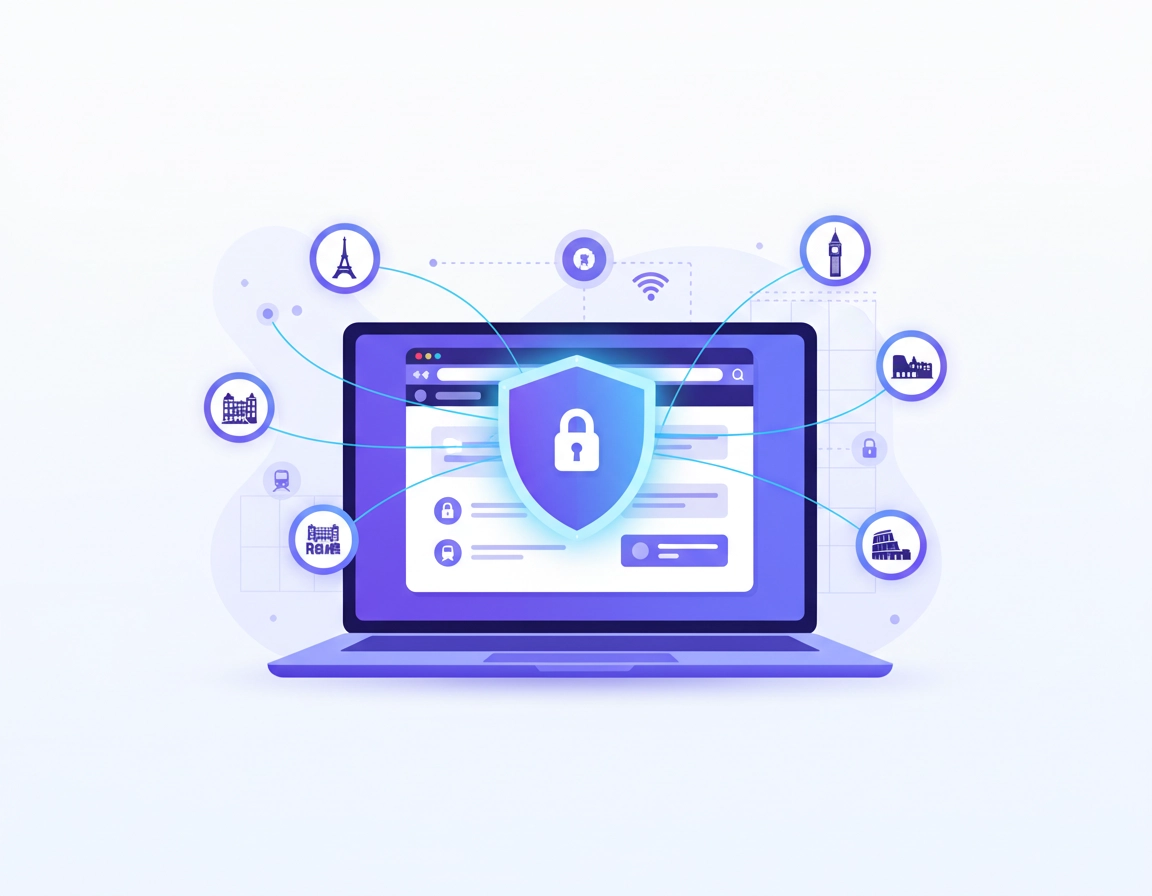
What people usually mean by “VPN for Chrome in Europe”.
In practice, this search means one of two different things. The first is browser-only protection: someone wants Chrome traffic to go through a VPN so they can browse more privately, appear in another country, or avoid exposing their normal connection on public Wi-Fi. The second is broader travel or work protection: someone wants Chrome to be safer, but they also assume their laptop, apps, cloud tools, and background services are being protected too.
That distinction matters because a Chrome VPN extension and a full desktop VPN are not interchangeable. A Chrome extension mainly covers traffic inside Chrome. A desktop VPN covers the whole device. Those are different security models, different convenience tradeoffs, and often different failure patterns.
Many users only realize this after something breaks. Chrome looks protected, but Slack desktop still uses the raw connection. A banking app throws a fraud challenge. A work upload fails because the browser is tunneled but the sync client is not. A travel user expects hotel Wi-Fi protection for the whole machine but has really only protected their tabs. None of that means VPNs do not work. It means the wrong product type was chosen for the job.
Related: Best VPN for Chrome, VPN Chrome vs Desktop VPN, and Secure VPN for Chrome.
The terms that matter here.
- Chrome VPN extension: a browser add-on that routes browser traffic, often quickly and conveniently, but not necessarily the rest of your device traffic.
- Desktop VPN app: a system-level client that protects traffic from Chrome and other apps on the device.
- WebRTC leak: a browser-level leak path that can expose network details even when the VPN looks active.
- DNS leak: when domain lookups are resolved outside the VPN path, revealing browsing destinations to the wrong network layer.
- Host permissions: the sites and site patterns an extension is allowed to read, intercept, or change.
- Region mismatch: when your chosen VPN country conflicts with saved cookies, account region, payment profile, or previous login history.
Why Europe changes the setup decision.
Europe is a useful VPN market because people move across borders often, public transport and hotel browsing are routine, and many users switch between personal browsing, client work, streaming, and finance in the same browser session. But Europe also creates edge cases that generic VPN pages usually ignore.
First, there is the multi-country behavior problem. Someone can be physically in Belgium, use a Dutch VPN server for speed, log into an Irish work tenant, stream content expected in Germany, and authenticate a French bank account in the same afternoon. That is a very different scenario from “at home, one ISP, one country, one account region.” Your VPN setup has to reduce friction, not multiply it.
Second, Europe contains both close latency zones and complicated regional expectations. A user in Luxembourg, Brussels, Cologne, Amsterdam, and Paris may have multiple “nearby” server choices that are all technically viable. That means smart server selection matters more than simply pressing the first city in a dropdown. The nearest reliable server usually performs better and causes fewer CAPTCHA loops than a more distant but more fashionable location.
Third, many users wrongly assume that European privacy expectations remove the need for a technical privacy layer. They do not. Stronger legal expectations around data protection do not encrypt traffic on a weak network, prevent a compromised hotspot from sniffing what it can, or fix a Chrome extension with sloppy permissions. Legal context is important. Network protection is still technical.
Fourth, Europe-specific travel often includes a UK/EU split in user expectations. Crossing between EU countries is one thing. Crossing between the EU and the UK, while using region-sensitive accounts, media services, or finance tools, can create different detection patterns and account prompts. A browsing profile that behaves smoothly in Madrid and Paris may behave differently the moment you reconnect in London and open the same sites with the same cookies.
Related: VPN for Chrome in UK, VPN for Chrome in USA, and VPN for Chrome Global Server Comparison.
Best VPN setup for Chrome users in Europe.
For most users, the best setup is not the most aggressive one. It is the most stable one. That means fewer moving parts, fewer conflicting browser tools, and a server choice that matches what you are actually doing. The ideal Europe setup protects traffic without making every website think you are a bot, a fraud case, or a traveler teleporting between countries every 40 minutes.
Setup A: browser-only privacy and lighter region switching.
Use this when most of your activity happens in Chrome and you mainly want browser privacy, safer browsing on semi-trusted networks, or a clean way to test location-sensitive websites from different European regions.
- 1 Update Chrome and remove old proxy, privacy, or abandoned security extensions that could conflict with VPN routing.
- 2 Install a reputable VPN extension and review exactly which permissions it asks for.
- 3 Choose the nearest reliable server that still achieves your goal. If you only want privacy, stay near your real region.
- 4 Reopen Chrome or start a fresh browser window after connecting so the session begins cleanly.
- 5 Test a normal site first, then a location-sensitive site, then a login-heavy site.
Setup B: travel, public Wi-Fi, and mixed-device work.
Use this when you are moving between airports, trains, hotels, cafés, or co-working spaces, or when your browser is only one part of the workflow. In this scenario, the desktop VPN should be the primary protection layer. Chrome hardening is still useful, but it is not the foundation.
- 1 Install the full VPN app and enable protection before joining or trusting the network.
- 2 Turn on auto-connect for unsecured networks if the provider offers it.
- 3 Choose a nearby server unless a specific country is required for a service or test.
- 4 Keep Chrome extensions lean so the browser session stays predictable.
- 5 Add the browser extension only if you need browser-level controls on top of the full-device tunnel.
Setup C: finance, regulated logins, and enterprise SSO.
This is the setup people get wrong most often. Banking, tax systems, government portals, and corporate SSO tools often dislike rapid country changes, heavily shared VPN exit IPs, or a browser session whose apparent geography jumps around too much. In these cases, compatibility often matters more than maximum location masking.
- Prefer the nearest server to your real location.
- Avoid changing countries in the middle of a session.
- Do not stack multiple privacy or header-modifying extensions at the same time.
- Use the desktop VPN app if the browser extension keeps triggering login friction.
- For the most sensitive accounts, keep one Chrome profile reserved for stable, low-friction access.
Best for commuters
Desktop VPN with auto-connect, then browse normally in Chrome with a nearby node.
Best for cross-country website testing
Chrome extension plus separate browser profile for cleaner region checks.
Best for finance and SSO
Stable server habits, fewer extensions, and no dramatic country hopping mid-session.
Related: How to Use VPN with Chrome Browser, How to Install VPN Extension in Chrome, and VPN for Chrome Best Settings Guide.
Real Europe use cases: travel, work, banking, streaming, public Wi-Fi.
The strongest support pages do not just describe features. They map features to user situations. Here is where a VPN for Chrome in Europe becomes a practical choice instead of a vague security slogan.
Travel between European countries.
Travel users often want one thing but accidentally trigger three more. They want safer Wi-Fi and a familiar browsing environment. Then the browser opens with old cookies, a hotel captive portal interrupts the network path, location-sensitive services disagree with the current IP, and previously trusted logins suddenly look suspicious. The answer is not “change countries until something works.” The answer is to start with a stable nearby server, clear only the site data causing the mismatch, and keep your browsing session consistent.
Remote work across Europe.
Work users need reliability more than novelty. CRMs, shared docs, web conferencing, admin panels, and corporate identity providers tend to behave best when your network story is coherent. If your real location and VPN location are reasonably close, and you are not running five privacy tools that all alter traffic, Chrome behaves much more like a trusted browser and much less like an unstable test environment.
Banking and payments.
European banking flows can be particularly sensitive because they often combine device trust, behavioral checks, geolocation signals, two-factor prompts, and fraud scoring. A VPN is not automatically bad here, but reckless country switching is. If you want fewer disruptions, use a local or nearest server, do not flip countries while logged in, and avoid mixing a VPN extension with other extensions that inject headers, rewrite requests, or aggressively block scripts the bank expects to load.
Streaming and catalog access.
Streaming is where many users assume a Chrome extension is all they need. Sometimes it is. But streaming platforms often compare IP behavior, cookie history, login patterns, and site environment clues. If Chrome still shows the wrong region, the problem may be session state, not server choice. A fresh window, a cleaner profile, and a consistent country choice often help more than switching to six different cities in 20 minutes.
Public Wi-Fi and transit networks.
Public Wi-Fi is one of the strongest reasons to use a VPN in Europe. Airports, stations, cafés, and hotel networks are convenient, but convenience is not a security standard. If your Chrome browsing includes passwords, private tabs, customer accounts, or form submissions, protecting the transport layer is sensible. Just remember that browser-only protection still leaves non-browser apps exposed unless you use a full VPN client.
Related: VPN for Chrome for Travelers, VPN for Chrome for Digital Nomads, VPN for Chrome for Expats, VPN Chrome Secure Public Wi-Fi, and VPN for Chrome for Public Wi-Fi Users.
Extension permissions, WebRTC, DNS, and other leak risks.
Most users evaluate a VPN extension by brand, speed, and city list. Those matter, but they are not enough. Chrome security lives in the details: what permissions the extension requests, what it can access on websites, whether its traffic model is consistent, and whether your browser still exposes clues outside the intended VPN path.
Why permissions matter.
A VPN extension may request broad site access because it needs to control browser traffic, proxy behavior, or security filtering. That does not automatically make it unsafe, but it does mean the extension becomes high-trust software. Treat it that way. Review the publisher, update history, permission scope, and whether you would be more comfortable moving the sensitive activity to a desktop VPN app instead.
WebRTC leaks.
WebRTC exists for useful reasons such as real-time communication, but it can expose network information in ways users do not expect. This matters because a VPN that looks active in the extension icon can still leave identifying network details partially visible if the browser path is not clean. If the provider offers explicit WebRTC handling, use it. If not, test carefully and keep your browser configuration simple.
DNS leaks.
DNS leaks are less glamorous than server maps, but they matter. If your browser appears to be in one country while your domain lookups leak through another path, you lose part of the privacy benefit and may create compatibility weirdness on some sites. Users often call this “my VPN is acting strange” when the real issue is inconsistent resolution behavior.
Cookie and session leaks of a different kind.
Not all leaks are network leaks. Sometimes the bigger problem is stale browser state. A site still knows your likely region because your account has years of history tied to a different country, your language preferences are unchanged, and the same session tokens are being reused after you jump to a new server. That is not a VPN failure. It is a session-consistency issue.
Related: VPN Extension Permissions in Chrome, Chrome VPN Extension Comparison, VPN Chrome WebRTC Leak Fix, VPN Chrome DNS Leak Test Guide, and VPN Chrome IP Leak Protection.
How to keep Chrome fast on a VPN in Europe.
Performance complaints about VPNs are often real, but they are not always caused by the VPN itself. In Europe especially, speed problems are frequently the result of poor server choice, overcrowded exit locations, too many browser extensions competing for the same requests, or a mismatch between what the user wants and the routing model they chose.
The fastest reliable setup is usually boring: one nearby server, one reputable VPN layer, minimal extra browser interference, and a browser session that has not been dragged through five countries in one day. This is why a local Netherlands server can outperform a more distant UK or Nordic node for a user on the mainland, even if the distant server appears more “premium” in marketing copy.
What improves speed most.
- Pick the physically nearest stable server that still does the job.
- Use a desktop client for heavier work if the browser extension becomes inconsistent under load.
- Reduce extension clutter in Chrome.
- Do not keep changing countries during the same work block.
- Test with a clean browser window before blaming the provider.
What usually hurts speed most.
- Choosing distant content-country servers for normal browsing.
- Running multiple privacy tools that all intercept requests.
- Using a browser-only setup for tasks better suited to a desktop VPN client.
- Leaving dozens of stale tabs and background services active while testing performance.
- Assuming one slow site means the entire VPN model is wrong.
Related: VPN for Chrome Speed Optimization Tips, VPN Chrome Performance Test, VPN for Chrome Performance Impact, VPN for Chrome Battery Usage, and VPN for Chrome Data Usage Impact.
Mistakes that cause the most problems.
The page you are trying to outrank should be making fewer generic statements and more useful distinctions. These are the mistakes real users actually make, and they explain most “VPN for Chrome in Europe” failures better than broad slogans ever could.
- Using a browser extension when whole-device protection was really needed. This is the core mistake behind many travel and work complaints.
- Switching countries too often. Sites trust stable behavior more than clever server gymnastics.
- Assuming EU privacy expectations replace transport security. They do not.
- Testing sensitive accounts first. Always test on ordinary sites before opening banking, payroll, or admin panels.
- Ignoring extension permissions. A VPN extension is not low-trust software.
- Blaming the VPN when cookies and session state are the real issue.
- Running too many browser privacy layers together. More tools does not always mean more privacy. Sometimes it just means a noisier browser fingerprint and more broken pages.
Troubleshooting location, login, and site-access issues.
The website still shows the wrong country.
Start with session state, not just the server list. Open a fresh Chrome window or separate profile, connect before loading the site, and test again. If the site still misreads your location, try another server in the same country rather than jumping to a totally different region. In many cases the issue is stale cookies, account history, or a session already associated with another geography.
Banking or work logins keep triggering extra checks.
Move closer to your real region. A French user accessing a French bank from a nearby French or Benelux server will often experience less friction than the same user appearing from far-away Europe. If that does not help, switch from the Chrome extension to the desktop VPN client. If the workflow is especially sensitive, keep the browser environment minimal and stable.
Chrome is slow, but only on certain sites.
That usually points to routing congestion, aggressive filtering, or a site that dislikes modified traffic patterns. Test a nearby server, disable optional filtering inside the VPN if available, and close other traffic-intercepting extensions. If the problem appears only on one platform, the site may simply react poorly to certain exit IPs.
The VPN works in Chrome, but not in uploads, sync tools, or desktop apps.
That is a product-model problem, not a bug. You chose browser-only routing for a whole-device need. Install the full VPN app and retest.
CAPTCHAs and bot checks keep appearing.
Pick a closer server, stop switching countries, and reduce add-on clutter. From a site’s point of view, a human on a nearby stable server looks more normal than a user bouncing between far-away cities with multiple request-modifying extensions running at once.
How to reset without wrecking the whole browser.
Disable the VPN extension, close Chrome, reopen it, clear only the problematic site data where possible, reconnect to one nearby server, and test again. Avoid full browser resets unless there is evidence of wider corruption or extension conflict.
Related: VPN for Chrome Troubleshooting Guide, VPN for Chrome Connection Issues Fix, Chrome Extension Security Check, and Remove Malware from Chrome.
FAQ.
-
helpIs a Chrome VPN extension enough for Europe travel?It can be enough for browser-only privacy and safer browsing in Chrome, but it is not enough if you also want to protect non-browser apps, cloud sync, desktop messaging, or the whole device on hotel and airport Wi-Fi. For that, use a desktop VPN client.
-
helpWhich VPN server should I choose first in Europe?Usually the nearest reliable server to your real location. That gives you better speed, fewer CAPTCHAs, and fewer compatibility problems. Only choose a different country when you have a specific reason to do so.
-
helpWhy do websites still detect my real region?Because sites do not rely on IP address alone. Cookies, account history, browser settings, language, local storage, and session behavior all matter. A clean browser session often helps more than endlessly changing servers.
-
helpDoes GDPR mean a VPN is unnecessary in Europe?No. GDPR is a legal and governance framework. A VPN is a technical control that can improve transport privacy and reduce risk on untrusted networks. They solve different problems.
-
helpShould I use a VPN while banking in Chrome?You can, but keep it stable and conservative. Use a nearby server, avoid changing countries while logged in, and keep your browser environment simple. If a browser extension causes friction, use the desktop VPN client instead.
-
helpWhat is the biggest mistake Chrome users make with VPNs?The biggest mistake is assuming the Chrome extension protects the whole laptop. It usually protects browser traffic, not every app or background connection on the device.