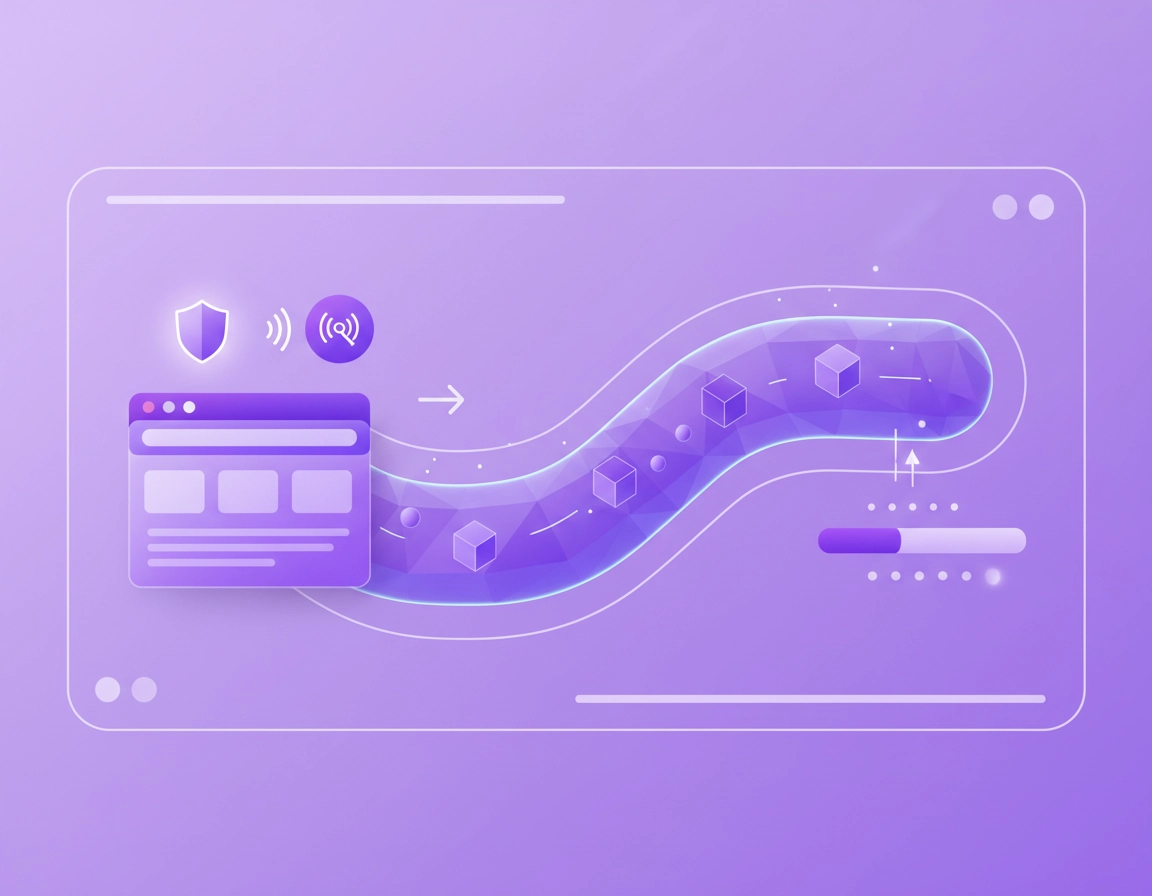
What actually changes when Chrome traffic goes through a VPN .
When Chrome connects directly to a website, your browser sends requests straight to the destination through your normal network path. When you enable a VPN, Chrome’s traffic is first wrapped inside a VPN tunnel and sent to a VPN server, which then forwards it to the website or service you requested. That extra wrapping is where the baseline data increase begins.
The important nuance is that a VPN does not usually make the page itself larger. A 3 MB page does not magically become a 30 MB page because a VPN is on. What changes is the transport layer around that traffic. Each request can carry extra protocol metadata, encrypted packet framing, session maintenance traffic, and setup overhead during connection establishment. On a stable home connection with light browsing, that cost is usually small enough that most users never notice it. On mobile data, tethering, or repeated reconnects, it becomes more visible.
Chrome also makes many more connections than casual users assume. A single page can trigger HTML, CSS, JavaScript bundles, multiple image files, fonts, analytics calls, ad-tech requests, consent systems, embedded video previews, WebSocket updates, and extension-generated traffic. A VPN does not invent that activity, but it now carries it through an encrypted tunnel. That is why “a little overhead” multiplied by a busy browsing session can become noticeable.
Related: For the broader framework, start with Best VPN for Chrome, then compare browser-only and system-wide protection in VPN Chrome vs Desktop VPN.
Why users often overestimate the VPN’s role .
In real support cases, users often blame the VPN for any bandwidth increase that happens after they switch it on. But the VPN may also unlock different content paths, trigger a different CDN location, expose you to a different ad stack, or let a streaming service serve a different bitrate profile. In that situation, the VPN changed the route and content context, not just the encryption wrapper.
That is why the right question is not simply “does a VPN use more data?” The better question is: which part of my extra data is protocol overhead, and which part is changed browsing behavior or changed content delivery?
Where the extra data comes from in practice .
Not all VPN overhead is equal. Some of it is unavoidable and expected. Some of it depends on the protocol and the provider’s implementation. Some of it is a direct result of unstable networks or poorly tuned settings.
1) Tunnel establishment and session setup .
Every VPN session starts with negotiation. Keys are exchanged, a secure session is created, and the device and VPN server agree on how the tunnel will operate. That startup traffic is small compared with a long streaming session, but it matters more when your connection drops often and the tunnel is rebuilt repeatedly.
2) Per-packet overhead .
VPN protocols add headers and framing information so the data can be encrypted, authenticated, and delivered through the tunnel. This means that the network is moving slightly more than the original browser payload. On a single request this is not dramatic. Across hundreds or thousands of requests, it becomes measurable.
3) Keepalive and maintenance traffic .
Many VPNs send lightweight keepalive packets or equivalent session-maintenance traffic so the tunnel does not silently time out. This is usually minor, but on idle mobile devices or long tethered sessions it can still contribute to your daily total, especially if Chrome tabs remain open for hours.
4) Retransmissions on unstable networks .
If you are on weak Wi-Fi, moving between cell towers, or tethering from a phone with inconsistent signal, packet loss and retransmissions can add more traffic than the VPN’s own framing overhead. This is one reason mobile users sometimes report far higher increases than desktop users on fixed broadband.
5) MTU and fragmentation problems .
VPN encapsulation changes packet size. If the effective packet size no longer fits cleanly on the route path, traffic may fragment or fall back to less efficient transmission behavior. Most reputable VPN clients handle this reasonably well, but bad MTU tuning or awkward network paths can increase waste and degrade efficiency.
6) DNS behavior and leak-protection handling .
Some VPNs route DNS through their own resolvers, some integrate secure DNS strategies, and some extension-based tools add browser-side leak protections. These requests are normally small, but they still count. More importantly, DNS and leak-prevention choices can change which servers Chrome connects to and which resources get loaded.
7) QUIC, HTTP/3, and transport fallback .
Chrome uses modern transport technologies aggressively. Depending on the VPN and network conditions, Chrome traffic may behave differently with HTTP/3 or fall back to different transport paths. That does not automatically mean “worse,” but it can change efficiency, connection reuse, and how much overhead is visible across a long browsing session.
Related: For the protocol side of the topic, continue with VPN Protocols for Chrome Compared, How VPN Works in Chrome, and VPN Encryption Explained for Chrome.
Chrome VPN extension vs full VPN app: why the totals differ so much .
One of the biggest reasons users misjudge VPN data usage is that they compare two completely different architectures. A Chrome extension VPN or proxy-style add-on usually affects traffic created inside Chrome. A full VPN app often captures all network traffic leaving the device, whether it comes from Chrome or not.
What usually counts under a Chrome-only setup .
- Website requests generated by pages you open in Chrome
- Embedded content, fonts, analytics, ad requests, and media loaded inside Chrome
- Traffic generated by other Chrome extensions running in the browser context
- Chrome sync activity tied to the browser profile
What usually counts under a full-device VPN setup .
- Everything listed above, plus messaging apps, cloud drives, update services, background backups, and operating-system traffic
- Desktop apps that quietly sync in the background
- Laptop telemetry, cloud clipboard sync, app store checks, and other hidden traffic flows
- Mobile app traffic if you are using the device as a hotspot
This is why a user can say, “My VPN uses way more data than expected,” while the real cause is that the system VPN is tunneling Slack, Teams, OneDrive, Google Drive, app updates, and cloud photo sync in addition to Chrome tabs.
| Setup | What gets tunneled | Typical data profile | Best fit |
|---|---|---|---|
| Chrome VPN extension | Mainly browser traffic and extension-related requests inside Chrome | Usually lower total usage because non-browser apps stay outside the tunnel | Users who mainly want safer browsing in Chrome |
| Proxy-style browser add-on | May cover selected browser traffic rather than acting like a full OS VPN | Can be light, but coverage and privacy model vary a lot | Users who need route changes more than full device protection |
| Desktop or mobile VPN app | All device traffic unless split tunneling is configured | Higher total usage because background services are included | Public Wi-Fi, travel, remote work, broader device security |
Related: Compare these models directly in VPN Chrome vs Desktop VPN, review browser permissions in VPN Extension Permissions in Chrome, and weigh protection tradeoffs in VPN vs Proxy for Chrome Differences.
How to measure the data impact without fooling yourself .
If you want a trustworthy answer, you need to compare like with like. The common mistake is to test “normal usage without VPN” against “messy, all-day browsing with VPN” and then blame the tunnel for everything. That does not measure overhead. It measures two different browsing sessions.
- 1 Decide whether you are testing a Chrome-only VPN extension or a full-device VPN app.
- 2 Use the same device, same network, same Chrome profile, and ideally the same site list for both tests.
- 3 Close or pause cloud sync, large downloads, background backups, and non-essential apps if you only care about Chrome.
- 4 Run the same browsing routine once without the VPN and once with the VPN connected to the same region each time.
- 5 Keep video quality, tab count, autoplay behavior, and login state consistent. These variables can dwarf normal VPN overhead.
- 6 If you see a large difference, repeat the test with a closer server and a cleaner Chrome profile before concluding the VPN is the cause.
What to watch during the test .
- Did the VPN reconnect during the session?
- Did video autoplay at a different quality?
- Did a different regional version of the site load?
- Did your ad stack or CDN path change?
- Were extra extensions active in one test but not the other?
- Did you accidentally measure whole-device traffic instead of Chrome traffic?
For most users, the goal is not perfect lab-grade measurement. The goal is to determine whether the VPN is behaving normally, whether the browsing session itself is heavy, or whether something is misconfigured.
Related: If you are starting from scratch, pair this guide with How to Install VPN Extension in Chrome, How to Use VPN with Chrome Browser, and VPN for Chrome Best Settings Guide.
Real-world scenarios that make the numbers jump .
This is where the topic stops being theoretical. Most large increases in “VPN data usage” happen in a handful of predictable situations.
Streaming through Chrome .
Streaming is the biggest multiplier. If you watch video through Chrome while connected to a VPN, the bandwidth is dominated by the media stream itself. The tunnel still adds overhead, but the more important question is whether the VPN changed the stream quality, region, or CDN path. A small protocol premium on top of a very large stream becomes a noticeable total.
Tethering a laptop from a phone .
Tethering exaggerates every inefficiency. Mobile signal changes, handoffs, unstable radio conditions, and background laptop activity all become part of the total. If you are browsing in Chrome while the laptop is also syncing files or checking app updates through a full-device VPN, the data can climb fast and the VPN may get blamed for traffic it did not create.
Chrome with many open tabs .
Open tabs are not passive. News feeds, dashboards, mail clients, chat apps, social tabs, trading interfaces, and admin panels can refresh or maintain live connections in the background. With a VPN on, all of that activity goes through the tunnel. Users often think they are “just browsing,” when the browser is maintaining dozens of active sessions.
Heavy extension stacks .
Coupon tools, shopping extensions, AI assistants, grammar tools, tab managers, note tools, screenshot utilities, SEO helpers, and other extensions may call home frequently. Add a VPN extension to that mix and the encrypted tunnel now carries the browser’s own noise as well as the page’s traffic.
Chrome Sync and profile activity .
Chrome Sync traffic is not usually huge, but on fresh profiles, new devices, extension restores, tab history changes, bookmark updates, or profile recovery workflows it can add enough activity to distort a short test. This matters especially when users test one session with a settled browser profile and another with lots of profile churn.
Travel and public Wi-Fi .
On hotel Wi-Fi, airport networks, and congested public access points, the security benefit of a VPN is often worth the small traffic premium. But these environments also produce more retransmissions, captive portal quirks, and weaker stability. The data increase here is often partly caused by network quality, not just by the VPN protocol itself.
Related: For adjacent performance issues, read VPN for Chrome Performance Impact, VPN for Chrome Battery Usage, VPN for Chrome Speed Optimization Tips, and VPN for Chrome for Travelers.
How to reduce VPN data usage without weakening security too much .
The best strategy is not “turn the VPN off whenever data matters.” The smarter approach is to keep the privacy value while removing obvious waste.
Use the nearest sensible server .
A nearby region usually reduces latency, lowers the chance of flaky behavior, and improves efficiency. Unless you need a specific country for access reasons, shorter routes are generally better for both speed and bandwidth stability.
Keep Chrome lean .
Close tabs with live widgets, auto-refresh dashboards, idle streaming pages, and always-on social feeds. Review extensions that generate background requests. The cheapest byte is the one you never send.
Reduce media quality on mobile data .
For streaming sessions, lowering resolution often saves vastly more data than any protocol tweak. If the session includes video, the content itself usually matters more than the tunnel overhead.
Use split tunneling where appropriate .
If your VPN provider supports split tunneling and your threat model allows it, route only the traffic that truly needs protection. This can make a major difference on laptops where cloud sync and background apps would otherwise consume data through the VPN all day.
Prefer stability over exotic routing .
Constant server hopping, distant regions, and unstable mobile routes can cost more in retransmissions and page reloads than you save by chasing a theoretical optimization. Stable sessions are usually more efficient sessions.
| Goal | Recommended approach | Main tradeoff | Best for |
|---|---|---|---|
| Balanced everyday browsing | Nearby server, stable protocol, modest tab count, normal Chrome use | Some overhead remains | Most desktop users |
| Lowest possible mobile usage | Reduce video quality, trim tabs, route only what needs protection, avoid full-device tunneling when not necessary | Less coverage for non-browser apps | Tethering, travel, capped data plans |
| Maximum protection on risky networks | Full-device VPN, leak protection, strong server choice, limited background app activity | Higher total data and battery cost | Public Wi-Fi, airports, hotels, remote work |
| Streaming through Chrome | Fast stable server, lower playback resolution when capped, minimal reconnects | Media remains bandwidth-heavy | Video-heavy users |
Related: For settings choices, read VPN for Chrome Best Settings Guide, VPN for Chrome with Split Tunneling, VPN for Chrome Free vs Paid, and VPN for Chrome Value Comparison.
Troubleshooting unusually high VPN data usage .
If the numbers feel far too high, assume nothing. Work through the likely causes in order from most common to most expensive.
If usage spikes when video starts .
Treat the stream as the main driver until proven otherwise. Compare the same site, same playback duration, and same quality level with and without the VPN. If the video resolution changed, the content itself is probably causing most of the increase.
If the increase is much worse on tethering or mobile data .
Reconnects, weak signal, and retransmissions are likely involved. Test a closer server and reduce background tabs. If you are using a full-device VPN, confirm that other apps are not consuming data through the tunnel at the same time.
If you are “just browsing” but the totals still look high .
Audit Chrome itself. Look for live dashboards, email tabs, cloud office suites, auto-refresh news pages, social feeds, and extension traffic. Then test again with a clean Chrome profile and only a few known sites.
If pages keep reloading after reconnects .
The overhead is no longer just handshake traffic. Reloaded assets, refreshed feeds, restarted video segments, and rebuilt sessions may be burning more data than the tunnel itself. Stabilizing the connection often matters more than changing providers immediately.
If the data looks high only when the full VPN app is active .
You are probably measuring all device traffic, not just Chrome. Pause cloud sync, background backup, messaging clients, update agents, and storage tools, then test again. The browser may not be the real problem.
If leak-protection or browser security features changed .
DNS handling, WebRTC controls, tracker filtering, and malicious-domain blocking can all change request behavior. That may raise or lower total traffic depending on the site mix. Compare a clean profile with the same set of pages before drawing conclusions.
FAQ .
-
helpDoes a VPN always use more data in Chrome?In most cases, yes. The tunnel adds some overhead for encryption, packet framing, and session maintenance. For normal browsing the increase is usually modest, but unstable networks, media streaming, or system-wide tunneling can make the total look much larger.
-
helpWhy does the increase seem much worse on mobile data than on home Wi-Fi?Mobile networks are more prone to retransmissions, reconnects, and signal changes. Those network effects can add waste on top of normal VPN overhead. Tethering also tends to expose background laptop traffic that users forget to count.
-
helpIs a Chrome VPN extension usually lighter than a full VPN app?Usually yes in total usage, because a browser extension often limits protection to Chrome traffic. A full VPN app can include all device traffic unless split tunneling is configured, which makes the measured total much higher.
-
helpCan streaming through a VPN massively increase data usage?Yes, but mostly because streaming itself is bandwidth-heavy. The VPN adds overhead, yet the bigger factor is usually the bitrate of the video or audio stream, plus any regional content changes or repeated reconnects during playback.
-
helpCan a VPN ever lower some Chrome traffic?Sometimes indirectly. If the VPN blocks trackers, malicious domains, or wasteful third-party requests, some page loads may become lighter. But a VPN should not be chosen primarily as a bandwidth-saving tool. Its main role is privacy and secure transport.
-
helpWhat is the safest way to reduce VPN data use?Use a nearby server, keep Chrome and its extensions under control, lower media quality on capped plans, and use browser-only protection or split tunneling where appropriate. That usually preserves the privacy benefit without routing unnecessary traffic.
Sources & further reading .
- Google Chrome Help: Manage Chrome safety and security
- Google Chrome Help: Change site settings and permissions
- Chrome for Developers: Declare permissions
- Chrome for Developers: chrome.permissions API
- Cloudflare Learning Center: What is IPsec?
- Cloudflare Learning Center: Networking and request behavior basics
Editorial note: This page distinguishes between browser VPN extensions, browser proxies, and full device-level VPN apps because their traffic coverage, security model, and data behavior can differ significantly.