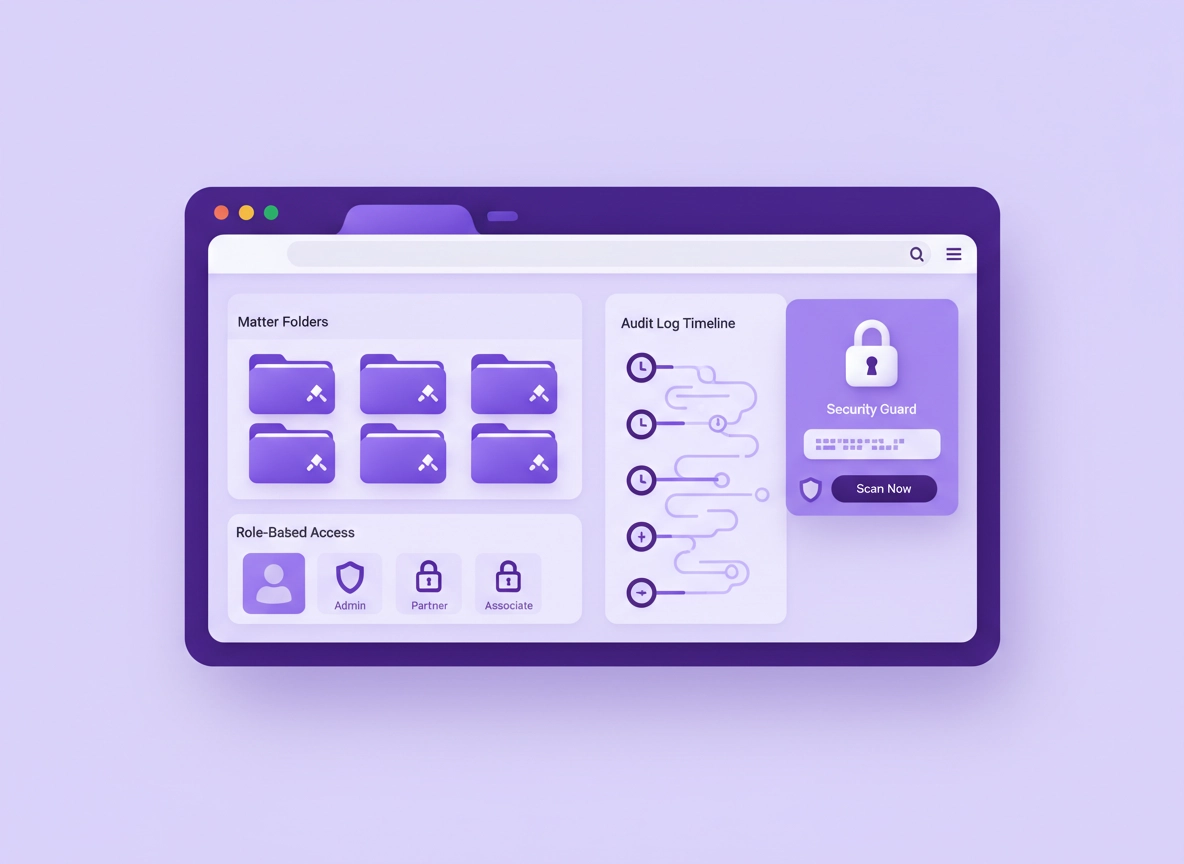
Why law firms need a different password manager standard .
“Just use any password manager” is how firms end up with shadow IT, shared master passwords, and zero audit trail.
In most businesses, password management is “an IT best practice.” In a law firm, it’s directly connected to client confidentiality, privilege, and your firm’s ability to show reasonable safeguards when something goes wrong. Firms juggle court portals, banking and trust accounts, practice management, eDiscovery tools, client extranets, government services, and a long tail of vendor accounts that get created for a single matter and then forgotten. One weak credential or one shared login can become the entry point to an entire case portfolio.
The challenge is not “do we store passwords securely?” The real challenge is: How do we share access without leaking secrets? How do we remove access when someone leaves? How do we prove who accessed what—without making attorneys hate the process? A law-firm-ready password manager should make secure behavior the easiest behavior.
Chrome matters because so much legal work is now browser-based. Even desktop apps increasingly authenticate in the browser. If the Chrome extension experience is clunky, people will revert to sticky notes, emails, or spreadsheets—no matter what the written policy says. That’s why this guide focuses on Chrome-first deployment, permission hygiene, and the controls that actually reduce risk.
Start here: If you’re still deciding between Chrome’s built-in manager and a dedicated tool, read Chrome’s built-in password manager review and the broader hub Best password manager for Chrome.
Key terms (quick definitions) .
- Vault: An encrypted container holding logins, notes, and sometimes files (often organized by folders/collections).
- RBAC (role-based access control): Permissions based on roles (partner, associate, paralegal, finance, IT), not “whoever has the password.”
- Least privilege: People get only the access they need, for only as long as they need it.
- SSO (single sign-on): Sign in using your identity provider (Microsoft/Google/Okta), letting you enforce MFA and disable accounts centrally.
- Audit trail: Logs showing access, changes, sharing activity, and policy events—useful for investigations and client/vendor requirements.
- Zero-knowledge encryption (common claim): A design where the provider can’t read vault contents (verify specifics per vendor).
Your law firm threat model (what attackers actually target) .
A good password manager choice starts with an honest threat model. For law firms, attackers aren’t guessing passwords “for fun.” They typically want one of four outcomes:
- Access to client data: emails, documents, portals, and case strategy (often sold or used for leverage).
- Financial fraud: trust accounts, invoice redirection, payroll changes, wire fraud, and vendor payment manipulation.
- Credential harvesting: reuse a firm login to pivot into other systems (especially if SSO is weak or not used).
- Operational disruption: ransomware and business interruption—pressure tactics that hurt deadlines and court timelines.
The password manager is not a magic shield. It’s a control point that can remove entire classes of failure: password reuse, weak passwords, unsafe sharing, and “orphaned” access when people leave. But you only get those benefits if the tool supports enforcement, not just “storage.”
Law firms routinely share access across teams (matters), work under time pressure, and handle extremely sensitive personal and commercial data. That combination means you need: fast workflows + strong controls + clear accountability.
Related: If you’re tightening browser risk at the same time, start with Chrome privacy settings and the hub for Chrome extension security.
Non-negotiable requirements (law firm checklist) .
If you only remember one part of this guide, remember this: a law firm password manager is not just a vault. It’s an access control system with a great Chrome experience. Use this checklist to shortlist options quickly.
Must-have security and admin controls .
- SSO + MFA enforcement: ideally SAML/OIDC with conditional access support through your IdP.
- Device-level unlock for autofill: require Windows Hello / macOS screen lock (prevents “walk-up” autofill abuse).
- RBAC: roles for attorneys, staff, finance, IT; plus “matter team” grouping (folders/collections).
- Secure sharing: share items without revealing the raw password; support approvals and revocation.
- Audit logs: who accessed, who changed, who shared; exportable logs for investigations.
- Offboarding automation: quickly revoke access and rotate shared credentials.
- Encryption + strong recovery model: clear documentation on encryption, key handling, and account recovery.
- Extension governance: stable Chrome extension with predictable permissions and enterprise deployment story.
Highly recommended for firms handling sensitive matters .
- Shared vaults by matter: keep vendor portals and client systems inside the relevant matter team vault.
- Just-in-time access / time-limited sharing: grant access for a time window (useful for outside counsel or vendors).
- Password health and breach monitoring: detect reused/weak/compromised passwords and enforce remediation.
- Hardware security key support: for partners, finance, and admins (phishing-resistant MFA).
- Secure notes: for recovery codes, escrow details, and sensitive operational notes (stored like secrets, not Word docs).
Deep dives: Password health checks in Chrome, Password sharing securely, Hardware security key support, and Secure notes feature.
| Control | Why it matters in a law firm | What “good” looks like |
|---|---|---|
| SSO + MFA | Central control, quick account disable, reduced phishing risk | IdP-enforced MFA + conditional access; no “MFA optional” bypass |
| RBAC + shared vaults | Matters need teams; teams change | Groups/roles; access revocation without changing every password manually |
| Audit logs | Investigations, vendor/client security questionnaires | Searchable logs + exports; logs include sharing + access events |
| Secure sharing | Emailing passwords breaks confidentiality and control | Share access (not the secret); support approvals/time limits |
| Offboarding + rotation | Staff turnover, contractors, matter-closeout hygiene | One-click revoke + guided rotation for shared credentials |
| Chrome extension governance | Browser is the daily work surface | Minimal permissions, stable updates, admin deployment options |
Before you start (fast inventory + quick fixes) .
Most law firms don’t fail at password security because they “don’t care.” They fail because passwords are scattered: browsers, spreadsheets, onboarding emails, and a dozen people “who all know the login.” Before you deploy anything, do a fast inventory. The goal is not perfection—the goal is to reduce risk quickly and avoid a messy migration.
Fast inventory: 20 minutes that prevents months of pain .
- List your shared accounts: court portals, banking, trust account tools, practice management, eDiscovery, HR/payroll, DNS/domain registrar, email admin.
- Tag by sensitivity: (A) money movement, (B) privileged client data, (C) daily operations.
- Identify owners: every shared login needs a human owner (not “IT” as a vague role).
- Spot the “ghost access” risk: ex-staff, vendors, and old matter teams with lingering access.
- Check password reuse: if the same password appears in multiple places, prioritize rotation.
Move your top 10 shared logins (finance, admin, core systems) into a shared vault with roles and remove them from spreadsheets/email. That one change eliminates the most common “avoidable incident” pattern.
Related: If you’re still relying on Chrome’s built-in storage for business workflows, compare it against dedicated tools: Chrome password manager vs third-party and Chrome password manager vs enterprise solution.
Decide your model: “personal vaults” vs “firm vaults” .
Law firms usually need both: personal vaults for individual logins (bar association accounts, personal email, individual vendor access) and firm vaults for shared credentials (practice tools, finance, domains, shared mailboxes, client portal admin accounts). The common mistake is mixing them until nobody knows what’s firm-owned.
- Personal vault: owned by the user, offboarding removes firm access but the user keeps their personal items.
- Firm vault: owned by the firm, access granted by role/matter team, offboarding triggers rotation/transfer.
- Matter vault: a firm vault scoped to one case/matter/team; easiest way to keep confidentiality clean.
Step-by-step deployment in Chrome (recommended) .
This rollout plan is designed for law firms: minimal disruption, maximum risk reduction, and clear ownership. You can do this with a solo practice or scale it across a multi-office firm.
Phase 1: Choose the right “type” of password manager .
-
Pick your control level.
If you need SSO, RBAC, audit logs, and centralized offboarding, you’re in “business/enterprise” territory. If you’re a solo attorney, you can still choose a business-grade tool—just don’t sacrifice usability. -
Confirm the Chrome experience.
Your attorneys live in Chrome. Test: save login → autofill → share item → revoke access. If any step feels confusing, adoption will collapse under time pressure. -
Validate the sharing model.
Look for sharing that doesn’t require texting the password. You want access controls, not password exposure. (This is where many “consumer-first” tools fail in firm environments.) -
Check the recovery story.
Law firms need a safe way to recover accounts (device loss, staff changes) without creating a backdoor. Strong tools document recovery clearly and offer admin ownership for firm vaults.
Helpful hubs: Best enterprise password manager for Chrome, Enterprise password manager in Chrome, and Chrome password manager comparison.
Phase 2: Set your minimum security baseline .
Before you invite the whole firm, lock in baseline settings. Think of this as “guardrails that make the secure path normal.”
-
Require MFA everywhere.
If you use SSO, enforce MFA in your identity provider. If not, enforce MFA in the password manager itself. For high-risk roles (partners, finance, IT), consider phishing-resistant methods (hardware keys). -
Require device unlock for autofill.
Turn on the “use Windows Hello / screen lock to fill passwords” style setting wherever available. This prevents a passerby from using an unlocked browser session to autofill vault secrets. -
Disable insecure sharing patterns.
Make “share password by email/chat” against policy. Replace it with shared vault access and time-limited invitations. -
Turn on breach monitoring and password health checks.
You want alerts when saved passwords are weak, reused, or found in breach lists—plus a workflow to fix them quickly.
Do this in Chrome too: If you use Google Password Manager for any accounts, learn Chrome’s native steps for managing and checking passwords: Manage passwords in Chrome (Desktop). For firm-grade workflows, you’ll usually want stronger admin controls than a consumer browser manager offers.
Phase 3: Build your vault structure (the part most firms get wrong) .
Vault structure is where security meets daily workflow. Build it around how legal work actually happens: practice groups, matters, and operational functions.
- Firm Operations vault: DNS/hosting, website admin, phone system, office software, shared mailboxes, procurement accounts.
- Finance vault: banking, trust accounting, payroll, invoicing, payment processors (strict role access).
- IT/Admin vault: MDM, endpoint tools, backup systems, email admin, security dashboards (very limited access).
- Matter vaults: one per case/matter/team; add vendors and portals used only for that matter.
- Practice Group vaults: litigation, conveyancing, corporate, family, etc., if you share specialist tools across matters.
If a login would be awkward to rotate after someone leaves, it should live in a shared vault with roles (not in a personal vault).
Phase 4: Deploy the Chrome extension safely .
The Chrome extension is where most user risk happens (and where you gain the most productivity). Deploy it like a business tool: standardized, permissions reviewed, and updated responsibly.
-
Install from the official Chrome Web Store listing.
Avoid “lookalike” extensions. Confirm publisher identity and recent update history. -
Review permissions before rollout.
Many password managers need “read and change data” on websites to fill forms. That can be legitimate—but it’s still powerful. Build a simple internal note explaining why the permission is required and what your firm expects from the vendor. -
Standardize autofill behavior.
Prefer “click-to-fill” or “user interaction required” modes where possible, especially on finance/admin accounts. Convenience is good; silent autofill in the wrong context can be risky. -
Roll out in waves.
Start with a pilot team (IT/admin + one practice group). Fix structure and sharing habits, then expand.
Related: Extension governance matters in law firms. Use: Chrome extension permissions guide and Safe Chrome extensions.
Phase 5: Migrate the “high-risk” accounts first .
Don’t migrate everything on day one. Start with the accounts that create the biggest damage if compromised: money movement, privileged case access, and firm identity infrastructure.
- Finance: bank portals, trust accounting, payroll, invoice tools, payment settings.
- Identity: Google/Microsoft admin, domain registrar, DNS, website admin, email security tools.
- Client access: practice management, case management, document systems, eDiscovery, client portals.
- Vendor tools: court filing portals, government sites, messenger/courier portals, third-party evidence storage.
Migration success indicator:
If your top 25 shared accounts are in controlled shared vaults (with roles) and you can revoke access instantly,
your firm is already in a much stronger position than “most.”
Moving from Chrome’s built-in manager? Use: Export passwords from Chrome securely, Import passwords into Chrome securely, and Migrate from Chrome to a third-party manager.
Advanced controls (SSO, RBAC, logs, and policy) .
This is where law firms earn real risk reduction. The “vault” is the easy part. The value is in: controlled sharing, least privilege, auditability, and rapid containment when something feels off.
Managed environment? Pair this with: Chrome Enterprise guide and Chrome enterprise security settings.
SSO + MFA: how to make “account disable” actually work .
In a law firm, offboarding speed matters. The moment someone leaves (voluntarily or not), you want one action that meaningfully reduces risk. That’s why SSO is powerful: disable the identity, and access collapses—without chasing every device manually.
- Enforce MFA at the identity provider: it’s easier to standardize and audit.
- Use conditional access: require compliant devices for admin/finance vaults; block high-risk logins.
- Separate admin accounts: IT admin access should not live in the same identity context as daily browsing.
- Require re-auth for sensitive actions: sharing, exporting, viewing hidden passwords, changing security settings.
A password manager without strong MFA enforcement is basically “encrypted convenience.” A password manager with SSO + MFA + audit logs becomes a security control.
RBAC and matter teams: build access like you build case files .
RBAC is the difference between “everyone knows the password” and “only the matter team has access.” For law firms, your best structure is usually: Practice Groups → Matters → Roles.
- Partners: broad oversight, but still not “access to everything” by default.
- Associates: matter access based on assignment; no finance/admin by default.
- Paralegals/support: matter access; often needs vendor portals and filing tools but limited admin privileges.
- Finance: finance vault access; minimal case vault access unless required.
- IT: admin vault access; not automatically granted access to client/matter vault contents.
One practical pattern: create a “Matter Owners” role for each matter (usually partner + senior staff). Matter owners can approve access, invite vendors, and trigger credential rotation at close-out. That keeps responsibility close to the work.
Audit logs: what you should be able to answer in 60 seconds .
When a suspicious email hits the firm or a client asks about safeguards, you want to answer basic questions quickly. Not because you expect an audit every day—but because you want to contain incidents fast.
- Who accessed the finance vault in the last 24 hours?
- Who shared access to a vendor portal and when was it revoked?
- Which passwords are reused across multiple systems?
- Which accounts are missing MFA? (or which vault items violate your policy)
- Which users have not used the tool in 30 days? (adoption risk = security risk)
Related: If you’re aiming for formal controls, these pages help frame policy language and operational checks: Password policy for Chrome enterprise, Password security audit in Chrome, and Password manager security features comparison.
Secure sharing: replace “tell me the password” with controlled access .
Law firms share access constantly: counsel-to-counsel collaboration, paralegal support, external filing services, expert witnesses, and vendors. The unsafe default is “I’ll just message you the password.” The safe replacement is shared vault access with roles and revocation.
Your ideal sharing workflow:
- Share access, not secrets: recipient can use the login without seeing the underlying password (where supported).
- Approve before sharing: matter owner approves external access to sensitive portals.
- Time-bound invites: vendor access expires automatically if not renewed.
- Rotation on exit: when a vendor or staff member leaves a matter, rotate the credential.
Deep dive: How to share passwords securely in Chrome workflows and Password manager team collaboration.
Emergency access: plan for the “partner is unreachable” scenario .
Law firms get stuck when critical access lives in one person’s head. If a partner is traveling, ill, or simply unavailable, the firm still needs to meet deadlines and handle time-sensitive matters. That’s where emergency access features can help— if they’re implemented with strict controls.
- Use emergency access only for firm-owned vaults: not personal accounts.
- Require approvals and waiting periods: avoid instant silent takeover.
- Log everything: emergency access should be auditable by design.
- Rotate credentials after use: treat it like a controlled break-glass event.
Related: Password manager emergency access.
Secure notes: stop storing sensitive codes in Word docs .
Law firms often store “not quite passwords” that are just as sensitive: recovery codes, safe combinations, escrow instructions, vendor account IDs, private API tokens, and step-by-step admin procedures. Those belong in encrypted secure notes, not in documents that get emailed around.
Related: Secure notes in password managers and API integration (for advanced workflows).
Privacy, confidentiality, and compliance notes .
Law firms operate under confidentiality obligations and privacy laws that vary by jurisdiction. The practical goal here is consistent: reasonable safeguards, access control, and accountability. Password management supports that by reducing avoidable credential failures (reuse, weak passwords, uncontrolled sharing).
Impact: Affects credential storage, sharing, breach response, and staff/offboarding workflows. Good controls reduce risk; poor rollout can create new “single point of failure” issues.
Confidentiality: what “reasonable safeguards” looks like in practice .
Confidentiality isn’t only about encryption. It’s also about preventing inadvertent disclosure. If passwords are shared through chat, email, or documents, you lose control instantly. A proper password manager workflow helps you show that you made reasonable efforts to safeguard access, especially when combined with MFA, device controls, and auditable sharing.
- Use MFA everywhere: reduces account takeover even if a password leaks.
- Limit access by role/matter: reduces blast radius if one user is compromised.
- Keep an audit trail: helps investigations and vendor/client security reviews.
- Rotate shared credentials: especially after staff changes or suspected compromise.
Privacy laws and client expectations .
If your firm operates in or serves clients in multiple regions, you may be accountable to multiple privacy regimes. In South Africa, for example, POPIA emphasizes protecting personal information with appropriate security safeguards. In the U.S., firms often align with industry expectations and ethics guidance; globally, clients increasingly ask security questionnaire questions (SSO? MFA? logs? access reviews?).
A password manager can’t solve privacy compliance alone, but it provides evidence of security governance: access reviews, offboarding controls, and a consistent approach to protecting credentials that unlock sensitive systems.
Recommended baseline settings (practical defaults) .
- Option A (balanced): SSO + MFA, device unlock for autofill, shared vaults by function + matter, breach monitoring on.
- Option B (maximum security): SSO + phishing-resistant MFA for privileged roles, click-to-fill for finance/admin, time-bound sharing, strict offboarding rotation.
- Option C (compatibility): Keep autofill convenience for low-risk accounts, but lock down finance/admin with re-auth + restricted sharing.
| Goal | Recommended setting | Tradeoff | Best for |
|---|---|---|---|
| Balanced | SSO+MFA, shared vaults, breach monitoring, device unlock for autofill | Some extra sign-in prompts | Most law firms |
| Maximum security | Phishing-resistant MFA (hardware key) for privileged roles, time-limited sharing, strict policies | More friction; requires change management | High-value matters, finance-heavy firms |
| Compatibility | Convenient autofill for low-risk, strict controls only on sensitive vaults | More policy complexity | Firms with mixed tech maturity |
Troubleshooting .
Most “password manager problems” in law firms are workflow problems, not cryptography problems. Here are the most common issues and fixes that keep adoption high.
Related: If Chrome is acting suspicious (popups, redirects, weird extensions), run through Remove malware from Chrome.
If attorneys keep bypassing the tool .
This usually means the tool is slower than the insecure workaround. Fix it by simplifying: ensure matter vaults are easy to find, reduce duplicate entries, and teach “one fast pattern” (search → click-to-fill → done). Also make sure the extension works reliably in Chrome profiles used for work.
- Fix: clean up naming conventions (e.g., “Vendor – Matter – Role”), pin the extension, and set a default vault/folder structure.
- Fix: migrate shared accounts early so people don’t need old spreadsheets “just in case.”
- Fix: use short training videos/screenshots internally (2 minutes beats a PDF nobody reads).
If autofill fails or fills the wrong login .
Court portals and vendor sites can have unusual login forms or multiple subdomains. Autofill issues often come from URL mismatch or multiple saved credentials. Standardize by saving logins at the correct domain, and use “match exact domain” options if available.
- Fix: keep one canonical login per portal domain; archive or disable duplicates.
- Fix: for sensitive accounts, use click-to-fill rather than automatic fill.
- Fix: check extension permissions and whether the site is blocked by enterprise policies.
If shared vault access is confusing .
Confusion typically comes from mixing personal and firm-owned vaults. Make it obvious: firm vaults are named “Firm – Finance”, “Firm – IT Admin”, “Matter – 24/1032 – Smith v Jones”, etc. Owners should be assigned per vault, and “who can invite/share” should be restricted.
- Fix: create a “Matter Owners” role that manages membership and approvals.
- Fix: define a rule: “Shared credentials live in shared vaults. Period.”
If you suspect compromise .
Treat it like an access-control incident: revoke sessions, rotate high-risk credentials first (finance/admin), and review audit logs. If you use Chrome’s native password manager for any accounts, run its password checkup and update compromised passwords promptly.
- Immediate: disable suspected user account(s) via IdP/SSO; revoke vault sessions.
- Next: rotate credentials in finance/admin/identity vaults.
- Then: review sharing events, new device sign-ins, exports, and permission changes.
FAQ .
-
helpIs Chrome’s built-in password manager enough for a law firm?For solo use it can be a decent starting point, but most firms need more: RBAC, shared vault controls, offboarding workflows, and audit logs. If you share credentials across staff or matters, a dedicated business/enterprise manager is usually safer and easier to manage long-term. Compare options in this review.
-
helpHow do we share access to a court portal without sending the password?Use shared vault access where the team member can log in via the password manager without seeing the raw password (if supported). Assign access by matter team and revoke it when the assignment ends. For best practices and patterns, read password sharing securely.
-
helpWhat’s the single most important feature for a law firm?In practice: centralized offboarding + shared vault control. Turnover and vendor changes are common. You want to revoke access instantly and rotate shared credentials without chaos. Pair that with MFA enforcement and audit logs for a strong baseline.
-
helpShould we use hardware security keys (like YubiKeys) for partners and finance?If you handle high-value matters or money movement, hardware keys can meaningfully reduce phishing risk for privileged accounts. They’re especially useful for admin and finance vault access. See hardware key support for the practical approach.
Sources & further reading .
- Google Chrome Help: Manage passwords in Chrome (Desktop)
- Google Password Manager
- NIST SP 800-63B (Digital Identity Guidelines)
- ABA Model Rule 1.6: Confidentiality of Information
- South Africa: Protection of Personal Information Act (POPIA) – official PDF
Disclosure: Some pages may mention tools or services. Recommendations are editorial and based on practical deployment considerations.