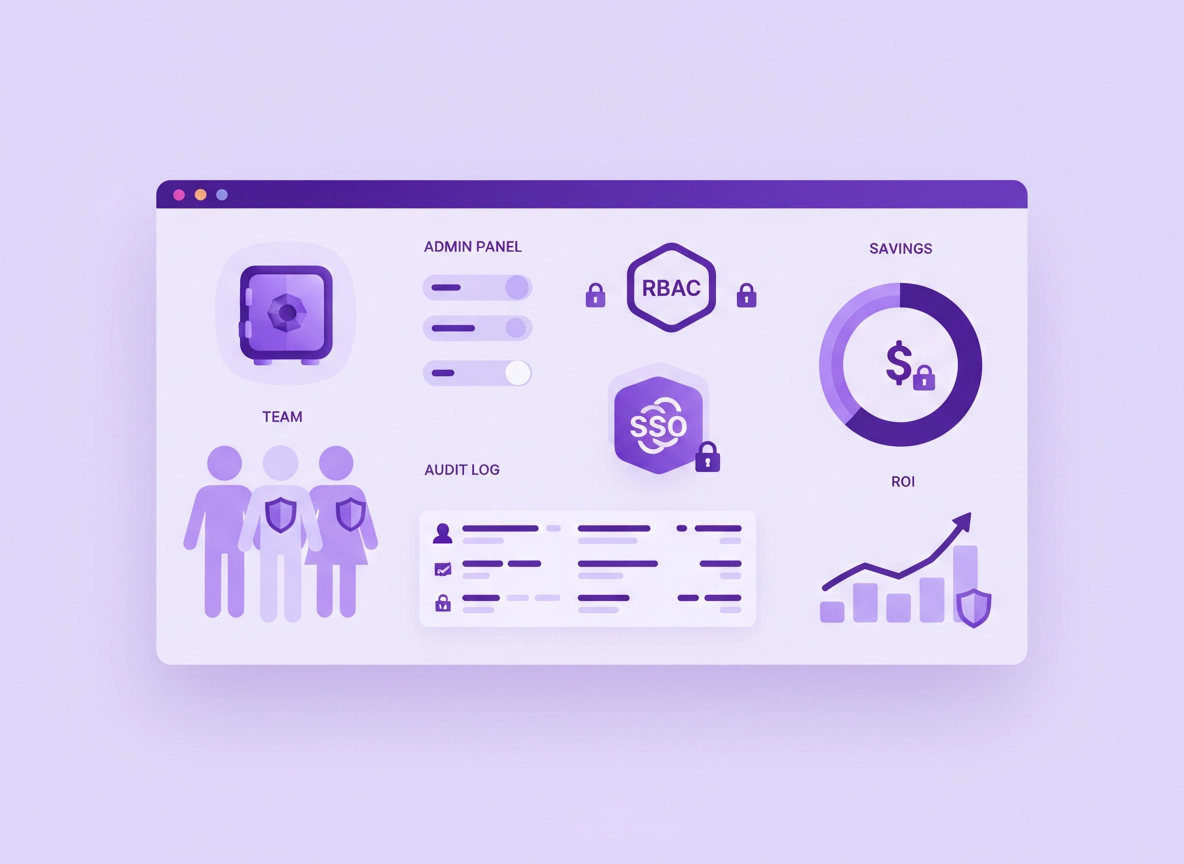
What “password manager ROI” really means .
ROI is not “how secure we feel.” It’s whether the tool reduces measurable costs and measurable risk more than it costs to run.
When businesses talk about a password manager, they often start with features: vaults, autofill, password generators, shared folders, admin controls, and security reports. That’s useful—but procurement and finance care about the outcome: does it reduce time waste and reduce incident risk enough to justify the subscription, setup effort, and ongoing administration?
In practice, a business password manager is a workflow product as much as a security product. It changes how credentials are created, stored, shared, rotated, audited, and revoked. Those changes show up as fewer helpdesk tickets, faster onboarding and offboarding, fewer access mistakes, better audit readiness, less “credential chaos,” and (in mature deployments) a smaller blast radius when something goes wrong.
The key is to avoid “hand-wavy savings.” ROI becomes credible when you tie it to business processes you can count: password resets per month, onboarding/offboarding events, access change requests, time spent hunting for credentials, and how often you discover risky practices like shared accounts, reused passwords, or passwords living in notes, chat threads, or spreadsheets.
ROI vocabulary (plain-English definitions) .
- Total Cost of Ownership (TCO): License cost + setup + admin time + training + integrations + ongoing support.
- Hard savings: Reduced spend you can point to (e.g., fewer contractor hours, fewer paid support hours, lower tool overlap).
- Soft savings: Time saved that converts into productivity (e.g., less hunting for credentials, faster access provisioning).
- Expected loss (risk): Probability of an incident multiplied by its likely impact. Used to avoid “guaranteed savings” claims.
- Payback period: How long until cumulative benefits exceed cumulative costs (often expressed in months).
Where ROI actually comes from .
A business password manager creates ROI through a handful of repeatable mechanisms. If your model includes these, you’re not guessing—you’re describing what the product changes:
If you want a deeper feature breakdown before you build the ROI case, read Password Manager Security Features Comparison. If you’re currently using Chrome’s built-in manager and debating whether you need to upgrade, start with Chrome Password Manager vs Third-Party and Chrome Password Manager Limitations.
Before you start: gather the right inputs .
Most “ROI fights” happen because the model uses inputs nobody trusts. The fix is simple: use the smallest set of inputs you can measure quickly, then expand once leadership buys the approach.
Related: If your rollout involves admin controls, policies, or managed devices, bookmark Chrome Password Manager Deployment Guide and Password Manager for IT Admins.
Minimum inputs (you can usually collect these in a day) .
- Headcount covered: How many users will be licensed (and which teams are in scope).
- Password reset volume: Average resets per month (or helpdesk tickets related to sign-in problems).
- Time per reset: End-user time + IT time (separately if you can).
- Onboarding events: New hires per month/quarter and average time to provision accounts and credentials.
- Offboarding events: Terminations/transfers and time to revoke/rotate shared credentials.
- Average loaded hourly cost: A conservative blended rate (finance can provide a range).
High-signal inputs (optional, but powerful) .
- Access change requests: How often people need access to shared tools, vendor portals, or service accounts.
- Incidents / near-misses: Credential phishing events, leaked passwords, “shared login” confusion, ex-employee access discovered later.
- Audit pressure: How many hours are spent gathering evidence, rotating credentials, or proving controls.
- Tool overlap: Separate password spreadsheets, ad-hoc vaults, browser sync, or a mix of unmanaged personal password managers.
Define “success” in one sentence .
The best ROI cases don’t try to win every argument. They define a simple outcome leadership agrees with. Examples:
- Operations-first: “Cut credential-related tickets by 30% and reduce onboarding time by 15 minutes per hire.”
- Security-first: “Reduce shared password exposure and enforce MFA + policy controls for privileged access.”
- Compliance-first: “Centralize access evidence and reduce audit prep friction without blocking teams.”
Step-by-step: a CFO-ready ROI worksheet .
This section is intentionally practical. You can copy the worksheet structure into a spreadsheet, a doc, or a ticket. The model is simple: Annual Benefits − Annual Costs, then divide by Annual Costs to get ROI. If you need a version that focuses purely on pricing tiers, start with Password Manager Pricing Comparison.
- 1 Choose scope: Decide which users are licensed (everyone vs high-risk teams first). Note exceptions (contractors, shared kiosks).
- 2 List costs: Licenses + setup + admin time + training + integrations (SSO/SCIM) + support overhead.
- 3 List benefits: Resets avoided, onboarding/offboarding time saved, fewer access mistakes, faster credential rotation, reduced incident probability/impact.
- 4 Keep Year 1 conservative: Use only benefits you can defend. Add risk reduction as “expected loss reduction.”
- 5 Calculate payback: Identify when cumulative benefits exceed cumulative costs (often 3–12 months).
- 6 Plan measurement: Define the 2–4 metrics you will track after rollout (tickets, onboarding time, adoption, security posture).
What “success” looks like: Your model is accepted when a skeptical reviewer can follow your inputs, replicate the math, and agree the assumptions are conservative—even if they tweak the numbers.
Related: For business plan fit and real-world requirements, read Best Password Manager for Business and Business vs Personal Plans.
The worksheet (copy/paste structure) .
A) COSTS (Annual)
1. Licenses (users × price/user/month × 12) = ________
2. Admin time (hrs/month × rate × 12) = ________
3. Setup/project time (one-time hours × rate) = ________
4. Training time (users × minutes × rate) = ________
5. Integrations (SSO/SCIM, vault migration, policies) = ________
6. Support overhead / vendor services (optional) = ________

TOTAL COST (Year 1) = ________

B) BENEFITS (Annual)
1. Password resets avoided (resets/month × minutes saved × rate × 12) = ________
2. Onboarding faster (hires/month × minutes saved × rate × 12) = ________
3. Offboarding faster + safer (exits/month × minutes saved × rate × 12) = ________
4. Access changes faster (requests/month × minutes saved × rate × 12) = ________
5. Reduced credential chaos (users × minutes/week saved × rate × 52) = ________
6. Expected loss reduction (incident probability × impact reduction) = ________

TOTAL BENEFIT (Year 1) = ________

C) RESULTS
Net Benefit = Total Benefit − Total Cost
ROI % = (Net Benefit ÷ Total Cost) × 100
Payback Period (months) ≈ (Total Cost ÷ (Total Benefit/12))
How to price “minutes saved” without getting laughed out of the room .
Time savings are legitimate, but only if you model them like an adult: use conservative minutes, a conservative adoption rate, and a conservative hourly rate. Also separate “IT time saved” (often treated as capacity) from “end-user time saved” (often treated as productivity).
- Use adoption weighting: If only 70% of the org will use the tool correctly in Year 1, multiply the benefit by 0.7.
- Use a blended rate: Finance can provide a “loaded” hourly cost range. Use the low end for Year 1.
- Focus on repeatable workflows: Reset tickets, onboarding, offboarding, and access requests repeat every month.
- Avoid magical thinking: Don’t claim “everyone saves 30 minutes/day.” Most orgs won’t believe it.
Example ROI scenario (simple, defensible) .
Here’s a safe way to present an example without pretending it matches every business: show the structure and let the reader swap in their real numbers.
| Line item | Conservative assumption | How you measure it | Why it’s credible |
|---|---|---|---|
| Resets avoided | Only a portion reduced in Year 1 | Helpdesk tickets / ITSM tags | Resets are countable and repeatable |
| Onboarding time saved | Minutes per hire reduced with shared vaults | HR hires × onboarding checklist | Provisioning steps are documented |
| Offboarding/rotation | Faster revocation + rotation for shared logins | Offboarding checklist + audit logs | Prevents “forgotten access” |
| Access changes | Fewer back-and-forth messages | Ticket time-to-close metrics | Secure sharing replaces ad-hoc sharing |
| Expected loss reduction | Modeled as probability-weighted savings | Security incident reviews | Not guaranteed; treated as risk math |
Short checklist: what to include in the business case slide .
- One-sentence goal: What changes (tickets, time, risk) and by how much.
- Scope: Who is in Year 1 vs Year 2.
- Costs: Licenses + time + integrations + training.
- Benefits: 2–3 hard/operational benefits + 1 risk line.
- Measurement plan: How you’ll prove it after rollout.
Advanced: risk modeling, sensitivity, and TCO details .
This is where your ROI becomes “enterprise-grade.” Most teams don’t need this level of detail for approval, but it helps when security, finance, and procurement ask deeper questions—especially in regulated environments or when you’re comparing tools with different feature sets.
Related: If your requirements include SSO, directory sync, and policy enforcement, read Password Manager Single Sign-On, Directory Integration, and Role-Based Access Control.
1) TCO: what people forget to include .
License cost is only part of the story. The difference between a smooth rollout and a painful one is usually: integration effort, user training, and admin workflows for access approvals, vault structure, and offboarding.
- Setup & migration: Importing credentials, de-duplicating, labeling owners, and cleaning shared accounts.
- Policy design: Password rules, sharing rules, device trust rules, and admin roles.
- SSO/SCIM integration: Reduced admin time long-term, but it costs time to implement correctly.
- Support & change management: Training, documentation, and “how do I…” questions during the first month.
- Shadow IT cleanup: Converging multiple vaults and personal tools into a managed baseline.
2) Expected loss reduction: a clean way to model risk .
The most credible way to include security in ROI is to treat it as expected loss. Instead of claiming “we will prevent a breach,” you estimate the annual probability of a credential-related incident and multiply it by its likely impact. Then you estimate how much the password manager reduces probability and/or reduces impact.
Expected Loss (annual) = P(incident in a year) × Impact (cost if incident occurs)

Expected Loss Reduction = (P1 × I1) − (P2 × I2)

Where:
P1/I1 = before password manager
P2/I2 = after password manager (reduced probability and/or reduced impact)
You don’t need perfect numbers. You need defensible reasoning: why probability decreases (less password reuse, fewer shared credentials, stronger MFA enforcement, better offboarding) and why impact decreases (faster rotation, visibility into access, smaller blast radius, better auditing).
3) Sensitivity analysis: the fastest way to win trust .
A sensitivity table shows leadership how the ROI changes if assumptions change. This is powerful because it prevents the classic “I disagree with your number, therefore the whole project is wrong” argument.
| Variable | Low | Base | High | Why it changes |
|---|---|---|---|---|
| Adoption rate | 50% | 70% | 90% | Training quality, team habits, SSO friction |
| Minutes saved per reset | 5 | 10 | 15 | Self-service reset and fewer lockouts |
| Onboarding minutes saved | 10 | 20 | 35 | Shared vaults + reusable access packages |
| Admin hours/month | 2 | 5 | 10 | Policy complexity and approval workflow |
| Risk reduction | Minimal | Moderate | Strong | MFA, RBAC, rotation, monitoring maturity |
The goal isn’t to look fancy. The goal is to show the decision makers that you understand uncertainty. If ROI only works in the “high” column, your plan is fragile. If ROI works even in “low,” you’ve got an approval-friendly case.
Common alternatives people compare (and how to frame them) .
- Chrome password manager vs business password manager: Better admin controls, auditing, sharing, and offboarding. Start with this comparison.
- Free vs paid: Business plans typically justify cost through controls (SSO, RBAC, logs, policy enforcement). See Free vs Paid.
- Monthly vs annual contracts: Annual discounts can improve ROI but don’t fix weak adoption. See Subscription Models.
- SSO vs password manager: They solve different problems; SSO reduces logins, the vault secures credentials and shared access. See Password Manager SSO.
Security notes: what actually reduces risk .
ROI and security are linked, but not automatically. A password manager reduces risk when it changes behavior: less reuse, less insecure sharing, faster rotation, stronger access controls, and better offboarding. If the tool is installed but people still store passwords in chat, reuse weak passwords, or share accounts casually, your “risk reduction” won’t materialize.
Impact: Affects credential storage, access sharing, privileged accounts, audit evidence, and the blast radius of compromise.
Related: If your org is weighing “browser passwords” vs a real vault, read Password Manager vs Built-in Browser Passwords and Chrome Password Storage Security.
Security controls that translate into business value .
- Unique strong passwords + generation: Reduces credential stuffing and reuse-driven compromise.
- MFA support: Reduces account takeover risk even if a password is exposed. See 2FA Guide.
- RBAC and admin roles: Keeps sensitive vaults limited to need-to-know teams. See RBAC.
- Audit logs and reporting: Faster investigations and easier compliance evidence collection.
- Secure sharing: Removes “copy/paste in chat” and spreadsheet workflows. See Password Sharing Securely.
- Emergency access / recovery: Reduces business continuity risk when a key person is unavailable. See Emergency Access.
- Onboarding/offboarding primitives: Shared vaults and access packages reduce delay and reduce mistakes.
Recommended baseline settings by business goal .
| Goal | Recommended baseline | Tradeoff | Best for |
|---|---|---|---|
| Balanced ROI | SSO + shared vault structure + strong generator + basic policies | Some rollout training required | Most SMB & midmarket teams |
| Maximum risk reduction | MFA enforcement + RBAC + audit logs + strong sharing controls + rapid offboarding | More admin overhead | Regulated teams / high-risk access |
| Fast adoption | SSO + simple vault taxonomy + “minimum rules” policy | Less control early | Teams with low tolerance for change |
If your primary goal is business security (not just password storage), you’ll also like: Chrome Enterprise Guide and Best Security Tools for Chrome.
Troubleshooting: ROI mistakes that kill approvals .
Related: If your argument is “Chrome passwords are enough,” start here: Chrome Password Manager vs Third-Party.
If leadership says “this is just another subscription” .
That usually means the model focused on features instead of workflows. Reframe the business case around ticket reduction, onboarding/offboarding, and secure sharing replacing ad-hoc sharing. Then show a payback period. Most leaders understand “we recoup costs in X months.”
If finance says “time saved is not real money” .
Split benefits into two categories: IT capacity (hours that free the team to do higher-value work) and end-user productivity (hours returned to the business). Also keep Year 1 conservative and emphasize measurement. A 60-day pilot that shows ticket reduction is hard to ignore.
If security says “ROI doesn’t capture risk” .
Add a single line called Expected loss reduction (probability × impact). Don’t over-model it. The point is to show that risk reduction is included without pretending it’s guaranteed. If you need a dedicated security framing, see Data Breach Protection and Vulnerability Risks.
If adoption is the real problem .
ROI dies when adoption is low. Fix it operationally:
- Use SSO: Reduce friction and “yet another login.”
- Start with high-pain teams: IT, finance, operations, support—where resets and access churn are obvious.
- Design a simple vault structure: Too many folders and rules causes avoidance.
- Define “approved sharing”: Shared vaults/folders, not chat messages and spreadsheets.
- Measure and publish wins: Ticket reduction and onboarding time improvements.
If you need to reset safely (migration cleanup) .
If your current credential situation is messy (spreadsheets, multiple vaults, browser sync, shared accounts), treat cleanup as a short project: inventory shared logins, assign owners, rotate the highest-risk credentials first, then import and standardize. If Chrome storage is part of your migration path, see: Export from Chrome securely and Migration guide.
FAQ .
-
helpWhat’s a realistic ROI timeframe for a business password manager?Many teams see the earliest payback from reduced reset tickets and faster onboarding/offboarding. If you model conservatively and roll out with SSO, payback is often measured in months rather than years—especially for teams with frequent access churn. The exact timeline depends on adoption and your baseline level of credential chaos.
-
helpShould I include breach costs in the ROI calculation?Include it as expected loss reduction, not guaranteed savings. That means probability-weighted math (probability × impact), then estimate how controls reduce probability and/or impact. If leadership is skeptical, keep the risk line small and let operational savings carry the decision.
-
helpWhy isn’t Chrome’s built-in password manager enough for business ROI?Business ROI usually depends on admin controls: secure sharing, role-based access, audit logs, offboarding workflows, and policy enforcement. Chrome’s built-in manager is convenient for individuals, but most businesses need centralized controls and visibility to reduce operational overhead and reduce credential risk at scale.
-
helpWhat metrics should we track after rollout to prove ROI?Track a small set: credential-related tickets (volume and time-to-close), onboarding/offboarding completion time, adoption (active users and shared vault usage), and high-risk behaviors reduced (shared passwords in chat/spreadsheets, reused passwords flagged, privileged access governance). Publishing “before vs after” results makes renewals and expansion much easier.
Sources & further reading .
- Google Chrome Help: Password manager basics
- NIST publications: authentication, credentials, and security guidance
- OWASP: credential security concepts and common risks
Disclosure: Some pages may mention tools or services. Recommendations are editorial and based on practical evaluation and typical business requirements.