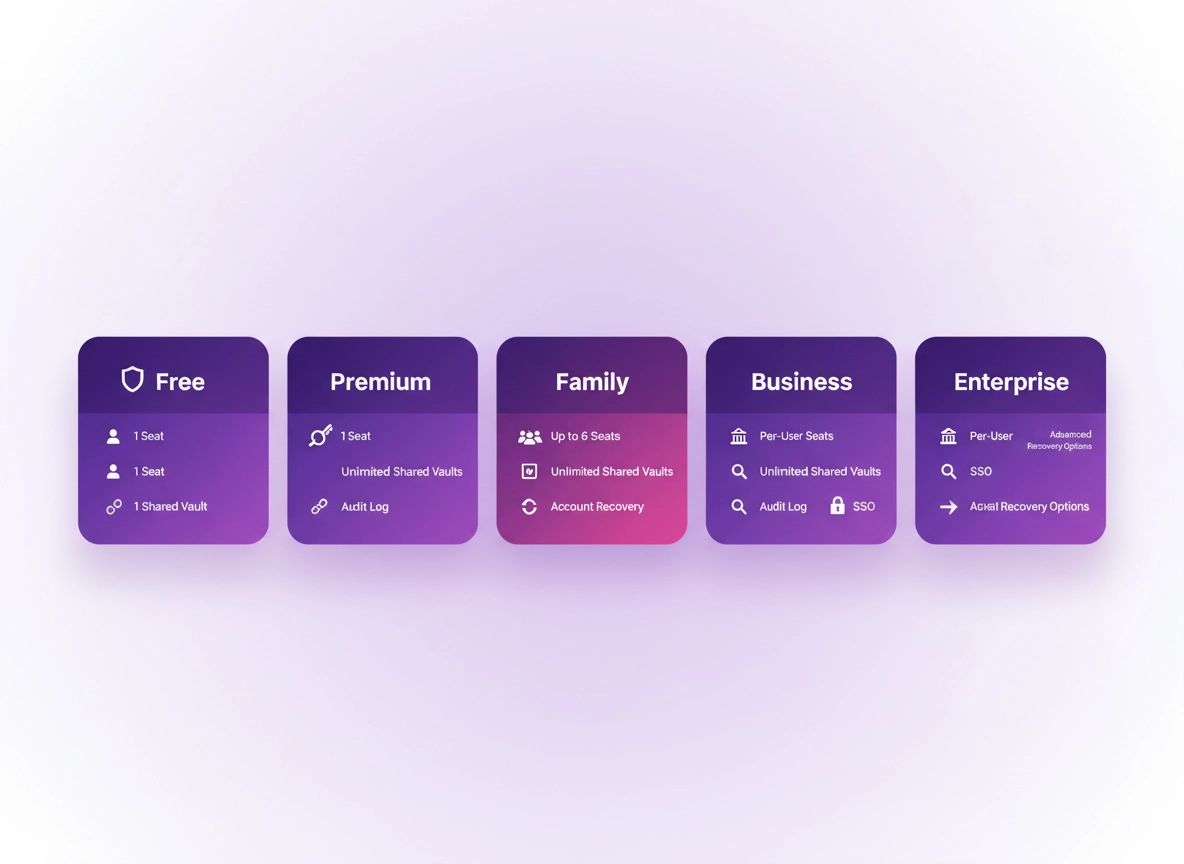
What “subscription model” means for password managers .
In password managers, “pricing” is usually a proxy for control: who can access what, how access is enforced, and how you recover when something goes wrong.
A password manager subscription model is the way a vendor packages access to the product: how you pay (monthly vs annual), how you’re licensed (per user, per family, per seat, per organization), and which security and admin features are included or gated. It’s easy to assume password managers are all roughly the same — “a vault, an extension, and sync” — but that’s only the entry level. The biggest differences between plans are almost always about sharing and enforcement.
Personal plans are designed to help one person (or one household) keep accounts safe across Chrome, mobile, and desktop devices. Business plans are built for controlled sharing (teams), policy enforcement (admins), and accountability (audit logs). Enterprise plans go further by integrating with identity systems (SSO and directory provisioning), enforcing stronger controls at scale, and offering contractual assurances (SLAs, compliance paperwork, and vendor risk requirements).
This matters because your threat model changes the moment credentials are shared across people. A single user forgetting a master password is inconvenient; a team sharing production credentials with no audit trail is a security incident waiting to happen. Subscription models reflect that: as risk and operational complexity increase, the plan typically adds features that reduce chaos — shared vault governance, policy controls, device posture requirements, and reporting.
Related: If you’re comparing actual products, start here: Best Password Manager for Chrome and Password Manager Pricing Comparison.
Key terms (quick definitions) .
- Freemium: A free plan that provides basic storage, with paid upgrades for sync, sharing, security, or advanced features.
- Seat / per-user licensing: Pricing based on the number of people using the product (each person is a licensed “seat”).
- Family plan: One subscription that covers multiple people, typically with separate vaults and controlled sharing.
- Business plan: A plan designed for teams with shared vaults, admin controls, and reporting.
- Enterprise contract: A negotiated agreement that often includes SSO/SCIM, advanced policies, compliance documentation, and support SLAs.
- Add-on: A paid feature module (e.g., advanced reporting, secrets automation, SIEM integration, enhanced DLP controls).
- SSO (Single Sign-On): Using your identity provider (IdP) to sign users into the password manager (common in enterprises).
- SCIM provisioning: Automated user creation/deprovisioning from your directory (critical for joiners/movers/leavers).
- Zero-knowledge: A design where the vendor cannot read your vault contents because encryption keys stay on your devices.
Deep dive: If you want the “how it works” angle, read Password Manager Encryption Explained and Zero-Knowledge Architecture.
Before you start (fast checks) .
Most subscription regrets happen because a buyer skips a few basic checks. These are the quick “stop yourself from buying the wrong tier” questions. You don’t need perfect answers — you just need to be honest about how you work in Chrome.
- Check 1 (sharing reality): Will you share logins with anyone — family, coworkers, contractors, or an assistant — in the next 12 months?
- Check 2 (identity reality): Do you sign into work apps via SSO today (Okta, Entra ID/Azure AD, Google Workspace, etc.)? If yes, you’re already in “business plan territory”.
- Check 3 (recovery reality): If a user loses access (phone lost, master password forgotten), do you need a recovery method that doesn’t involve “reset everything”?
- Check 4 (admin reality): Is anyone responsible for enforcing policies (2FA, sharing rules, minimum password strength) — or is it “everyone does their own thing”?
- Check 5 (device reality): Are you using managed devices, BYOD, or a mix? Mixed environments often need stronger policy controls.
- Check 6 (audit reality): Do you need to prove who accessed what and when (compliance, incident response, client requirements)?
Related: If you’re deciding between browser built-in features and a dedicated tool, read Chrome Password Manager vs Third-Party. If you want a risk lens, see Are Password Managers Safe for Chrome? and Chrome Password Manager Security Risks.
The subscription model “cheat code” .
Here’s a quick way to predict which model you need:
- Solo If you never share logins and you just want safe autofill + sync, a personal plan (or strong free plan) is enough.
- Household If you share streaming, utilities, or family finances, a family plan is usually safer than “one shared vault”.
- Team If more than two people share work credentials, choose a business plan with shared vault controls + audit logs.
- Regulated If you need SSO, provisioning, compliance paperwork, or SIEM logs, you’re in enterprise plan territory.
Step-by-step: choose the right model .
This is a decision framework you can use whether you’re buying for yourself, a household, a startup, or an enterprise. It’s written to be realistic: you can complete it in under 20 minutes with basic info.
- 1 Define your “sharing map” (people + secrets). List who needs access to what: personal logins, shared household accounts, team tool logins, and sensitive systems (finance, infrastructure, admin panels).
- 2 Decide whether separate vaults are mandatory. If you want privacy boundaries (each person keeps their own vault) plus controlled sharing, family/business models beat “one shared vault.”
- 3 Choose your enforcement level. Are rules optional (personal), managed (business), or enforced and auditable (enterprise)? This determines whether admin controls are required.
- 4 Choose your recovery model. Decide how you want to handle lost devices, forgotten master passwords, and employee offboarding. Recovery and offboarding are where many “cheap” plans become expensive.
- 5 Estimate total cost of ownership (TCO), not just sticker price. Include add-ons, admin time, onboarding time, support needs, and the cost of failures (breaches and lockouts).
- 6 Pick the billing cadence that matches your risk tolerance. Annual is cheaper; monthly is flexible. Enterprises often need contracts for procurement and compliance reasons.
What “success” looks like: You end up with a plan where sharing is safe and repeatable, onboarding/offboarding is controlled, and recovery is predictable — without paying for features you’ll never use.
Related: For cost-focused comparisons, see Password Manager Cost Comparison, Password Manager Total Cost of Ownership, and Password Manager ROI for Business.
Model-by-model: what’s included, what’s gated, and who it fits .
Subscription models vary by vendor, but the patterns are consistent. Below are the most common models, with the “real reason” they exist and the traps to avoid.
1) Free plan (freemium) .
A free plan is usually designed to get you comfortable with the workflow (vault + autofill + basic storage). Modern free plans can be genuinely useful, but they commonly limit one of these: device sync, sharing, 2FA options, vault organization, or advanced recovery.
- Best for: Solo users with low sharing needs who want a safer baseline than “Chrome saves everything.”
- Typical gating: Multi-device sync, secure sharing, encrypted file storage, advanced 2FA, emergency access, advanced reports.
- Hidden cost: The moment you need to share credentials safely, you often have to upgrade (and migration can be annoying if you wait too long).
2) Personal subscription (monthly or annual) .
This is the standard “Premium” upgrade: it typically unlocks the features that make a password manager feel seamless across devices and safer during real-life chaos (lost phone, new laptop, travel, etc.). If you live in Chrome, the paid plan often improves autofill reliability, cross-device sync, and security controls.
- Best for: Individuals who want long-term reliability, safe sync, and better recovery options.
- Typical gating: Family sharing features, team vaults, admin controls, SSO/SCIM, audit logs.
- Monthly vs annual: Annual usually saves money; monthly buys flexibility. If you’re still testing, monthly makes sense — but don’t stay “temporary” for years.
Related: If you want the personal vs team split explained clearly, see Business vs Personal Plans and Free vs Paid Password Manager Comparison.
3) Family plan (household licensing) .
Family plans exist because “one shared vault” is a privacy and safety mess. A family plan typically provides: separate vaults per person (privacy boundaries), plus shared spaces for household accounts. The best family models also include role concepts like “family organizer” (billing + recovery coordination) and controlled sharing.
- Best for: Shared household accounts (utilities, streaming, insurance, school portals), while keeping personal logins private.
- Typical gating: Advanced business controls like audit logs, admin policy enforcement, SSO/SCIM.
- Gotcha: Some family plans feel like “multiple personal accounts” without proper sharing governance. Make sure sharing is explicit and revocable.
Related: If you’re buying for a household, see Best Password Manager for Families.
4) Team / business subscription (per-seat) .
A business plan is where password managers become operational security tools. The plan is typically priced per user per month/year (seats), and it usually introduces the “business primitives” you need to stop credential chaos: shared vaults, role-based access, admin management, and auditability.
- Best for: Startups, agencies, remote teams, and any org that shares credentials beyond 1–2 trusted people.
- Typical inclusions: Shared vaults, group management, policy controls, admin console, activity logs, secure sharing workflows.
- Typical gating: SSO/SCIM, SIEM export, advanced audit logs, enterprise policy enforcement, custom contracts.
- Key requirement: Make sure the plan supports secure sharing without “sending passwords” (links, emails, or chat).
Related: For team features and controls, see Team Collaboration, Password Sharing Securely, and Role-Based Access Control (RBAC).
5) Enterprise plan (contract + identity integration) .
Enterprise plans are usually the “everything is enforceable and provable” tier. Pricing is often per seat, but the product changes in important ways: identity integration becomes first-class (SSO), user lifecycle management becomes automated (SCIM), and compliance requirements are supported with documentation and reporting.
- Best for: Regulated orgs, larger businesses, and security-led teams with formal controls and audit needs.
- Typical inclusions: SSO, SCIM provisioning, stronger policy controls, detailed reporting, integrations (often SIEM), and vendor risk support.
- Contract reality: You’re also paying for procurement-friendly terms: invoicing, data processing addendums, security questionnaires, and SLA-backed support.
Related: For enterprise implementation details, see Password Manager Single Sign-On (SSO), Directory Integration, and For Enterprise Security Teams.
6) Add-on and modular pricing (feature packs) .
Some vendors separate “core vault access” from advanced modules: secrets automation, advanced analytics, compliance reporting, extended device security controls, or dedicated vaults for infrastructure credentials. Add-ons aren’t inherently bad — they can be a fair way to avoid forcing all customers to subsidize enterprise features — but add-ons can also hide the true cost of “what you need to be safe.”
- Best for: Teams that need one specific capability (e.g., advanced reporting or secrets workflows) without an entire tier jump.
- Risk: You may discover late that a required control is an add-on, not included. This can break budgets and timelines.
- Mitigation: Write requirements first, then map them to the plan + add-ons. Don’t “start small” if it blocks security controls.
7) Lifetime deals (one-time payment) .
Lifetime deals are attractive: pay once, use forever. But password managers are security products — they require ongoing maintenance, vulnerability response, infrastructure costs, and support. Lifetime pricing can be sustainable for some businesses, but it can also be a red flag when the vendor relies on deal sites for cash flow.
- Best for: Low-risk personal use where you can tolerate vendor uncertainty and you have a clean export plan.
- Risk: If the vendor changes ownership, reduces investment, or sunsets features, you may be stuck or forced to migrate.
- Rule of thumb: If you choose a lifetime deal, treat migration as inevitable: keep exports clean and document recovery.
8) Bundles and “security suite” packaging .
Some offerings bundle a password manager with VPN, antivirus, identity monitoring, or endpoint tools. Bundles can be cost-effective, but they can also hide weak links: you might get “more products” but fewer deep controls. The best way to evaluate bundles is to check the password manager’s capabilities as if it were standalone.
- Best for: Individuals who want a simple “one bill” setup and don’t need enterprise-grade admin features.
- Watch for: Limited export options, weaker sharing governance, or a password manager that feels “tacked on.”
- Chrome angle: Make sure the Chrome extension is actively maintained and supports modern autofill/security patterns.
Quick model selection (one-screen summary) .
| Model | What it’s optimized for | What’s usually gated | Best for |
|---|---|---|---|
| Free / Freemium | Basic vault + adoption | Sync, sharing, advanced security | Solo, low sharing |
| Personal | Convenience + recovery | Admin controls, auditability | Individuals |
| Family | Privacy boundaries + household sharing | Enterprise identity + SIEM | Households |
| Business (per seat) | Controlled sharing + admin oversight | SSO/SCIM, advanced reporting | Teams, startups |
| Enterprise | Enforcement + audit + contracts | Often includes “everything” | Regulated orgs |
| Add-ons | Modular capabilities | Varies by vendor | Targeted needs |
| Lifetime | One-time cost | Vendor certainty | Low-risk personal |
| Bundles | One bill, suite feel | Depth of controls | Individuals |
Next step: If you want a direct checklist-driven buying guide for Chrome, see Best Enterprise Password Manager for Chrome and Chrome Password Manager Deployment Guide.
Advanced: licensing, contracts, and enterprise details .
This section is for power users, IT admins, security teams, and procurement. Subscription models become complicated at scale because they collide with: identity systems, device management, compliance requirements, and contract constraints. This is where “$X per month” turns into a real program.
Related: For Chrome in managed environments, see Enterprise & Business and Chrome Enterprise Guide.
Per-seat pricing: what counts as a “user”? .
In business and enterprise plans, pricing is usually per seat. But “seat” may mean different things: a licensed user might include employees, contractors, and service accounts — or the vendor may treat those differently. The biggest mistakes happen when teams try to “share a seat” (e.g., one account used by multiple people), which breaks auditability and often violates terms.
- Ask the vendor: Do service accounts exist? Can they be restricted? Are they billed? How are they audited?
- Security principle: If an account can’t be tied to a human identity, audit logs lose value.
- Operational principle: If offboarding can’t disable access quickly, risk accumulates silently.
SSO and SCIM: why enterprise pricing jumps .
SSO (Single Sign-On) and SCIM provisioning are often the dividing line between business and enterprise tiers. The pricing jump isn’t only about “a login method” — it’s about making identity the control plane. With SSO/SCIM, you can enforce MFA centrally, deprovision users automatically, and integrate with existing security processes.
Related: See Password Manager Single Sign-On and Directory Integration.
Feature gating that matters (and feature gating that doesn’t) .
Some gated features are “nice-to-have” convenience. Others are foundational risk controls. If you’re buying for a team, prioritize gating that impacts policy enforcement, auditability, and recovery.
| Category | High-impact controls (usually worth paying for) | Lower-impact extras (nice-to-have) |
|---|---|---|
| Governance | RBAC, shared vault controls, approval workflows, admin enforcement | Custom branding, cosmetic UI options |
| Audit & response | Detailed audit logs, exportable events, incident-ready history | Extra dashboard widgets |
| Identity | SSO, SCIM, directory groups | Multiple sign-in methods beyond what you need |
| Recovery | Emergency access, admin-assisted recovery, escrow/recovery keys (where applicable) | Extra storage for attachments |
| Security baseline | Mandatory 2FA, device trust controls, sharing restrictions | Extra themes or cosmetic vault styling |
Related: If you want a security-feature checklist, use Security Features Comparison and Two-Factor Authentication Guide.
Contracts: renewal, exit plans, and “what happens if we leave?” .
Enterprise deals often include annual contracts and negotiated terms. The technical risk isn’t the contract length — it’s lock-in without an exit plan. A professional password manager program should include a documented export strategy and clear ownership over shared vault data.
- Exportability: Can you export vault data in a structured format that preserves folders, tags, and shared access mappings?
- Offboarding speed: How fast can you revoke access when someone leaves? Is it tied to the IdP?
- Shared secrets ownership: Who “owns” shared vaults: the org or a person? Ownership should not disappear when an employee leaves.
- Data retention: After cancellation, how long is data retained, and can you confirm deletion?
Support tiers and SLAs: what you’re buying there .
Paid tiers often advertise “priority support,” and enterprise tiers talk about SLAs. The meaningful difference is not how friendly support is — it’s how the vendor behaves during risk events: account recovery, suspicious sign-in response, compromised device response, and urgent access revocation.
- Personal priority support: Faster responses for account/billing/recovery issues (helpful for lockouts).
- Business support: Admin-focused help: user onboarding, shared vault architecture, policy configuration.
- Enterprise SLA: Contracted response times, escalation paths, and sometimes dedicated success/support contacts.
Compliance pack reality: what auditors and customers will ask .
If your org touches regulated data or sells to enterprises, someone will ask about controls. Password manager enterprise tiers often include: SOC 2 reports, DPA templates, sub-processor lists, security whitepapers, and documentation for encryption and key handling. Even if you don’t “need compliance,” your customers might.
Related: If compliance is relevant, see: SOC 2, GDPR, and HIPAA.
Common alternatives users compare .
- Trial vs Free Plan (what trials reveal that free plans don’t)
- Free vs Paid (what’s actually different)
- Enterprise Pricing (how contracts and procurement change the math)
- Business vs Personal Plans (which features matter for teams)
Security notes: why pricing tiers track risk controls .
Password managers are security products, so their pricing structure tends to mirror risk reduction capabilities. This isn’t “paywalling safety” for fun — it’s that some controls are expensive to build and operate: identity integrations, audited infrastructure, enterprise logging, and admin control planes. Your job is to pay for the controls that match your risk and avoid paying for noise.
Impact: Affects credential sharing safety, account recovery outcomes, auditability, and how quickly you can contain incidents.
Related: If you’re evaluating risk, read Password Manager Vulnerability Risks, Hacking Risks, and Browser Integration Security.
Baseline recommendations (by plan type) .
- Personal baseline: Mandatory 2FA, strong master password, device lock, and regular security health checks.
- Family baseline: Separate vaults per person, shared vault only for household accounts, and a clear recovery setup (organizer/emergency access).
- Business baseline: Shared vaults + RBAC, admin enforcement for 2FA, secure sharing policy, and audit logs enabled.
- Enterprise baseline: SSO + SCIM, enforced policies, detailed logs with export/integration, and formal offboarding procedures.
Recommended model by goal .
| Goal | Recommended subscription model | Why it fits | Tradeoff |
|---|---|---|---|
| Lowest cost, good safety | Strong free plan or entry personal plan | Improves baseline security vs browser-only storage | Sharing + advanced recovery may be limited |
| Best personal value | Personal annual subscription | Unlocks reliable sync + recovery + security features | Annual commitment |
| Safe household sharing | Family plan | Separate vaults + controlled sharing | May lack enterprise logs/controls |
| Team sharing without chaos | Business per-seat plan | Shared vault governance + admin oversight | Higher cost per user |
| Enterprise control & audit | Enterprise contract | SSO/SCIM + enforceable policies + reporting | Procurement/contract overhead |
If passkeys are part of your roadmap: your subscription choice still matters. Passkeys reduce password reliance, but you’ll still manage shared access, recovery, and admin controls. (And many teams will run both in parallel for a while.)
Troubleshooting: common pricing traps & misfits .
If a password manager “feels expensive,” it’s often because the plan doesn’t match your real usage. Here are the most common mismatches and the cleanest fixes.
Related: If your team is growing quickly, read Startups Pricing Guide and Best Password Manager for Startups.
If you keep hitting “sharing limits” .
This usually means you’re using a personal plan (or free plan) for team workflows. The fix is not “workarounds” like emailing passwords or storing them in notes. The correct fix is a plan that supports shared vaults with permissions and revocable access. Business plans exist for this exact problem.
Fix: Move shared credentials into a shared vault with RBAC and enable enforced 2FA. Use Password Sharing Securely as your baseline.
If you’re paying for enterprise but not using SSO/SCIM .
If your org is buying enterprise for “security,” but logins are still managed manually, you may be overpaying without capturing the main benefit. Enterprise tiers make the most sense when identity is centralized: SSO for access control and SCIM for lifecycle management.
Fix: Either implement SSO/SCIM properly, or drop to business tier and invest saved budget into policy enforcement and training.
If monthly billing feels too expensive .
Monthly prices often look high because they include flexibility and lower friction for cancellation. If you’ve already committed to a password manager workflow, annual billing is typically the best “value unlock” — but only if you’re confident in the product.
Fix: Use a trial period to validate: autofill reliability in Chrome, recovery workflow, and sharing governance. Then go annual. See Trial vs Free Plan.
If procurement blocks buying a “simple subscription” .
This happens in mid-sized and enterprise orgs where purchasing requires invoices, DPAs, security reviews, and renewal controls. A consumer-style plan can be a procurement headache even if the product is good.
Fix: Choose a vendor and tier that supports invoicing, documented security posture, and standard contractual terms. Start here: Password Manager for Enterprise Pricing.
If you need to “reset safely” (migration or exit) .
Whether you’re switching vendors or undoing a bad rollout, the safe path is: export, verify, rotate the most sensitive credentials, and remove browser-stored passwords that conflict with your new workflow. Avoid panic-deleting without a plan.
Fix: Use: Export Passwords from Chrome Securely, Import Passwords into Chrome Securely, and Disable Chrome Password Manager (when you’re ready to avoid autofill conflicts).
FAQ .
-
helpIs a paid password manager worth it if Chrome already saves passwords?Often, yes — especially if you need safer sharing, stronger recovery options, or cross-platform consistency. Dedicated password managers usually offer deeper security controls, clearer vault organization, and better governance for shared credentials than browser-only storage. If you’re unsure, start with a strong free plan and upgrade when you hit real limits (sync, sharing, recovery).
-
helpWhat’s the difference between a family plan and a business plan?Family plans focus on privacy boundaries inside a household (separate vaults per person + controlled household sharing). Business plans focus on enforceable sharing governance at work: shared vault permissions, admin controls, and auditability. If you need policies, reporting, or accountability, business is the right model.
-
helpWhen do you actually need an enterprise password manager plan?Enterprise plans make sense when you need SSO, automated provisioning (SCIM), advanced audit logs, integrations (often SIEM), and procurement-ready contracts. If you can’t reliably offboard users, enforce policies, or prove access history, enterprise features often pay for themselves in risk reduction and admin time saved.
-
helpAre lifetime deals for password managers safe?They can be fine for low-risk personal use, but treat them cautiously. Password managers require ongoing security work and infrastructure, so long-term viability matters. If you choose a lifetime deal, make sure exports are clean and plan for migration if the vendor changes direction.
Sources & further reading .
- NIST Digital Identity Guidelines (SP 800-63)
- OWASP Top 10 (application security risks)
- CISA: Secure Our World (baseline security guidance)
- Chromium project (browser platform context)
Disclosure: Some pages may mention tools or services. Recommendations are editorial and based on testing and research. Always validate plan details on the vendor’s official pricing page before purchasing.