What password manager TCO is (and why it matters) .
This guide is written for real buying decisions, not “feature lists.”
Total cost of ownership (TCO) is the full cost to buy, roll out, operate, and maintain a password manager over a period of time—usually 36 months for budgeting and procurement. If you only compare “price per user,” you’ll miss the costs that show up in IT backlogs, security exceptions, audit time, and incident response. That’s why teams often say they “got a good deal” and then spend months paying for it in admin overhead.
A password manager touches identity, access, endpoint behavior, and user habits. That means costs appear in places that don’t look like “password manager costs” at first glance: helpdesk resets, onboarding delays, offboarding gaps, shadow IT, duplicate tools, and risk exposure when shared credentials live in email threads or spreadsheets.
The goal of a TCO model isn’t to make every number perfect. The goal is to make the model complete, then get the handful of assumptions that matter most reasonably accurate. In practice, a good TCO model helps you:
- Pick the right plan tier (and avoid paying for features you don’t operationalize).
- Budget rollout correctly (SSO/SCIM, policies, training, and migration).
- Compare vendors fairly by normalizing what’s included vs add-on priced.
- Defend the decision to finance/security with a model that anticipates hidden costs.
Related: If you’re still choosing a tool, start with Best Password Manager for Chrome, then use this page to evaluate total cost.
Key terms (quick definitions) .
- Seat / license: A paid user account (sometimes “member,” “user,” or “employee seat”).
- Vault: Encrypted storage that holds passwords, notes, tokens, and sometimes passkeys.
- SSO (Single Sign-On): Login via an identity provider (IdP) like Google Workspace, Microsoft Entra ID, Okta, etc.
- SCIM: Automated user provisioning/deprovisioning between the IdP and the password manager (massive for offboarding cost).
- RBAC: Role-based access control—permissions for admins, managers, and teams.
- Shared vaults / collections: Team folders for shared credentials (often the real “business” use-case).
- Recovery model: How users regain access (admin recovery, emergency access, account recovery, etc.).
- Risk-adjusted cost: Expected cost of incidents and failures (probability × impact), not just “the worst case.”
Before you start: the 8 inputs that control your costs .
Before you build a model, gather a few inputs. You don’t need perfect numbers—just honest ranges. If you do this part right, the rest of the page becomes plug-and-play.
- 1) Seat count (today + forecast): Current users, plus expected growth over 36 months.
- 2) Plan type: Personal, Teams, Business, or Enterprise (tiers typically change the admin feature set).
- 3) Identity environment: Google Workspace, Microsoft, Okta, etc. (SSO/SCIM complexity varies).
- 4) Device reality: Chrome-only, mixed browsers, mobile usage, and whether devices are managed (MDM/endpoint).
- 5) Migration scope: Are you migrating from Chrome’s built-in manager, another vendor, or spreadsheets?
- 6) Security policy requirements: MFA method, device trust, admin approvals, sharing rules, audit logs.
- 7) Support model: Who handles tickets—IT, security, or a shared helpdesk?
- 8) Compliance pressure: SOC 2, HIPAA, GDPR, ISO 27001, NIST alignment, or customer questionnaires.
Related: If your organization needs strong access controls, start here: Role-based access control (RBAC), then combine it with your SSO plan: Password Manager SSO.
Fast checks that prevent wasted modeling time .
- Do you require SSO? If yes, model it as non-optional (and verify which tier includes it).
- Do you require automated offboarding? If yes, SCIM (or equivalent) becomes a TCO lever.
- Do you need audit logs? If yes, add ongoing review time (not just “the feature exists”).
- Do you share credentials? If yes, your biggest cost is often the sharing workflow and its training burden.
- Are you Chrome-managed? If yes, consider policies + deployment requirements (extensions, device controls, updates).
Step-by-step: build a 3-year password manager TCO model .
This section gives you a model you can replicate in a spreadsheet. We’ll use a 36-month horizon, split into: one-time costs (rollout + migration) and recurring costs (subscriptions + operations). Then we add risk-adjustment to compare “cheap but fragile” vs “slightly more expensive but operationally stable.”
Step 1: define your seat math (and stop seat creep) .
- 1 Set Seats = current users who will actively use the vault (not “everyone with an email”).
- 2 Add Growth assumptions: hiring plans, contractors, seasonal peaks.
- 3 Define a license policy: who gets a seat, when it’s reclaimed, and how offboarding is enforced.
- 4 Add a buffer (commonly 3–10%) only if you truly need spare seats.
Seat creep is a silent tax. In the real world, accounts linger after offboarding, contractor seats get reused informally, and “temporary” access becomes permanent. A clean identity workflow (especially automated deprovisioning) prevents your model from being fantasy.
What “success” looks like: You can explain, in one sentence, who gets a seat and how seats are removed. If you can’t, you’re likely underestimating TCO.
Step 2: model subscription cost correctly (pricing ≠ cost) .
Subscription cost is typically: Seats × Price/seat × Term — but the term matters: monthly billing costs more, annual is cheaper but locks you in, and multi-year contracts reduce unit price but increase switching cost. A TCO model should show the contract decision plainly.
| Subscription input | What to record | Common mistake | TCO impact |
|---|---|---|---|
| Billing term | Monthly / annual / multi-year | Comparing monthly price to annual competitor price | Skews vendor comparison |
| Included features | SSO, SCIM, audit logs, sharing controls | Assuming features exist at all tiers | Add-on surprises |
| Minimum seats | Contract minimums and true seat usage | Ignoring minimum seat floors | Paying for “unused” seats |
| Support level | Standard vs premium support | Not modeling escalations or response times | Incident cost increases |
If your decision involves plan tiers, keep a separate note for “what forces us up-tier.” Common forcing functions are SSO requirements, SCIM requirements, audit logs, granular sharing controls, and admin role separation.
Step 3: add one-time rollout costs (what you actually pay in Month 1–3) .
Rollout costs are where TCO gets real. Even if the tool is “easy,” the organization isn’t. Teams often spend more time aligning on policies and access patterns than they do installing the extension.
- Deployment: extension deployment, device policy alignment, and “who installs what” rules.
- Configuration: vault structure, groups/collections, admin roles, sharing policies, MFA settings.
- Integration: SSO + SCIM configuration, directory sync, and testing joiner/mover/leaver flows.
- Migration: importing from Chrome or another manager, de-duplicating entries, fixing URL matching.
- Training: onboarding sessions, docs, short videos, and support macros for common problems.
Related: If you’re moving away from Chrome’s built-in manager, this is the practical path: Migrate from Chrome Password Manager to third-party. If you need secure import/export practices, see Export passwords securely and Import passwords securely.
Step 4: model recurring operational costs (the costs that never stop) .
Operational costs are often bigger than licensing in mature organizations. They show up as time: admin time, helpdesk time, security review time, and employee time spent dealing with friction (lockouts, resets, broken autofill, sharing confusion). In TCO, time is money—so capture it explicitly.
| Ongoing cost bucket | How to estimate | What triggers it | How to reduce it |
|---|---|---|---|
| Admin hours | Hours/month × loaded hourly rate | Group changes, policy tweaks, audits, exceptions | Good RBAC + SCIM + usable admin UI |
| Helpdesk tickets | Tickets/month × minutes/ticket | Resets, “lost access,” sharing, device changes | Clear recovery model + training + SSO |
| Employee friction | Minutes/user/week × seats | Slow login, broken autofill, confusing sharing | Better UX + standardized workflows |
| Offboarding gaps | Expected incidents × impact | Accounts not disabled; shared creds not rotated | SCIM + enforced rotation policies |
| Vendor management | Procurement/security reviews/year | Renewals, audits, questionnaires | Centralized documentation + stable controls |
Step 5: add risk-adjusted cost (why “secure enough” can be expensive) .
Risk-adjusted cost is the part most buyers skip, because it feels hard to quantify. You don’t need perfect probability. You need reasonable scenarios and consistent assumptions across vendors.
Risk-adjusted annual cost = Probability of incident × Estimated impact
Use this to compare options, not to predict the future.
Examples of “password manager-related” incidents that have real cost:
- Account takeover due to weak recovery practices or poor MFA enforcement.
- Shared credential leakage because a team used insecure sharing methods outside the vault.
- Offboarding failure that leaves access active longer than policy allows.
- Audit failure / remediation because logs and access review evidence weren’t available.
- Operational outage where users can’t access credentials and productivity halts.
Risk-adjusted cost is not just “breach cost.” It includes downtime, emergency resets, credential rotation campaigns, and the human cost of “everyone stop what you’re doing and fix access.”
Related: If your stakeholders care about business value and not just cost, see Password Manager ROI for business. If you need to compare plan structures, use Business vs personal plans.
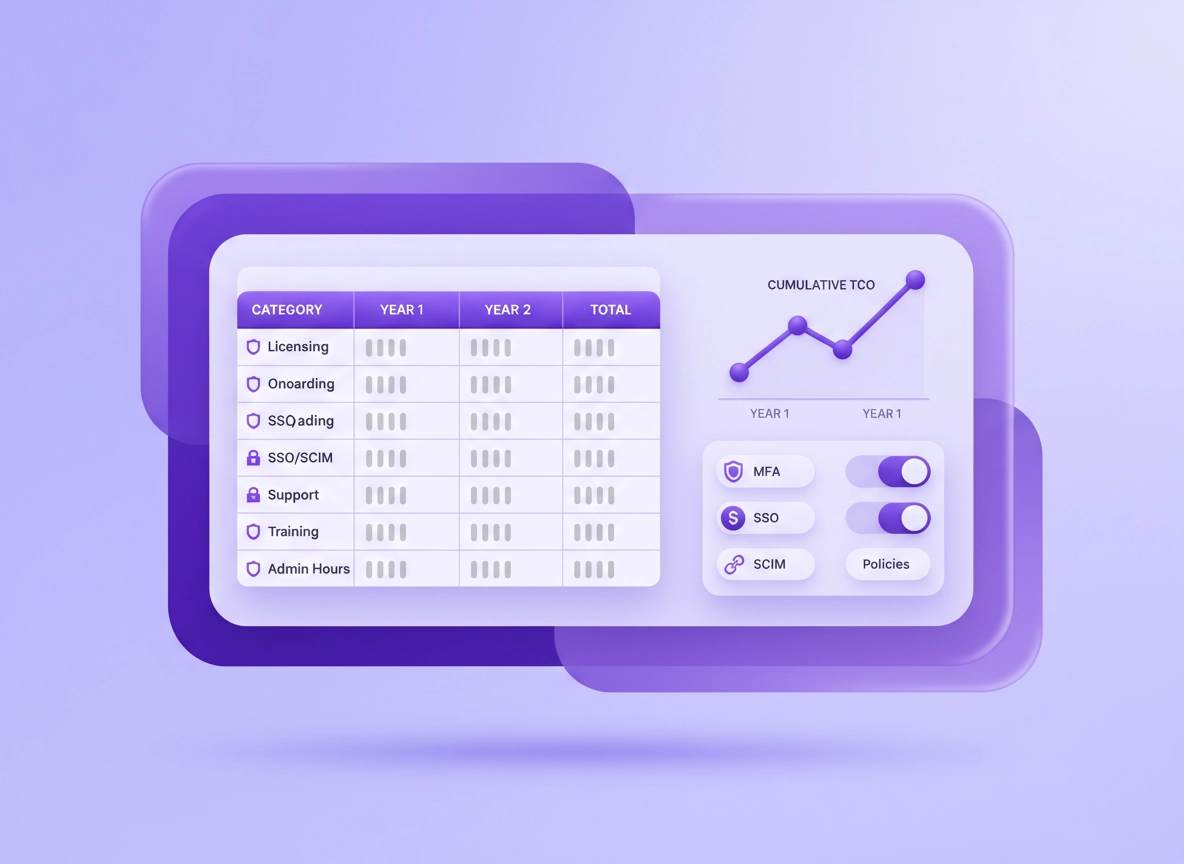
Step 6: build the 3-year TCO table (template you can copy) .
Here’s a straightforward format. Replace the numbers with yours. If you don’t have an hourly rate, use a consistent “loaded cost” estimate (salary + benefits + overhead) for IT/helpdesk time.
| Cost category | One-time (Y0) | Year 1 | Year 2 | Year 3 | Notes (what changes it) |
|---|---|---|---|---|---|
| Subscription | — | Seats × price | Seats × price | Seats × price | Term discounts; seat creep; tier forcing functions |
| Deployment + setup | Admin setup hours | — | — | — | Higher if you require policies, approvals, or audits from day 1 |
| SSO/SCIM integration | Integration hours | Maintenance hours | Maintenance hours | Maintenance hours | IdP complexity; SCIM maturity; group mapping changes |
| Migration | Migration project hours | — | — | — | Source system quality; duplicates; shared vault design |
| Training + enablement | Training build hours | New-hire training | New-hire training | New-hire training | Higher if sharing workflows are confusing |
| Helpdesk support | — | Tickets × time | Tickets × time | Tickets × time | Recovery model quality; SSO; device change frequency |
| Admin operations | — | Hours/month | Hours/month | Hours/month | RBAC clarity; auditing needs; approval workflows |
| Compliance + audits | Policy work | Evidence time | Evidence time | Evidence time | Log retention; reporting quality; access review cadence |
| Risk-adjusted cost | — | Probability × impact | Probability × impact | Probability × impact | Use consistent scenarios across vendors |
| Total | Sum | Sum | Sum | Sum | Now you can compare apples to apples |
Once you’ve built the table, calculate TCO per seat per month: (3-year total cost) ÷ (avg seats over 36 months) ÷ 36. This normalizes growth, and it’s a better comparison metric than “year 1 seat price.”
Common variations (Chrome + device reality) .
- Windows / ChromeOS: Policy-based deployment and managed Chrome profiles reduce rollout friction (lower support cost).
- macOS: Account recovery and biometric flows can differ; plan for initial training and “where is it stored” clarity.
- Android / iPhone: Mobile autofill setup is a top support driver; budget extra onboarding minutes per user if mobile is required.
Advanced: enterprise add-ons, security controls, and hidden operational costs .
If your organization has security and compliance requirements, this is where your TCO model becomes accurate. Enterprise password manager TCO is rarely about “can it store passwords.” It’s about: how reliably the system enforces identity + access behaviors at scale.
Related: If you’re deploying for a larger org, this page ties directly into: Best enterprise password manager for Chrome and Password manager for enterprise security teams.
Enterprise “forcing functions” that raise (or lower) TCO .
A forcing function is a requirement that either pushes you into a higher tier (direct subscription cost) or creates an operational process you must run (indirect recurring cost). Here are the most common ones.
| Requirement | Why teams require it | Direct cost impact | Operational impact |
|---|---|---|---|
| SSO | Centralized auth and policy control | May require higher tier | Reduces tickets; improves security posture |
| SCIM provisioning | Fast onboarding/offboarding; less seat creep | Sometimes add-on | Major TCO reducer if you hire/contract frequently |
| Audit logs & reporting | Evidence for audits and investigations | Often higher tier | Requires review process; creates “evidence work” |
| RBAC separation | Least privilege for admins | Tier-dependent | Reduces admin mistakes; improves governance |
| Approval workflows | Control sharing and vault access | Tier-dependent | Can increase admin work if poorly designed |
| Device trust / policy enforcement | Prevent access from unmanaged endpoints | May require add-ons | Reduces risk; increases integration complexity |
The key: a feature can increase subscription cost while reducing operational cost. That’s why TCO modeling beats price comparison. A “cheaper” plan that creates weekly admin firefights is often more expensive by month 6.
Hidden cost #1: account recovery and “lost access” workflow .
Recovery design is a recurring cost lever. A strict recovery model can increase helpdesk load. A loose model can increase risk. Your TCO model should include:
- Reset volume: how often users lose access (new phone, device wipe, forgotten master password, etc.).
- Reset handling time: who handles it and how long it takes.
- Recovery security: admin-assisted recovery, emergency access, identity verification steps.
Related: Recovery design is often under-discussed. This page breaks it down: Password manager recovery options. For master password risks specifically, see Master password security.
Hidden cost #2: sharing workflows (the real business problem) .
Teams don’t adopt password managers because they love vaults. They adopt them because they need to share access safely. Sharing is where tickets happen: “I can’t see it,” “I can’t edit it,” “Why can’t I copy the password?” “Who owns this?” The better the sharing model, the lower the helpdesk burden—and the lower the risk of people going around the tool.
- Ownership clarity: who owns shared credentials and rotates them?
- Least privilege: view vs edit vs manage permissions.
- Offboarding automation: shared access should remove itself cleanly when a user leaves.
- Emergency access: what happens when a key employee is unavailable?
Related: If shared access is a core use-case, pair this guide with: Password sharing securely and Team collaboration features. For emergency scenarios, see Emergency access.
Hidden cost #3: onboarding and offboarding (where TCO is won) .
High-churn environments (contractors, agencies, fast-growing startups) pay a hidden tax when onboarding/offboarding is manual. Every manual step becomes a recurring cost. This is why SCIM matters in TCO even if it increases plan price.
- Onboarding: new hire gets access quickly, to the right shared vaults, without oversharing.
- Moves: role changes update access without “permission archaeology.”
- Offboarding: access removal is immediate, provable, and doesn’t rely on someone remembering.
Hidden cost #4: compliance work (it’s not free because you have a checkbox) .
Compliance is an operational activity, not a subscription line item. Even if your password manager supports audit logs, you still need time to collect evidence, run access reviews, respond to findings, rotate credentials, and update policies. Model the time explicitly and assign ownership.
Related compliance guides: SOC 2 · HIPAA · GDPR
Cost comparison intent: what users actually compare .
- Password manager vs Chrome built-in password manager (cost vs security/controls)
- Free vs paid plans (short-term savings vs long-term operational cost)
- Business vs personal plans (sharing + admin controls vs “everyone does their own thing”)
- Monthly vs annual vs multi-year (unit price vs switching cost)
Related comparisons: Free vs paid · Chrome vs third-party · Password manager vs built-in browser passwords
Security & compliance notes (audit-friendly) .
Security isn’t separate from TCO—it’s part of it. Weak controls turn into recurring cleanup work. Strong controls can reduce incidents and support burden, but only if they’re deployed in a way users can follow.
Impact: Affects credential sharing, account recovery, identity integration, audit evidence, and incident response readiness.
Related: If you’re evaluating the security architecture itself, read Zero-knowledge architecture and Encryption explained.
Recommended baseline settings (the “TCO-friendly” security baseline) .
- Option A (balanced): SSO (if available) + MFA enforced + role-based admin separation + standard sharing folders.
- Option B (maximum security): SSO + phishing-resistant MFA/hardware keys where possible + strict sharing approvals + device trust policies.
- Option C (compatibility): MFA enforced + recovery model documented + minimal sharing + gradual rollout to reduce support spikes.
Recommended settings by goal .
| Goal | Recommended setting | Tradeoff | Best for |
|---|---|---|---|
| Balanced | SSO (if available) + MFA + shared vaults with clear owners | Some setup work up front | Most teams |
| Maximum security | SSO + strict sharing approvals + strong recovery controls + audit cadence | Higher admin effort if workflows aren’t streamlined | Regulated / high-risk environments |
| Compatibility | MFA + staged rollout + training focus + documented exceptions | Risk can remain higher longer during transition | Mixed environments / legacy apps |
Related: If you’re worried about browser integration risks (extensions, autofill surfaces), read Browser integration security and the broader hub: Chrome extension security.
Troubleshooting: why your TCO numbers look “too high” or “too low” .
If you built the model above and something feels off, it usually comes down to one of these: missing cost buckets, unrealistic assumptions, or confusing “pricing” with “operational reality.”
Related: If you’re still choosing a plan, verify tier assumptions with: Pricing comparison and Trial vs free plan.
If your TCO is “too low” .
The usual cause is forgetting time-based costs. The fastest way to sanity-check: ask, “Who owns sharing, recovery, offboarding, and audits?” If the answer is vague, the TCO is understated.
- Missing SCIM/offboarding cost: you’ll pay in seat creep and access cleanup.
- Missing training cost: you’ll pay in tickets and unsafe workarounds.
- Missing helpdesk time: resets and “lost access” happen more than you think.
- Missing compliance time: audit logs don’t collect evidence by themselves.
If your TCO is “too high” .
The usual cause is double-counting or using worst-case assumptions for everything at once. Tighten it by turning big unknowns into ranges (low/likely/high). Procurement teams often accept range-based models as long as assumptions are explicit and consistent.
- Double-counted friction: don’t count both “helpdesk time” and “employee time” for the same event unless justified.
- Inflated incident probability: use a consistent scenario across vendors and keep it conservative.
- Overestimated rollout effort: break it into tasks and hours; avoid “it’ll take forever” as a line item.
If you can’t get alignment internally .
Use a “two-layer” model: procurement sees the base costs (subscription + rollout + operations), while security sees the risk-adjusted layer. Then align on a single decision principle: lower 3-year cost at equal control or higher control at modest additional cost.
If you need to reset the decision safely .
When teams rush, they overbuy or underbuy. The safe reset is: run a pilot with a defined scope (one department), measure support tickets and onboarding time, then apply that measured rate to the full seat count. A pilot turns your TCO from “estimated” to “observed.”
FAQ .
-
helpIs the subscription price the biggest part of password manager TCO?Sometimes—but not in organizations that require SSO/SCIM, access controls, audit evidence, and structured sharing. In those cases, the biggest cost is often time: admin operations, helpdesk load, training, and compliance work. A good password manager can cost more per seat yet still have a lower TCO by reducing operational friction and incidents.
-
helpWhat hidden costs do teams miss most often?The top misses are: SSO/SCIM integration time, offboarding gaps, helpdesk resets, training churn, and sharing workflow confusion. If users route around the tool (emailing passwords, spreadsheets), you pay twice: you pay for the tool and you keep the risk.
-
helpHow do I compare two vendors fairly in a TCO model?Normalize the model: use the same seat assumptions, the same hourly rates, and the same security/compliance requirements. Then compare: (1) subscription, (2) one-time rollout, and (3) recurring operations. Finally add the same risk scenarios for both. If one vendor forces manual offboarding or messy sharing, that should show up as ongoing cost.
-
helpWhat’s a “good” TCO per seat per month?There isn’t one universal number because environments differ. A “good” TCO is one where the organization can maintain secure sharing, fast offboarding, and audit readiness without constant exceptions and support spikes. Use the metric TCO per seat per month to compare vendors across growth, then choose the option with the lowest 3-year cost at your required control level.
Sources & further reading .
- Google Chrome Help Center
- NIST (security guidance and frameworks)
- CISA (security best practices and advisories)
- ChromeThemer: Password manager security features comparison
- ChromeThemer: Password manager cost comparison
Disclosure: Some pages may mention tools or services. Recommendations are editorial and based on practical evaluation criteria.