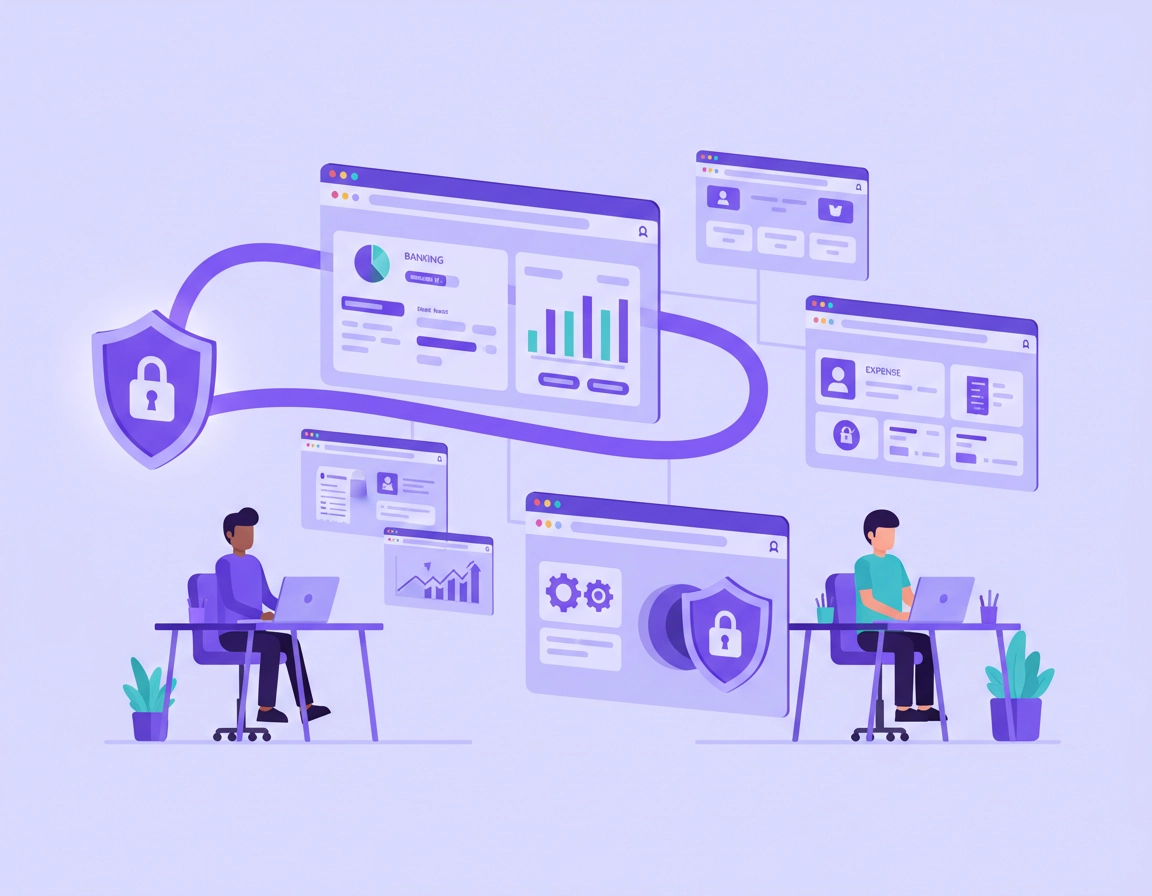
How a VPN Protects Finance Teams Using Chrome .
This is not a generic “VPN is good” page. It is a practical finance browser security guide for real Chrome-based work.
Finance teams live inside the browser more than many people realize. Month-end close, accounts payable approvals, bank portals, expense platforms, ERP dashboards, budgeting tools, business intelligence reports, payment processors, investor folders, and payroll systems are now commonly cloud-based. In many businesses, the browser is effectively the finance workstation. That changes the risk picture. When people in accounting, treasury, payroll, FP&A, or finance ops use Chrome to access sensitive systems, they are handling salary data, banking credentials, invoice details, tax documents, customer payment information, supplier records, forecasts, and confidential board reporting. A single browser session can expose high-value financial data.
A VPN helps by encrypting traffic between the user’s device and the VPN endpoint, reducing exposure on untrusted networks and making remote access more predictable. That matters for finance teams working from home, traveling, collaborating from shared spaces, or accessing region-sensitive platforms. It also helps reduce some network-level visibility from local Wi-Fi operators and can add a controlled path into company resources. But finance leaders should be careful not to overstate what a VPN does. A VPN does not stop phishing emails, does not fix weak passwords, does not vet Chrome extensions, does not replace endpoint protection, and does not make a poorly configured finance browser magically compliant.
The real question is not “should finance use a VPN?” but “how should finance use a VPN inside a broader Chrome security model?” That is where this page is useful. A finance team often needs a balanced setup: secure enough for payroll and banking workflows, stable enough for MFA and SSO, and practical enough that staff do not create workarounds. In the real world, users bypass security when controls are slow, confusing, or break login flows. A good finance setup protects data without constantly interrupting reconciliation, approvals, payment runs, or close deadlines.
This is also a high-intent buying and policy topic because finance teams usually care about more than privacy alone. They care about fraud reduction, access control, audit readiness, contractor access, executive travel, secure public Wi-Fi use, remote bookkeeping, finance shared inbox exposure, and evidence that a security control is actually worth rolling out. That is why this guide focuses on business-grade reasoning rather than consumer VPN hype.
Related: Start with Best VPN for Chrome for the wider category, then compare this finance-specific guide with VPN Chrome Corporate Compliance and VPN for Chrome Corporate Security Setup.
Key Terms Finance Teams Should Know .
- VPN tunnel: The encrypted path between the user’s device and the VPN server or gateway. It protects traffic in transit but does not secure the browser by itself.
- Split tunneling: A setup where only selected traffic goes through the VPN. Useful for performance, but risky if sensitive finance apps are accidentally excluded.
- Dedicated IP: A VPN feature that gives a business or user a consistent exit IP address. Helpful when banking or finance platforms flag frequent IP changes.
- Secure DNS: DNS resolution protected against interception or tampering. Important for reducing some network-layer privacy and integrity risks.
- Browser hardening: Tightening Chrome settings, permissions, profiles, and extensions to reduce attack surface.
- IP reputation check: A fraud-prevention control used by some finance and banking platforms to detect suspicious sign-ins from anonymized or abused VPN ranges.
Before you start: fast checks .
Before rolling a VPN into finance workflows, do a few fast checks. These prevent the most common mistakes: login failures, broken accounting integrations, staff confusion, and false confidence. Finance teams often move quickly during payroll runs or close cycles, so simple pre-flight checks matter more than elaborate documentation no one reads.
Related: If your baseline Chrome security is weak, review Chrome Hardening Guide, Chrome Security and Privacy Checklist, and Chrome Secure Browser Setup Guide first.
- Check your finance app list: Identify which systems finance staff actually use in Chrome: banking portals, payroll, ERP, AP automation, tax platforms, expense tools, BI dashboards, and shared finance mailboxes.
- Check for IP-sensitive services: Some banks, treasury tools, and payment providers are stricter than standard SaaS apps. A rotating shared VPN IP may trigger fraud checks, forced verification, or access denials.
- Check device trust: A VPN adds value, but a compromised or unmanaged laptop can still expose finance sessions. Use patched devices and updated Chrome.
- Check browser profile hygiene: Finance users should not mix personal browsing, random extensions, and sensitive finance work in the same profile.
- Check MFA dependencies: Make sure your sign-in process works consistently over VPN, especially with authenticator prompts, SMS fallback, or hardware keys.
- Check compliance expectations: A VPN may help with secure transmission, but audit-readiness usually depends on access logs, device posture, permissions, retention, and vendor controls as well.
Finance workflows are unusually sensitive to interruption because many actions are deadline-based and approval-bound. If the VPN creates friction during payroll submission, cash disbursement approvals, or invoice processing, staff will find ways around it. That is why teams should test on representative browser workflows, not just on a generic “can we browse the web?” scenario.
Recommended setup for finance teams using Chrome .
The best finance VPN setup is structured, not improvised. You want a workflow that is clear enough for busy finance staff to follow and strict enough to reduce avoidable exposure. The steps below assume a business team using Chrome for financial systems, approvals, and cloud-based reporting.
- 1 Define which finance tasks require protected browser access. For most teams, that includes online banking, payroll, expense approvals, ERP access, vendor payment platforms, reconciliation tools, and any reporting dashboards containing confidential financial data.
- 2 Choose whether the VPN should run as a full device VPN or a Chrome-oriented extension workflow. For finance teams, a full device VPN is usually safer because it protects more than just browser traffic and avoids confusion about what is or is not covered.
- 3 Create a dedicated Chrome profile for finance work. Keep that profile clean: minimal extensions, saved credentials handled through an approved password manager, and no personal browsing mixed into it.
- 4 Turn on strong authentication for all finance systems. A VPN should sit alongside MFA, not instead of it. For high-risk approvals, hardware keys or app-based authenticators are stronger than SMS-only fallback.
- 5 Test the VPN against your critical finance stack. Open banking portals, payroll tools, ERP pages, SSO prompts, BI dashboards, file exports, and finance-related email links. Watch for IP blocks, CAPTCHA loops, session timeouts, or broken uploads.
- 6 Decide whether you need a stable exit IP. If finance platforms or banks dislike shared consumer VPN ranges, consider a business-grade service, gateway, or dedicated IP model so sign-ins look consistent and less suspicious.
- 7 Pair the VPN with Chrome security controls. Enable secure DNS where appropriate, keep Safe Browsing protections active, reduce extension permissions, and review your profile sync decisions carefully.
- 8 Document when finance staff must connect. For example: all public Wi-Fi, all travel scenarios, all contractor access, all external networks, or all sessions involving payroll, payments, or banking.
- 9 Train on exceptions. Staff need simple rules for what to do if a bank blocks the VPN, an approval flow stalls, or a high-risk transaction triggers additional verification.
- 10 Review usage regularly. If the VPN keeps causing friction on finance-critical services, adjust routing, dedicated IP strategy, or access policies instead of letting people silently bypass the control.
What success looks like: Finance users can access their core Chrome-based systems consistently, remote sessions are encrypted on untrusted networks, browser hygiene improves, and the VPN supports the workflow instead of becoming a daily obstacle.
Related: For deployment details, compare Business VPN for Chrome Setup, How to Use VPN with Chrome Browser, and VPN Extension Permissions in Chrome.
Common variations finance teams run into .
- Small finance team with remote bookkeepers: prioritize a simple device VPN, a clean Chrome profile, and strong password manager usage.
- Mid-sized company with payroll and AP staff: test stable IP access, browser security policy, and whether extensions are tightly managed.
- Multi-entity or cross-border finance: expect location-based controls, tax platform region checks, and stronger need for documented access rules.
- Executive or treasury travel: focus on public Wi-Fi protection, device hygiene, and controlled sign-in paths to banking systems.
One of the biggest mistakes in finance is rolling out a VPN as a “security checkbox” without adjusting the browser environment around it. Chrome remains a large part of the exposure surface. Saved sessions, autofill behavior, excessive extensions, risky downloads, reused passwords, and wide-open site permissions can still create trouble even when traffic is encrypted. That is why a VPN belongs inside a broader browser security stack, not at the top of a PowerPoint slide by itself.
Finance teams also need clarity about shared responsibility. A VPN provider is not responsible for your payroll access rules, your AP approval permissions, or whether an employee installs a risky browser extension. The VPN can make transit safer and remote access cleaner, but operational discipline still lives with the business.
Advanced security and compliance guidance .
This is where finance teams move beyond “use a VPN” and start thinking like a serious security program. The browser is often the last mile to your most sensitive systems. If your finance organization is dealing with auditors, payment controls, regulated reporting, or executive approvals, you need more than encrypted transit. You need predictable access, defensible configuration, and controls that match the sensitivity of the work.
Related: For the broader browser administration side, see Chrome Enterprise Guide, Chrome Enterprise Security Settings, and Chrome Managed Browser Security.
When a VPN is a strong fit for finance teams .
- Staff regularly work from home, hotels, coworking spaces, or client sites.
- Finance contractors or external accountants need controlled remote access.
- Users connect to sensitive financial systems over networks the company does not manage.
- Your team needs region-consistent access or tighter routing discipline for cloud finance tools.
- You want a stronger baseline than “everyone just uses whatever Wi-Fi is available.”
When a VPN alone is not enough .
- Users install broad-permission extensions or run mixed personal and finance browsing in one Chrome profile.
- Devices are unpatched, unmanaged, or shared.
- Finance accounts lack MFA or use weak password practices.
- Your real issue is phishing, account takeover, invoice fraud, or malicious extension risk.
- You need auditable policy enforcement across devices and roles, not just a tunnel.
For finance teams, one of the most valuable advanced decisions is whether to use split tunneling. On paper, split tunneling sounds efficient. In practice, it can create policy ambiguity. If the accounting platform is inside the tunnel but linked payroll exports, reporting APIs, or browser-based file downloads are not, you can end up with a security model no one fully understands. Finance data tends to move across services more than teams assume, so if split tunneling is used, it must be tightly documented and tested.
Another advanced issue is IP reputation. Many consumer VPN services use shared exit nodes that have seen abuse from bots, scrapers, and fraud traffic. Banking and payment platforms know this. Finance teams may therefore find that the “most private” VPN option on a marketing page is not the most practical for treasury operations or payroll access. Stable, cleaner business egress paths often matter more than massive server counts.
Then there is logging and policy evidence. Finance leaders often ask whether using a VPN helps with compliance. The honest answer is: sometimes, partially. A VPN can strengthen transport security and remote access discipline, but it is rarely the deciding control by itself. Audit-readiness normally depends on identity, role-based permissions, sign-in records, finance system approvals, device state, browser governance, and data handling policies. A VPN is supportive, not sovereign.
Controls finance teams should pair with a VPN .
- A strong password manager for finance teams so credentials are unique, shared safely, and reviewed.
- Chrome profile security settings to reduce account and session sprawl.
- Secure DNS in Chrome for cleaner name resolution on risky networks.
- Extension security checks because finance data exposure often comes through overly trusted add-ons.
- Conditional access and browser policy for higher maturity teams.
- Regular security audits so exceptions and weak points do not quietly accumulate.
Common alternatives users compare .
Privacy, risk, and control notes .
Finance teams need a sober view of risk. A VPN improves confidentiality in transit, especially on external or low-trust networks, but financial workflows carry browser, identity, application, and human risks too. Anyone evaluating a VPN for finance in Chrome should ask four questions: what traffic is protected, what browser risks remain, what workflows break, and how will the team know whether the control is being used correctly?
Impact: Affects remote access security, session stability, IP reputation, browser trust, and the handling of financial web applications.
Main caution: A VPN improves one layer of security but can create false confidence if finance browsers are poorly managed.
Related: If you are worried about broader browser compromise, also review Chrome Enterprise Threat Protection, Chrome Business Security Configuration, and Chrome Extension Risk Analysis.
Recommended baseline settings .
- Balanced: Use a reputable VPN on remote and external networks, keep Chrome updated, use secure DNS, enable MFA, and restrict Chrome extensions to approved tools only.
- Maximum control: Use a business-grade or managed VPN path, dedicated finance browser profile, limited site permissions, approved password manager, and documented access rules for banking and payroll.
- Compatibility-first: Use the VPN selectively for high-risk remote scenarios, keep a stable exit IP where possible, and pre-test all finance-critical services before mandating always-on use.
Recommended settings by finance goal .
| Goal | Recommended setup | Tradeoff | Best for |
|---|---|---|---|
| Remote finance safety | Device VPN + clean finance Chrome profile + MFA + secure DNS | Slight login friction and occasional IP verification prompts | Distributed accounting and finance ops teams |
| Banking stability | Stable business VPN path or dedicated IP + tested browser workflow | Usually costs more than generic consumer VPN setups | Treasury, payments, and executive finance access |
| Compliance-conscious access | VPN + managed Chrome settings + approved password manager + documented policy | More admin overhead and stronger governance requirements | Growing finance teams under audit pressure |
| Travel protection | Always-on VPN for external networks + strict extension hygiene + hardware MFA | Some services may need exception handling when traveling | CFOs, controllers, and finance staff on the move |
For many finance teams, the most realistic target is not perfection but controlled reduction of avoidable risk. If staff use public Wi-Fi without a VPN, save passwords in inconsistent ways, keep dozens of extensions installed, and work across mixed personal-business profiles, there is a lot of easy exposure to reduce. A disciplined VPN deployment can be part of cleaning that up, especially when it is bundled with browser hygiene and identity standards.
Troubleshooting banking, payroll, and reporting issues .
Related: For deeper troubleshooting, see VPN for Chrome Troubleshooting Guide, VPN for Chrome Connection Issues Fix, and VPN Chrome DNS Leak Test Guide.
If banking portals flag or block your session .
This usually happens because the bank sees a shared VPN exit node, a sudden country change, or an IP address with poor reputation. Finance teams should avoid switching locations casually during sensitive banking activity. A stable business-grade egress path or dedicated IP often works better than generic shared endpoints. If your bank is extremely strict, create a documented exception process instead of asking staff to guess when to disconnect.
If payroll or accounting apps keep forcing re-authentication .
The session may be sensitive to IP changes, aggressive privacy settings, or conflicting extensions. Start by testing in a clean finance-only Chrome profile with unnecessary extensions removed. Then verify whether the VPN rotates endpoints, whether secure DNS settings are consistent, and whether SSO or identity tools are interpreting the session as unusual. In many cases, the issue is not the VPN concept itself but session instability.
If dashboards load slowly or exports fail .
Finance reporting tools can be data-heavy. Route quality, latency, and inspection overhead matter. Test the same workflow with and without the VPN, and compare file exports, embedded charts, and long-running queries. If performance drops sharply, review server choice, protocol settings, or split-tunnel policy design. Do not leave staff to “just deal with it” during reporting deadlines because they will eventually stop using the control.
If Chrome extensions or autofill create security concerns .
A VPN will not neutralize a risky extension that can read page data or intercept form activity. Finance teams should review extension permissions carefully and remove anything not essential. This is especially important on invoice, vendor onboarding, payroll, or banking pages. A finance browser should be boring by design: fewer extensions, fewer experiments, fewer unknowns.
If you need to reset safely .
Create a clean Chrome profile specifically for finance access before you start resetting settings in a production browser. Re-test your essential finance apps there with the VPN enabled. If that fixes the issue, your problem is likely local profile clutter, extension interference, or cached session state. This approach is safer than performing broad resets during a payment run or close cycle.
FAQ .
-
helpDo finance teams really need a VPN for Chrome?A VPN is not mandatory for every finance user in every environment, but it is a strong control for remote, travel, contractor, and untrusted-network scenarios. It is most useful when finance staff access sensitive systems outside tightly controlled office networks. It adds value, but it should be paired with MFA, browser hardening, and clean device practices.
-
helpCan a VPN break online banking or payroll systems?Yes, it can. Some banking and finance platforms treat shared or frequently changing VPN IP addresses as suspicious. That does not mean a VPN is wrong for finance, but it does mean you should test your critical workflows and consider a more stable business-oriented setup if your tools are sensitive to IP reputation.
-
helpIs a Chrome VPN extension enough for finance work?Usually, a full device VPN is the safer choice for finance teams because it protects more than just browser traffic and reduces confusion about what is covered. A Chrome extension can still be useful in some cases, but it should not be mistaken for complete endpoint protection or a mature business access model.
-
helpDoes using a VPN make a finance team compliant?No. A VPN may support parts of a secure access strategy, especially for data in transit, but compliance depends on many more controls. Auditors and security reviewers normally care about authentication, permissions, logs, device posture, documented policies, and the governance of financial systems as a whole.
-
helpWhat is the biggest mistake finance teams make with VPNs?The biggest mistake is assuming the VPN solves the whole browser security problem. In practice, many finance incidents involve weak credentials, bad extensions, phishing, shared devices, or poorly controlled profiles. A VPN is useful, but it must live inside a broader finance browser security standard.
Sources & further reading .
- Official Chrome Help
- Google Safety Center
- Google Workspace Admin and security help
- CISA cybersecurity guidance
Disclosure: Some pages on ChromeThemer discuss tools or services in commercial categories such as VPNs, password managers, and enterprise browser security. Recommendations should always be validated against your finance workflows, risk model, and compliance requirements.